Welcome to Cobuilder Training Portal
Products that are no longer produced or sold can be set as expired in Cobuilder Supply. This keeps your product catalogue up to date. If needed, you can activate an expired product again.
How to expire a product
1
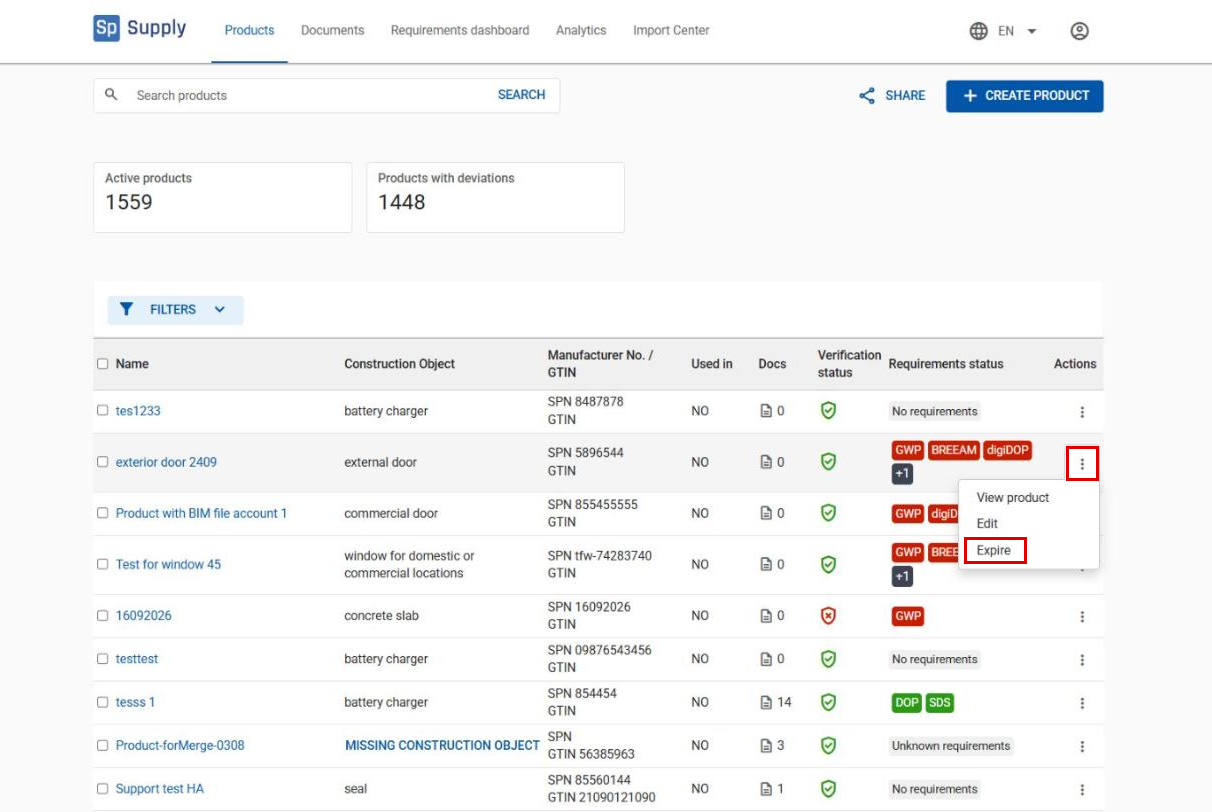
Go to Products and find the product you want to expire. Click the three dots in the Actions column and select Expire.
2
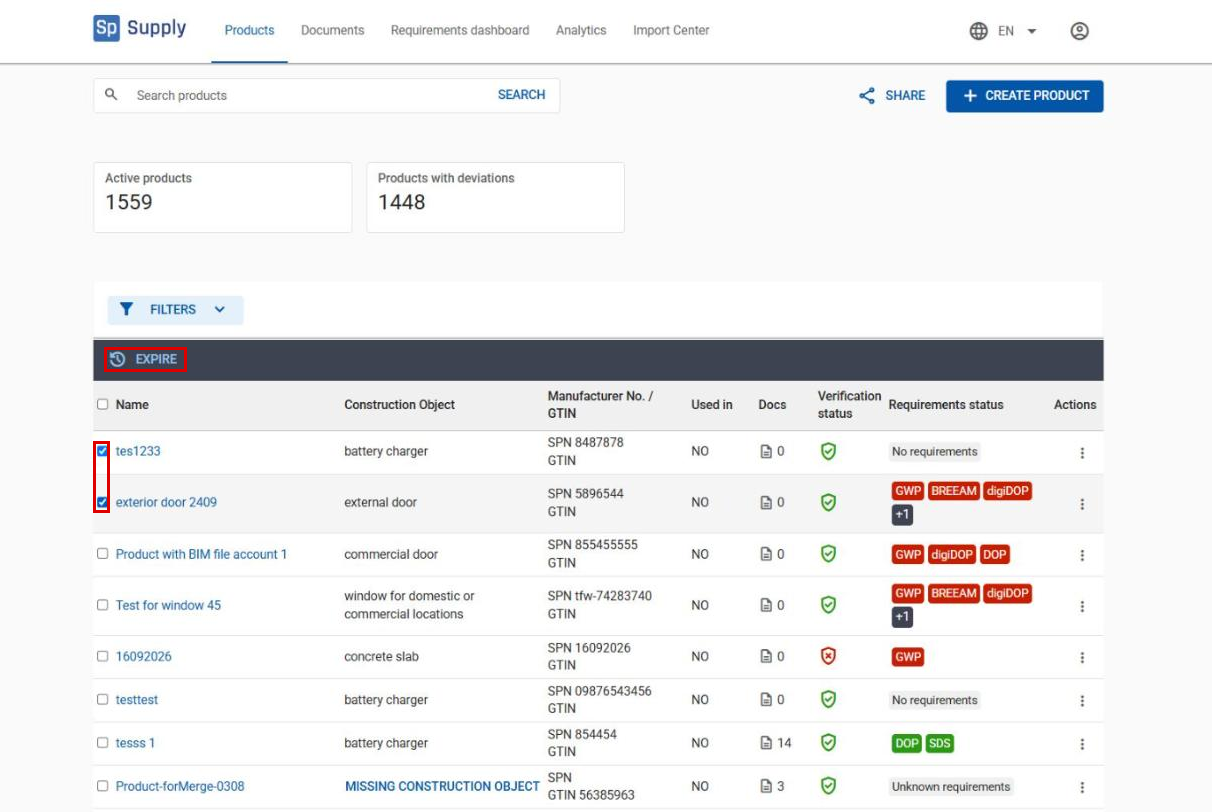
To expire several products at once, tick the products in the list and click Expire at the top of the list.
How to activate an expired product again
1
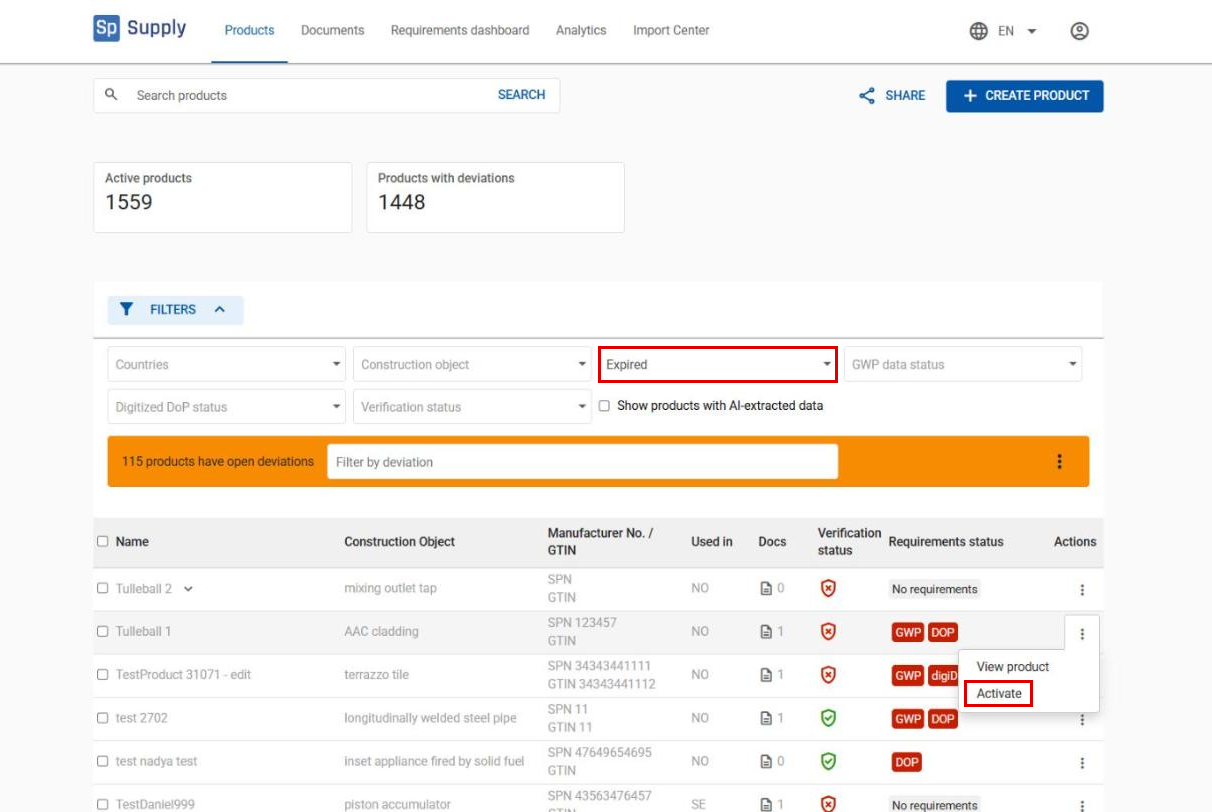
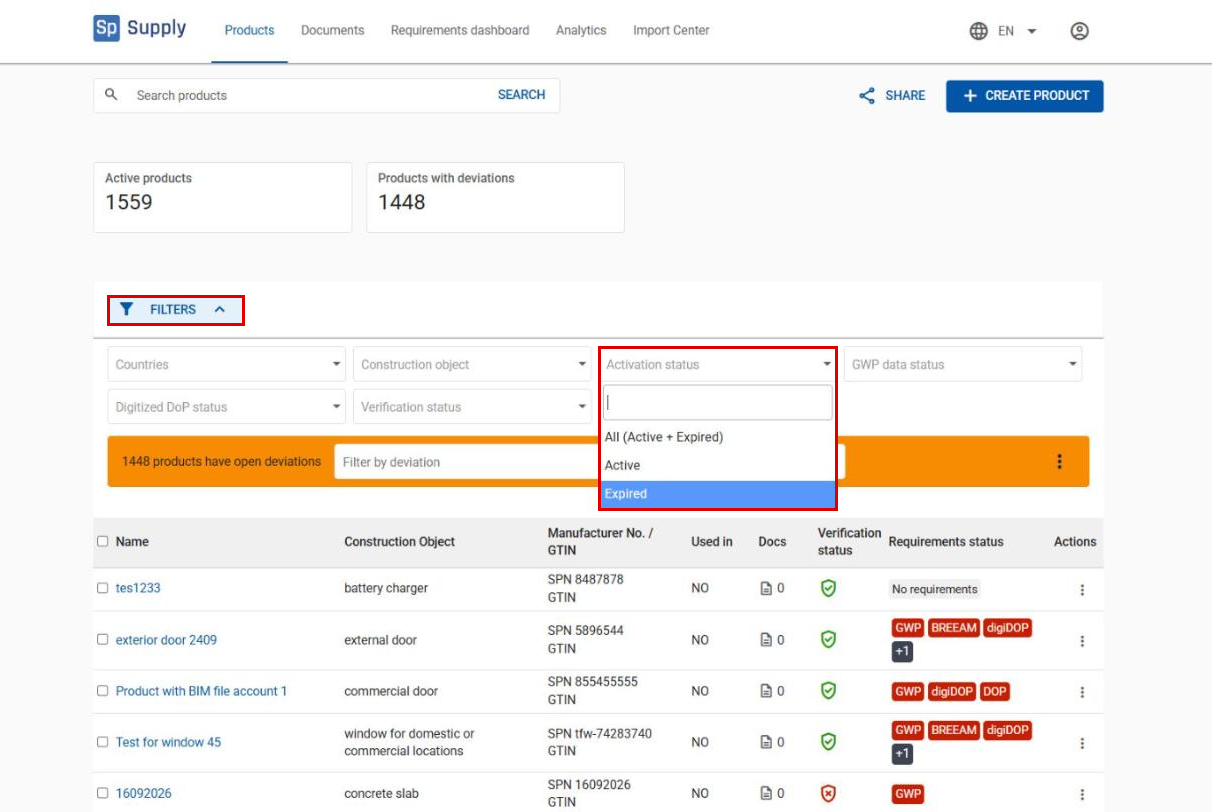
Click Filters and select Expired in the Activation status field.
2
Expired products are shown in grey. Click the three dots next to the product and select Activate.