Welcome to Cobuilder Training Portal
Cobuilder Collaborate has a dedicated overview of the risk management your sub-contractors have carried out on the project. You can send feedback about missing risk management directly in the platform – either a general status with the number of chemicals that still need risk management, or feedback about one specific chemical.
View your sub-contractors’ risk management
1
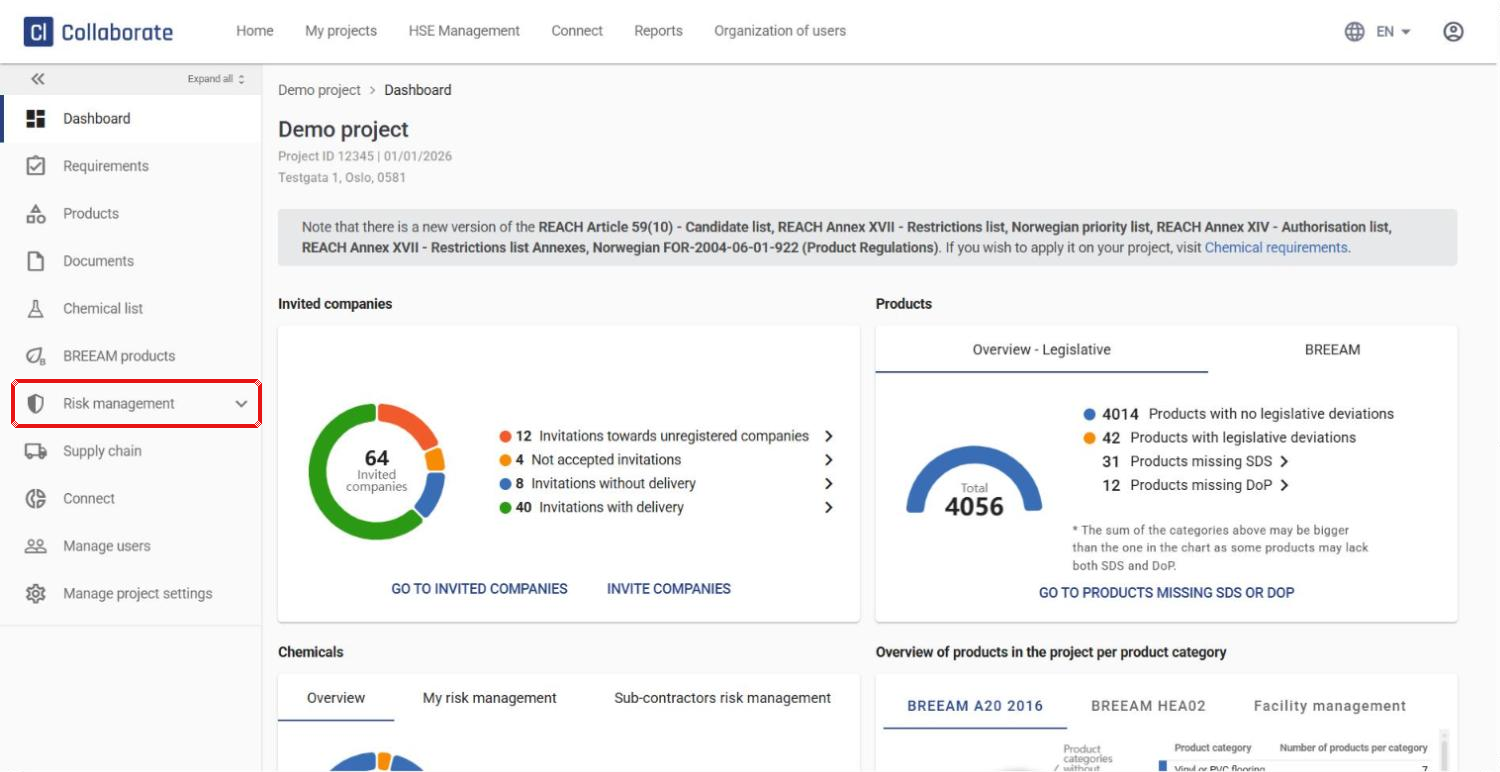
Open the project and click Risk management in the left-hand menu.
2
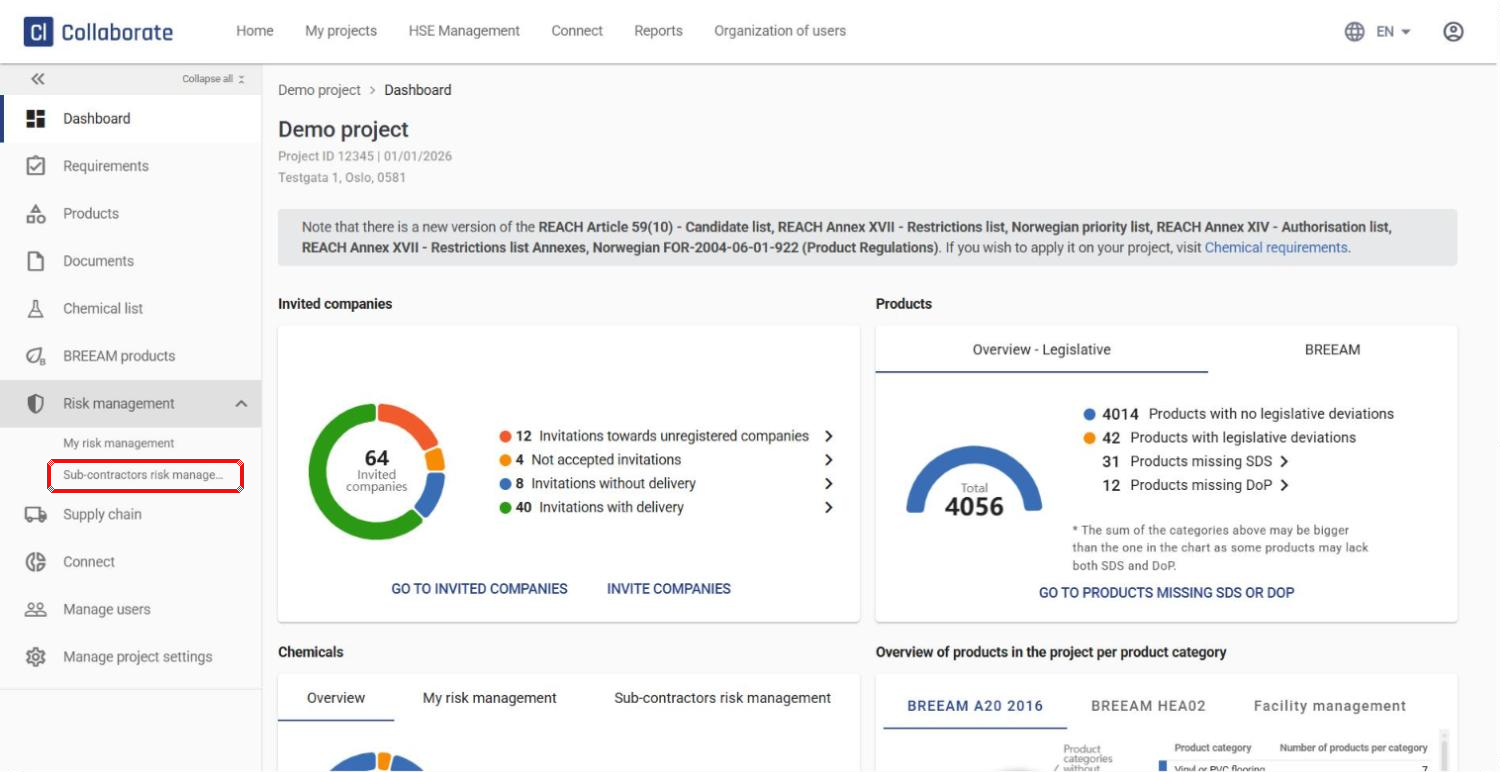
The menu expands with two options: My risk management (chemicals you have added yourself) and Sub-contractors risk management (chemicals added by your sub-contractors). Click Sub-contractors risk management.
3
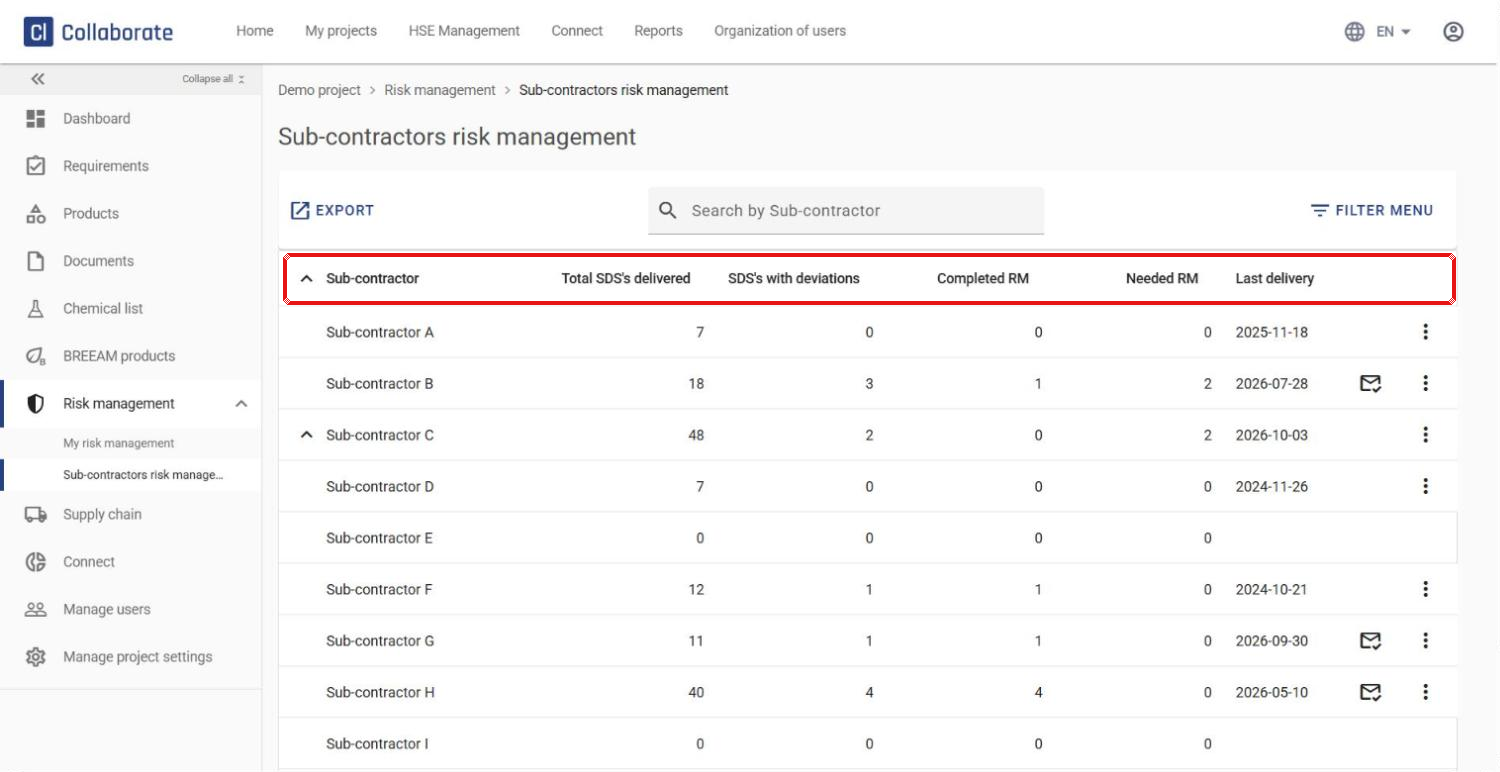
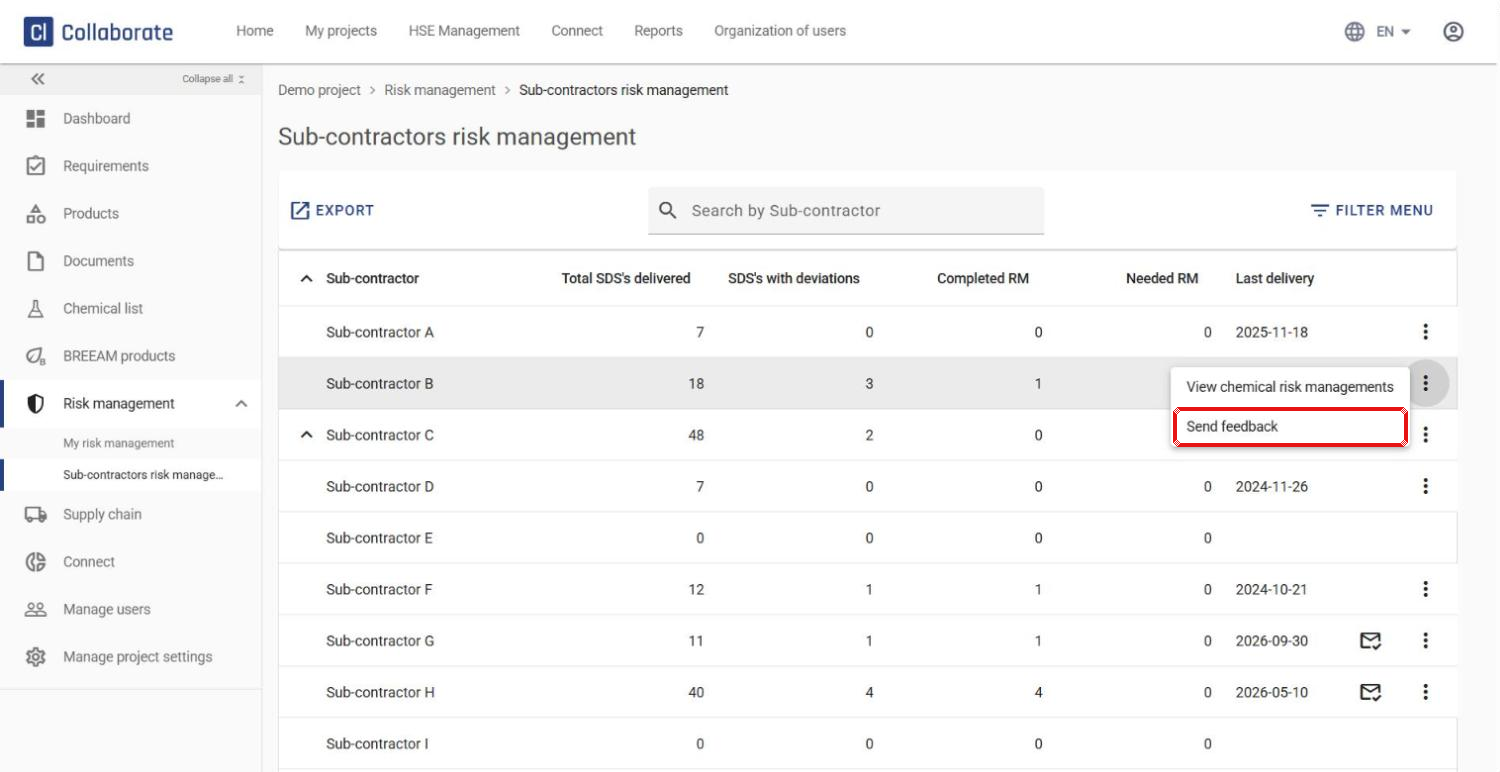
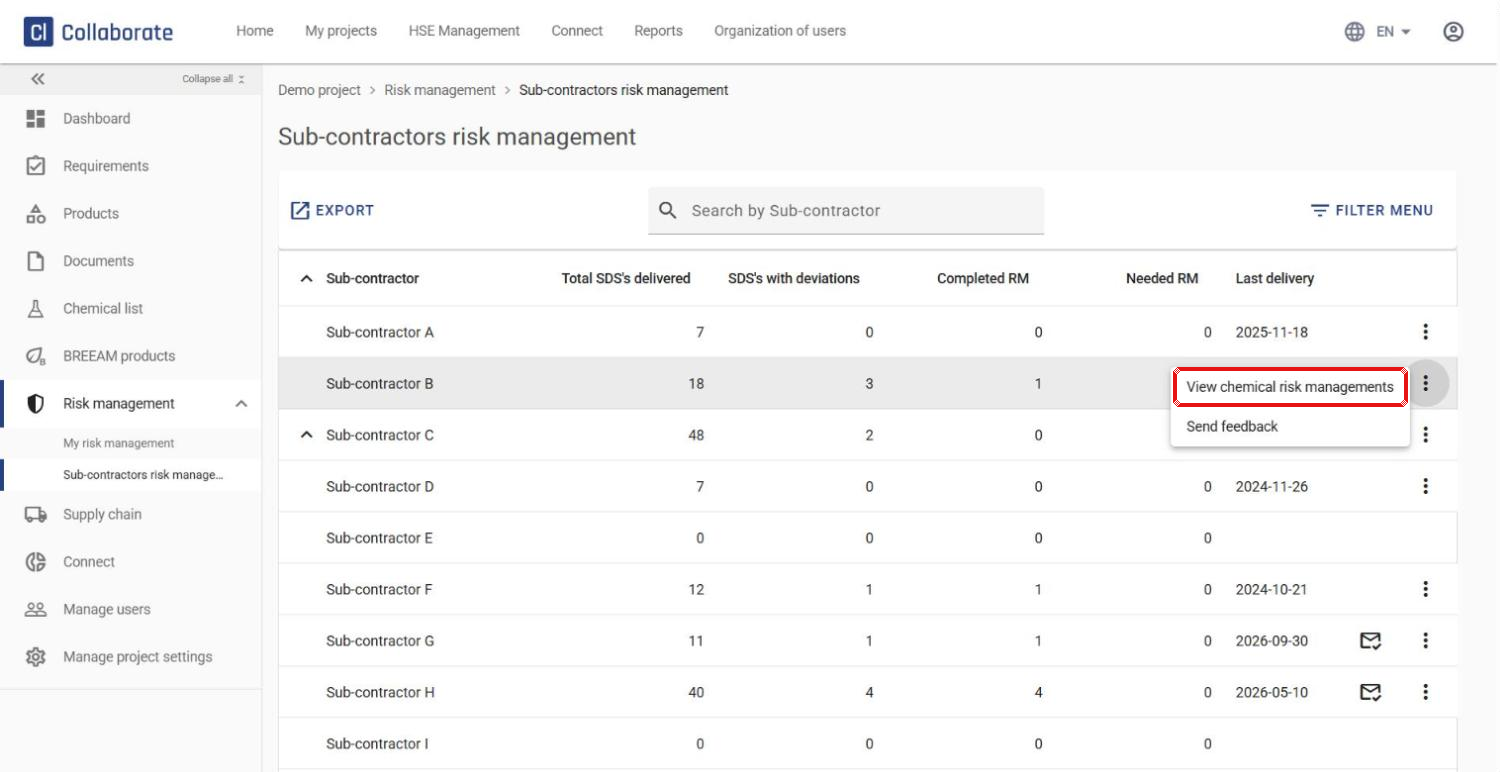
You get an overview of all sub-contractors on the project:
- Total SDS’s delivered – the number of safety data sheets/chemicals the sub-contractor has delivered
- SDS’s with deviations – how many do not meet the project’s chemical requirements
- Completed RM – how many of these have a completed risk management
- Needed RM – how many still need risk management
- Last delivery – the date a product requiring a safety data sheet was last delivered to the project
Send feedback about missing risk management
4
Click the three dots next to the sub-contractor and choose Send feedback to let them know how many chemicals still need risk management.
5
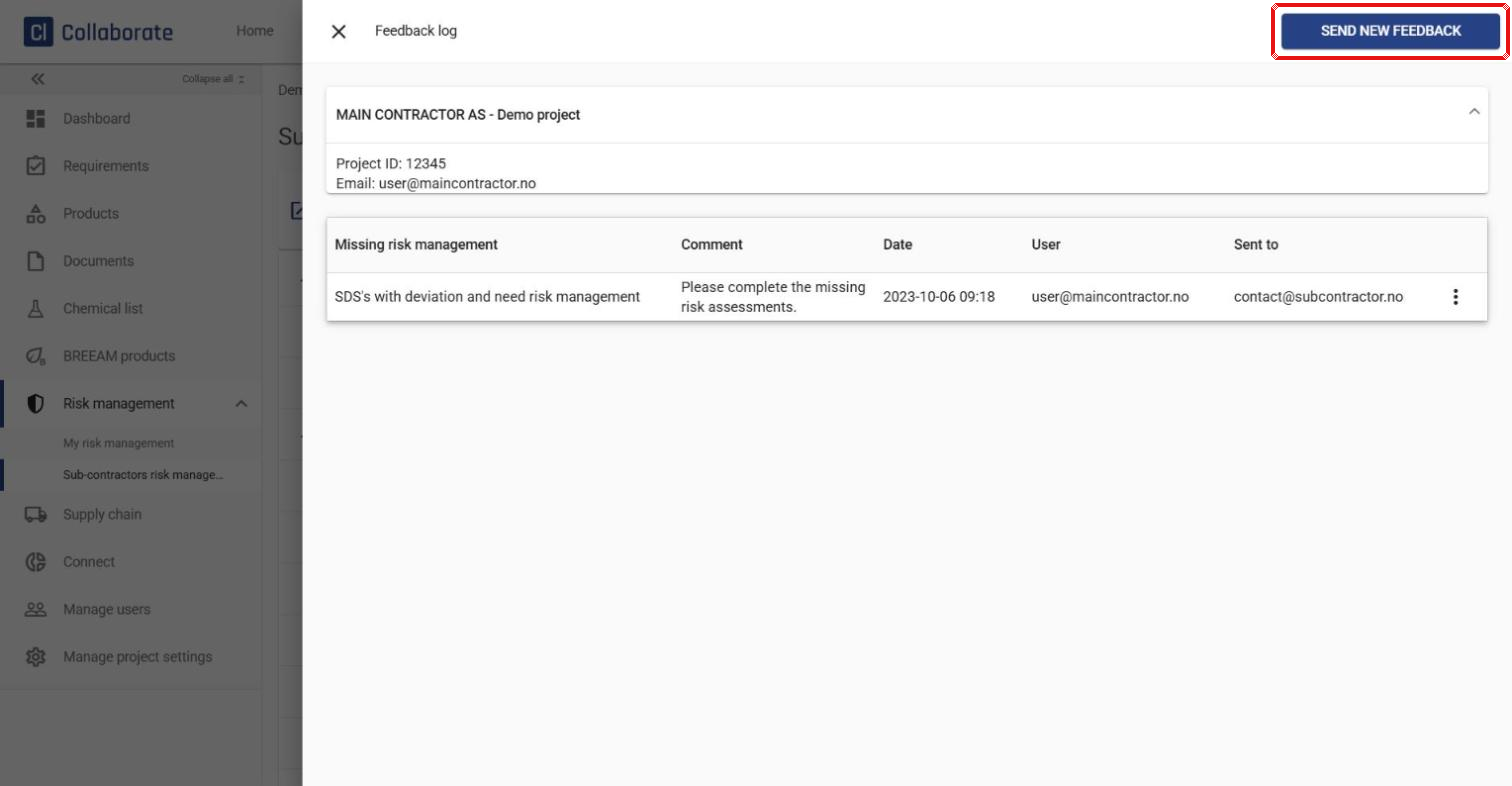
The Feedback log opens and shows any feedback already sent – when, by whom and to whom. Click Send new feedback.
6
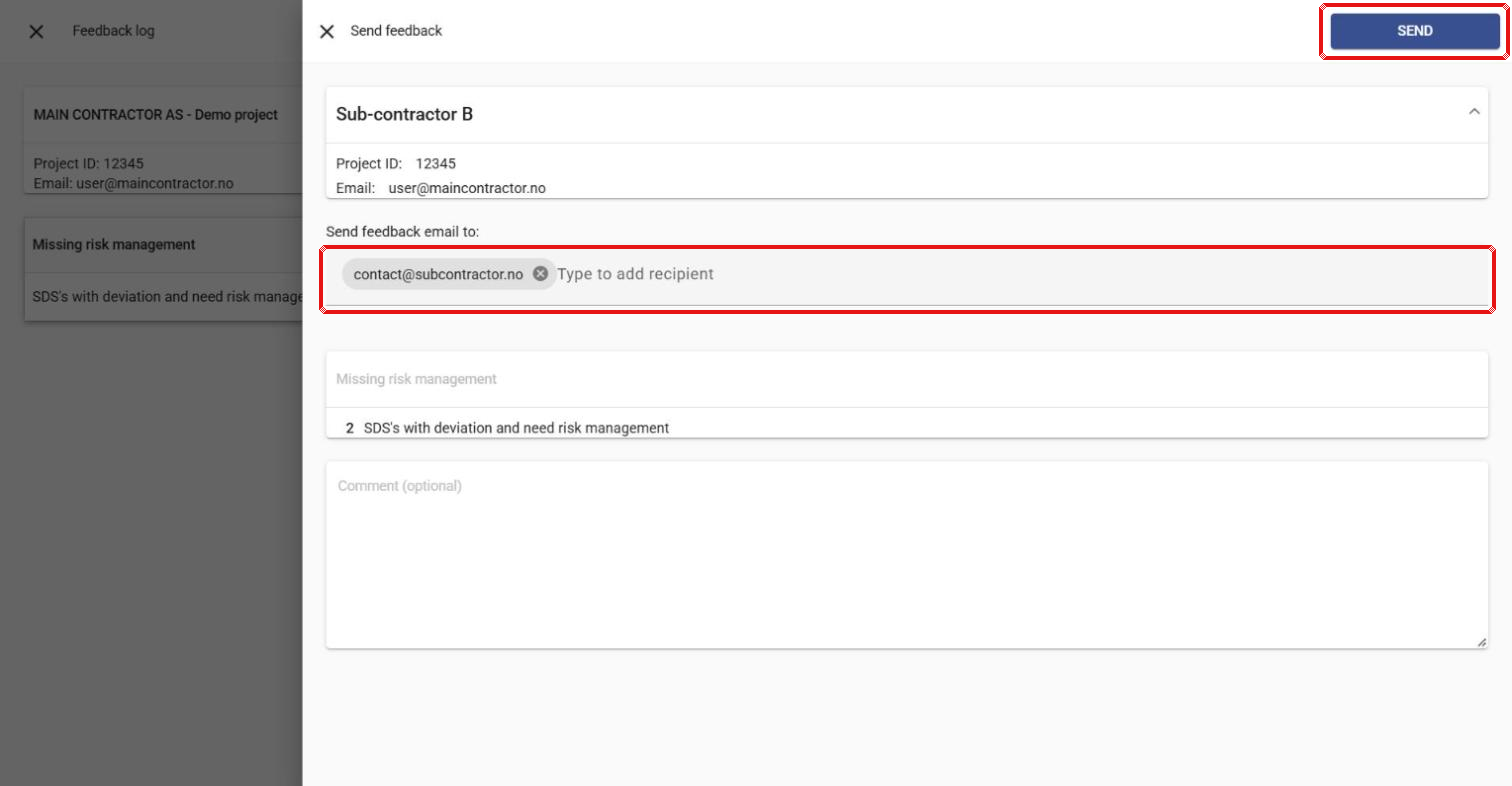
Add more recipients if needed, add a comment (optional), and click Send.
7
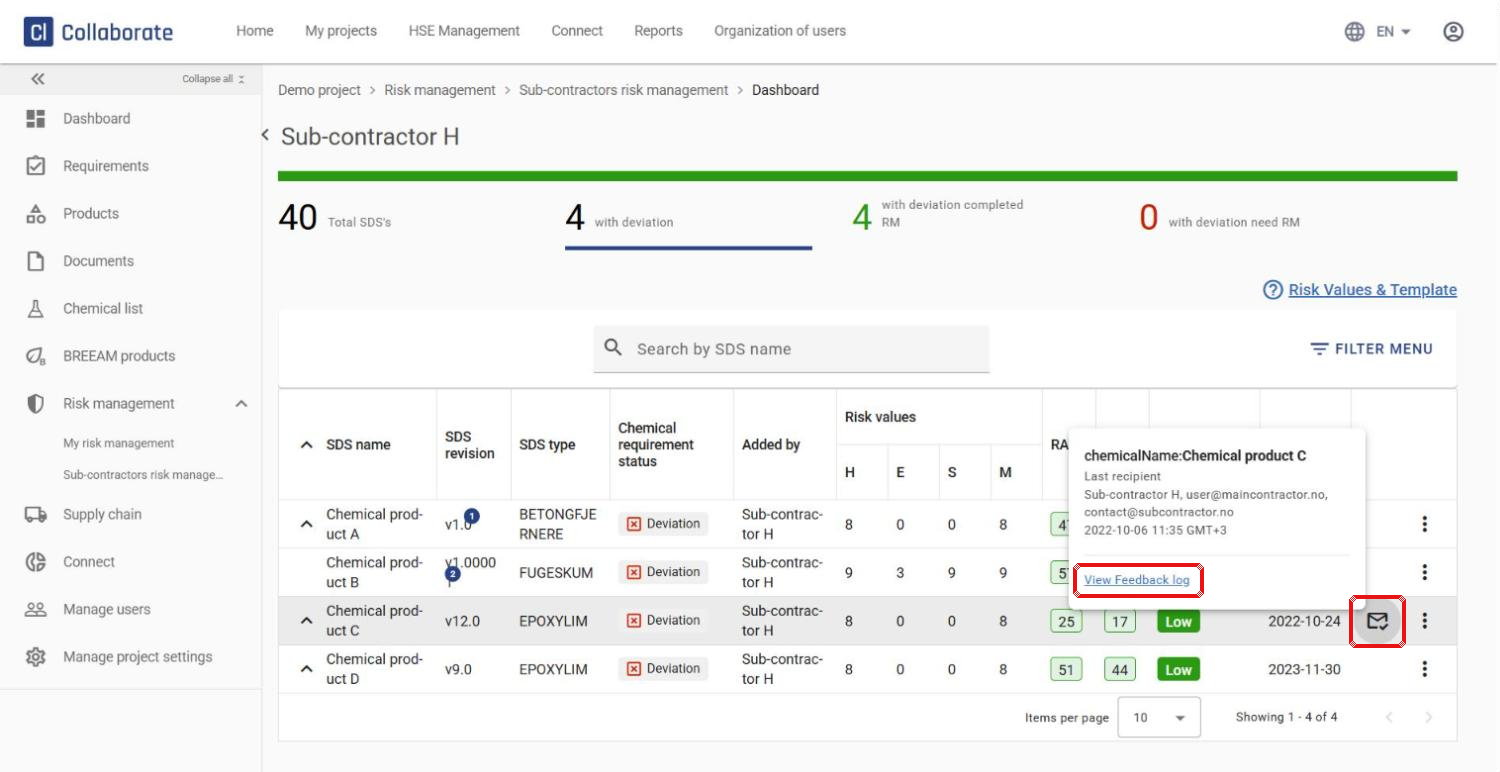
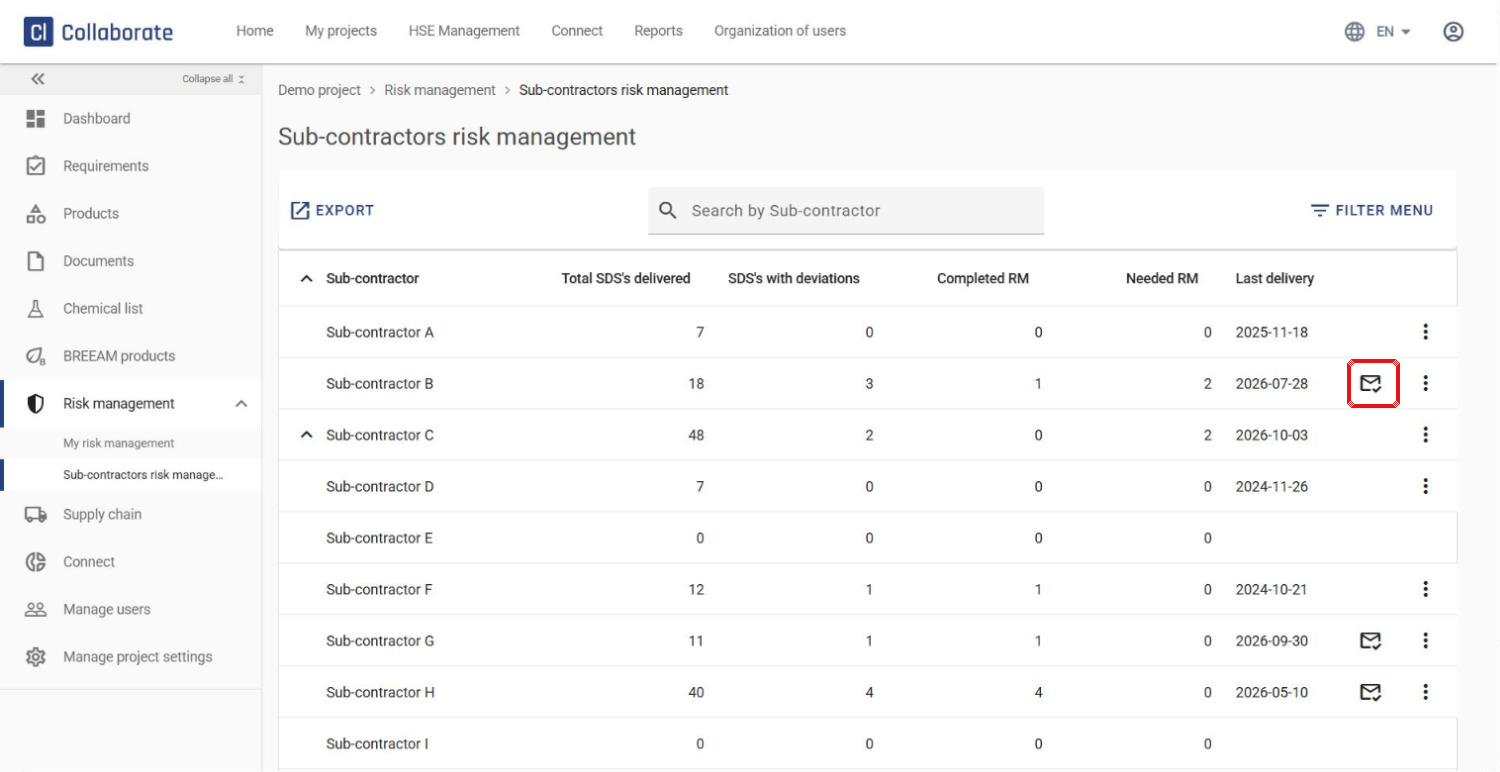
An envelope icon next to the sub-contractor shows that feedback has been sent. Click it to open the feedback log.
View a detailed overview for one sub-contractor
8
Click the three dots next to the sub-contractor and choose View chemical risk managements.
9
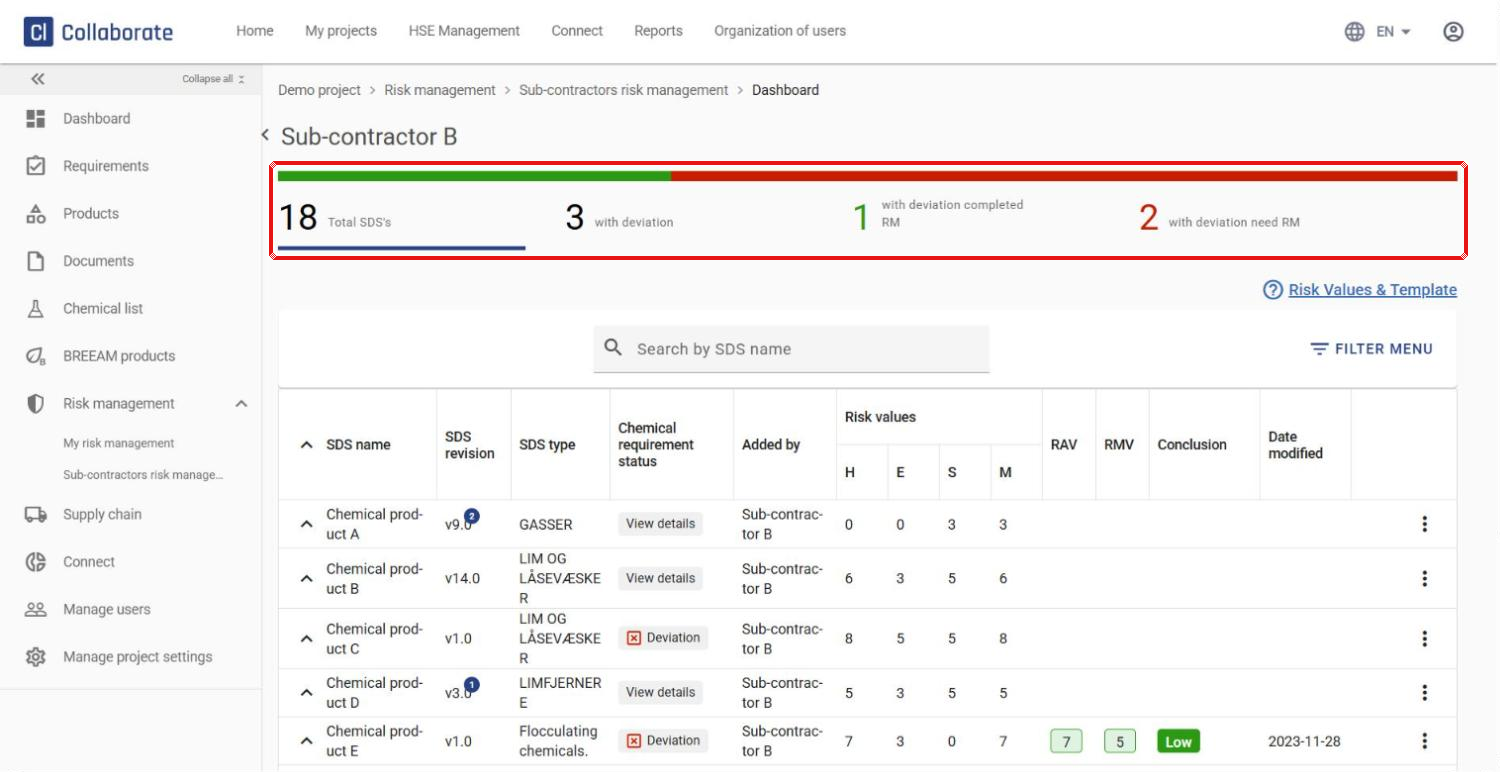
Four categories and a progress bar at the top give you an overview of the sub-contractor’s risk management:
- Total SDS’s – all safety data sheets/chemicals the sub-contractor has added
- with deviation – those that do not meet the project’s chemical requirements
- with deviation completed RM – those with a completed risk management
- with deviation need RM – those that still need risk management
The progress bar shifts from red to green as the sub-contractor completes risk management for chemicals with deviations.
10
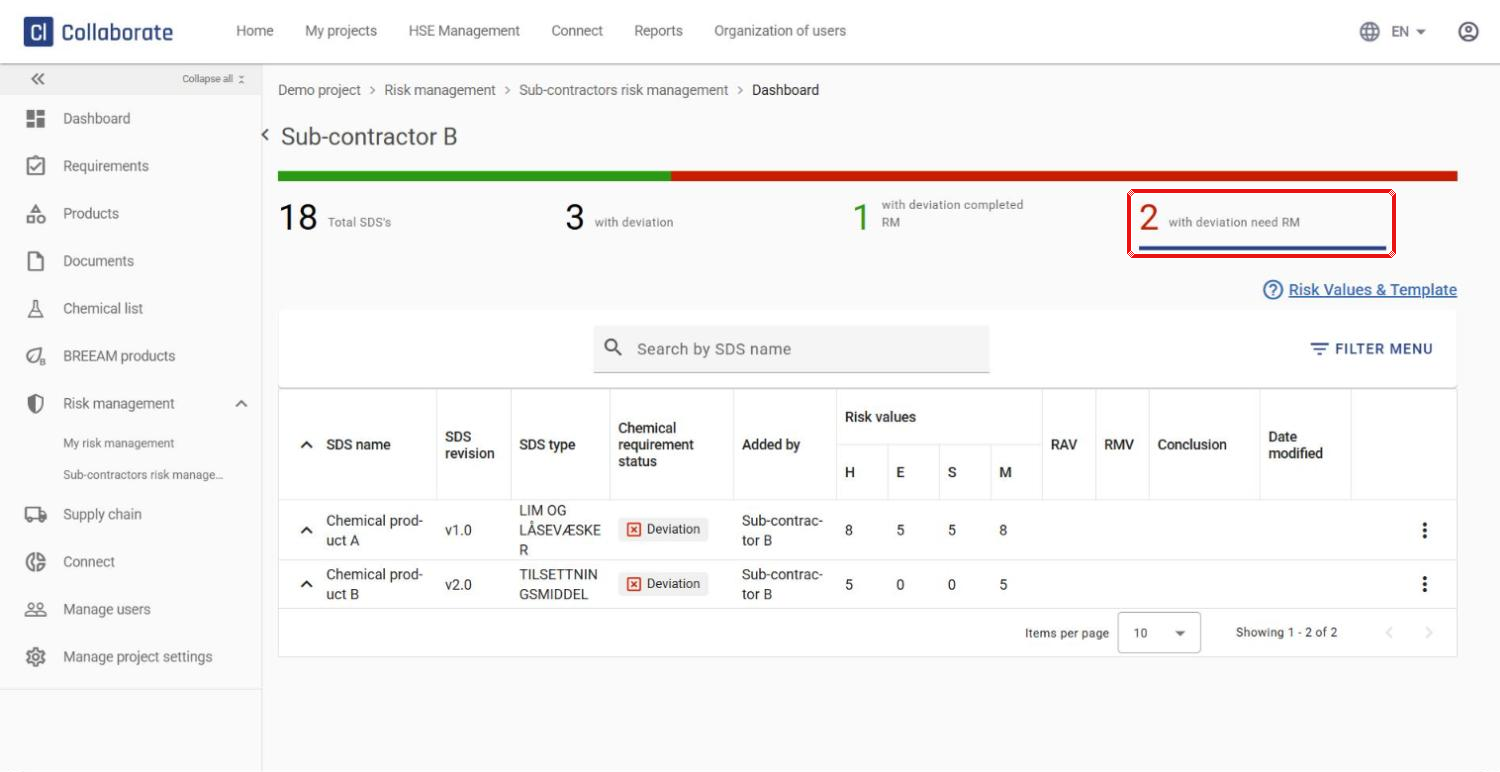
Click a category to filter the chemical list – for example with deviation need RM to see only the chemicals that still need risk management. In the list you can review the risk management the sub-contractor has carried out.
Send feedback about a specific risk management
11
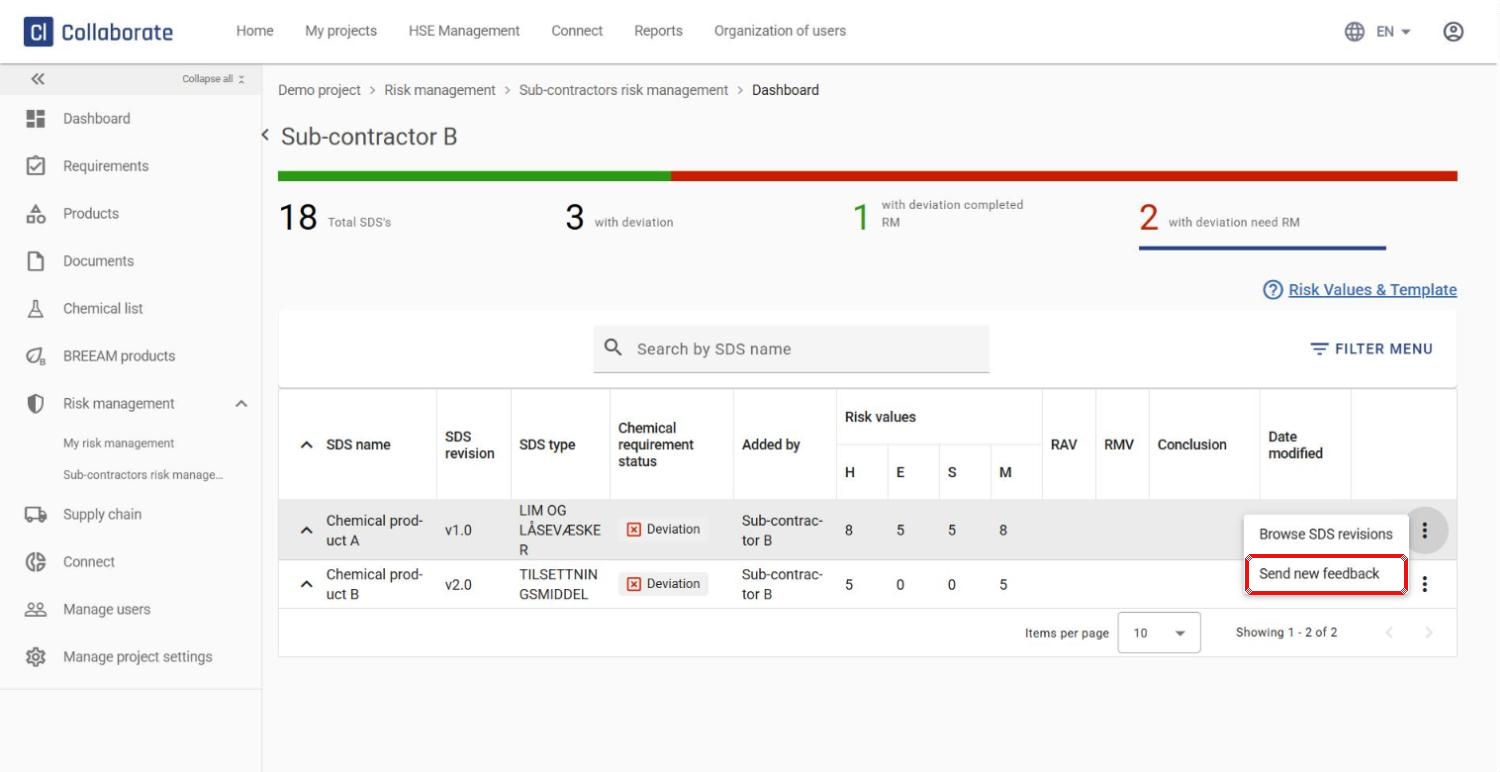
Click the three dots next to the chemical and choose Send new feedback.
12
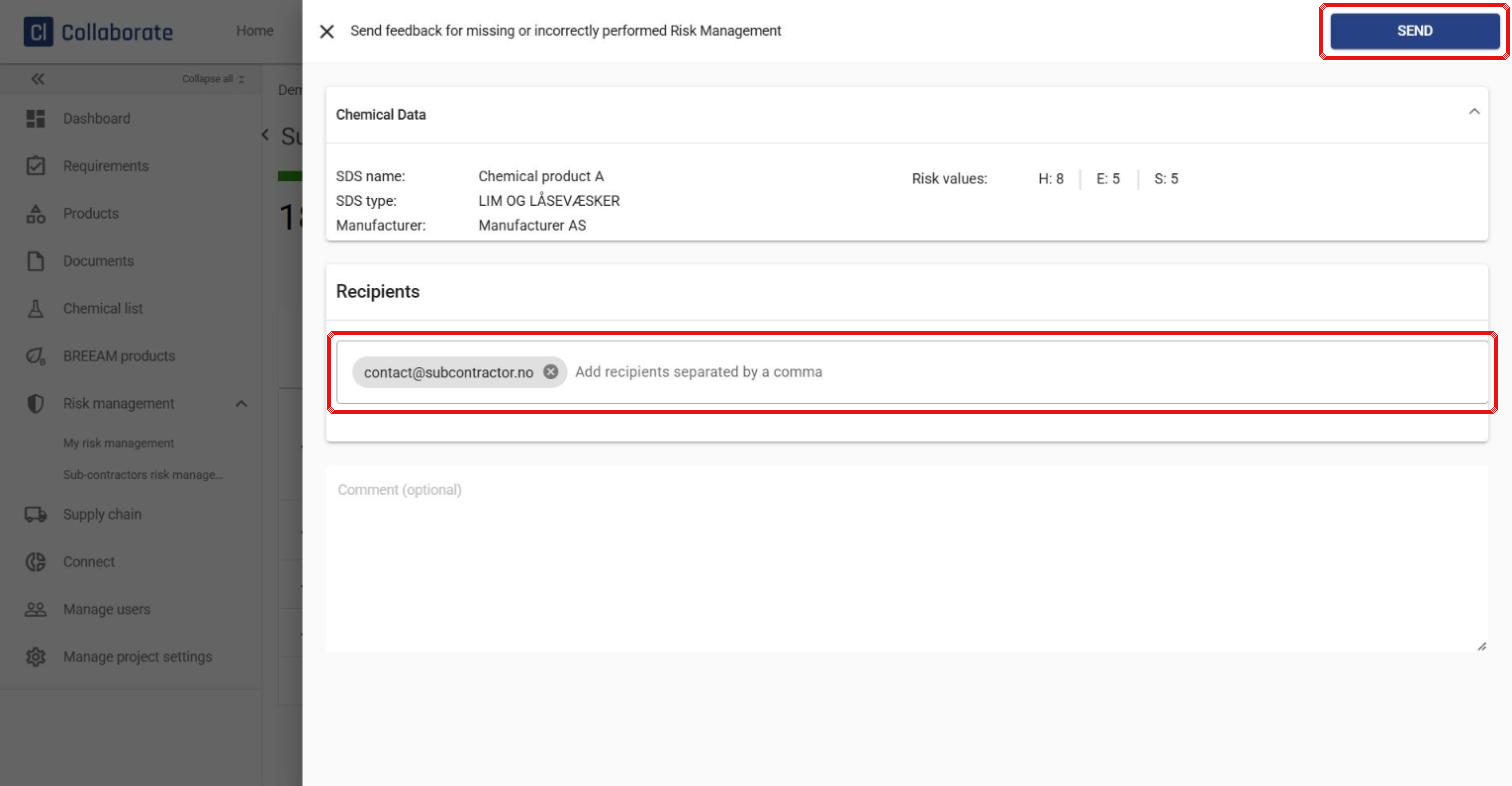
Add more recipients and a comment if needed, and click Send.
13
An envelope icon next to the chemical shows that feedback has been sent. Click it to see the last recipient and when it was sent, and click View Feedback log to see all feedback sent for that chemical.