Welcome to Cobuilder Training Portal
Package data describes how your product is packed. Adding it to your products in Cobuilder Supply helps contractors calculate the carbon footprint of the product in their projects.
What type of package data does Cobuilder Supply support?
Cobuilder Supply currently supports one type of packaging: F-pak (consumer packaging). This is the smallest saleable unit of the product, also called primary packaging.
We plan to support more packaging types and their IDs in the future, so that you can register complete packaging structures.
Why is package data important?
Package data is needed, among other things, to calculate the carbon footprint (GWP) of a product in a given project. To do this, contractors need:
- the GWP value for the product
- information about the packaging, in particular weight, width, height and depth
Formula: Carbon footprint = GWP for the given LCA phase × quantity used in the project. Package data contributes directly to the accuracy of the calculation.
How to enter package data
1
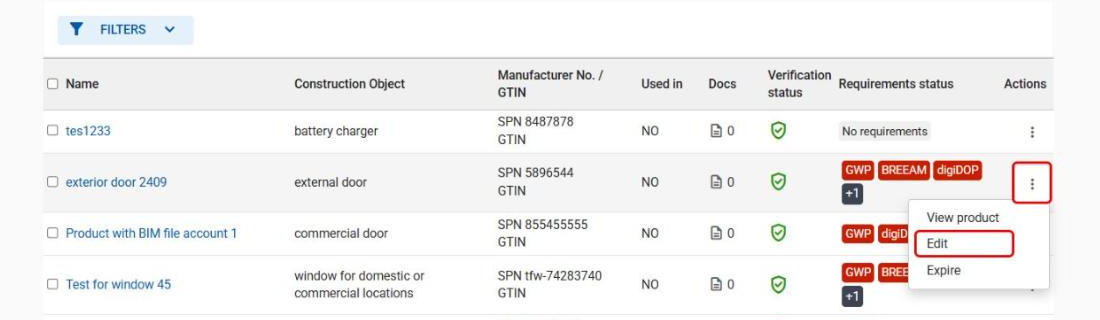
Log in to Cobuilder Supply, find the product you want to update, click ⋮ (Actions) next to the product and select Edit.
2
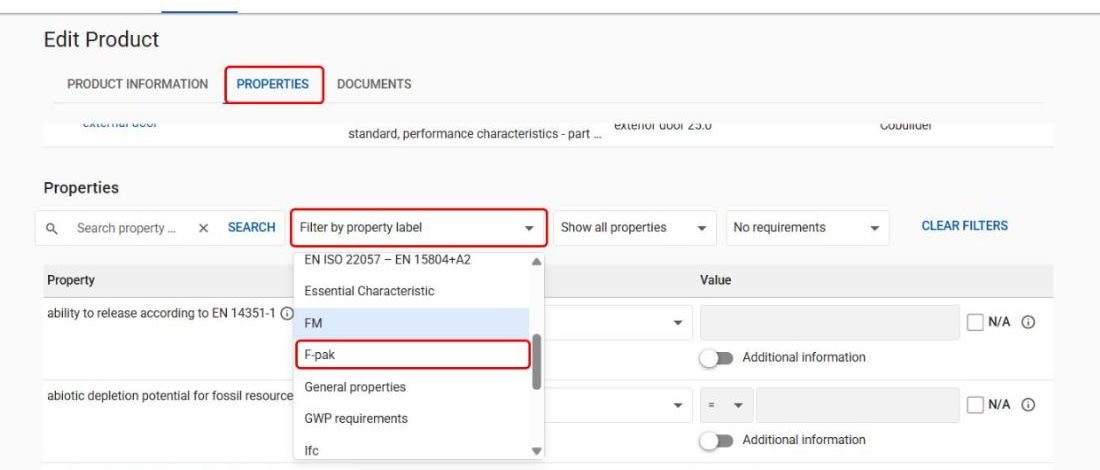
Go to the Properties tab, open Filter by property label and select F-pak.
3
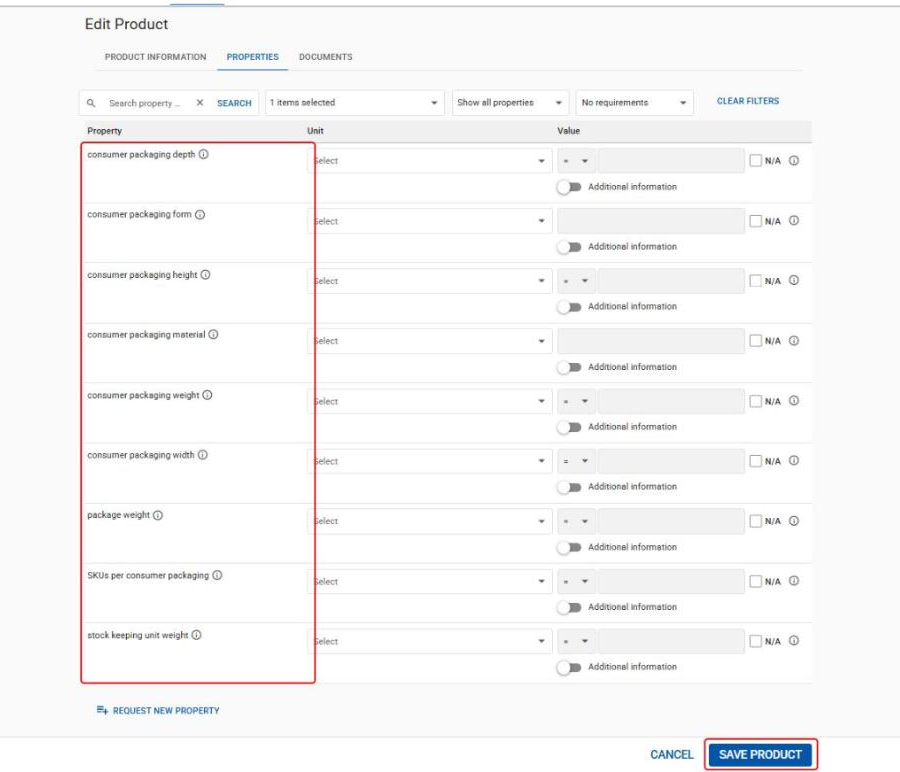
Fill in the following fields and click Save product when you’re done:
- consumer packaging form
- consumer packaging weight
- consumer packaging width
- consumer packaging height
- consumer packaging depth
- SKUs per consumer packaging
The F-pak label also includes other packaging properties, such as consumer packaging material, package weight and stock keeping unit weight. Fill these in if they are relevant for your product.