Welcome to Cobuilder Training Portal
You can edit your company’s contact details and address in Company details. You’ll find it under the company management tools on the Cobuilder platform home page.
Steps
1
Log in to the Cobuilder platform.
2
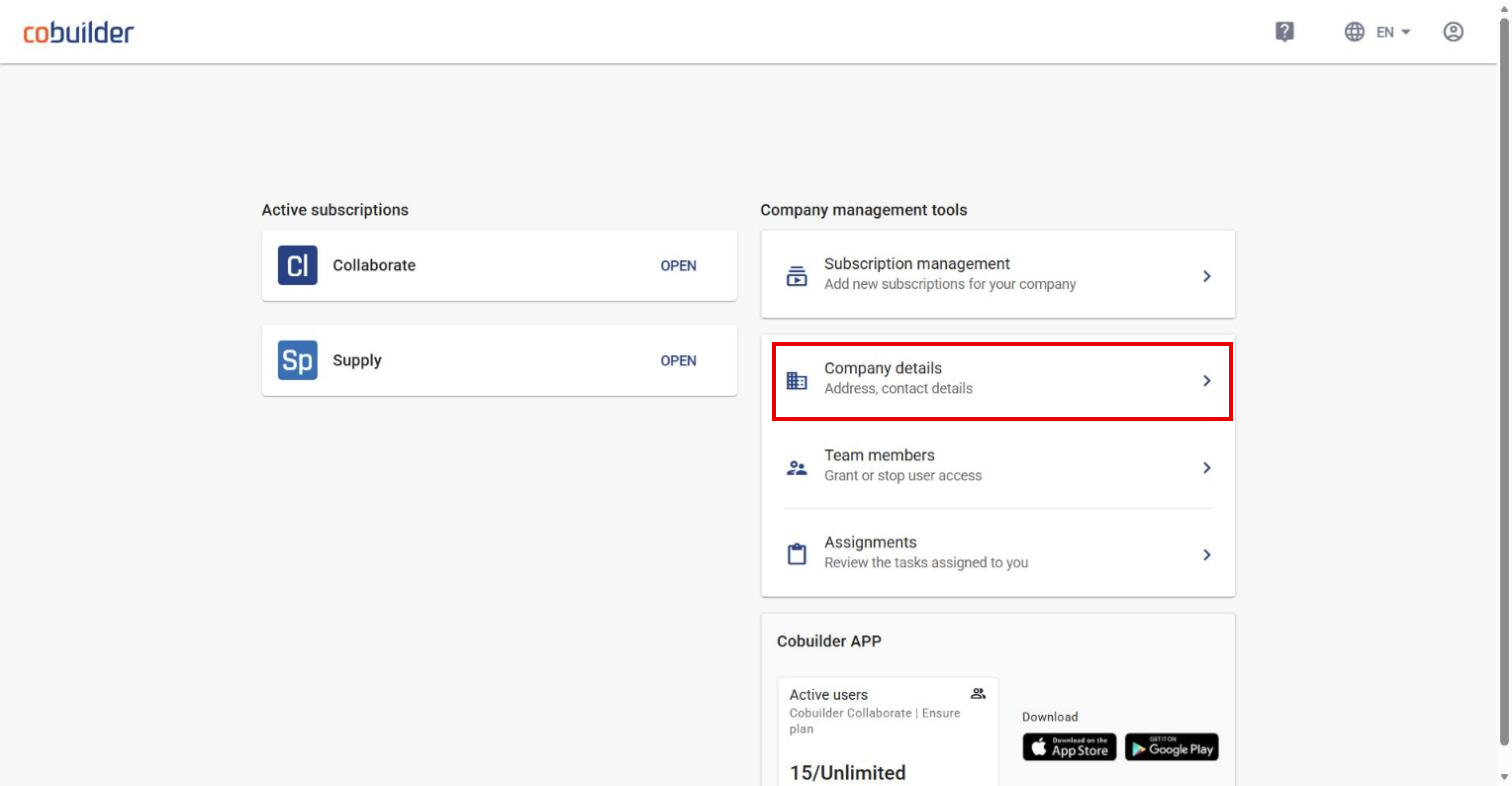
On the home page, under Company management tools, click Company details.
3
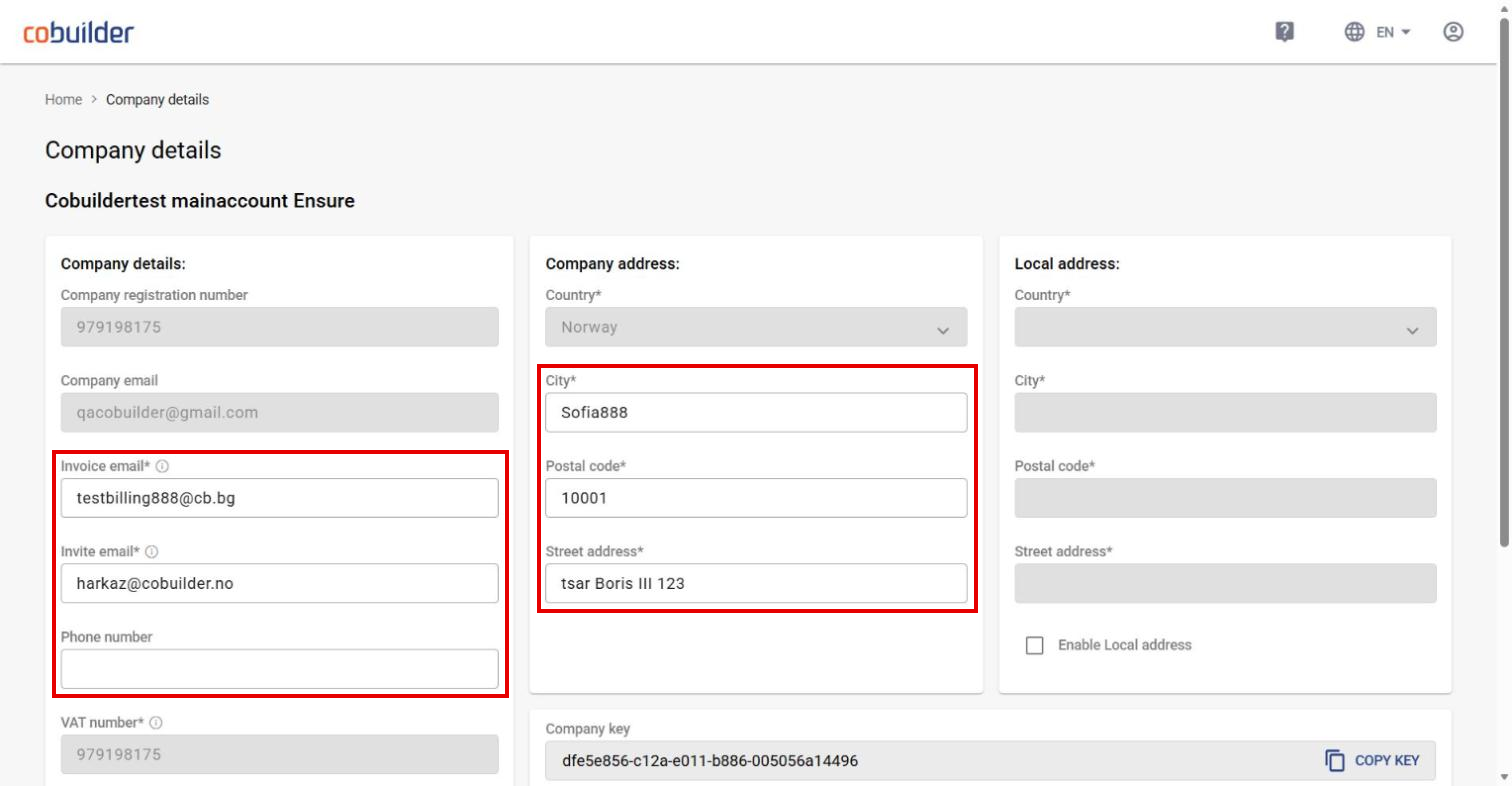
Under Company details, you can change the Invoice email (receives invoices), Invite email (receives project invitations), Phone number and the company address.
4
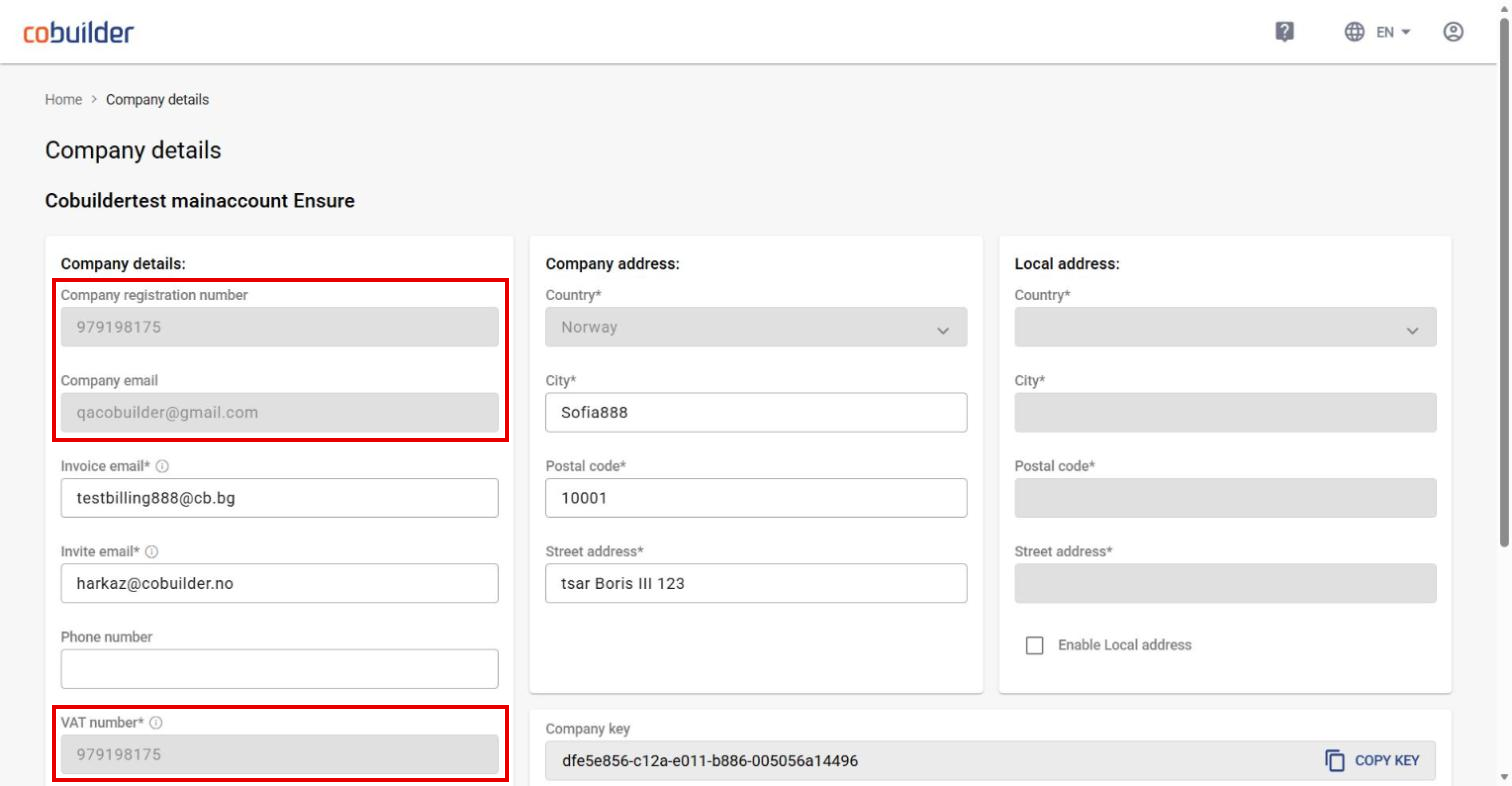
Company registration number, Company email and VAT number are read-only and can’t be changed here. To change your company name or registration number, contact Cobuilder Support.
5
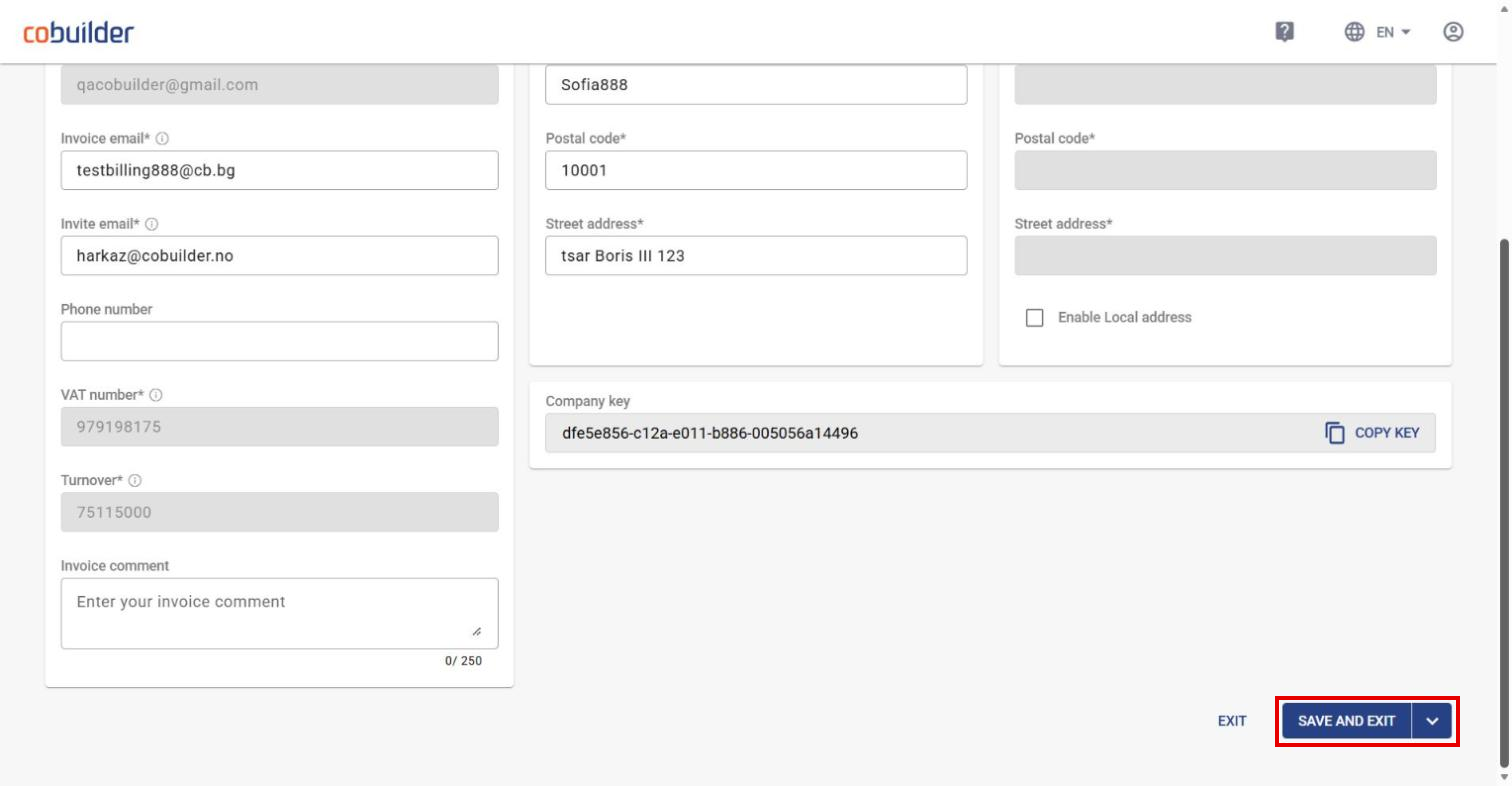
If you need a separate delivery address in addition to the company address, select Enable Local address and fill in the fields.
6
Click Save and exit when you’re done.