Welcome to Cobuilder Training Portal
This guide shows how to open a document to see its details, edit the information, or set the document as expired.
How to do it
1
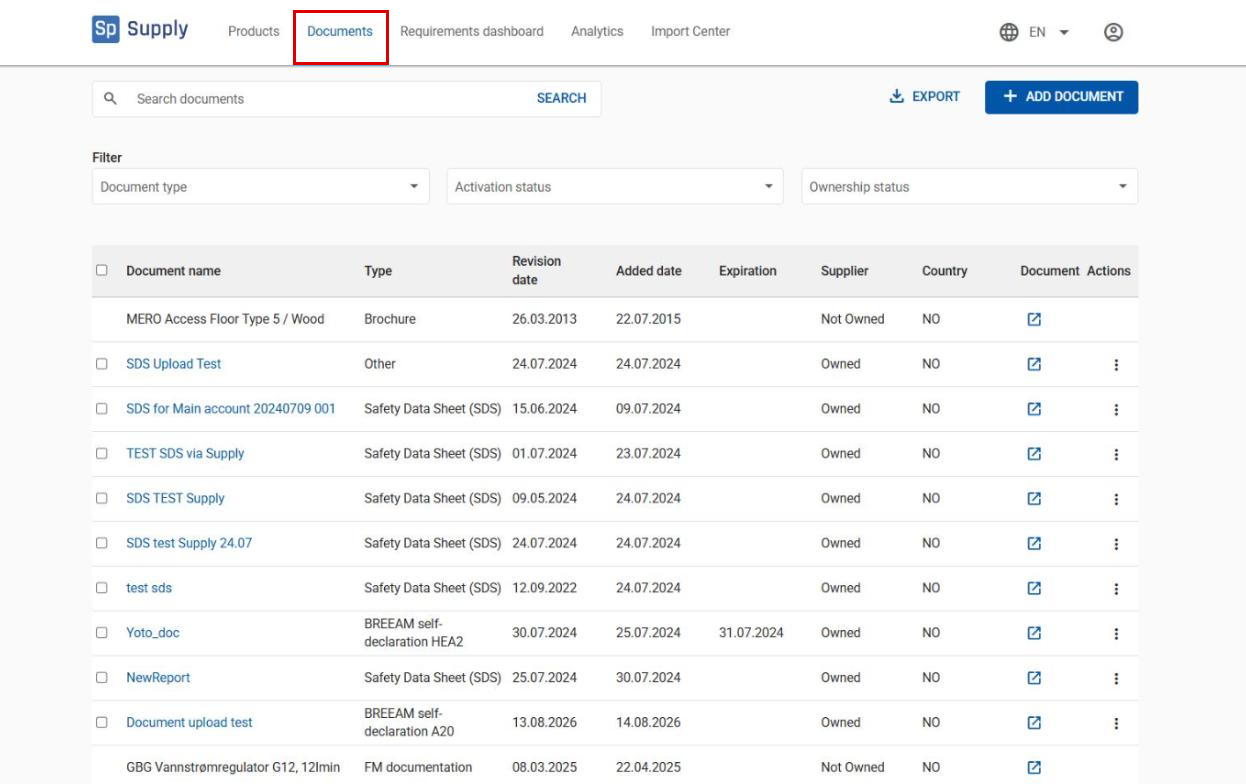
Go to Documents in the top menu.
2
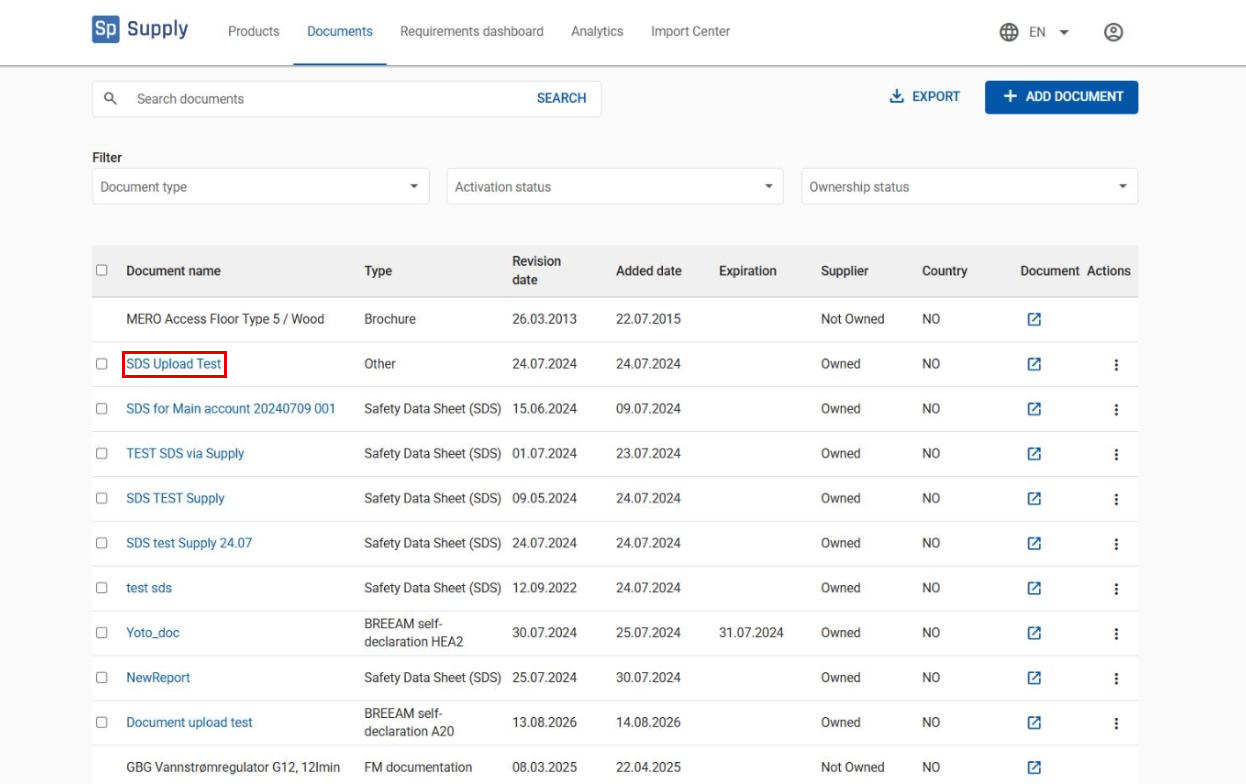
Click a document in the list. You can only open documents you own – documents you don’t own are shown without a link in the list.
3
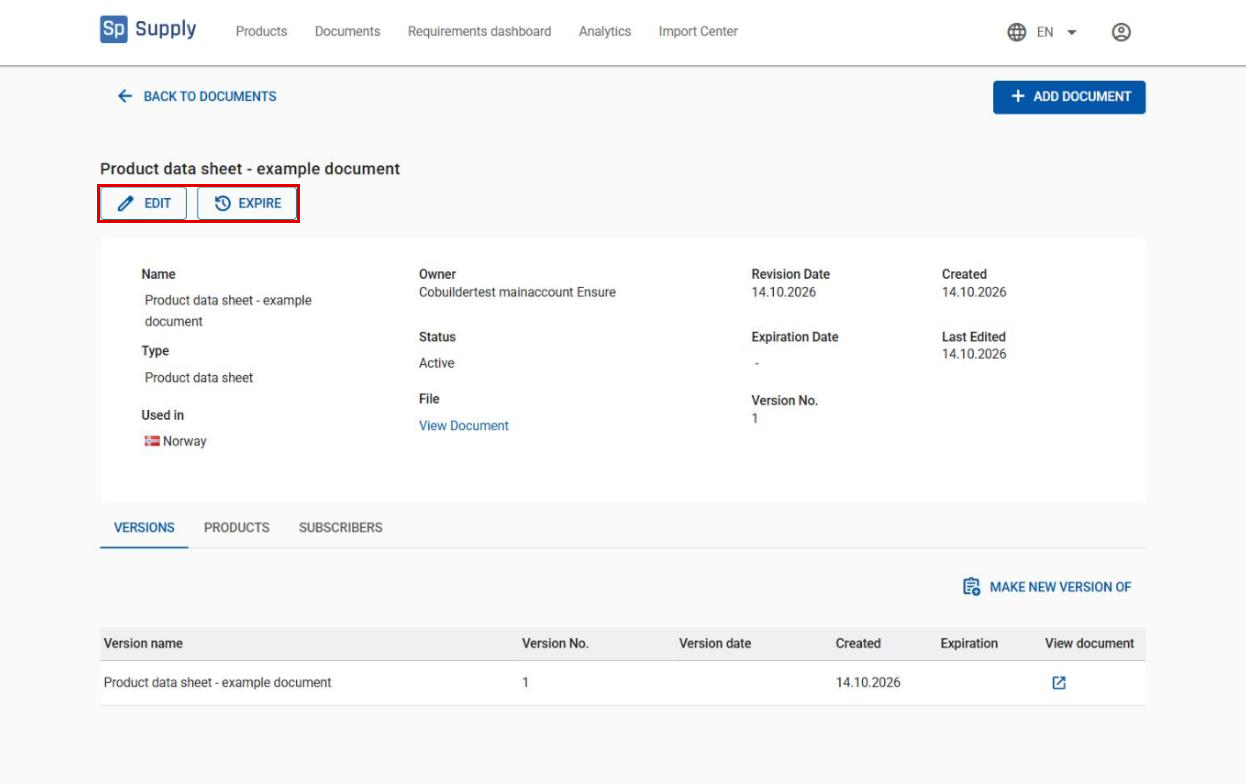
Below the document name, you find two buttons: Edit and Expire.
4
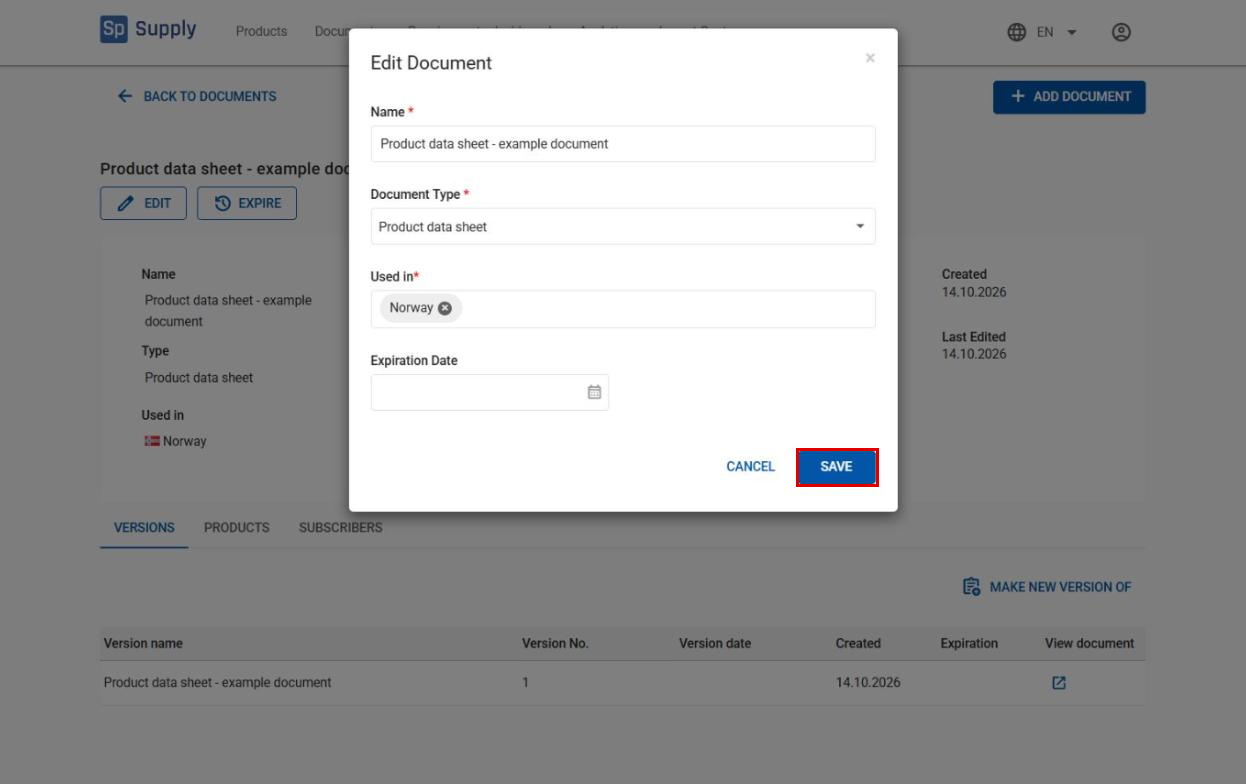
Click Edit to change the document information. When you have made your changes, click Save to update the information.
5
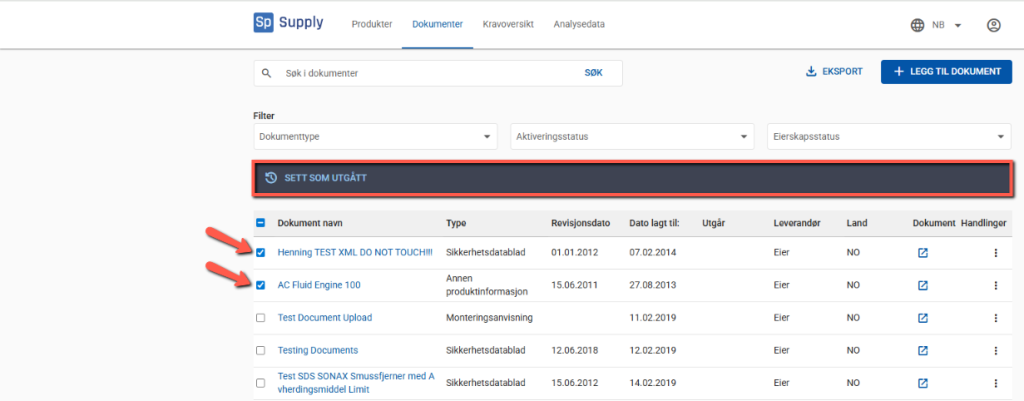
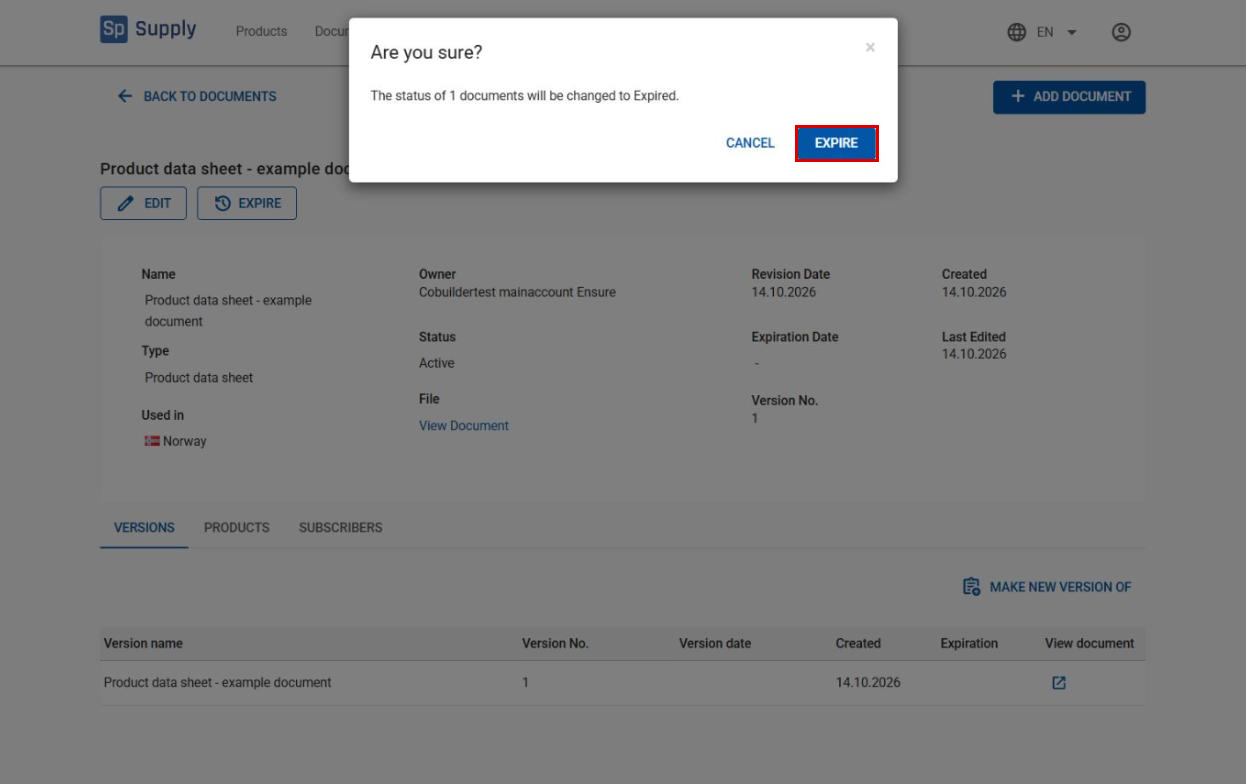
Click Expire. You are asked to confirm your choice.
6
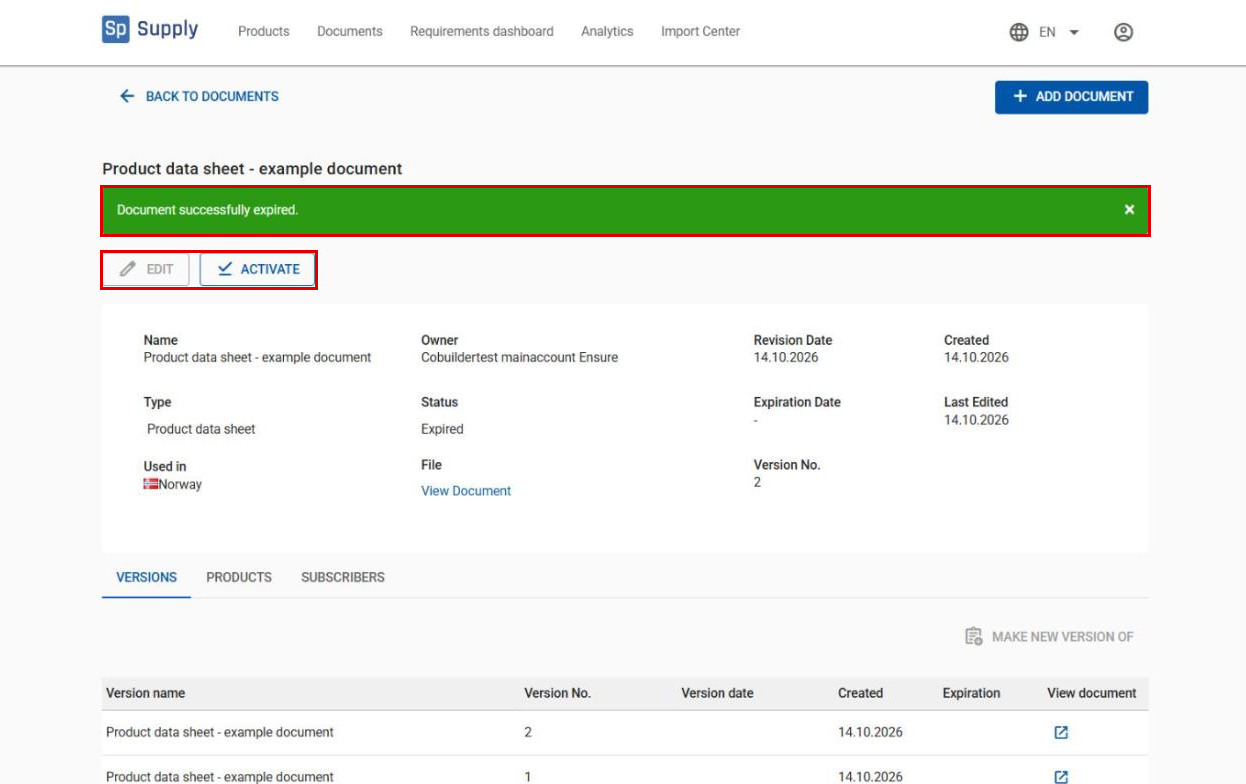
Confirm by clicking Expire in the dialog box. You get a green confirmation message, and the buttons change to Edit (disabled) and Activate, so you can activate the document again if needed.