Welcome to Cobuilder Training Portal
The Risk management module helps you keep track of hazardous chemicals used on the project. It was developed in close collaboration with the working group for chemicals and chemical inventories. The process is easy to follow, and you don’t need to know the theory behind it to get started.
How to do it
1
Open the project.
2
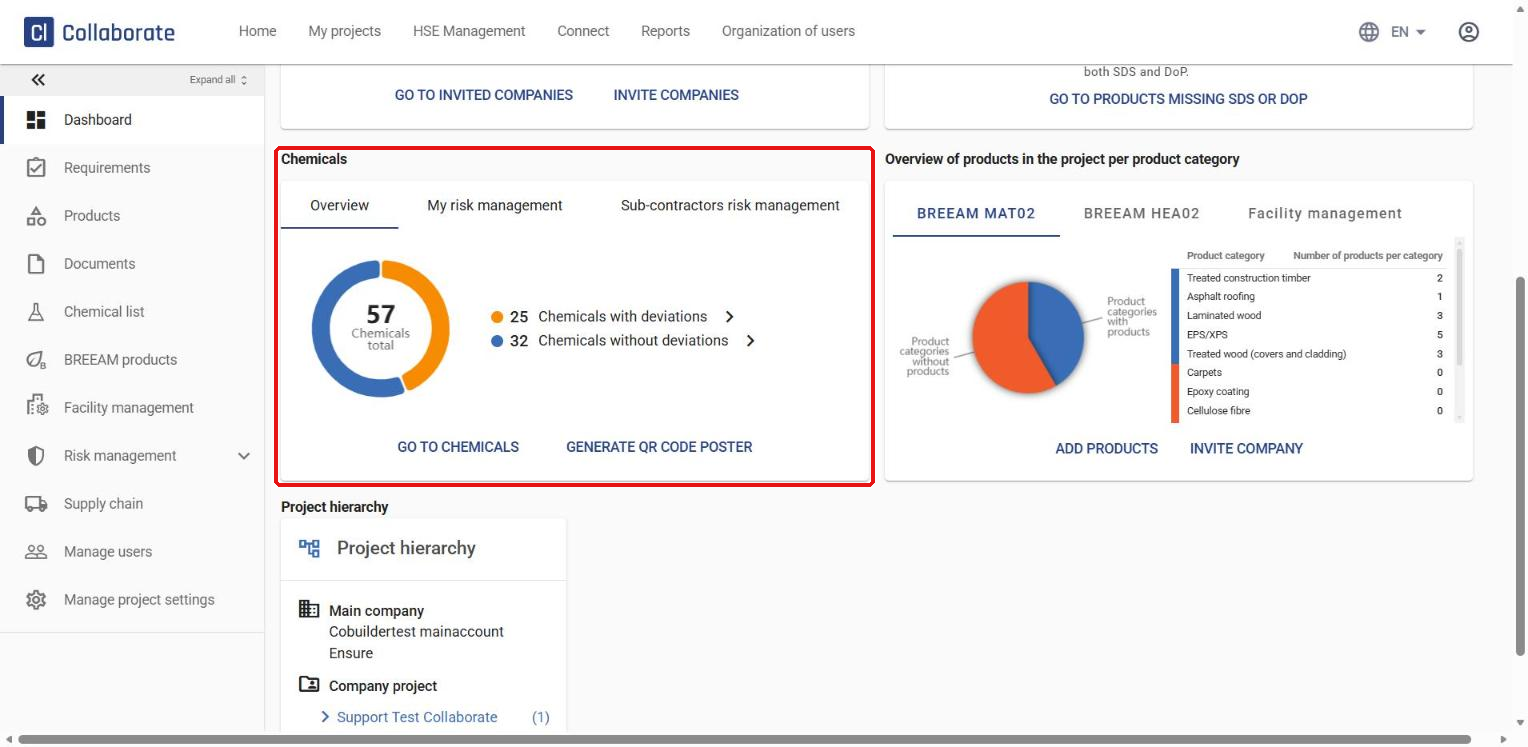
The project dashboard already gives you an overview of the project’s chemicals in the Chemicals box, split into three tabs: Overview shows how many chemicals have deviations from the project’s chemical requirements and how many don’t. My risk management shows how many of your chemicals with deviations have completed risk management and how many still need it. Sub-contractors risk management shows the same for the chemicals your sub-contractors have added.
3
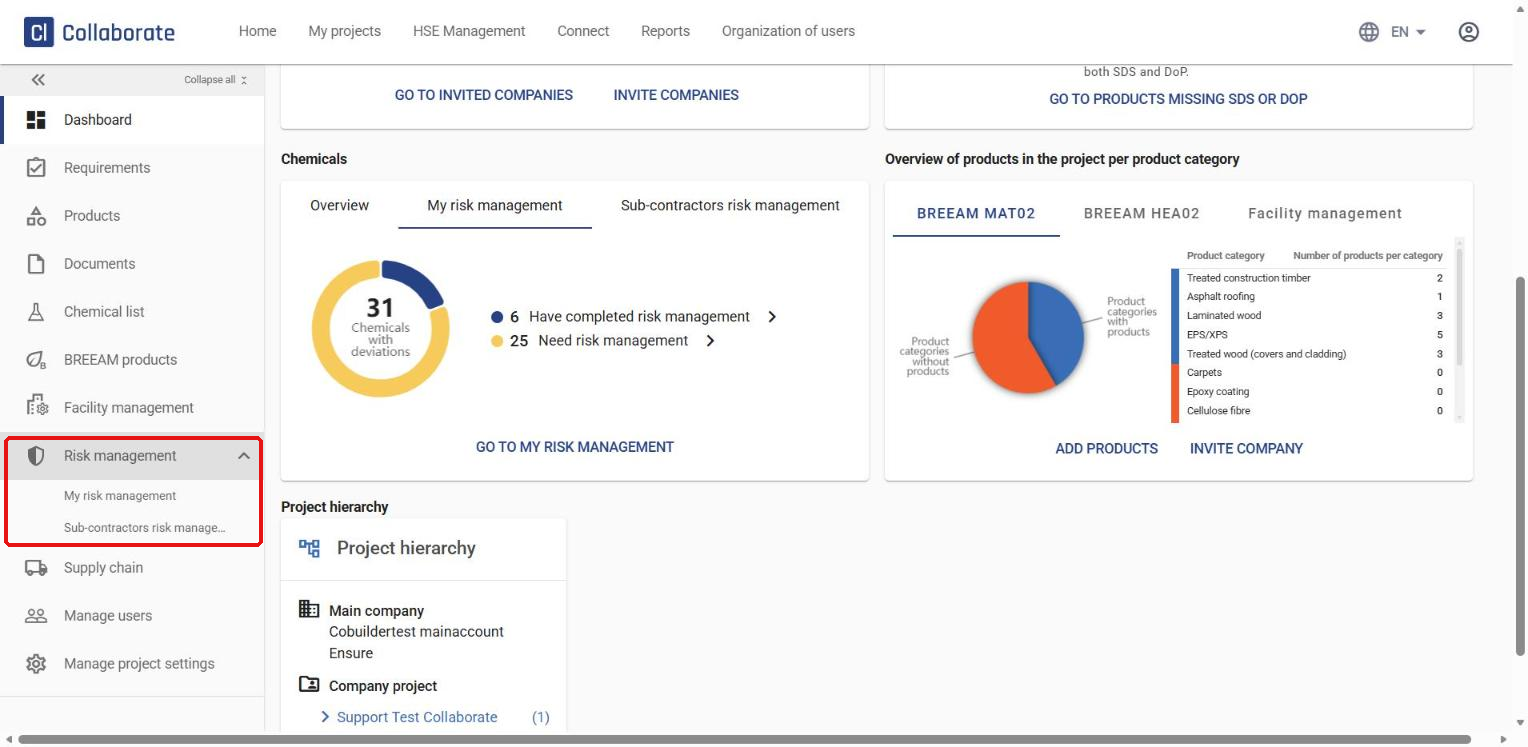
Go to Risk management in the menu on the left.
4
The menu expands. Choose between chemicals you’ve added to the project (My risk management) and chemicals your sub-contractors have added (Sub-contractors risk management).
5
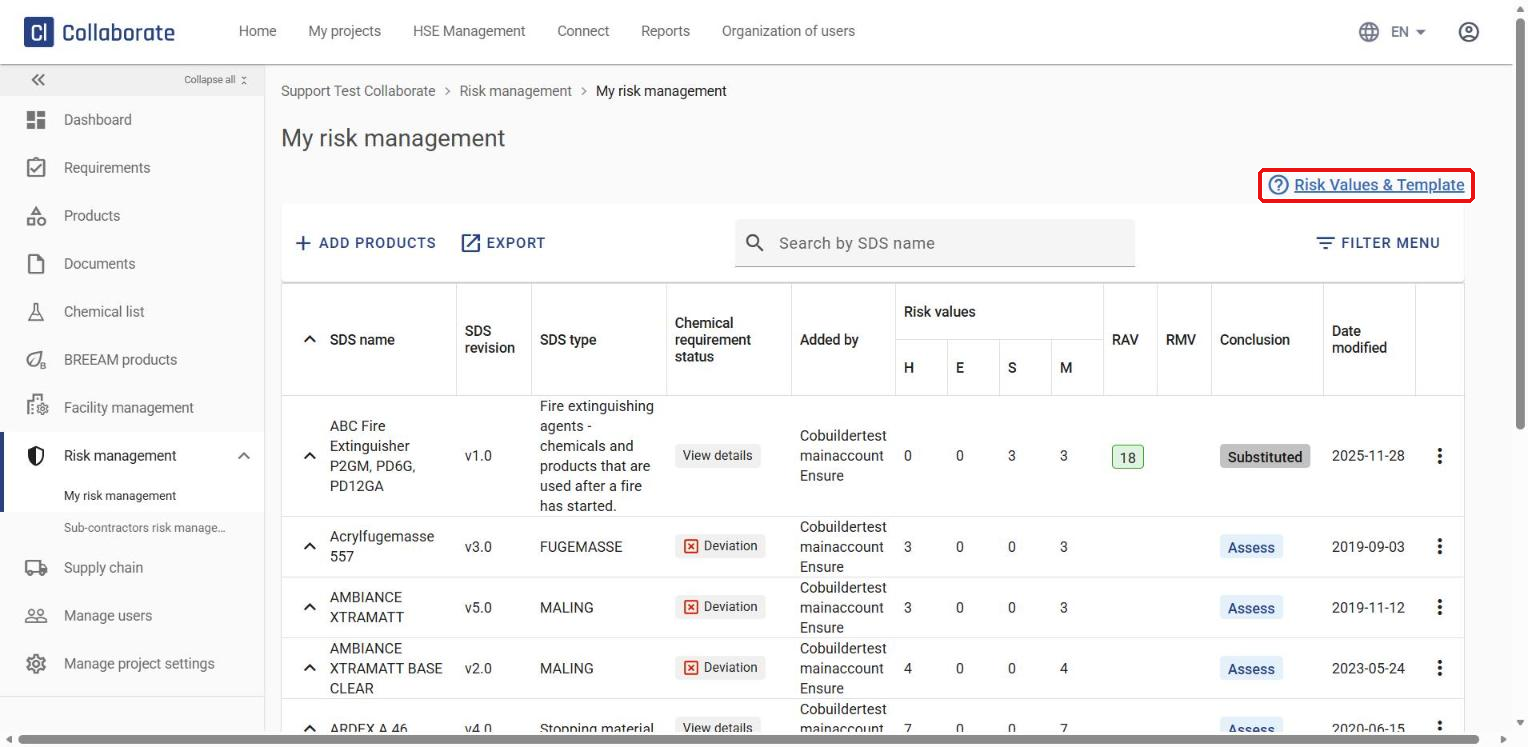
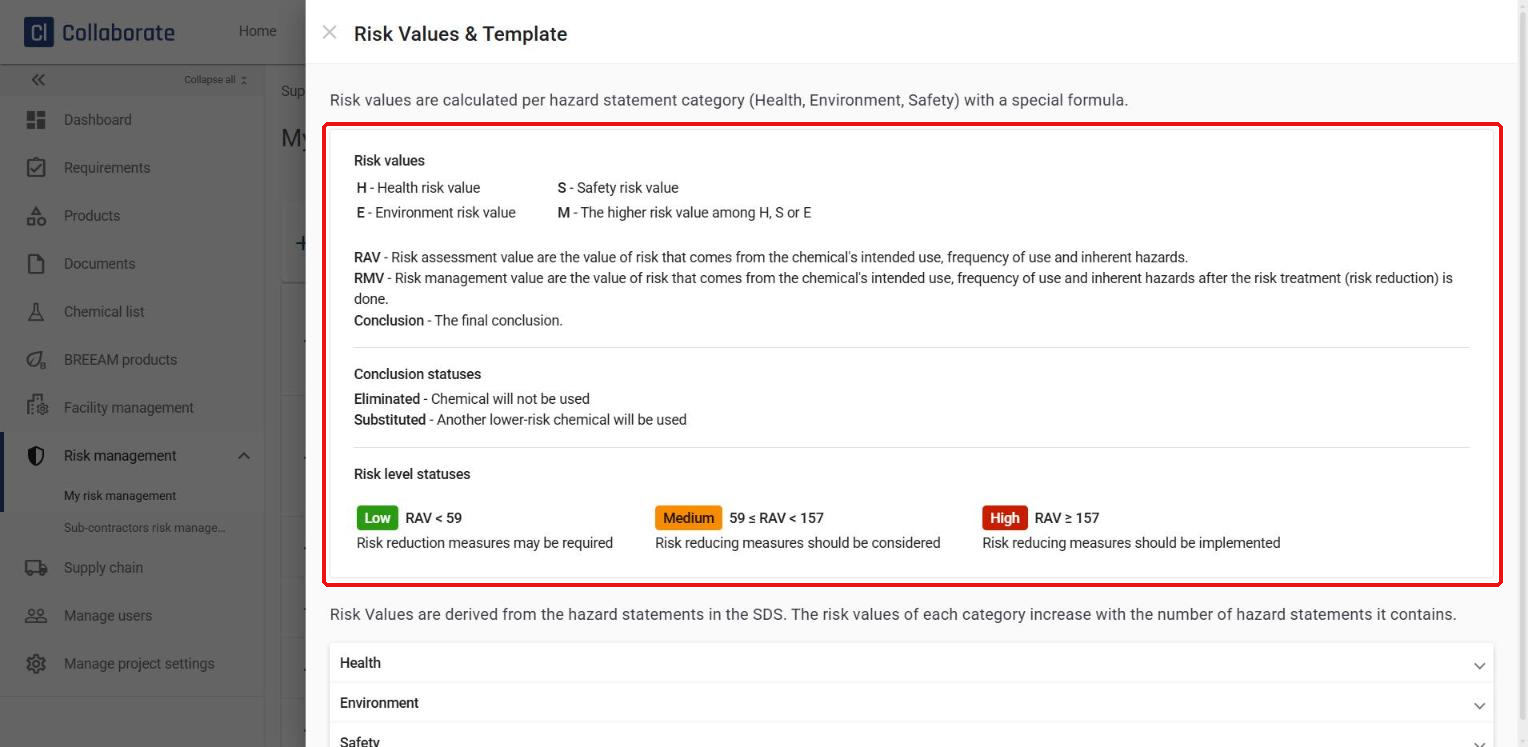
My risk management lists all the risk management you’re responsible for. Click Risk Values & Template to see how to read the values and statuses in the list.
6
The template explains how the system calculates the Health (H), Environment (E) and Safety (S) risk values from the hazard statements in the chemical’s safety data sheet (SDS), with M showing the highest of the three. It also explains the Risk assessment value (RAV) and Risk management value (RMV), the conclusion statuses Eliminated and Substituted, and how the RAV translates into a risk level: Low, Medium or High.
Read more in My risk management – How to create a risk management.
7
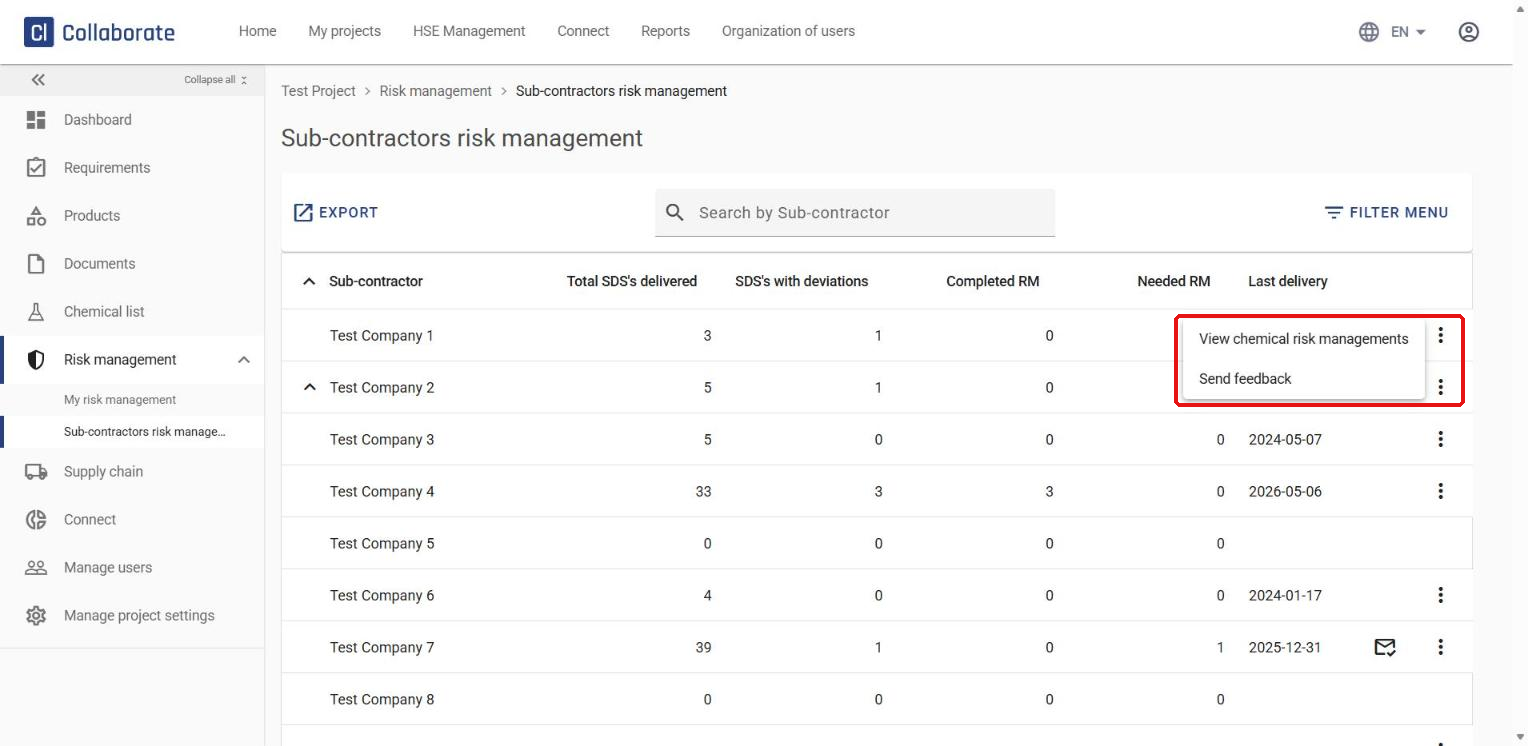
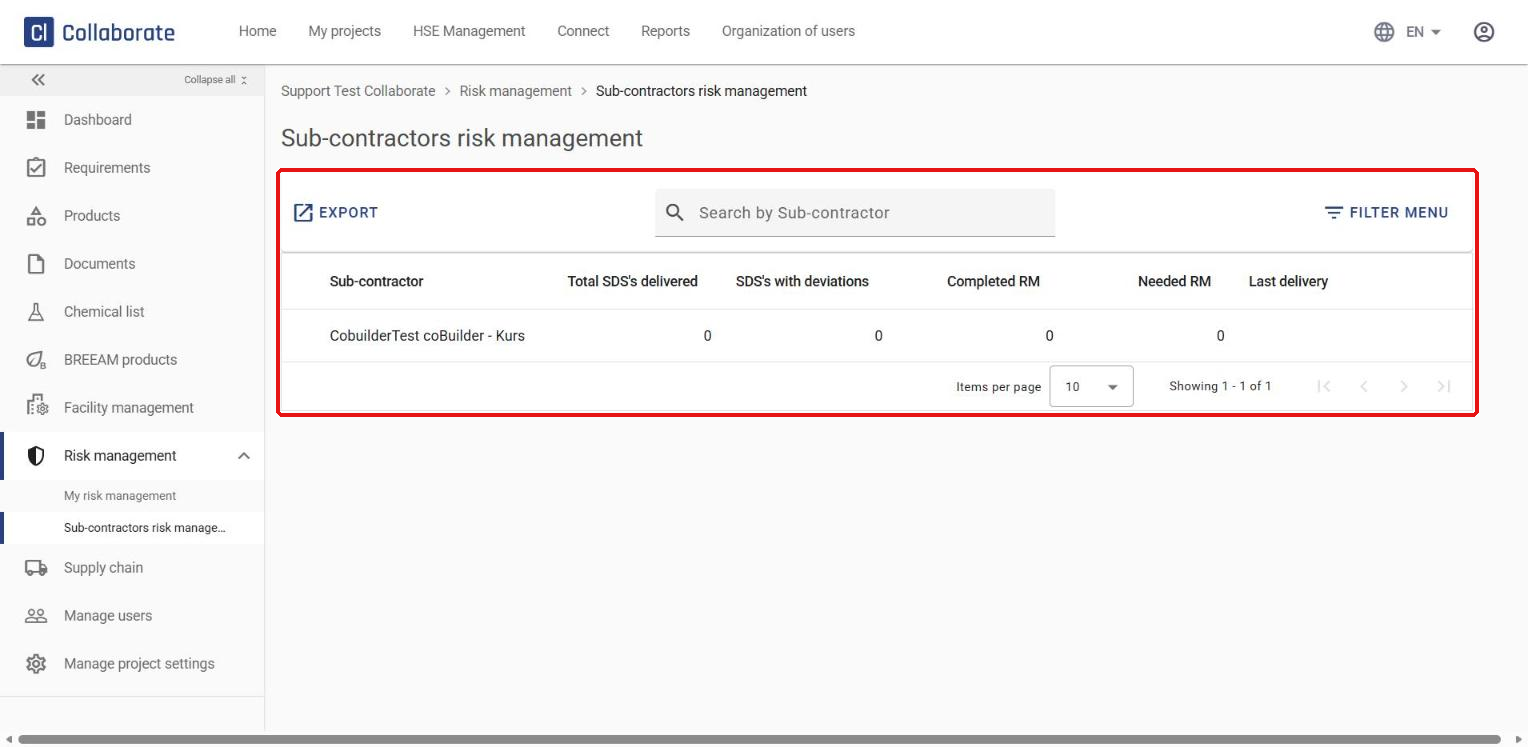
Open Sub-contractors risk management to see all your sub-contractors, how many safety data sheets each has delivered to the project, and how many of these have deviations, have completed risk management or still need it.
8
To review a sub-contractor’s risk management or send them feedback, click the three dots on the right of their row and choose View chemical risk managements or Send feedback.