Welcome to Cobuilder Training Portal
See every risk assessment carried out in your company in one list. From there you can sort, filter, open the details of each assessment, and reuse an assessment as a template.
How to do it
1
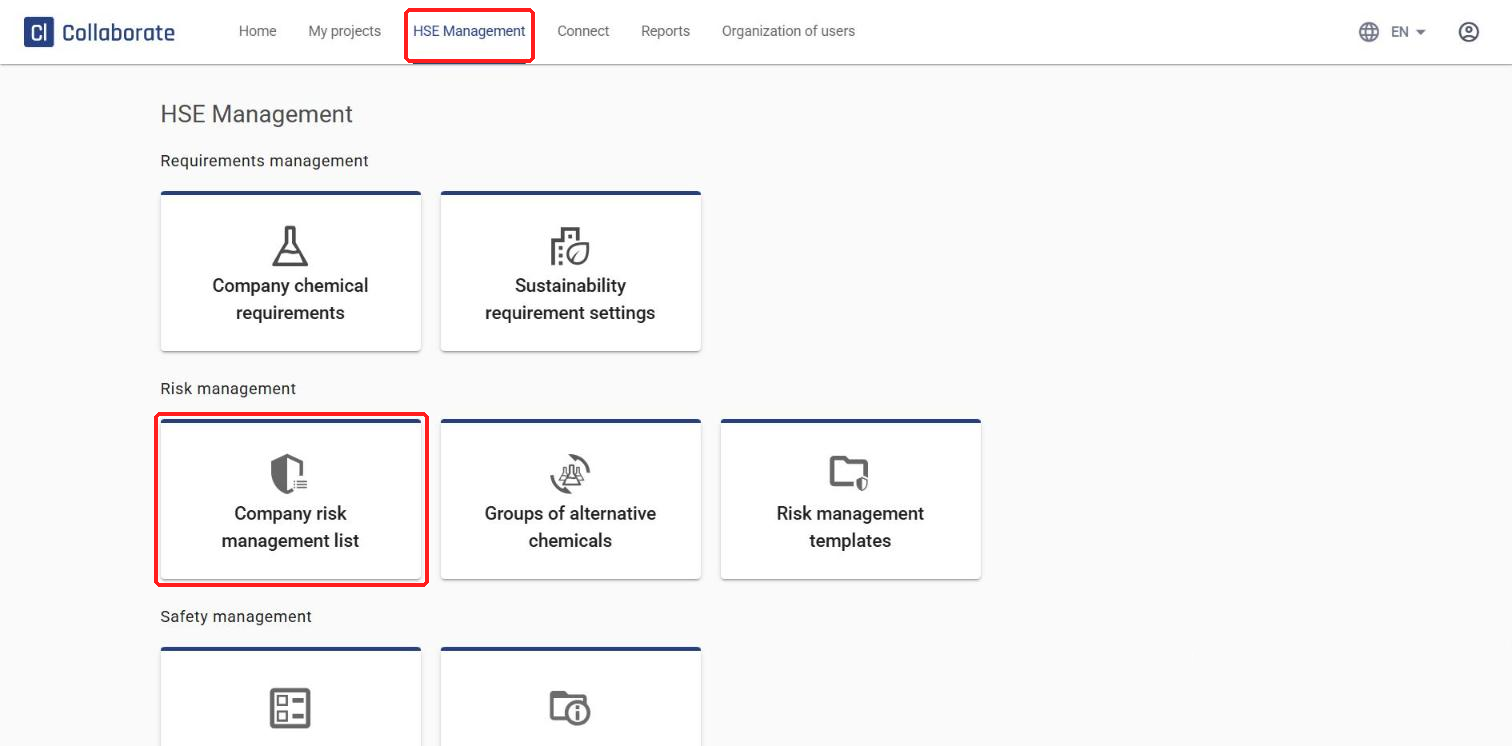
Select HSE Management in the top menu, then Company risk management list.
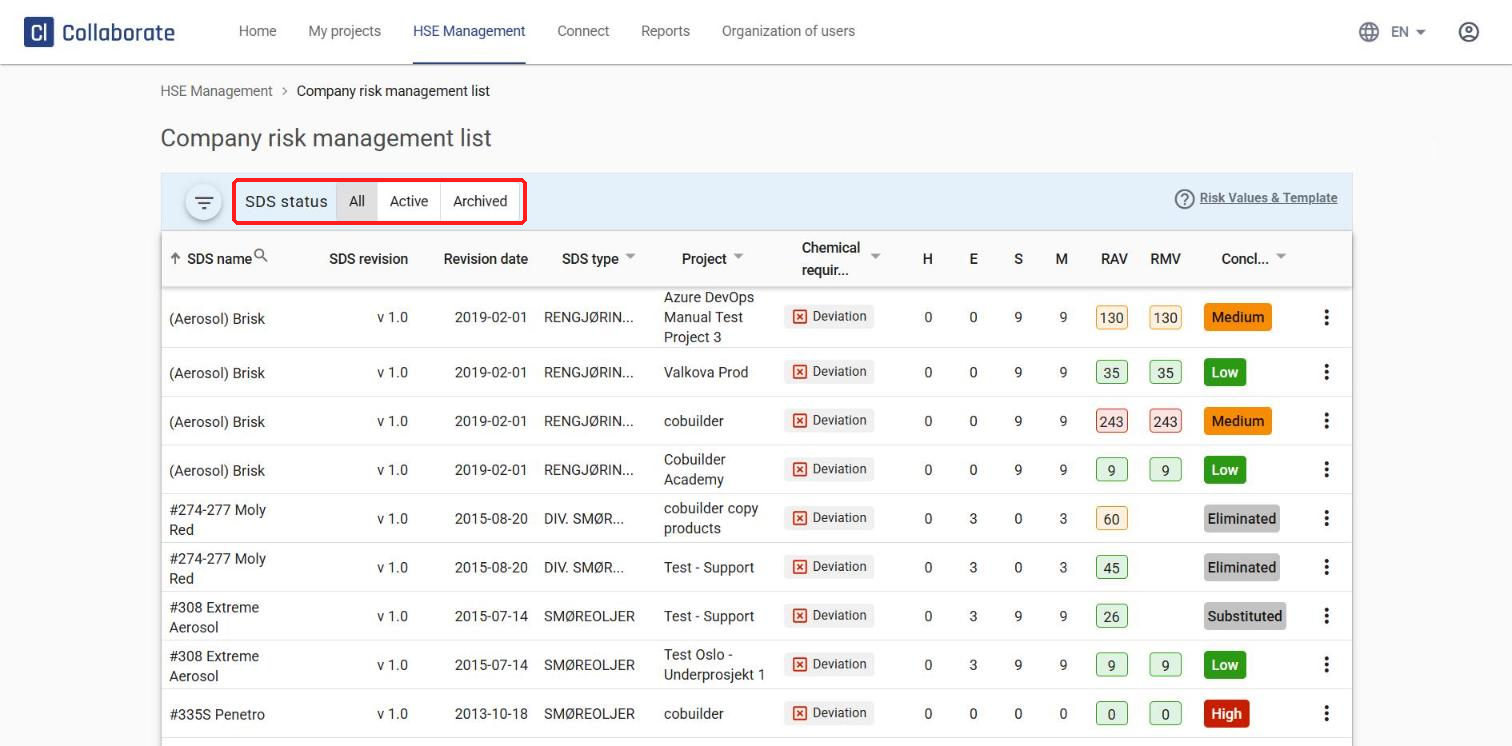
You’ll see an overview of all risk assessments carried out in your company. Use the SDS status filter above the table to switch between All, Active and Archived safety data sheets.
2
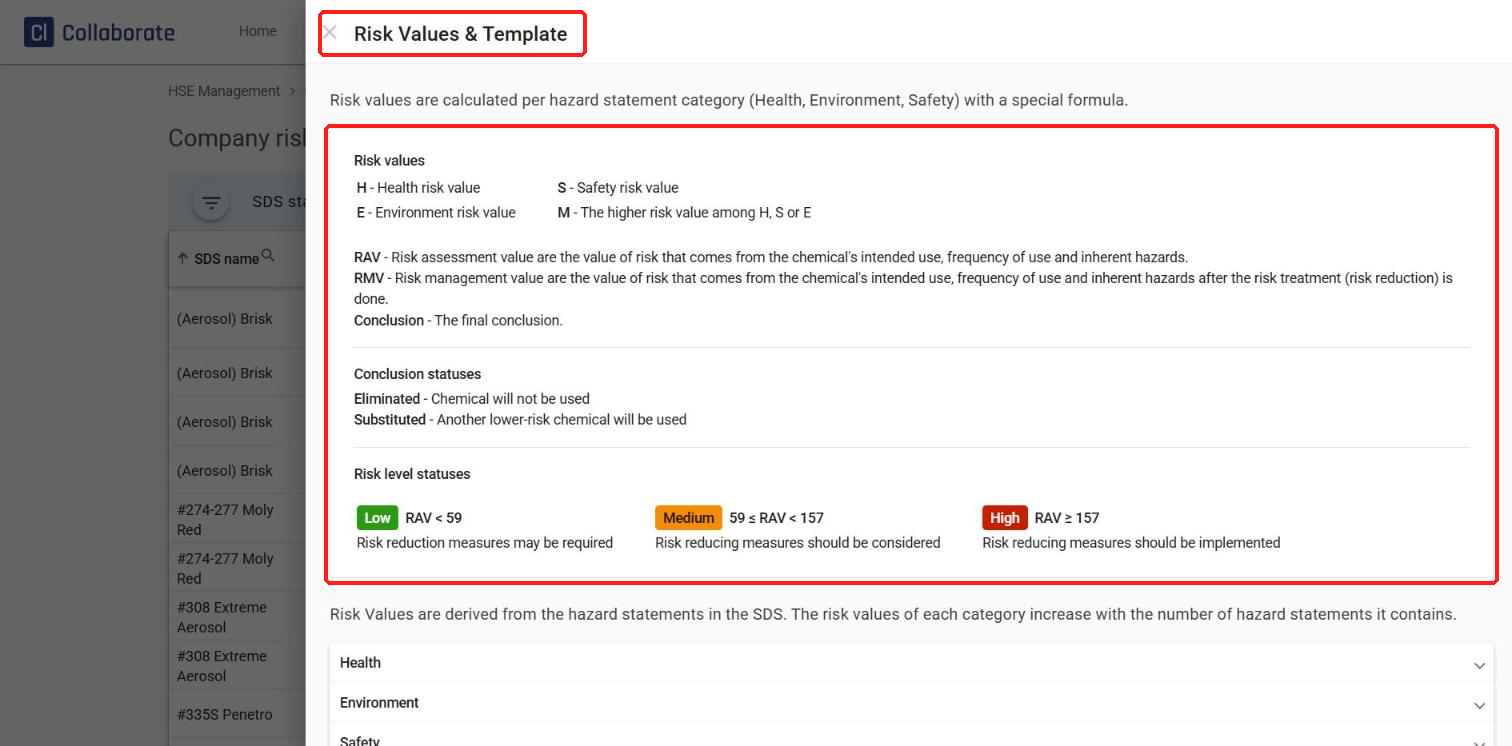
Click Risk Values & Template to see what the columns in the table mean:
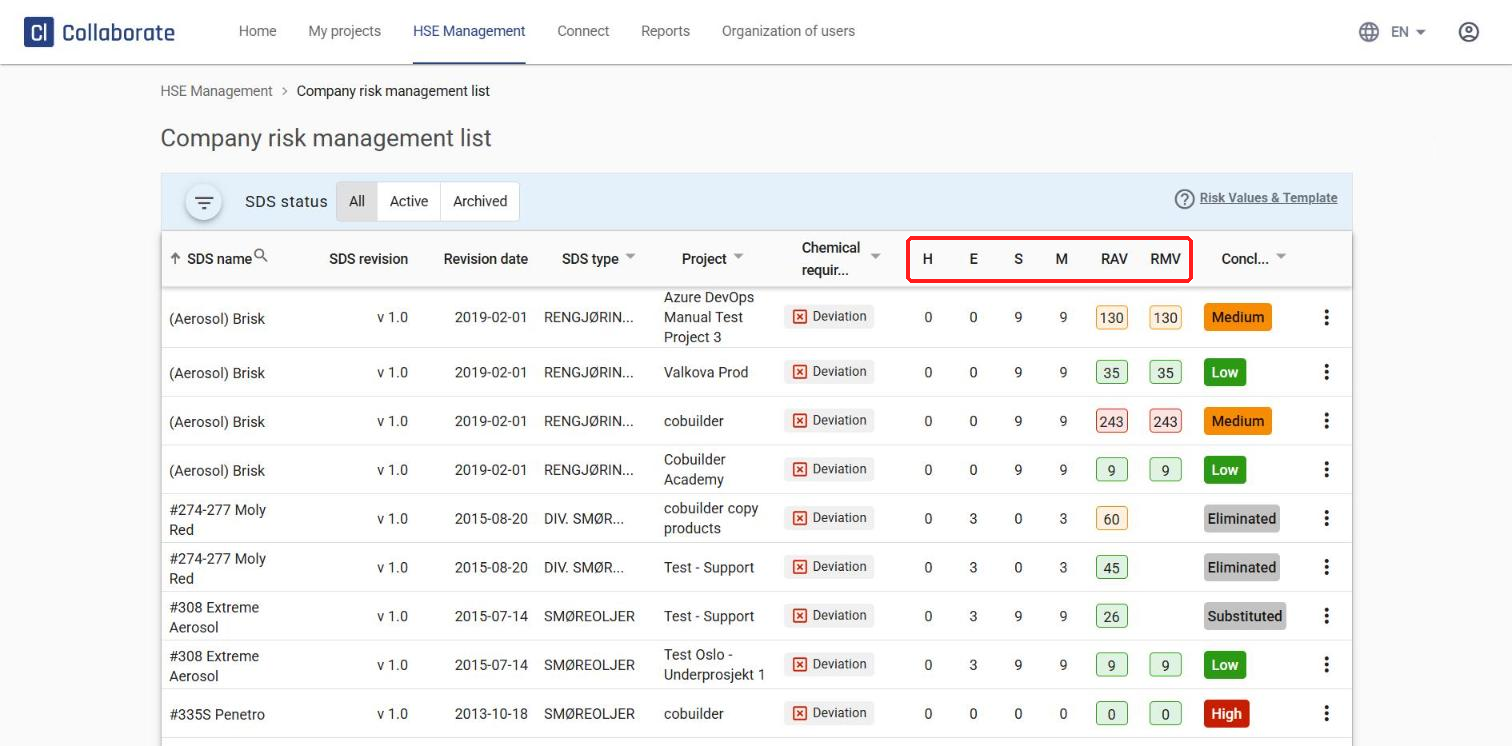
- H – health risk value, E – environment risk value, S – safety risk value, M – the highest of H, E or S
- RAV (risk assessment value) – the risk from the chemical’s intended use, frequency of use and inherent hazards
- RMV (risk management value) – the same risk after risk treatment (risk reduction)
- Conclusion – the final conclusion: Low (RAV < 59), Medium (59 ≤ RAV < 157), High (RAV ≥ 157), Eliminated (the chemical will not be used) or Substituted (a lower-risk chemical will be used instead)
3
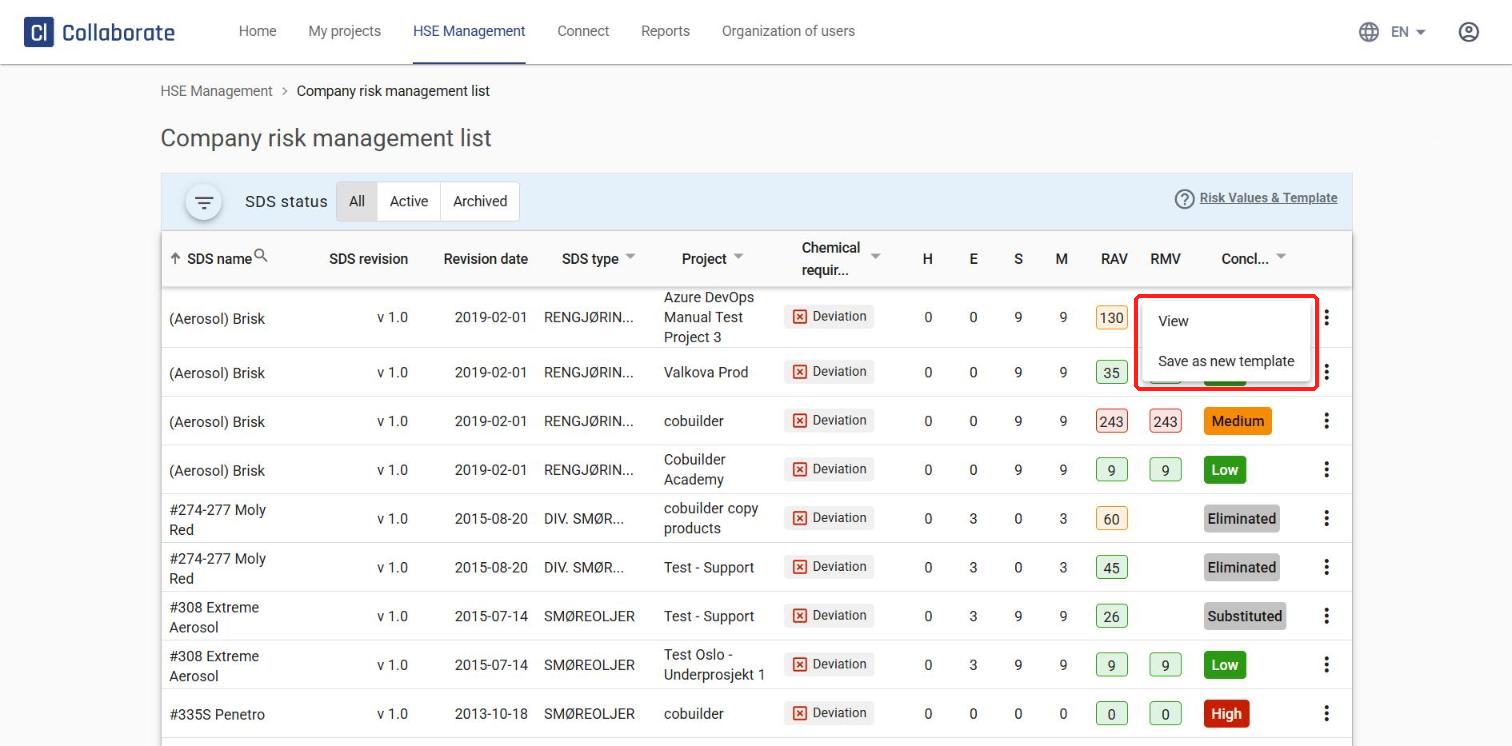
Click the three dots next to a chemical and select View to see the full risk assessment, or Save as new template to reuse the same risk treatment for other chemicals.
4
Click a column name to sort by it, for example RAV.
5
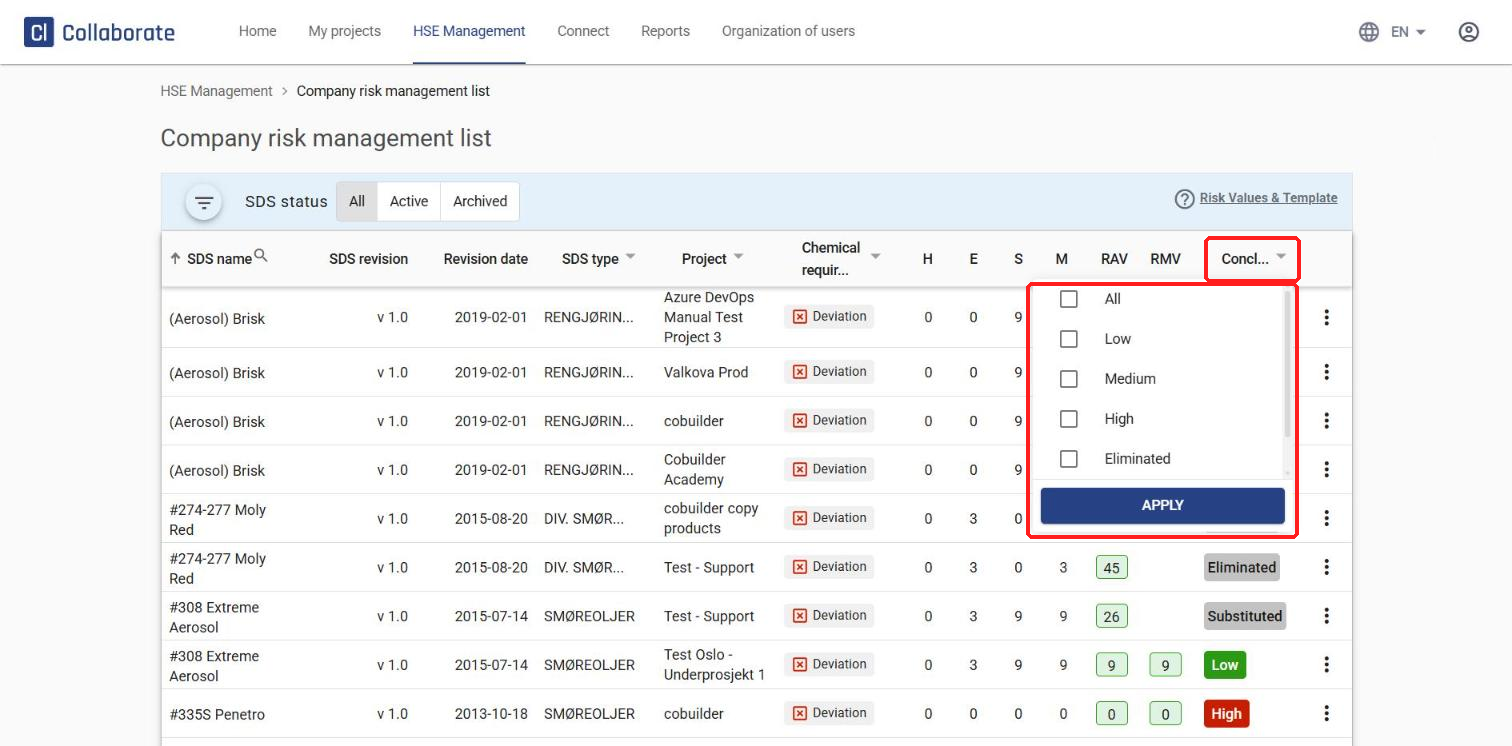
To filter the chemicals by conclusion, click the arrow next to Conclusion, select one or more statuses – Low, Medium, High, Eliminated or Substituted – and click APPLY.