Welcome to Cobuilder Training Portal
In Cobuilder Supply, you can set documents you own as expired when they are no longer valid, and activate them again later if you need to.
Expire a document
1
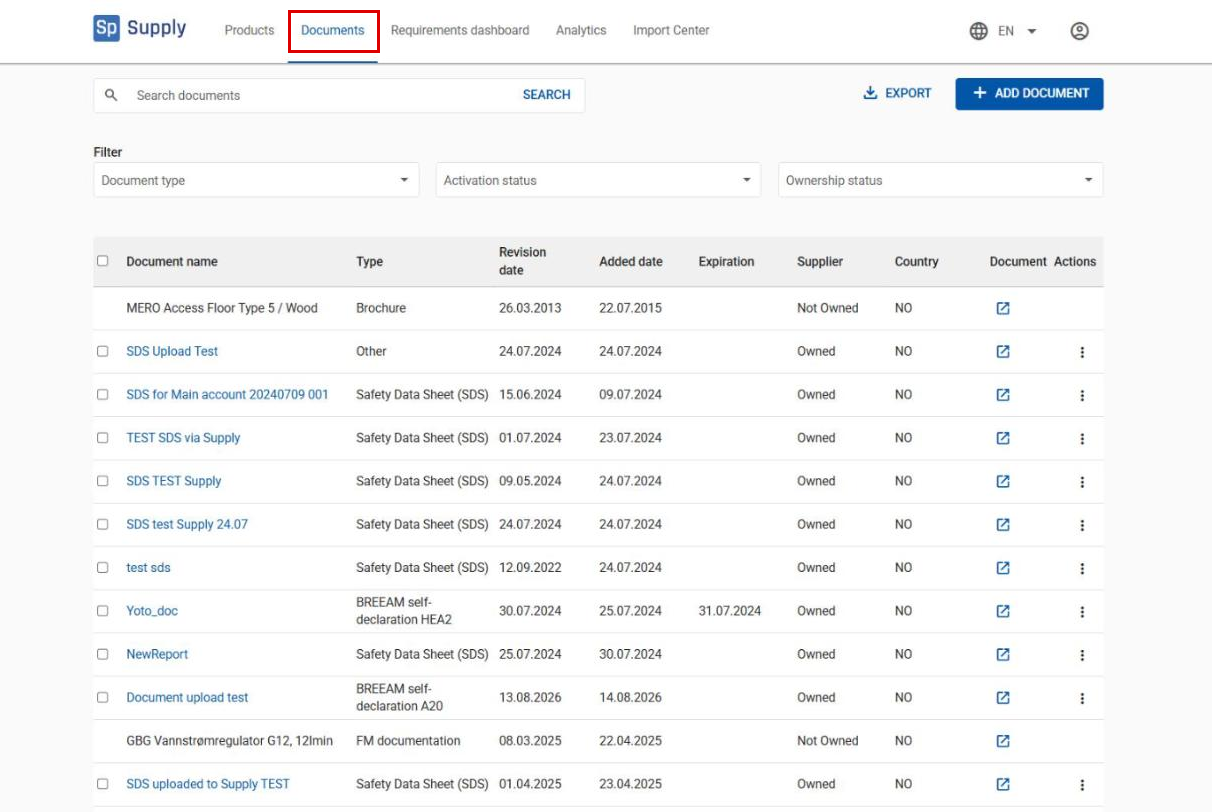
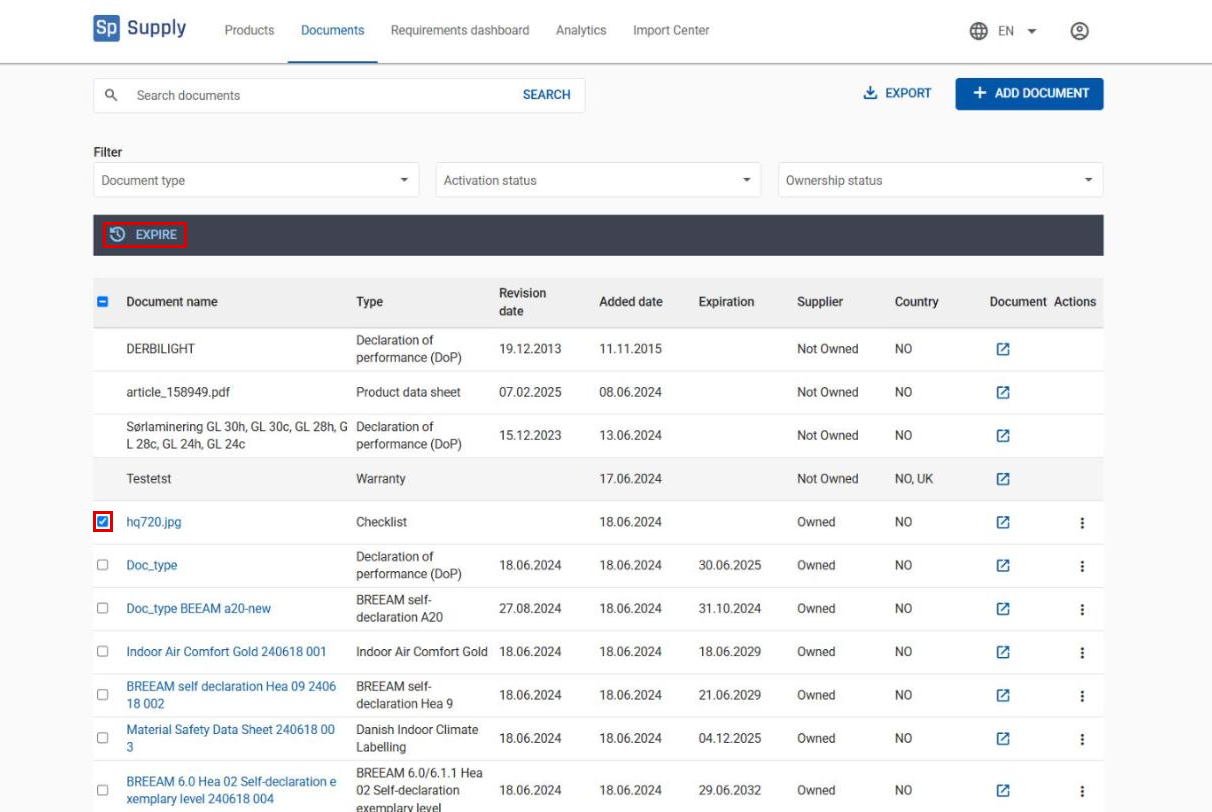
Go to Documents in the top menu.
2
Tick the documents you want to expire, and click Expire.
Activate an expired document
3
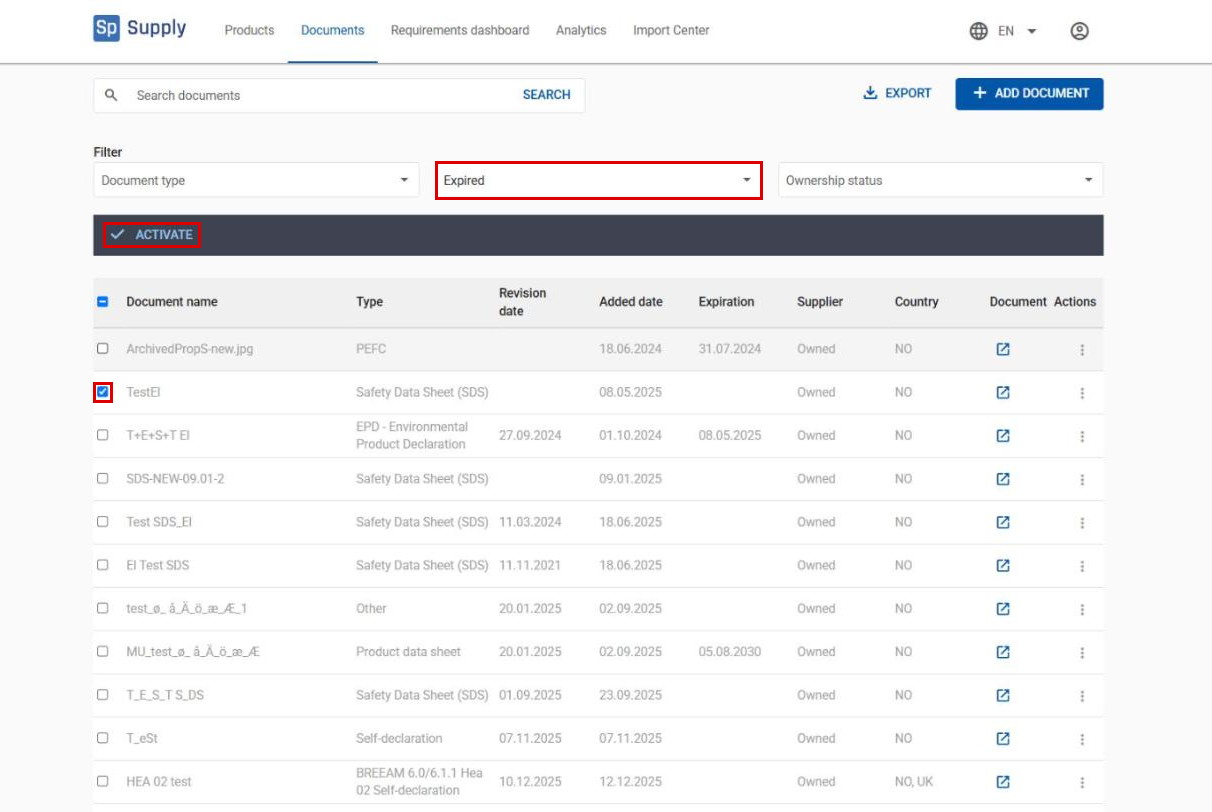
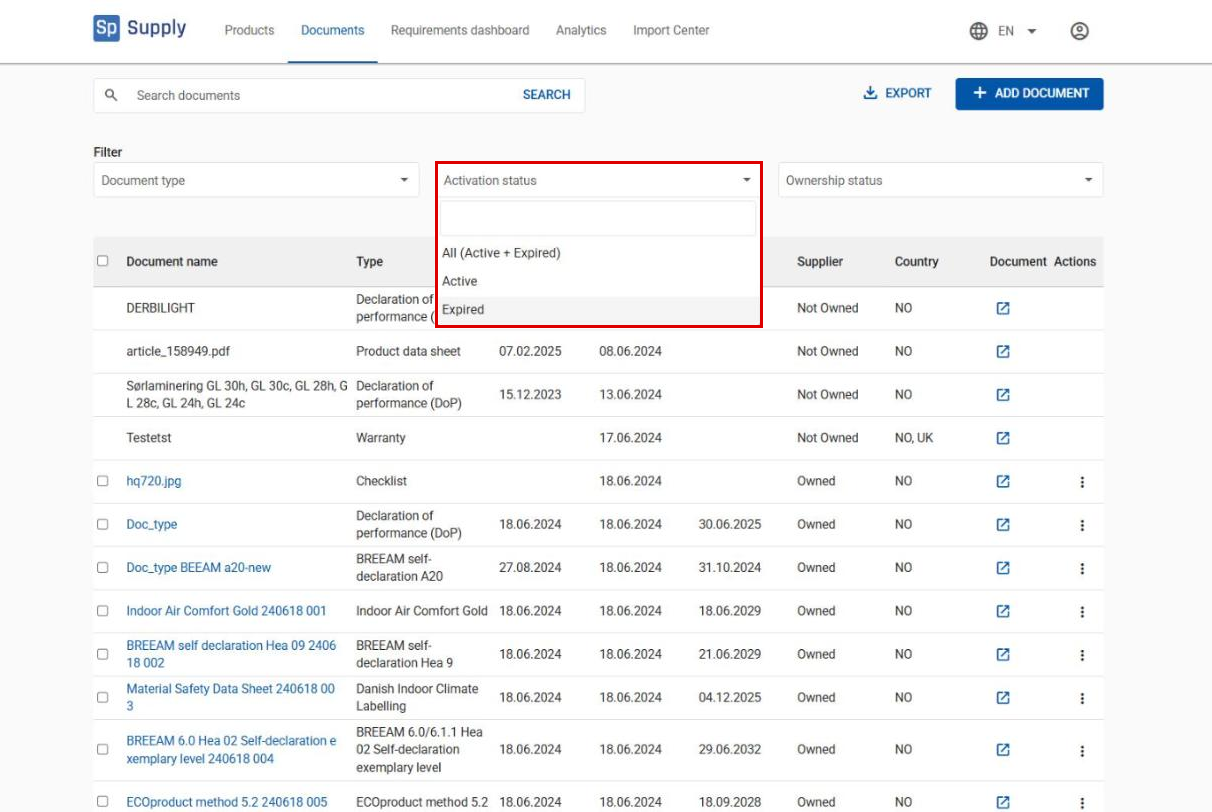
Use the Activation status menu to filter which documents are shown: All (Active + Expired), Active or Expired. To activate a document that has already been expired, select Expired.
4
Tick the document you want to activate, and click Activate.