
Welcome to Cobuilder Training Portal
You can download an overview of all the risk management on a project as an Excel file. Here’s how.
Export risk management to Excel
1
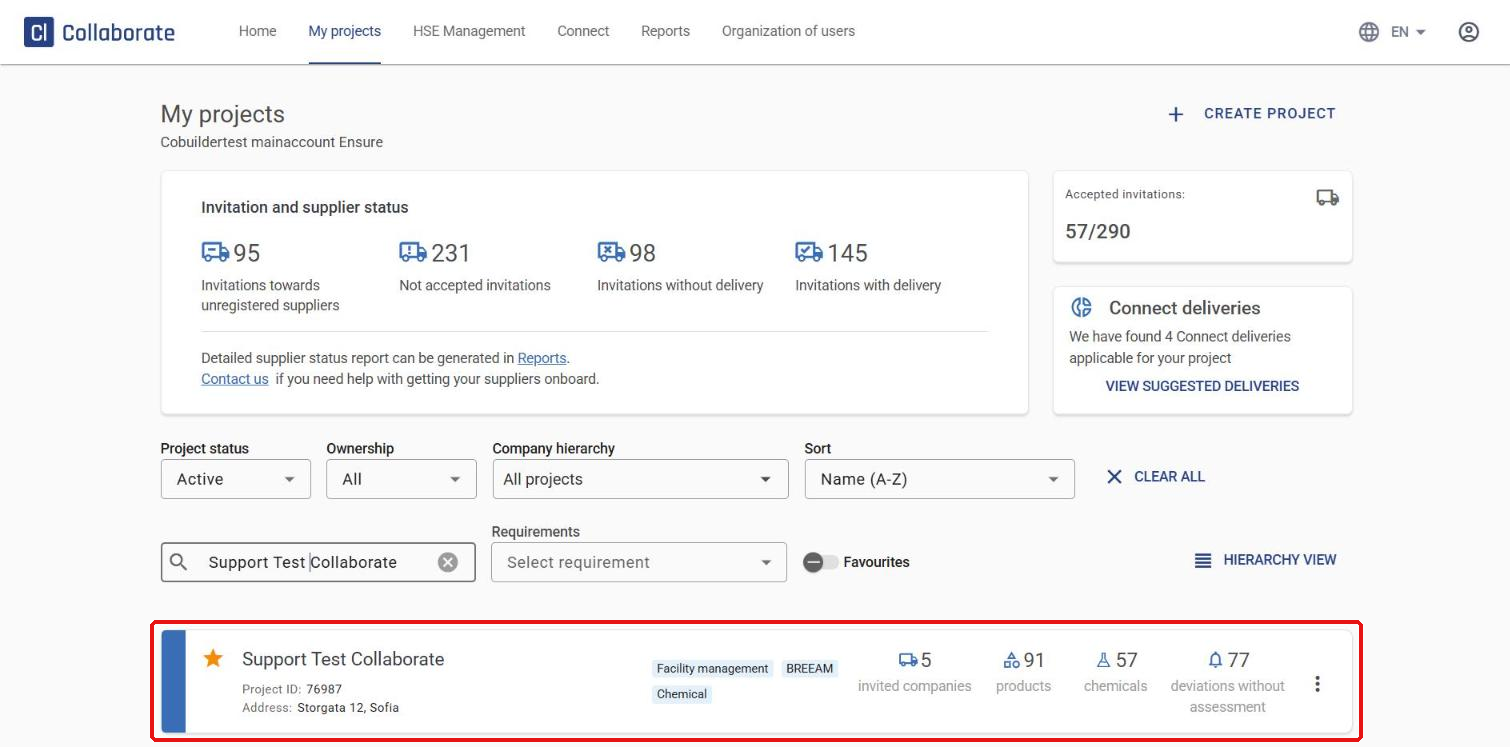
Go to the project you want and click it to open it.
2
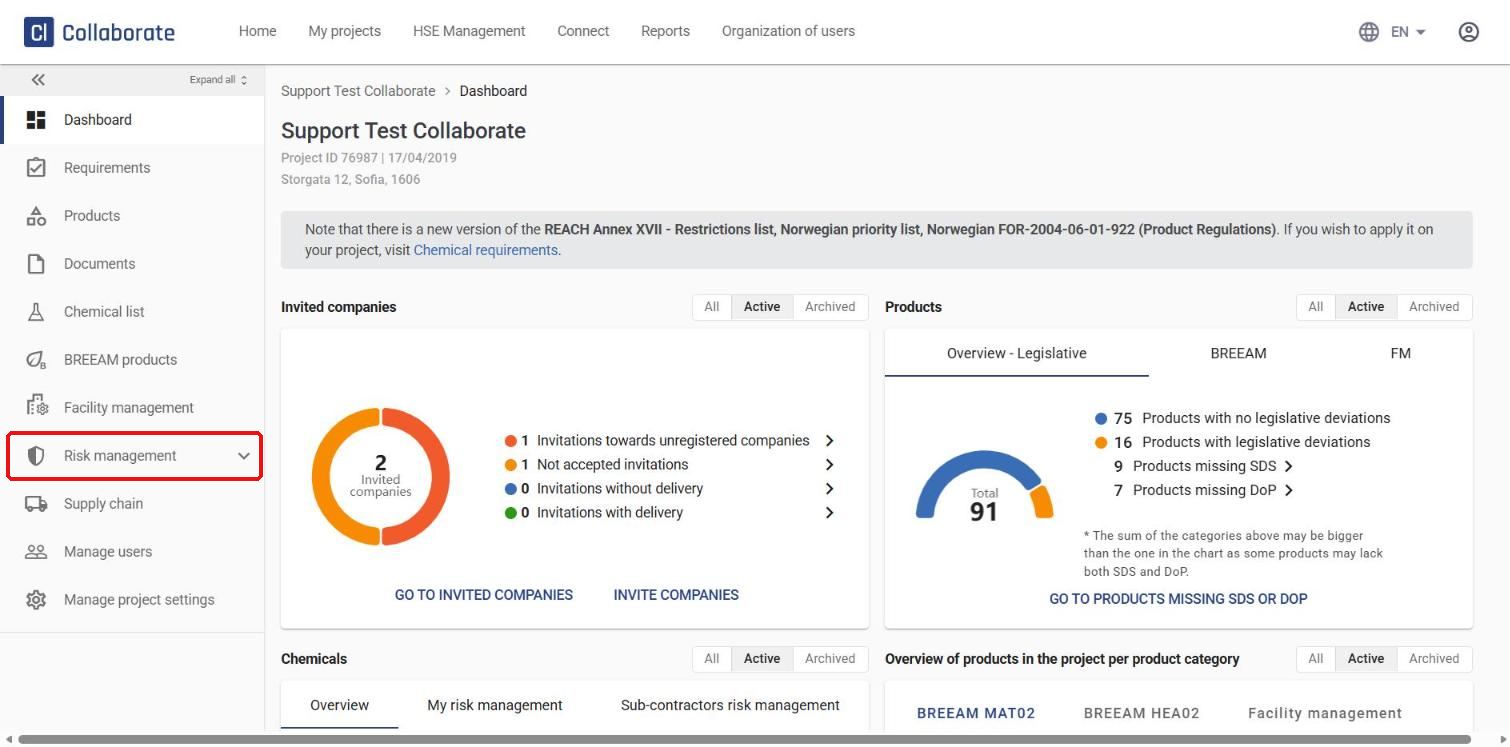
Go to Risk management in the menu on the left.
3
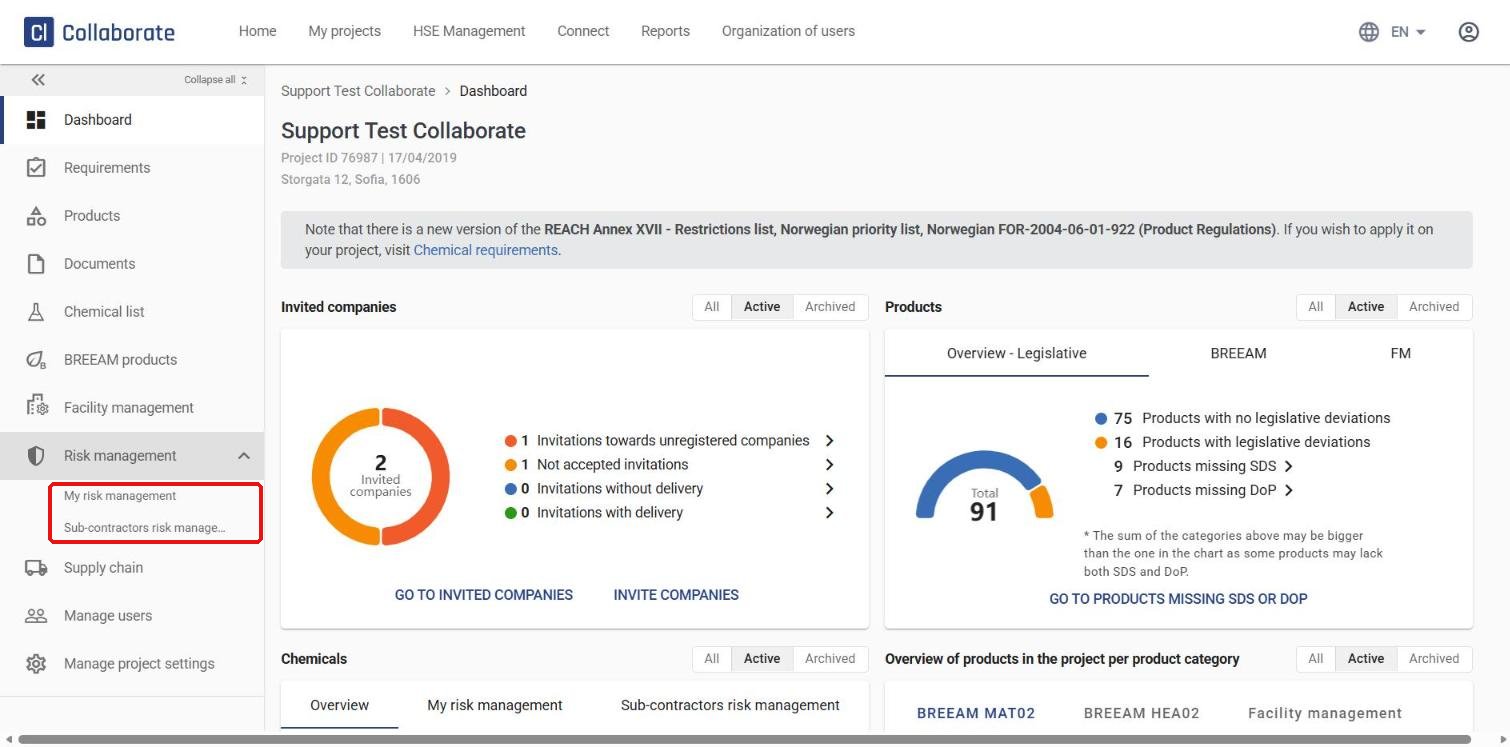
The menu expands. Choose between chemicals you’ve added to the project (My risk management) and chemicals your sub-contractors have added (Sub-contractors risk management).
4
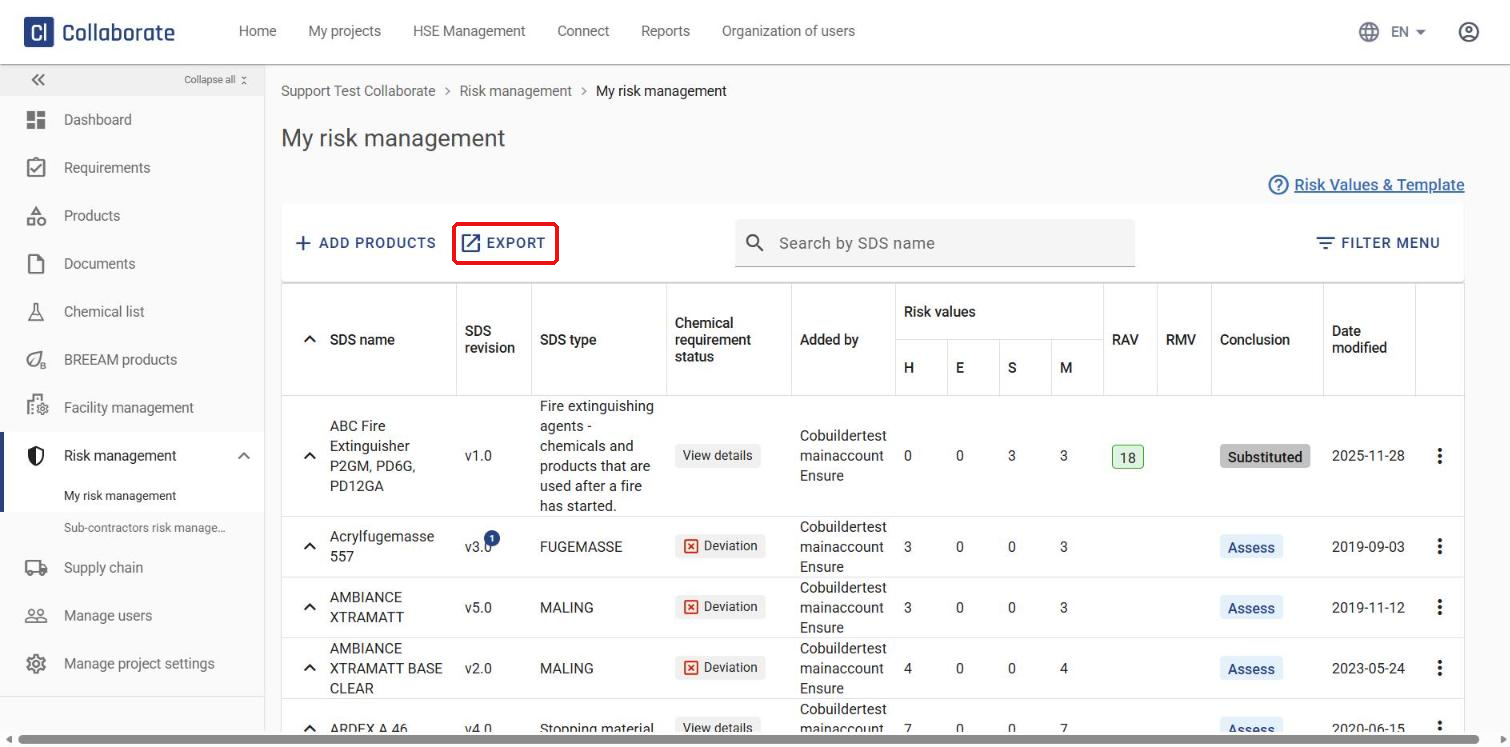
Choose My risk management to see an overview of all your chemicals, with the status, risk values and conclusion for each. Click Export at the top left of the overview.
5
An Excel file with all the information about the project’s risk management downloads straight to your computer.


