
Welcome to Cobuilder Training Portal
When a main contractor invites your company to a project in Cobuilder Collaborate, you need to accept the invitation and enter the project ID before the project is ready to use.
Accept the invitation
1
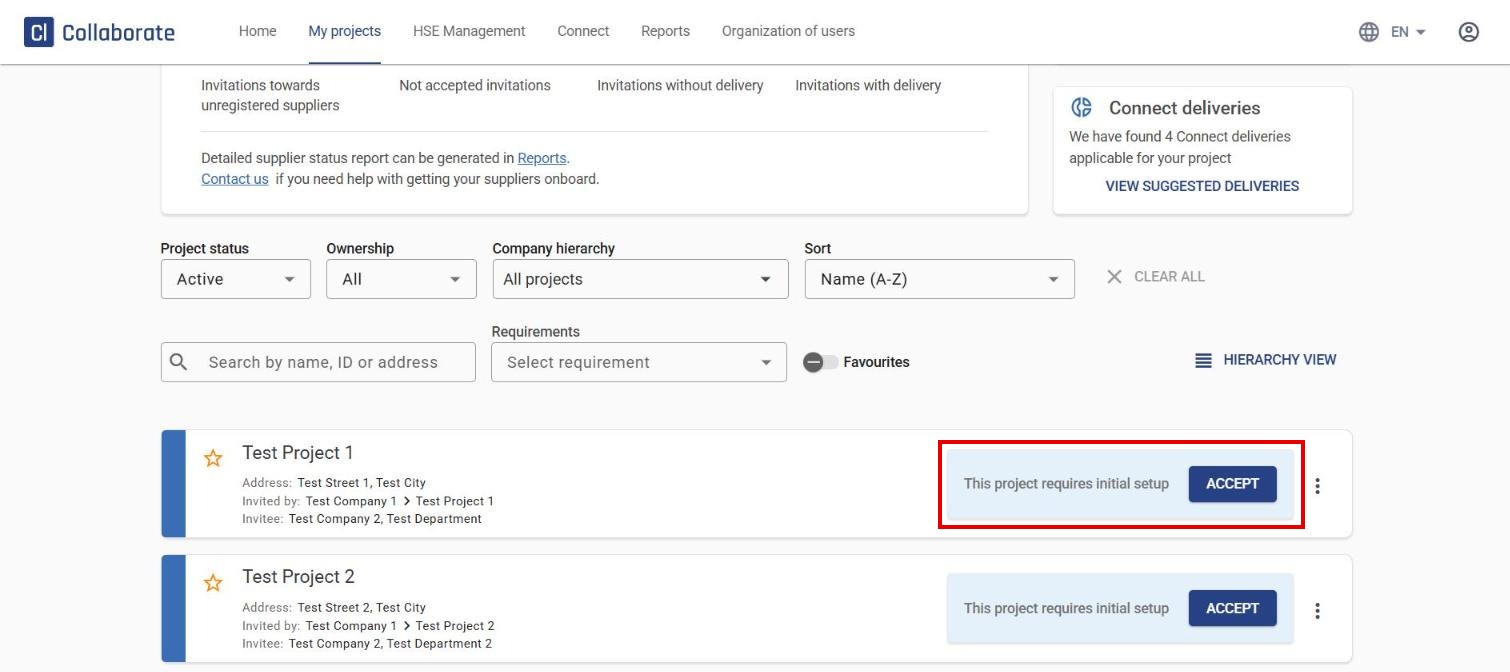
Go to My projects. Find the project in the list and click it, or click ACCEPT directly.
2
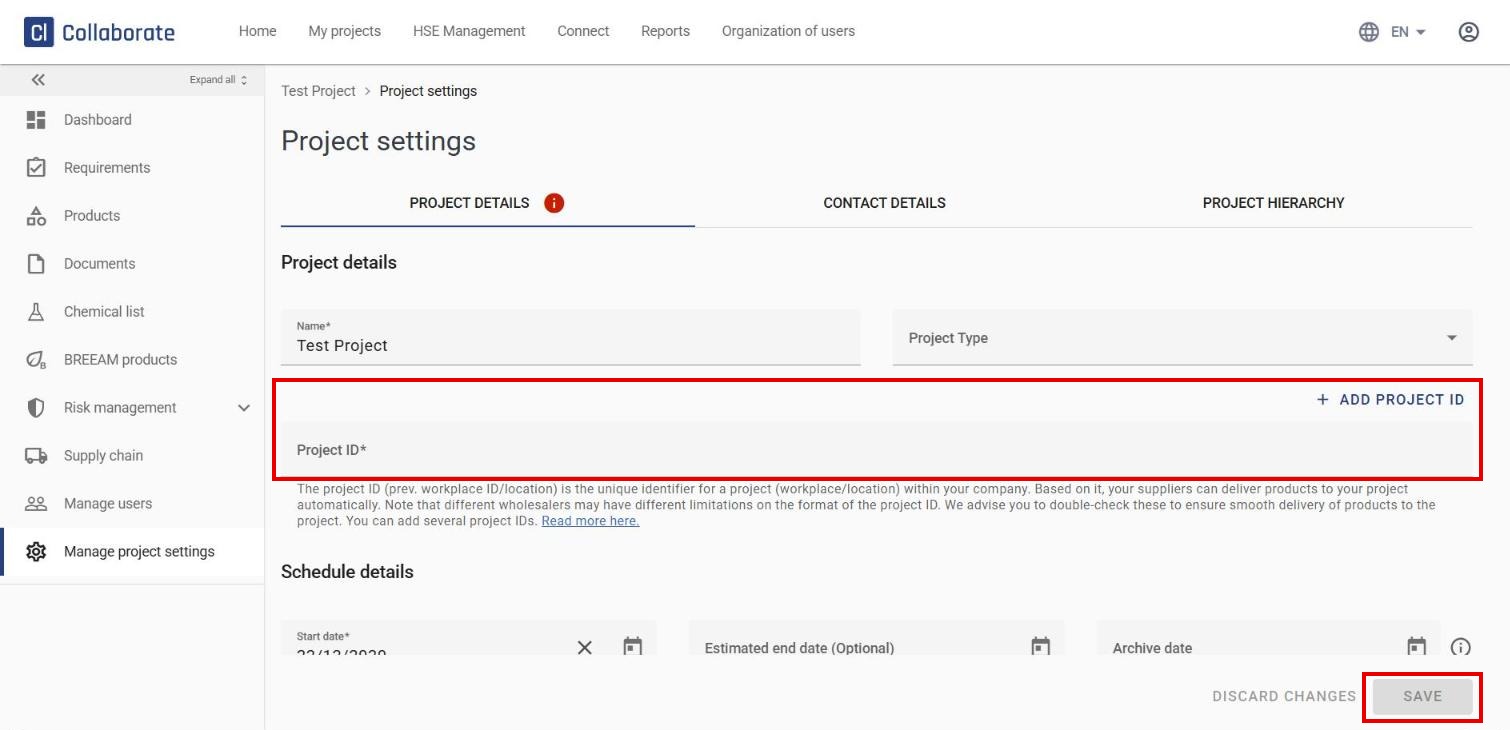
Enter the Project ID. The project ID (previously workplace ID/location) is a unique identifier for the project within your company, and it lets wholesalers deliver products automatically to the right project. Wholesalers may have different requirements for the format of the project ID, so check with your wholesaler to ensure smooth delivery. If the project has more than one ID, click Add project ID to add more.
3
Click Save. You’ll be taken to the project dashboard, which confirms that the project is now set up.


