Welcome to Cobuilder Training Portal
The construction object defines which documentation requirements apply to a product in Cobuilder Collaborate, including BREEAM documentation, Nordic Swan Ecolabel and facility management requirements. Without a construction object, the product can’t be checked against the project’s requirements and won’t appear in the requirement filters. That’s why every product in the project should have one.
If a product in your project is missing a construction object, you can send us a request to have one assigned.
Request a construction object
1
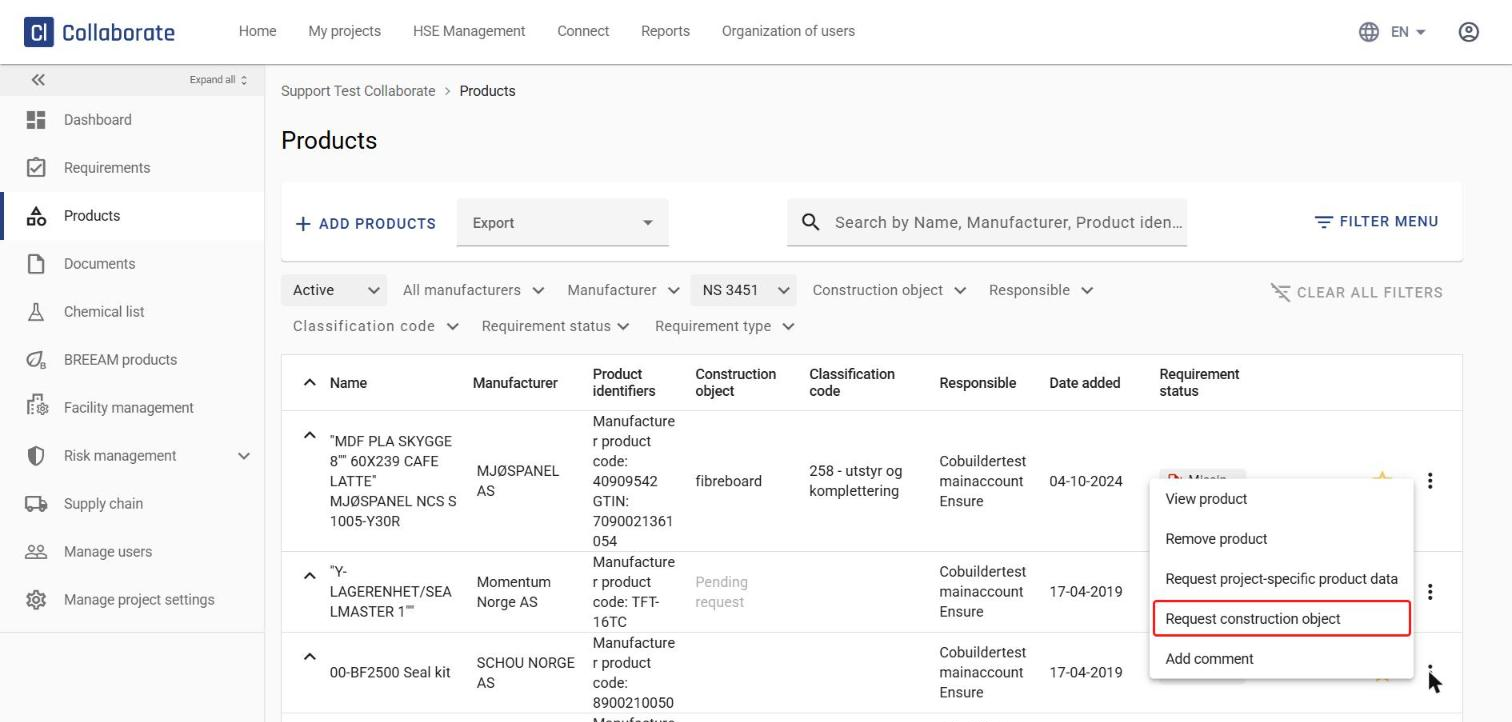
Click the three-dot menu (⋮) to the right of the product and select Request construction object.
2
Our Support team processes the request and lets you know once the construction object has been set.
3
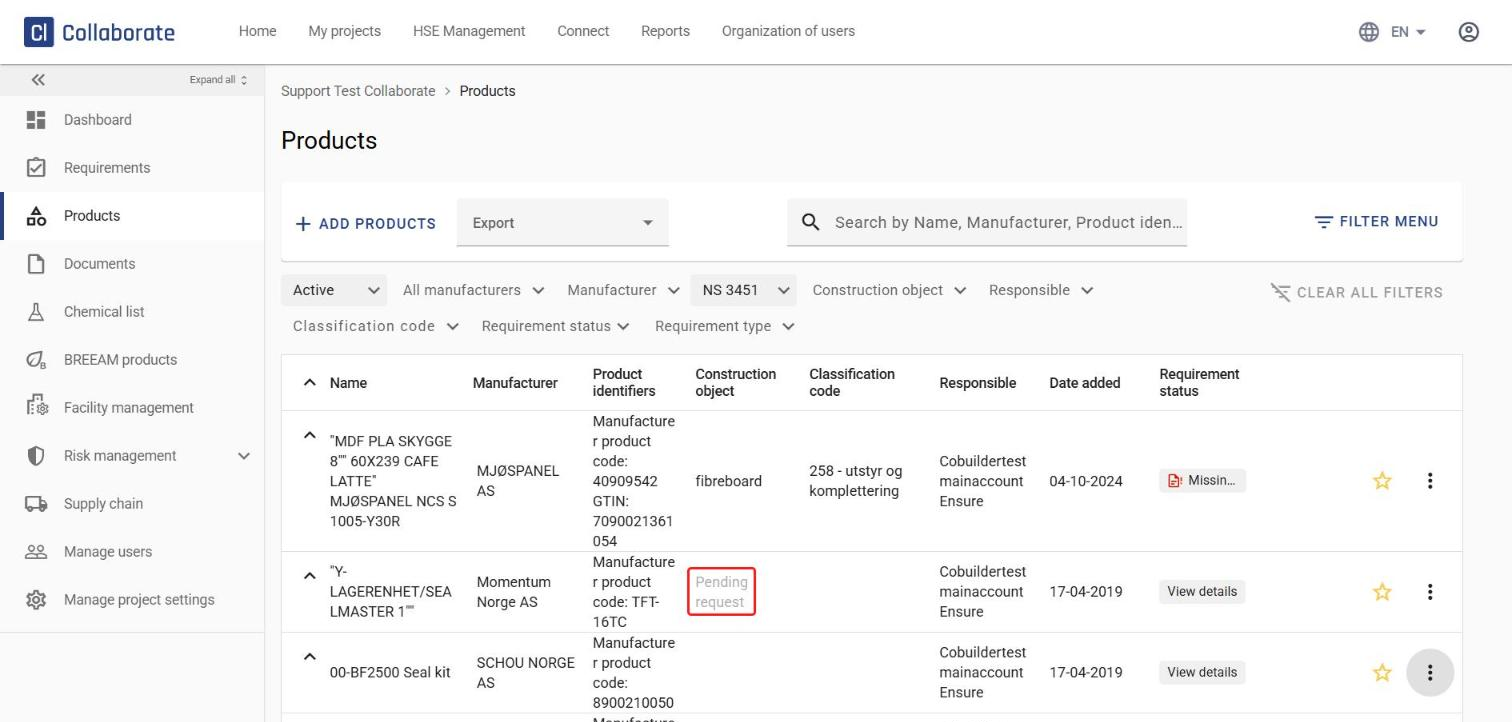
While the request is being processed, Pending request is shown in grey in the Construction object column.