
Welcome to Cobuilder Training Portal
From the overview of your sub-contractors’ risk management, you can export an Excel file showing the deviation status and completed risk management for each sub-contractor on the project.
Export the overview
1
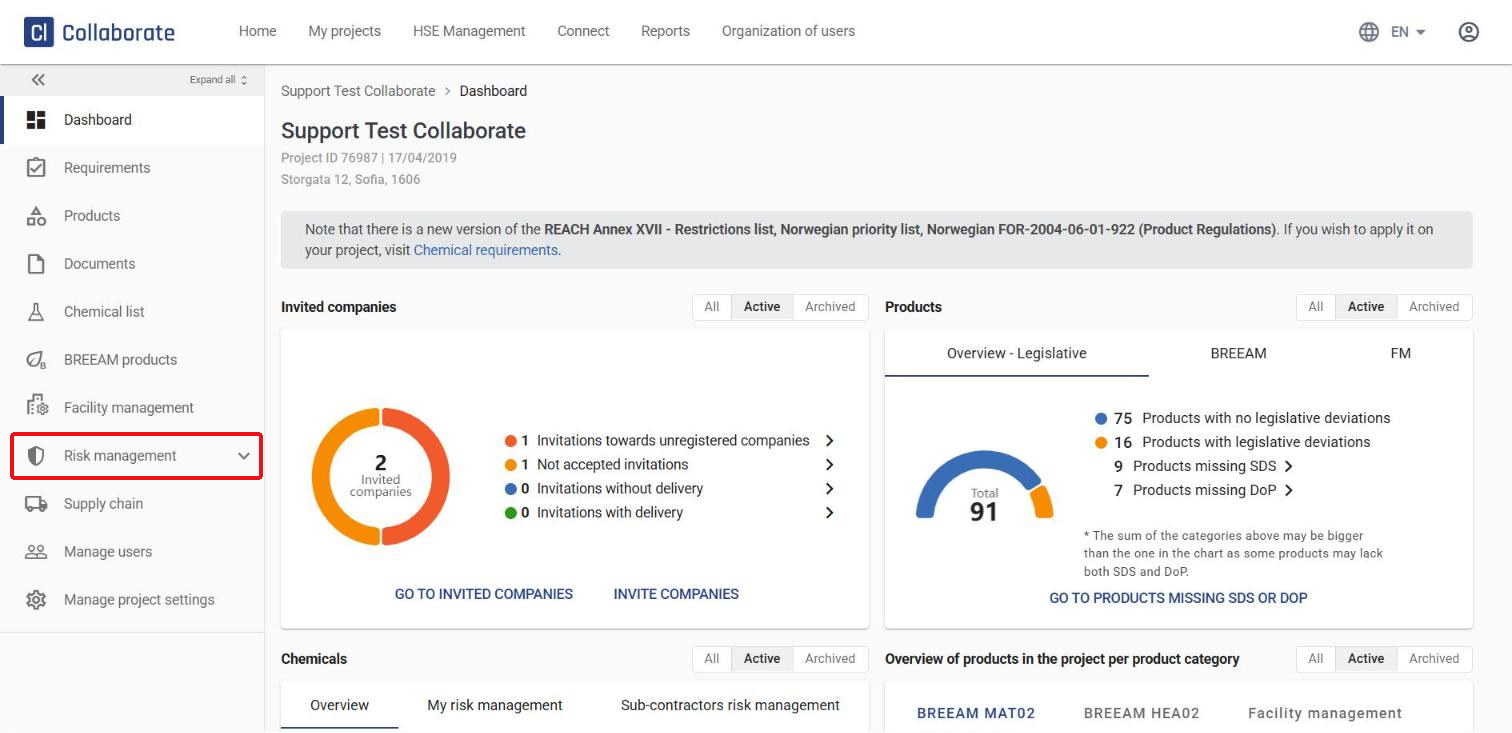
Click Risk management in the menu on the left.
2
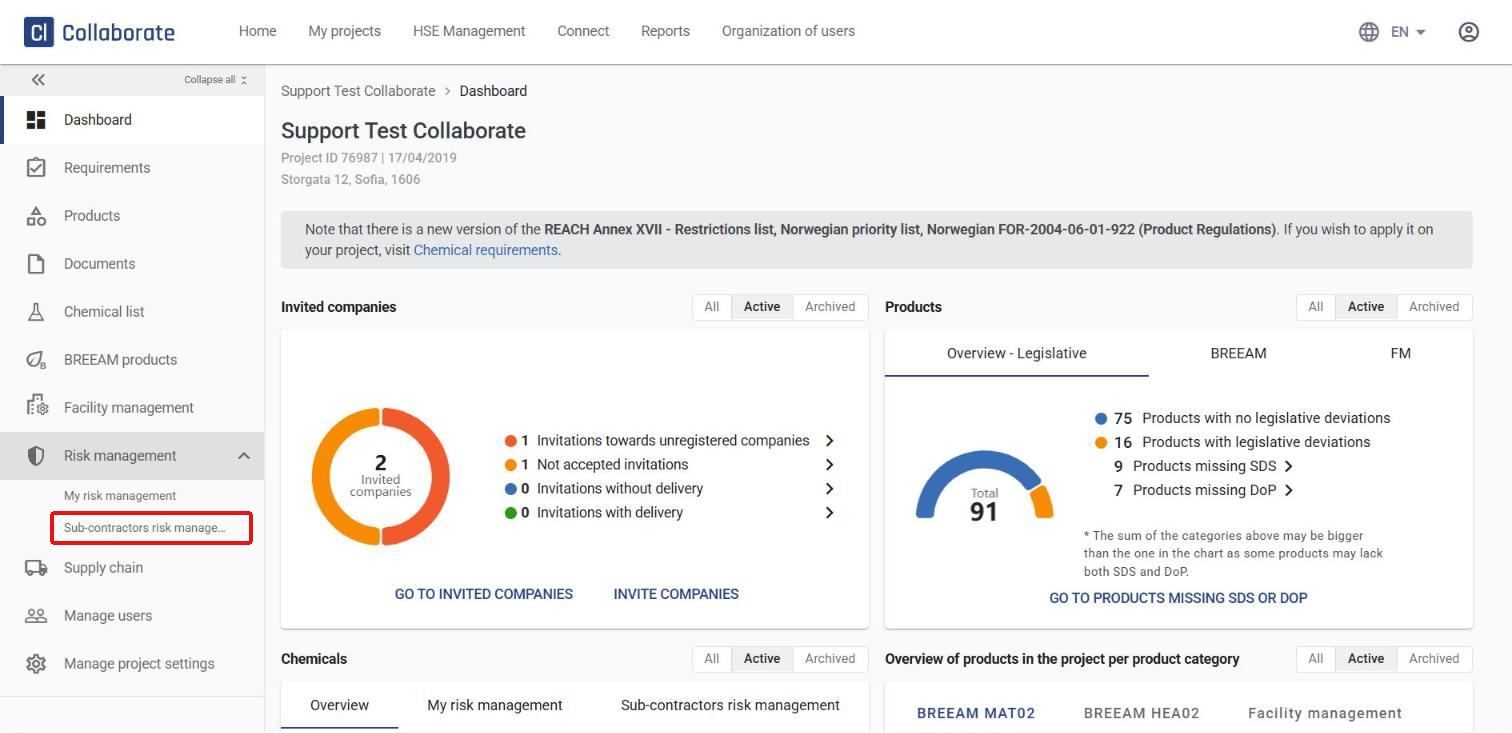
The menu expands and shows two options: My risk management (chemicals you’ve added yourself) and Sub-contractors risk management (chemicals added by your sub-contractors). Click Sub-contractors risk management.
3
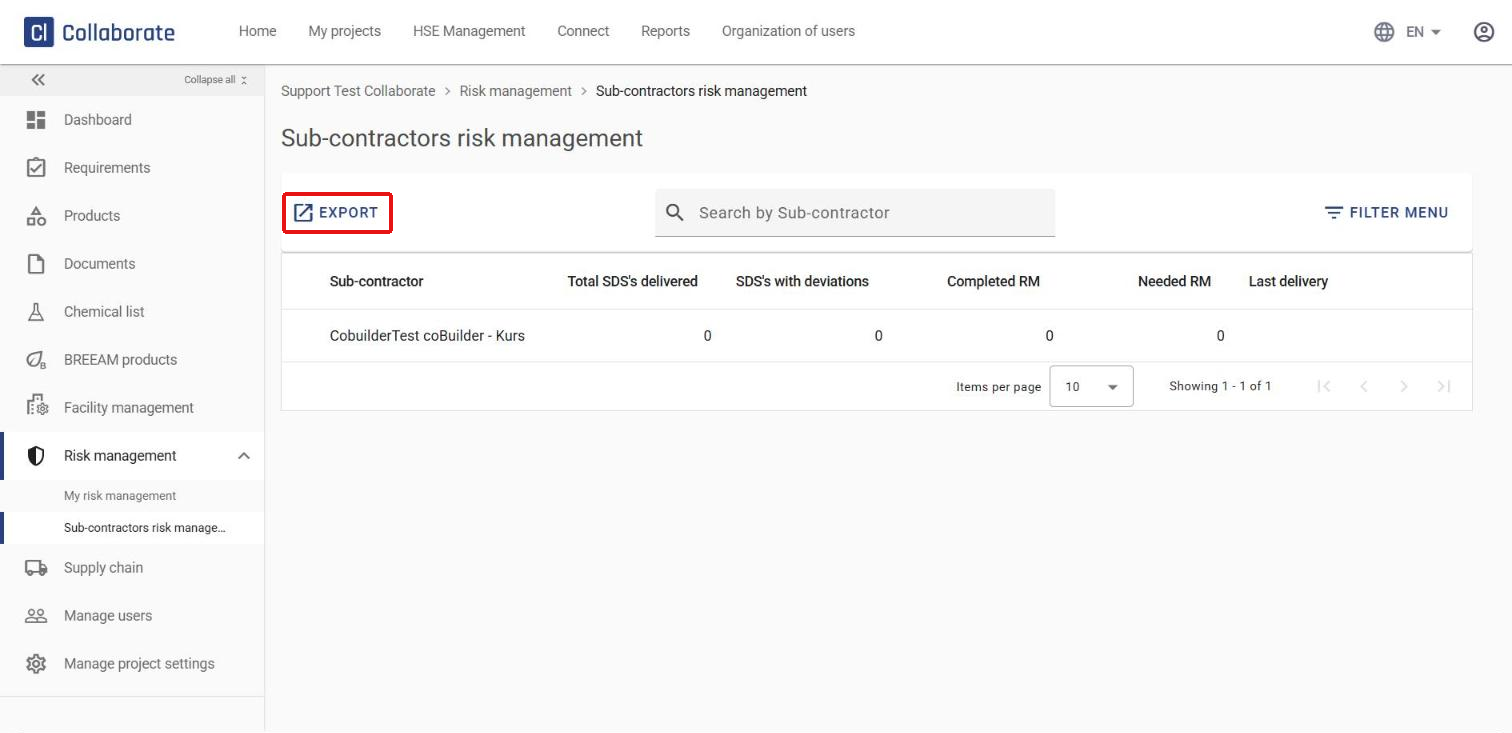
Click Export to download the overview as an Excel file straight to your computer.
4
The Excel file contains one sheet with the following overview for each sub-contractor:
- Total SDS’s delivered – the total number of safety data sheets the sub-contractor has delivered
- Completed RM (risk management) – the total number of SDSs with completed risk management
- Deviation – the number of SDSs that deviate from the project’s chemical requirements, split into Completed RM and No risk management created, each further split into all deviations and deviations classified as hazardous
- Without deviation – the same breakdown as above, for SDSs without deviations



