
Welcome to Cobuilder Training Portal
You can save a risk assessment as a reusable template, so you don’t have to fill in the same information again the next time you assess a similar chemical.
Save an existing risk assessment as a template
1
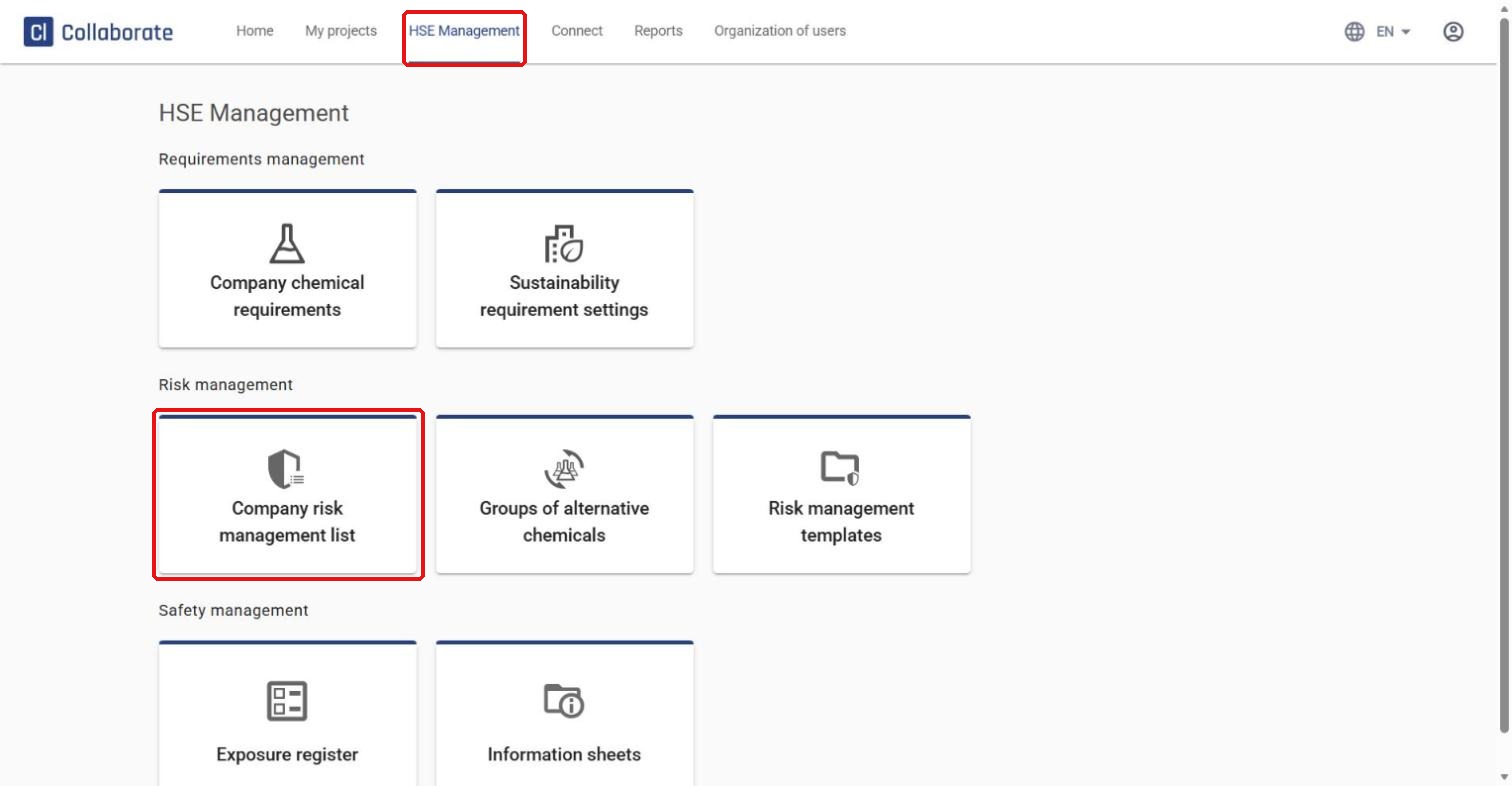
Go to HSE Management in the top menu and select Company risk management list.
2
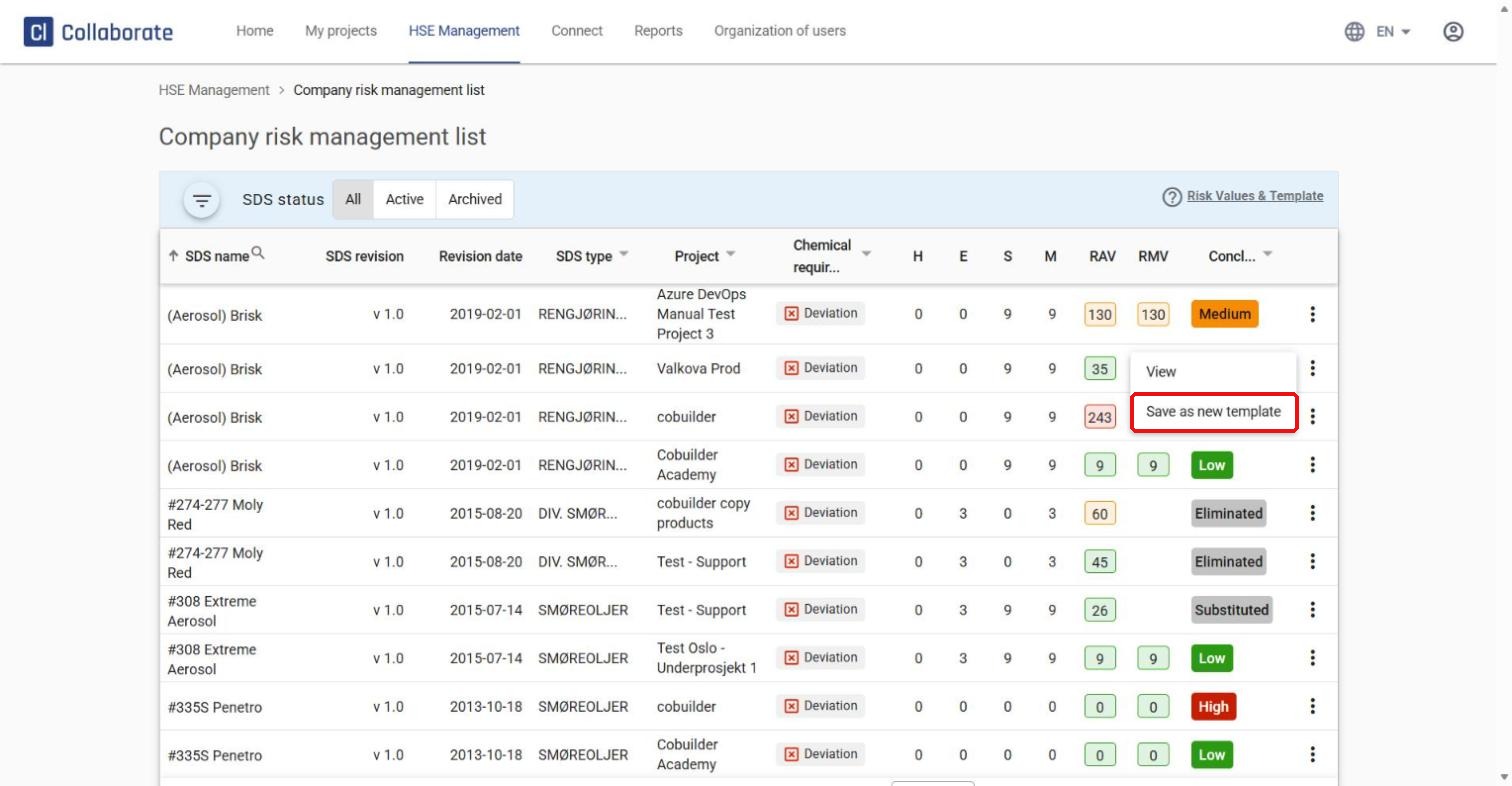
You can do this in two ways. Quickest: click the three dots next to the risk assessment in the list and select Save as new template.
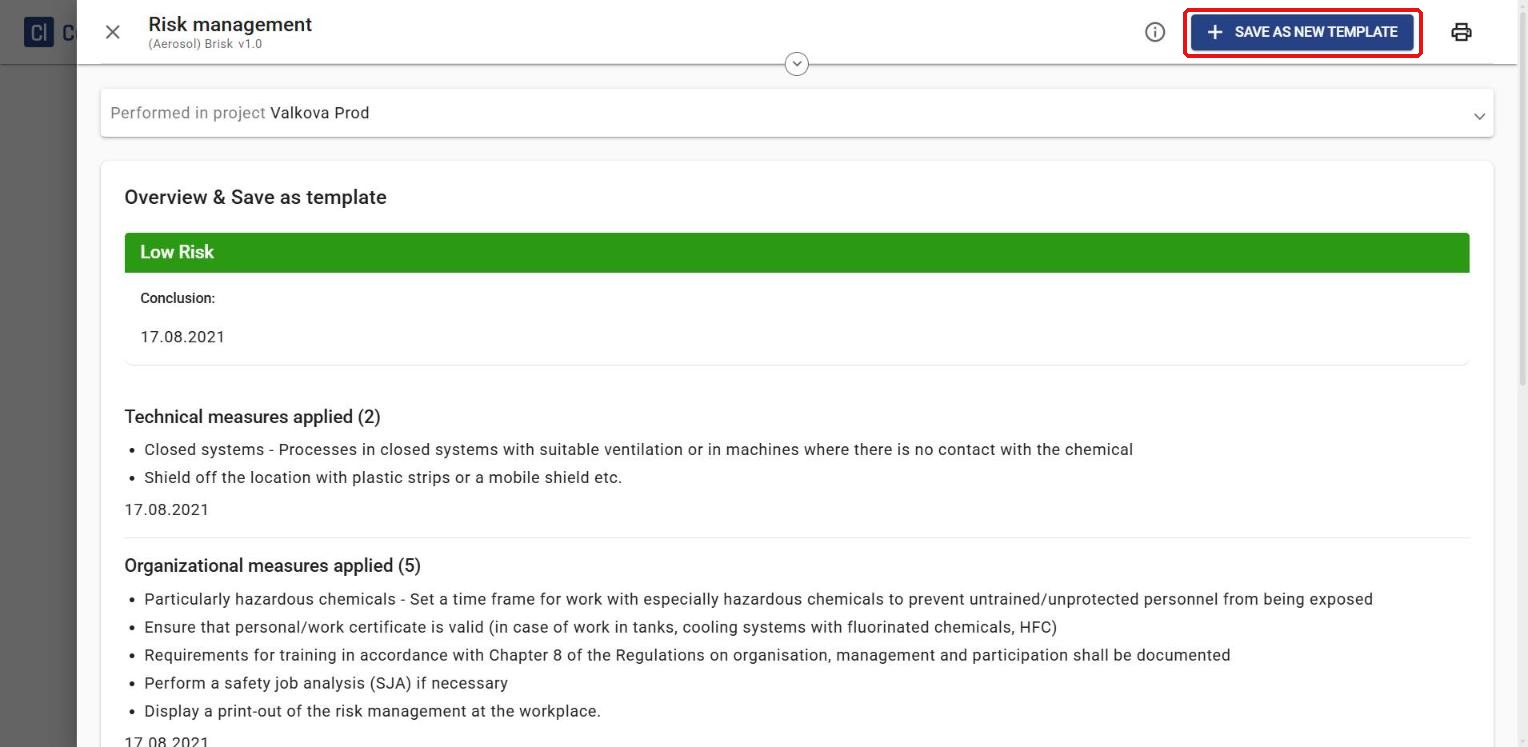
Or: select View to open the risk assessment and make any changes first, then click Save as new template at the top of the window.
3
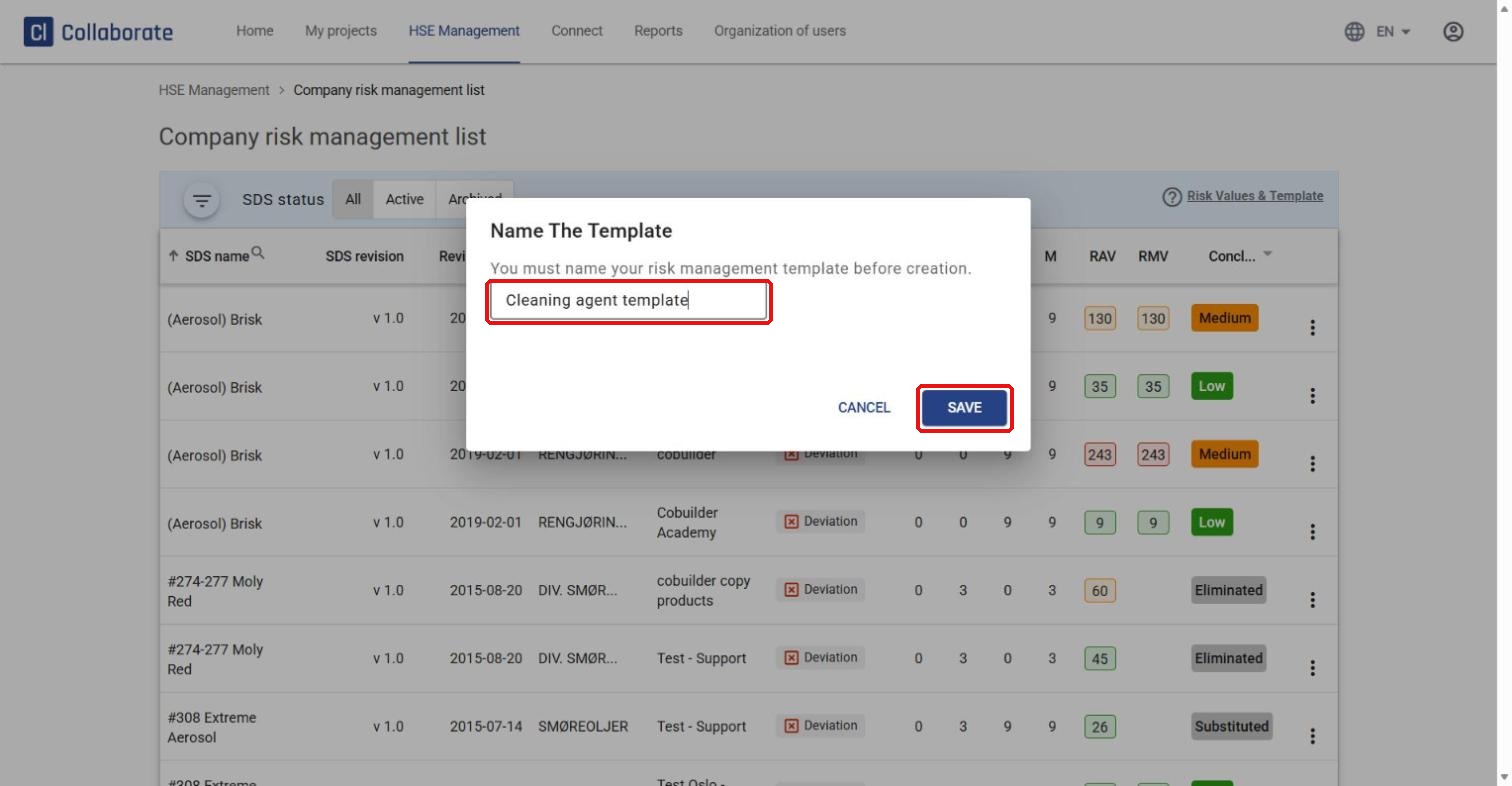
Name the template in the window that appears and click Save.
4
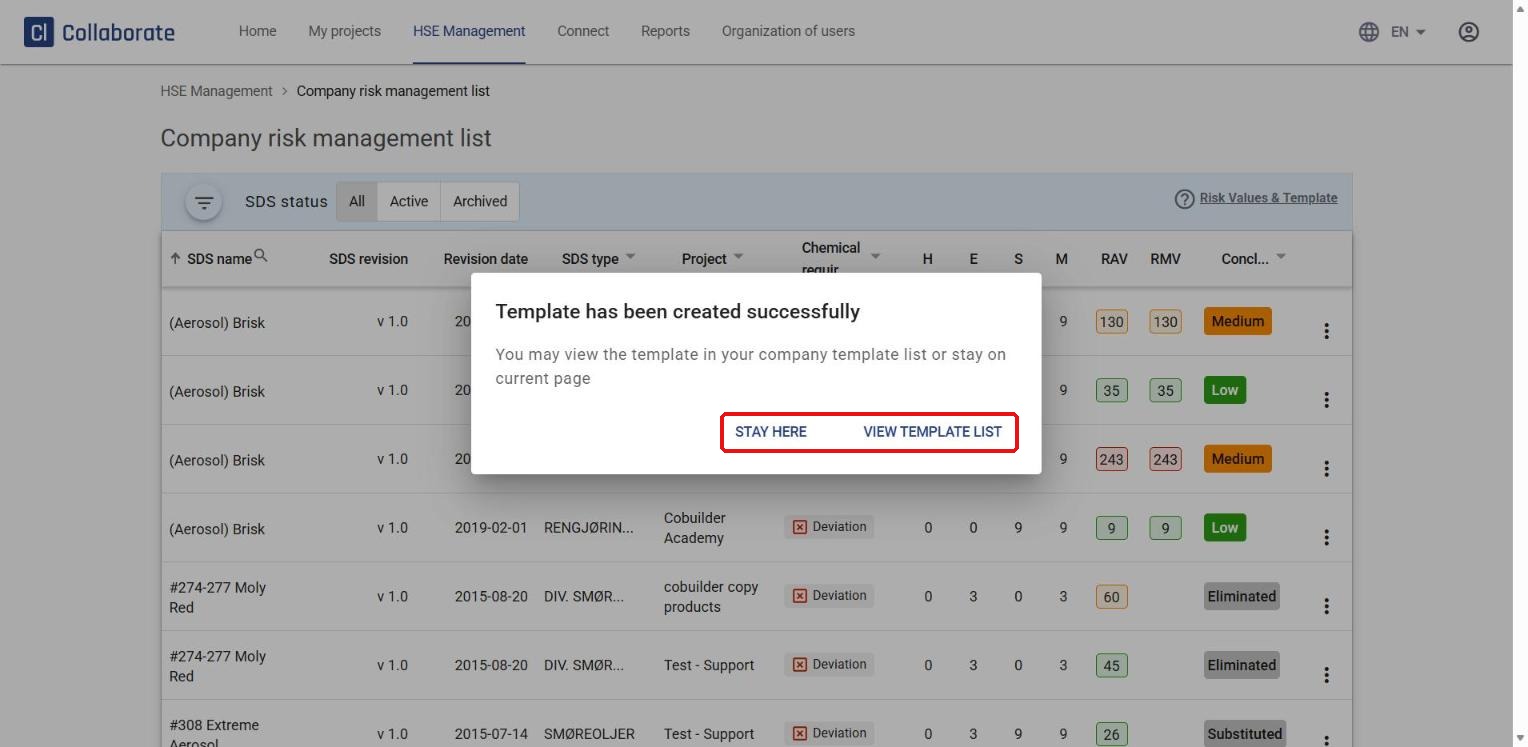
Choose Stay here to remain on the Company risk management list, or View template list to see your template under Risk management templates.
Save a new risk assessment as a template
5
You can also save a brand-new risk assessment as a template right after you complete it.
6
Click Save as new template at the top of the window, name the template, and click Save.


