Welcome to Cobuilder Training Portal
This article shows how to eliminate a chemical (product/SDS), or substitute it with a less hazardous alternative, as part of a risk assessment in Cobuilder Collaborate.
Steps
1
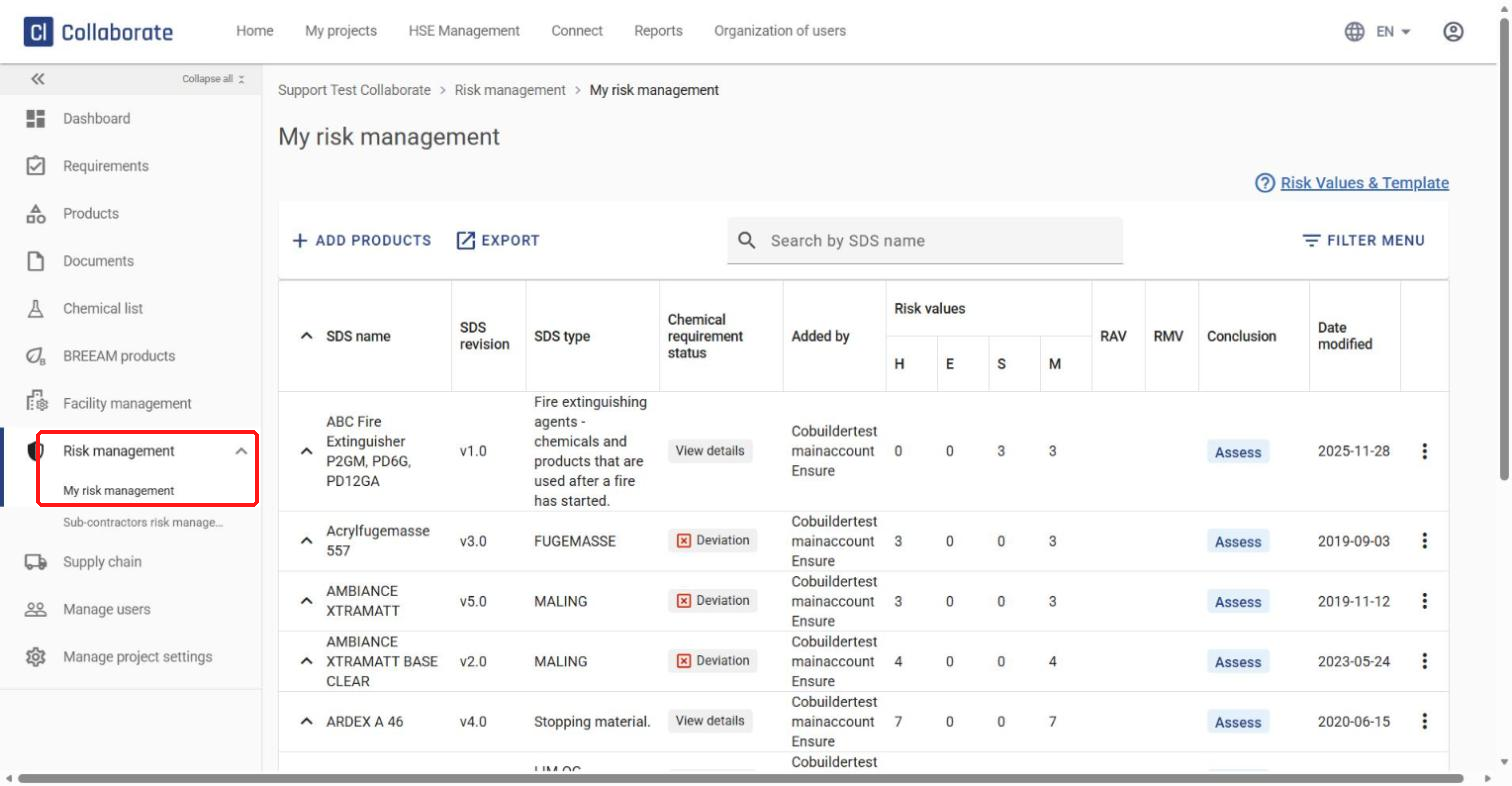
Open the project. In the left-hand menu, expand Risk management and select My risk management.
2
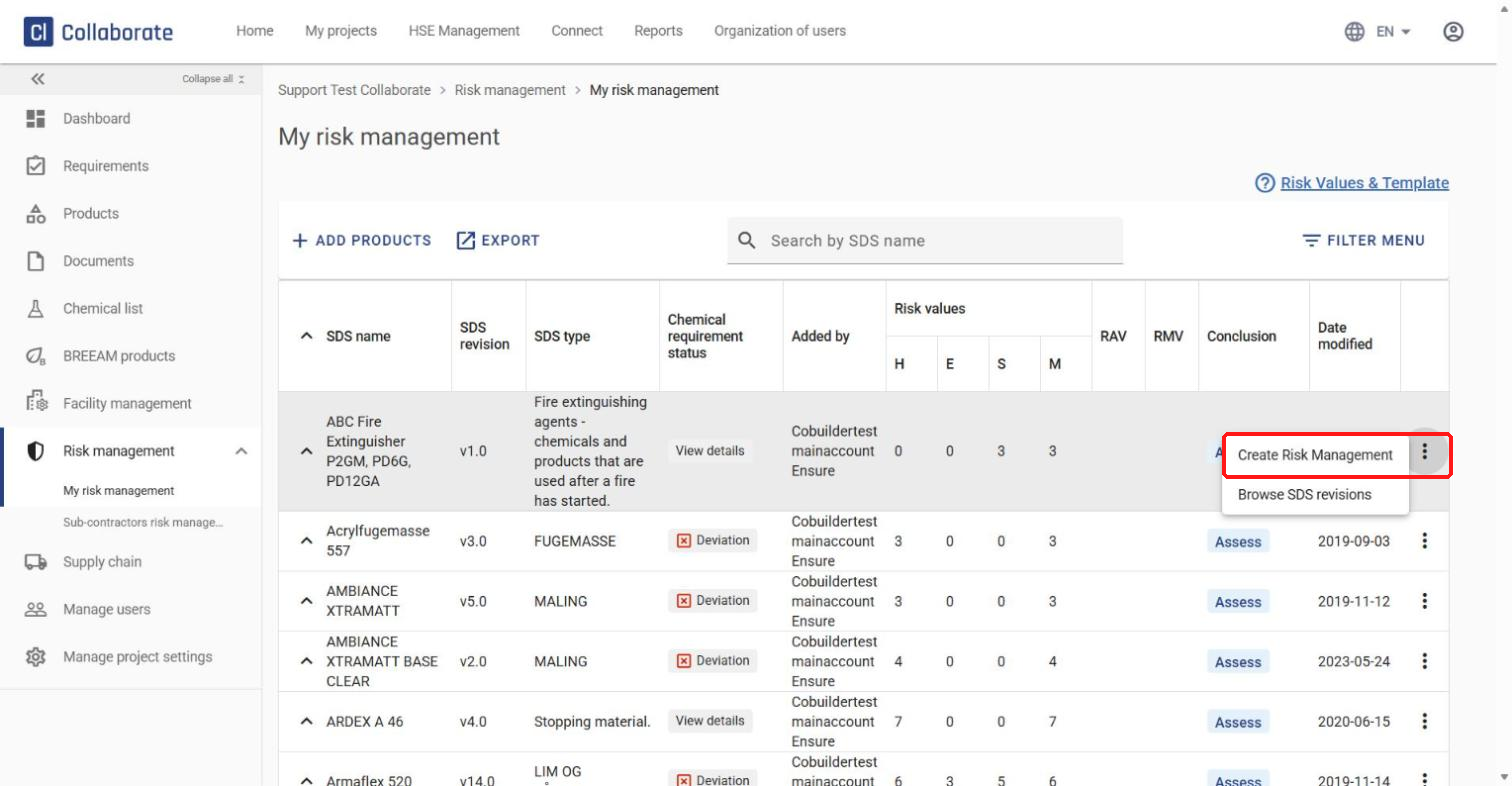
Click the three dots to the right of the chemical (product/SDS) and select Create Risk Management. A new panel opens and guides you through the process.
3
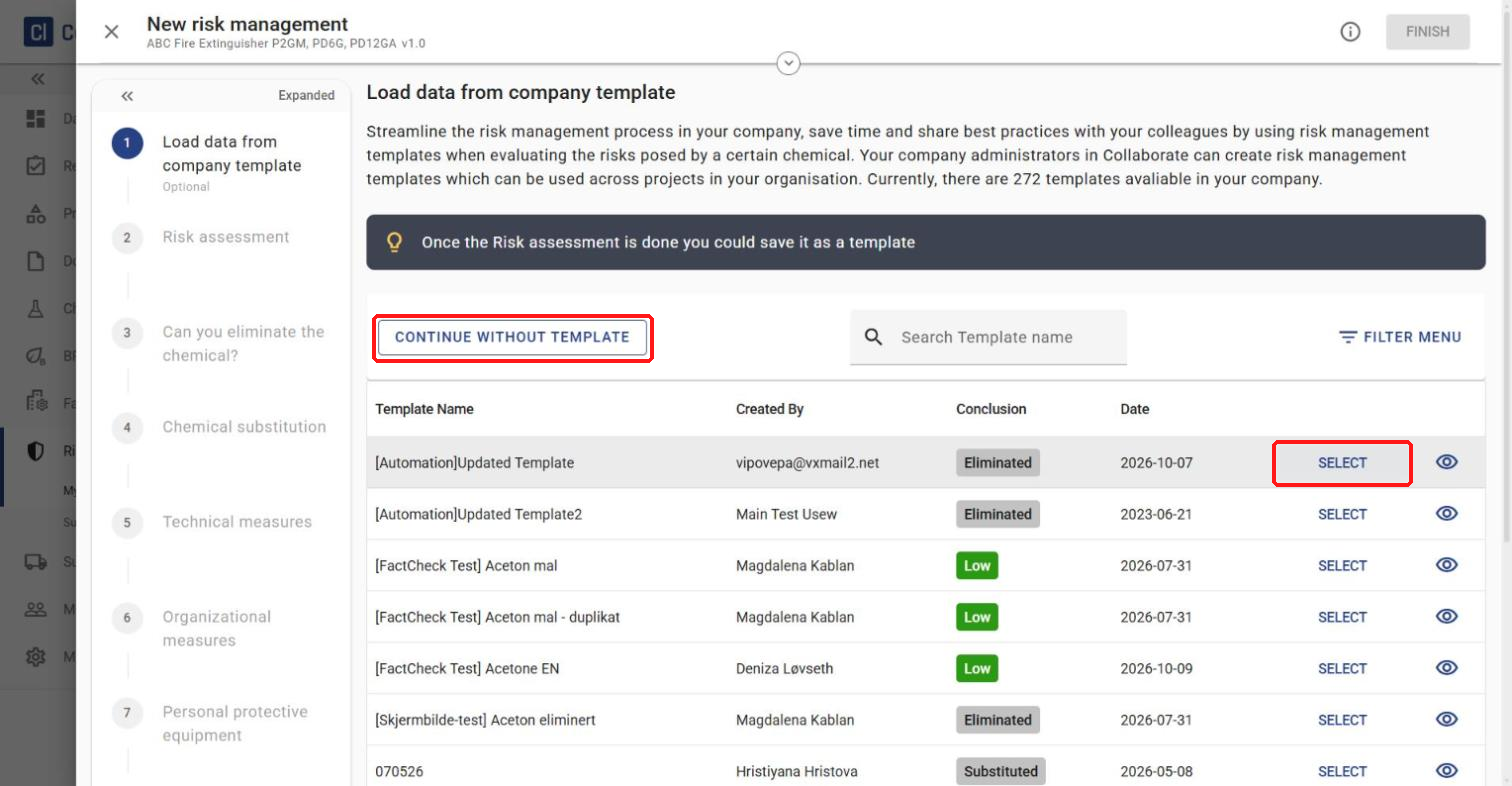
First, you can load data from a company template. Click CONTINUE WITHOUT TEMPLATE to fill in everything from scratch, or find a template in the list and click SELECT to load it. If you load a template, you can still change its details in the next steps.
4
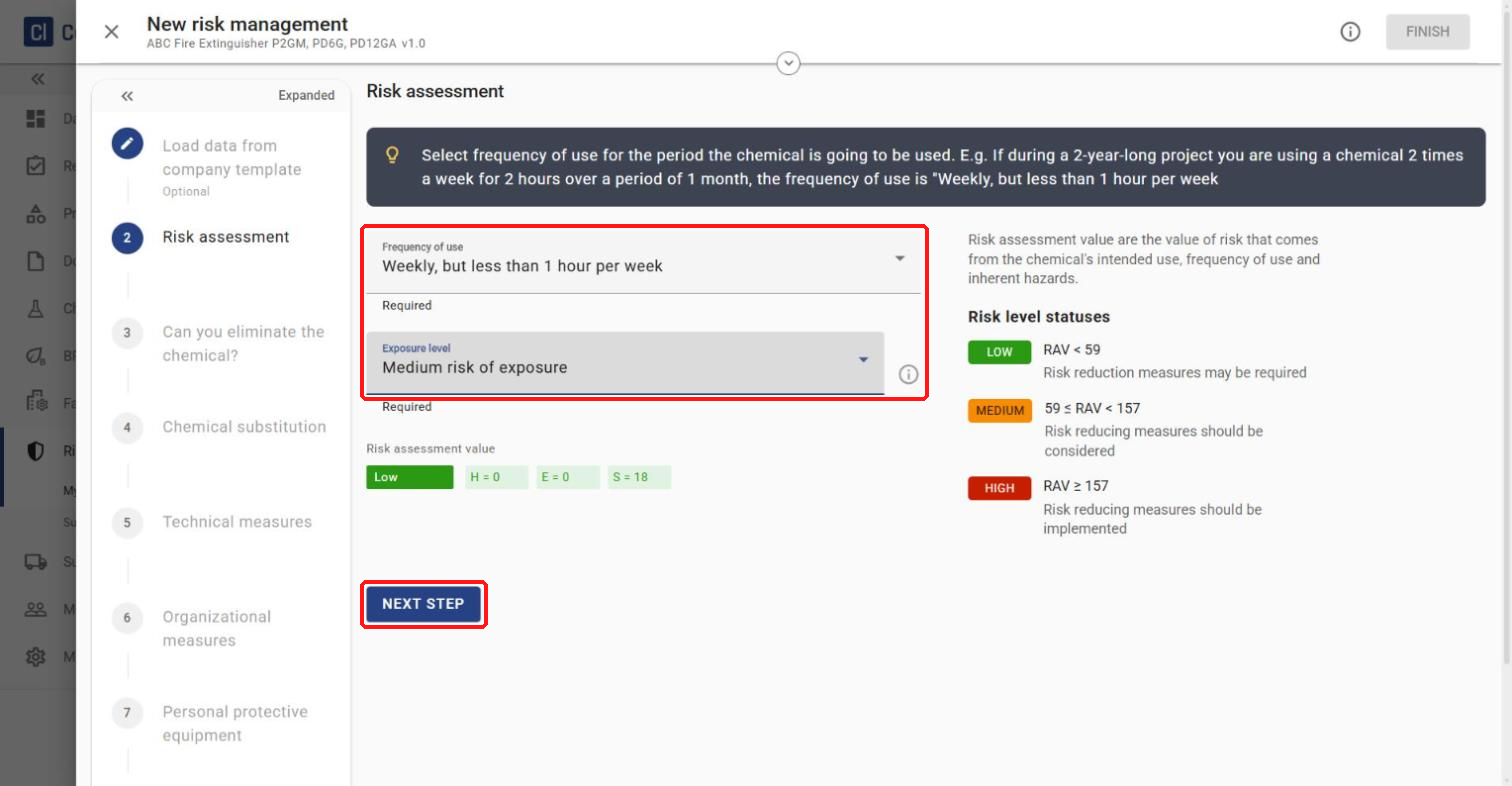
Select Frequency of use and Exposure level, then click NEXT STEP.
5
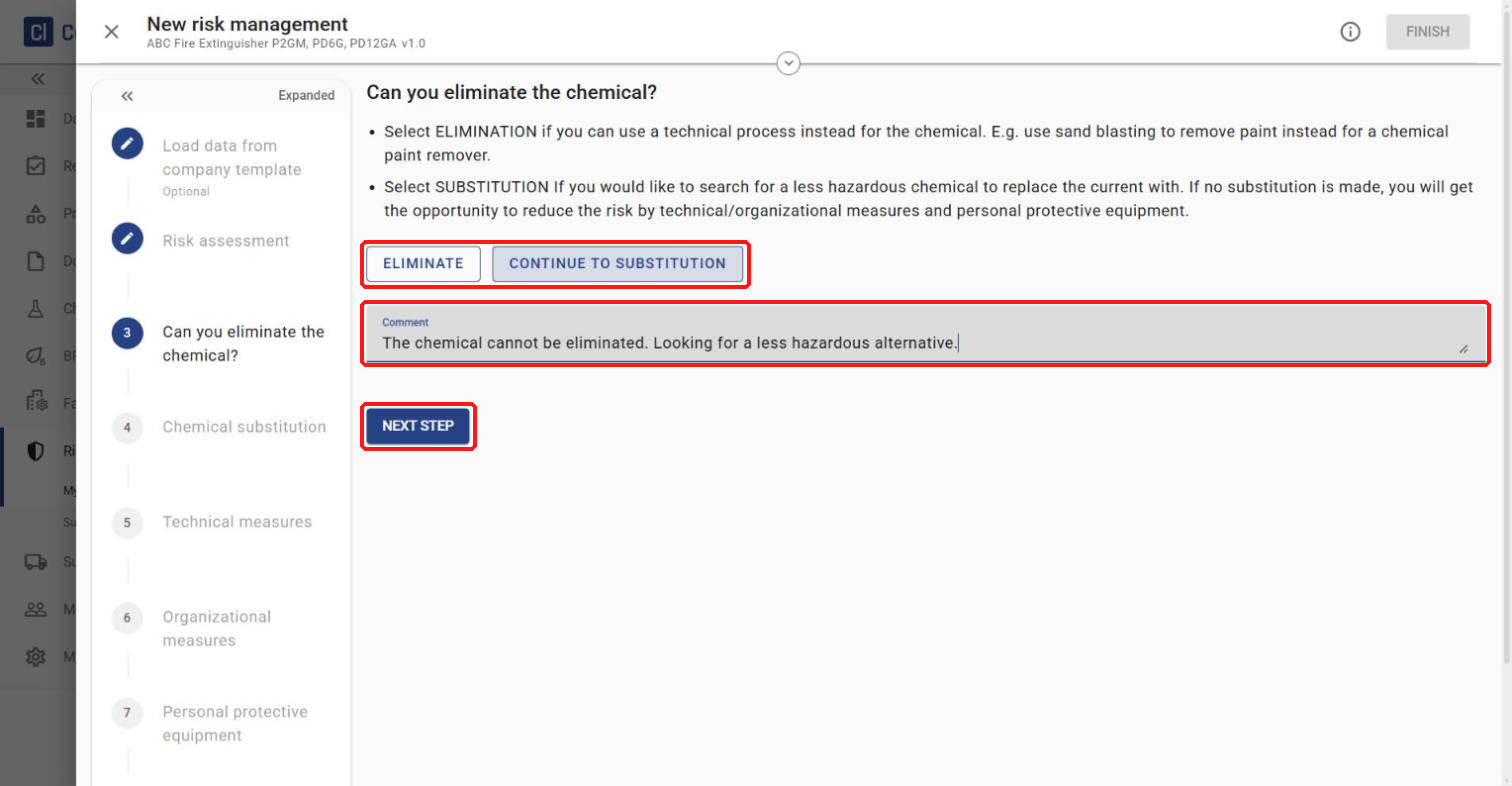
Next, decide whether the chemical can be eliminated or whether to continue to substitution.
Click ELIMINATE if you can use a technical process instead of the chemical — for example, sandblasting instead of a chemical paint remover. Write a comment and click FINISH to complete the risk assessment.
Click CONTINUE TO SUBSTITUTION to look for a less hazardous chemical to replace it. Leave a comment and click NEXT STEP.
6
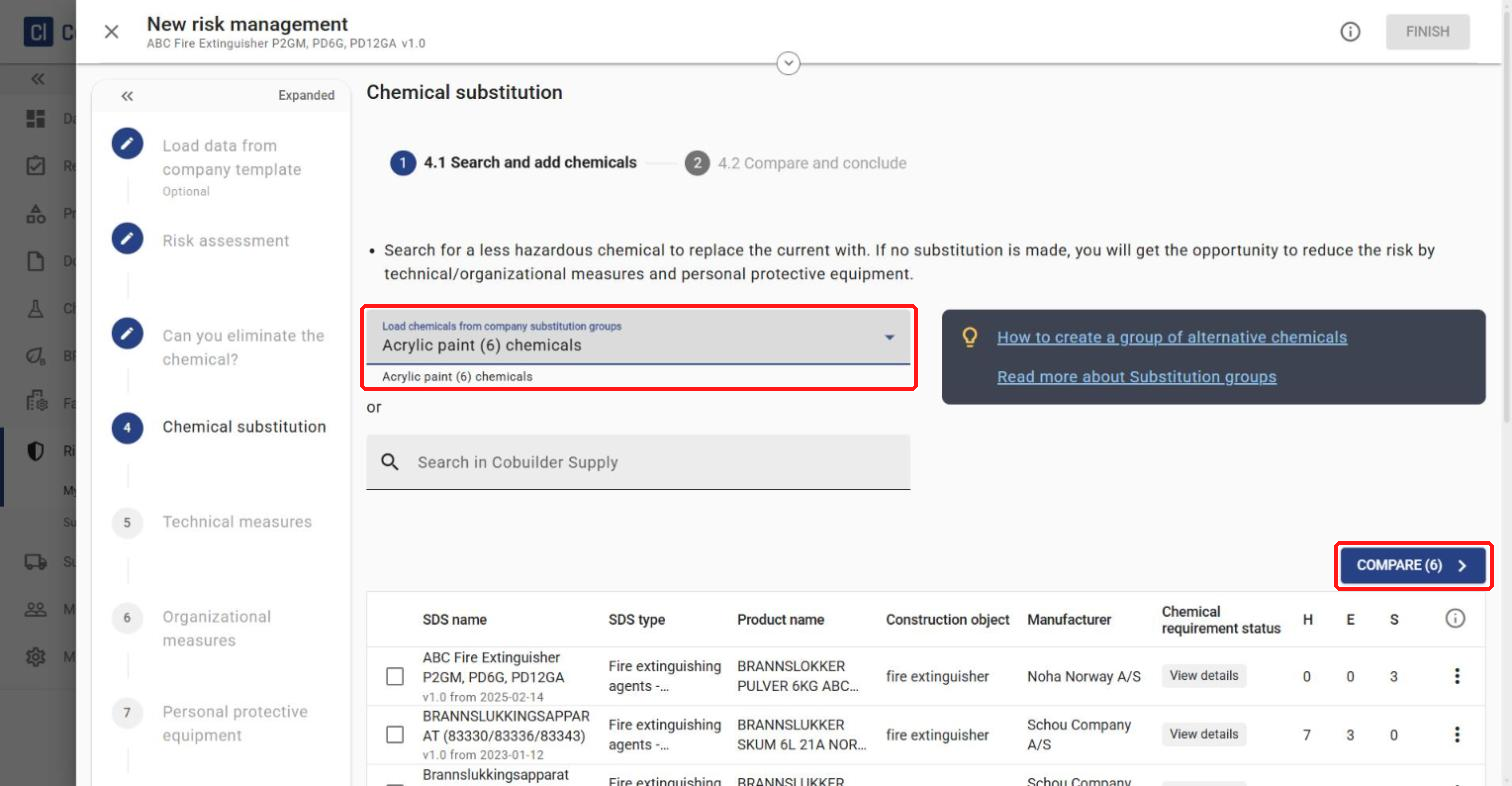
Search for a less hazardous chemical to replace the current one. You can load chemicals from a substitution group created at company level, or search directly in Cobuilder Supply. (See How to create a chemical substitution group.) Select a group under Load chemicals from company substitution groups and click COMPARE.
7
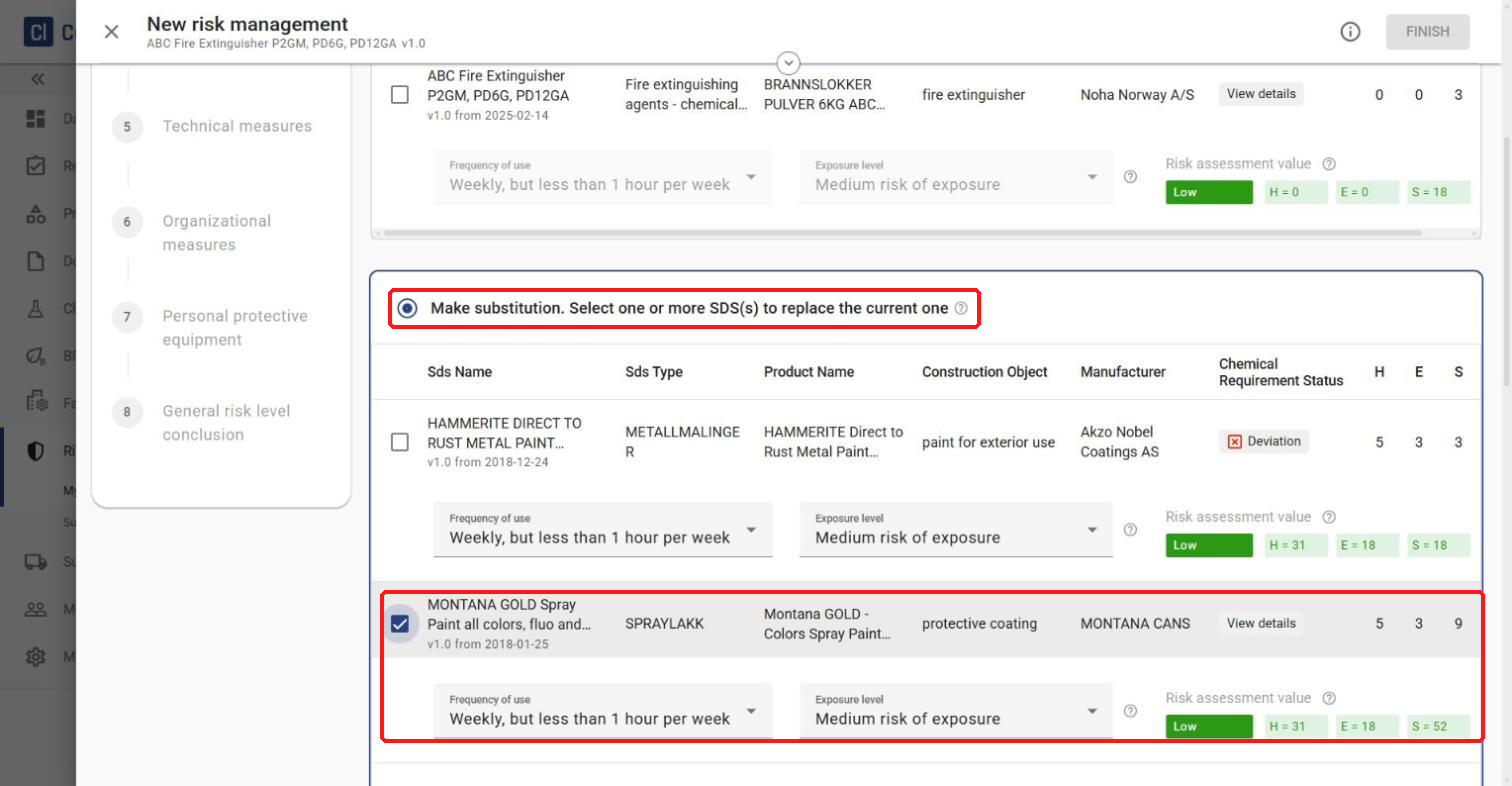
Compare the products. The alternatives get the same Frequency of use and Exposure level as the original chemical, but you can change them — for example, if one product is applied twice with a spray gun and another only once with a paint roller. Select No substitution. Keep the current chemical to keep the original chemical, or Make substitution and tick the replacement product(s) (SDS).
8
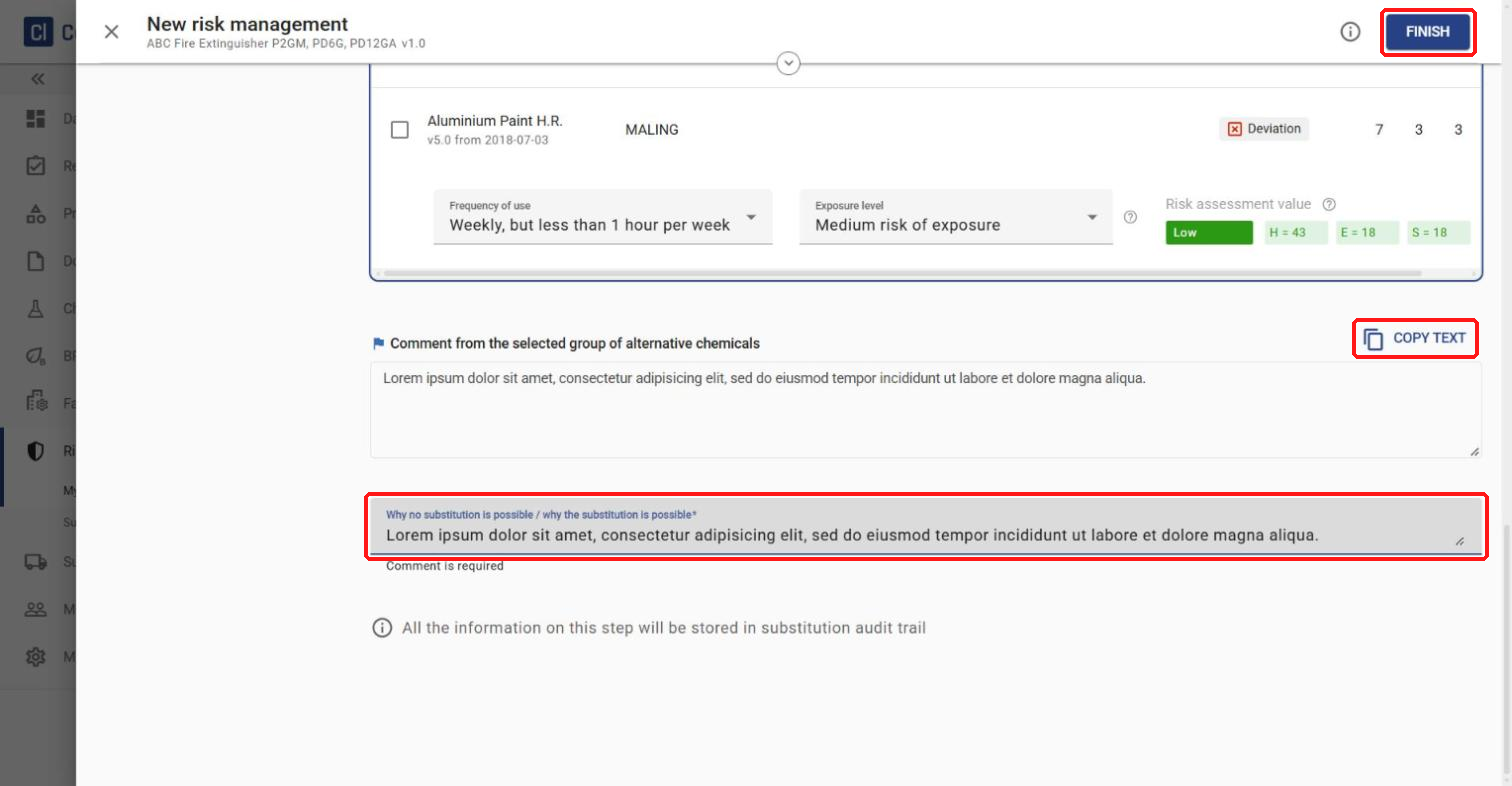
At the bottom you’ll find the comment from the substitution group. If you want it to appear in the risk assessment, click COPY TEXT and paste it into Why no substitution is possible / why the substitution is possible. This field is required. Click FINISH.
9
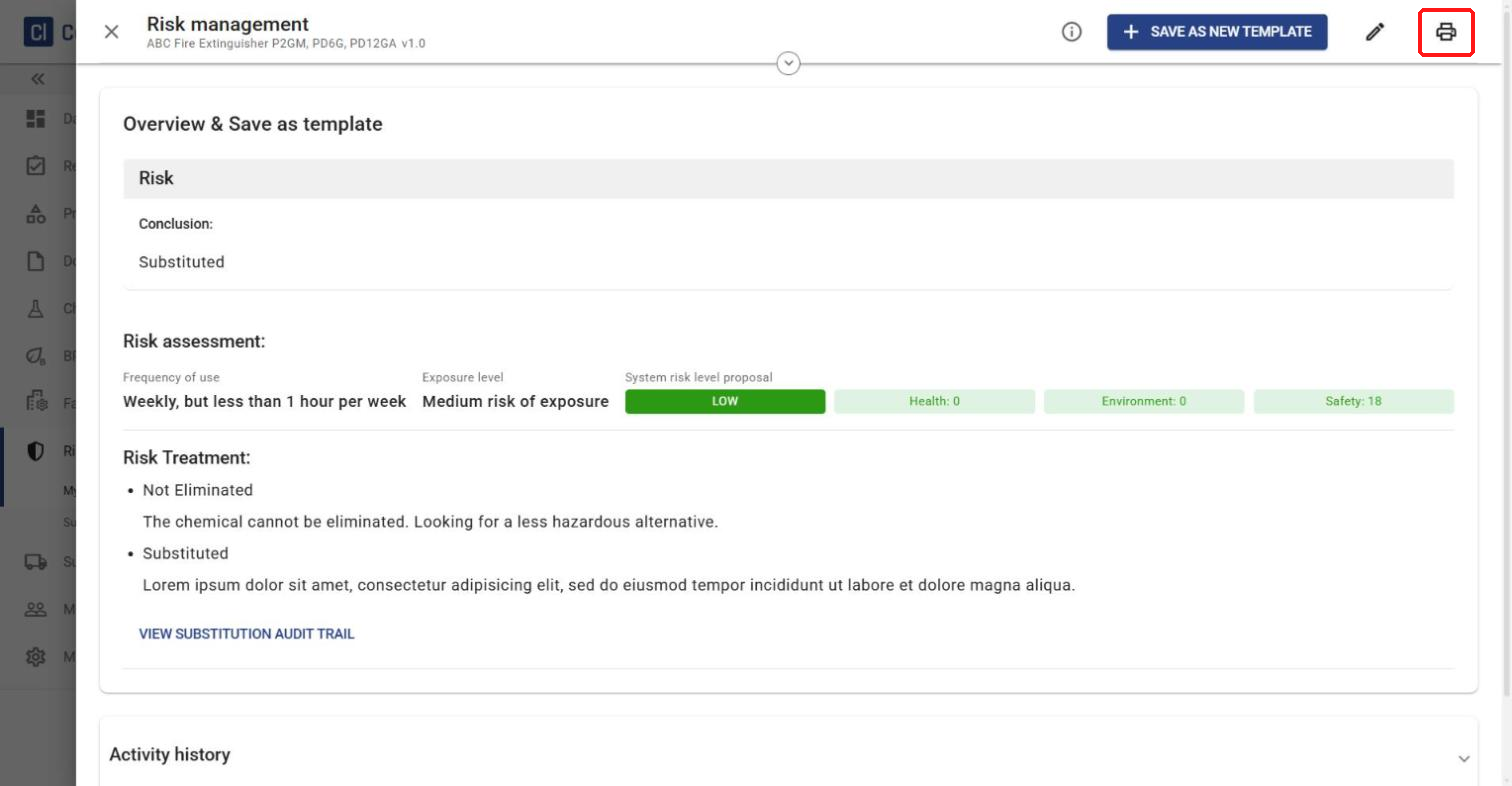
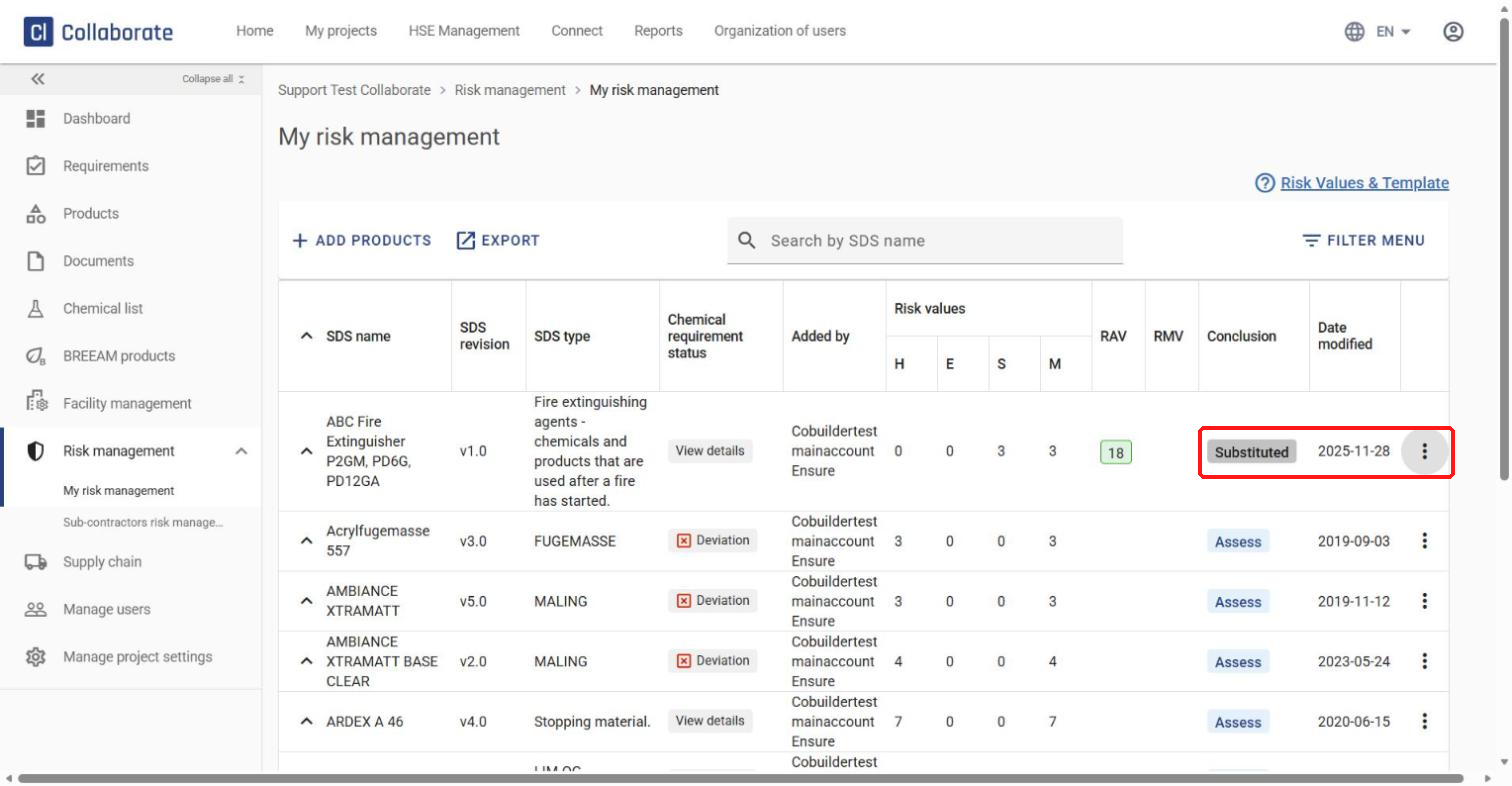
The chemical is now substituted with an alternative from the group, and the Conclusion column shows Substituted. Click the three dots to the right to view or edit the risk assessment (View Risk Management / Edit risk management).
10
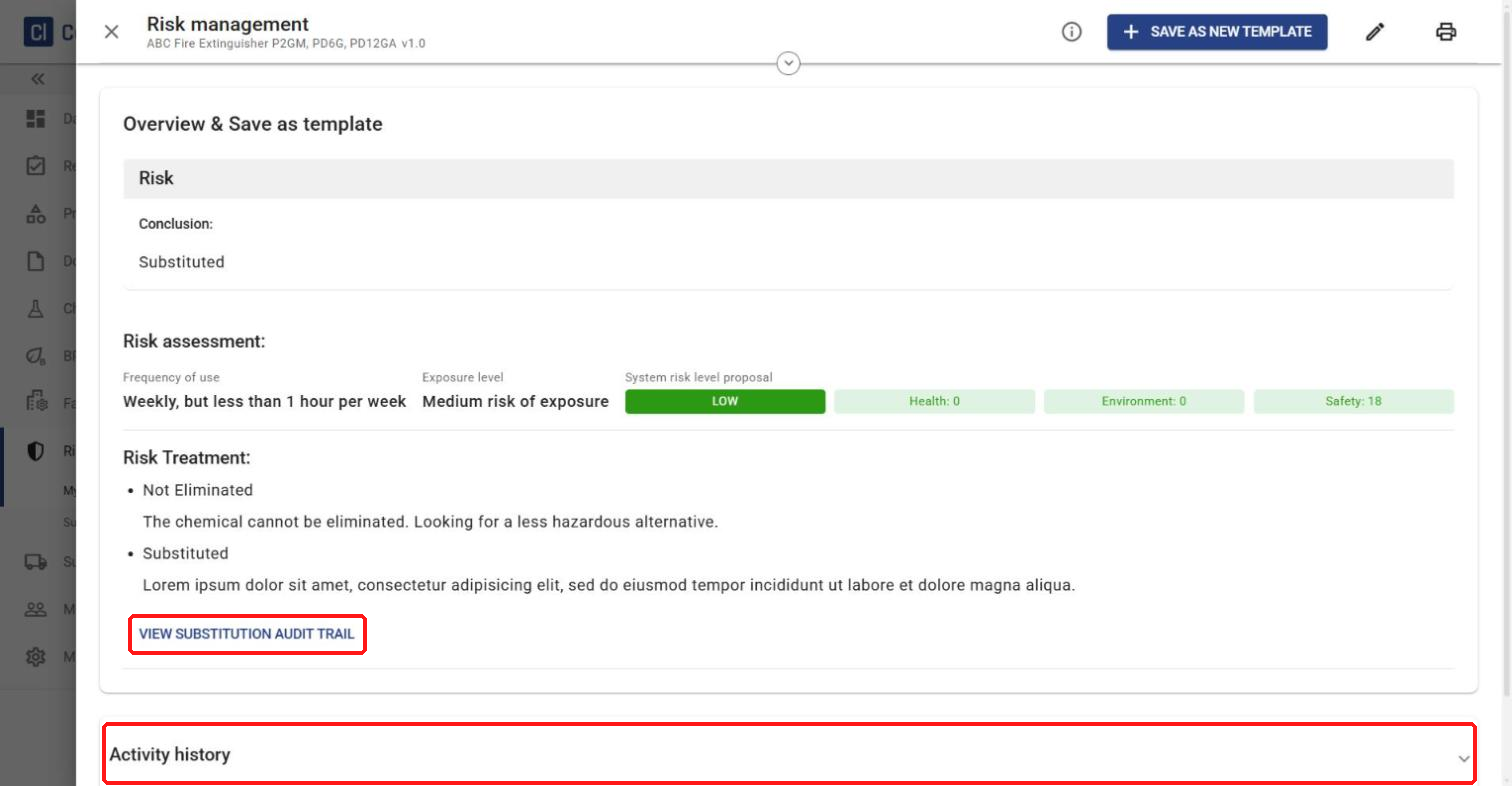
The risk assessment overview shows the VIEW SUBSTITUTION AUDIT TRAIL link and the Activity history.
11
You can also export the risk assessment as a PDF. Click the printer icon in the top-right corner of the overview.