Welcome to Cobuilder Training Portal
The DPP dashboard shows the status of the digitalization of your Declarations of Performance (DoP), and gives you a prioritized overview of which products to digitize further to be ready for the upcoming Digital Product Passport (DPP) requirements.
How to find the DPP dashboard
1
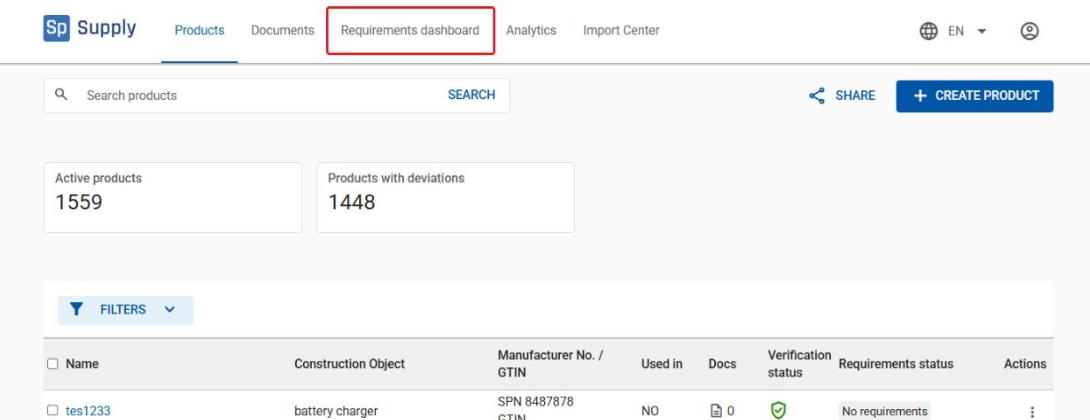
Open Cobuilder Supply and click the Requirements dashboard tab in the top menu.
2
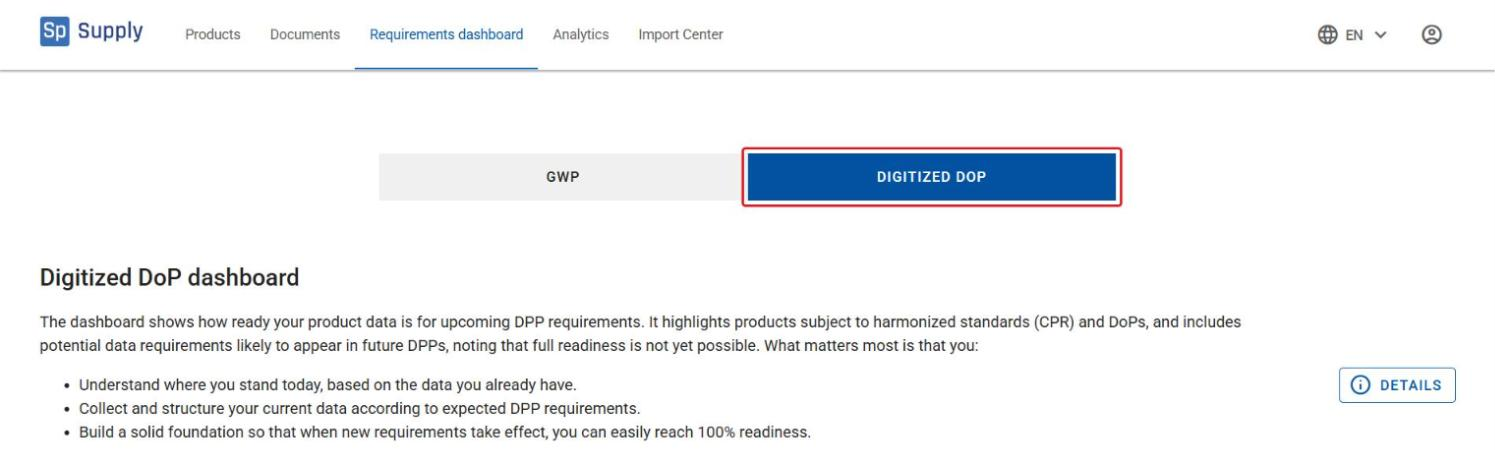
Select the Digitized DoP tab to open the Digitized DoP dashboard.
Roadmap and priorities
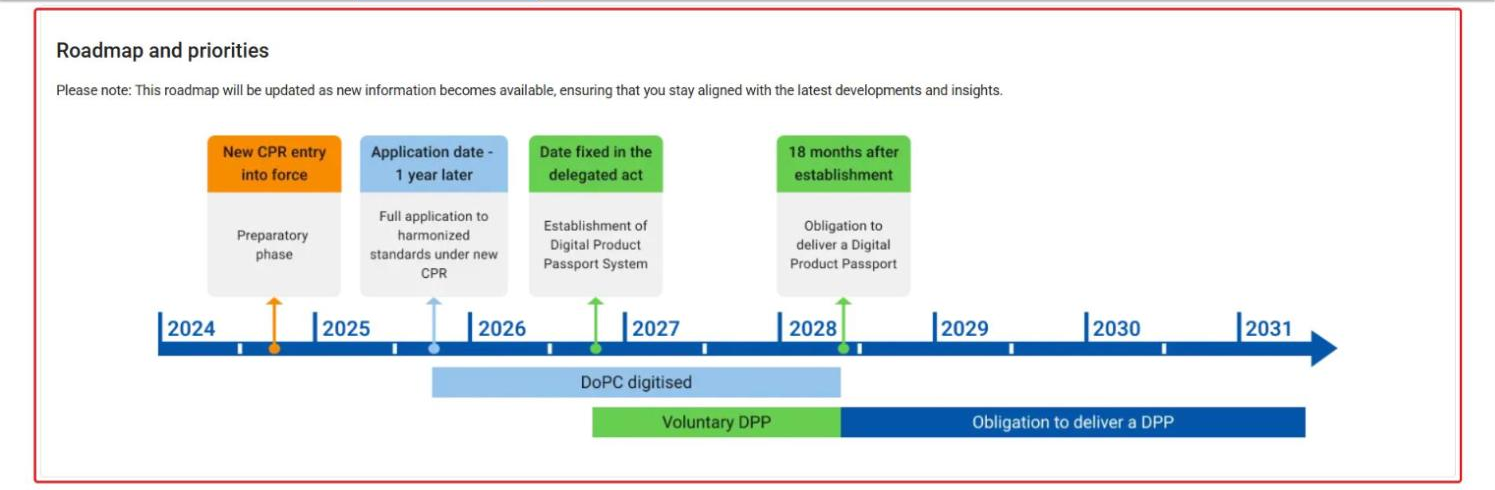
At the top of the dashboard, Roadmap and priorities shows the timeline for the digitalization work, with priority periods and milestones for when product groups should be fully digitized.
Status and trends
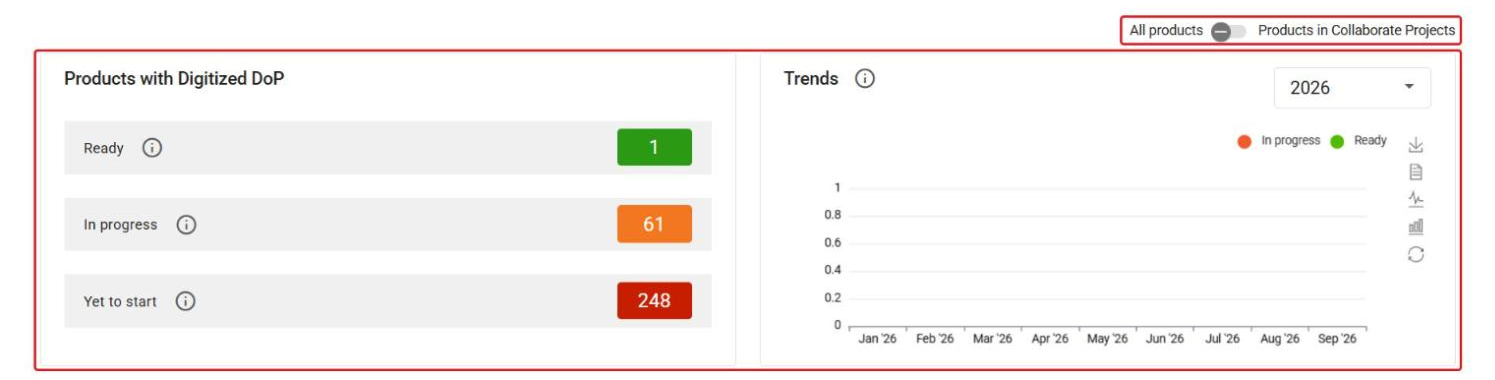
Below the roadmap, Products with Digitized DoP shows how many products are Ready, In progress or Yet to start. Use the switch to view either All products or only Products in Collaborate Projects. The Trends chart shows how the digitalization status develops over time.
Product table and filtering
1
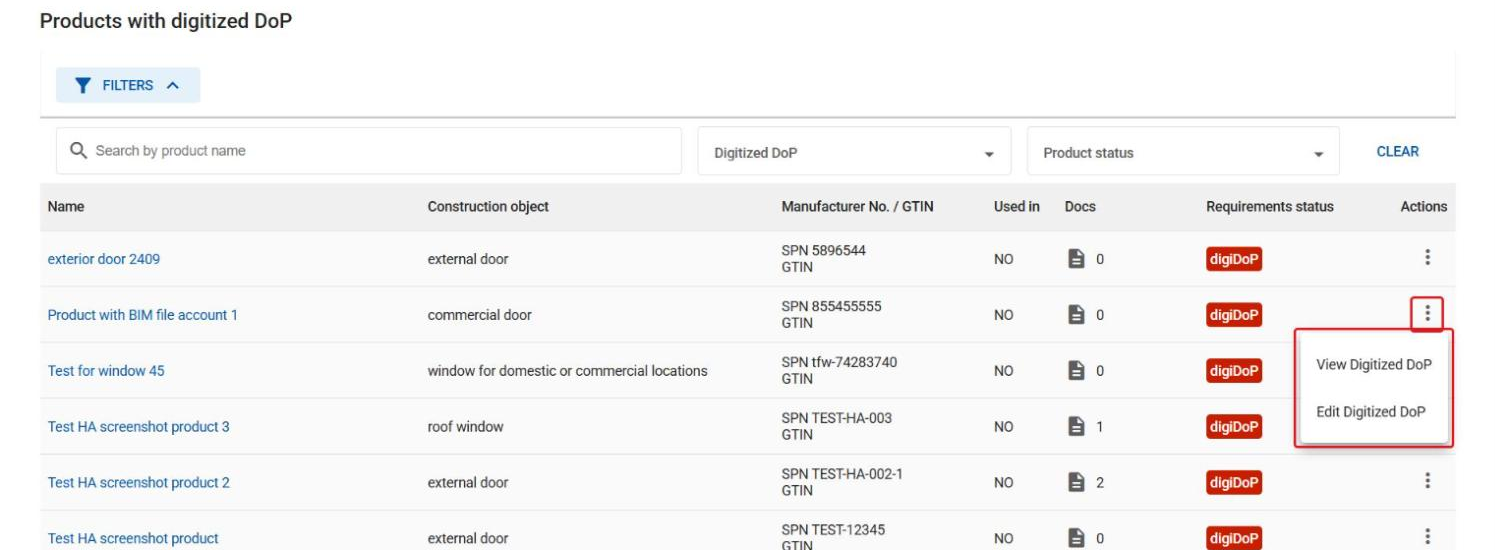
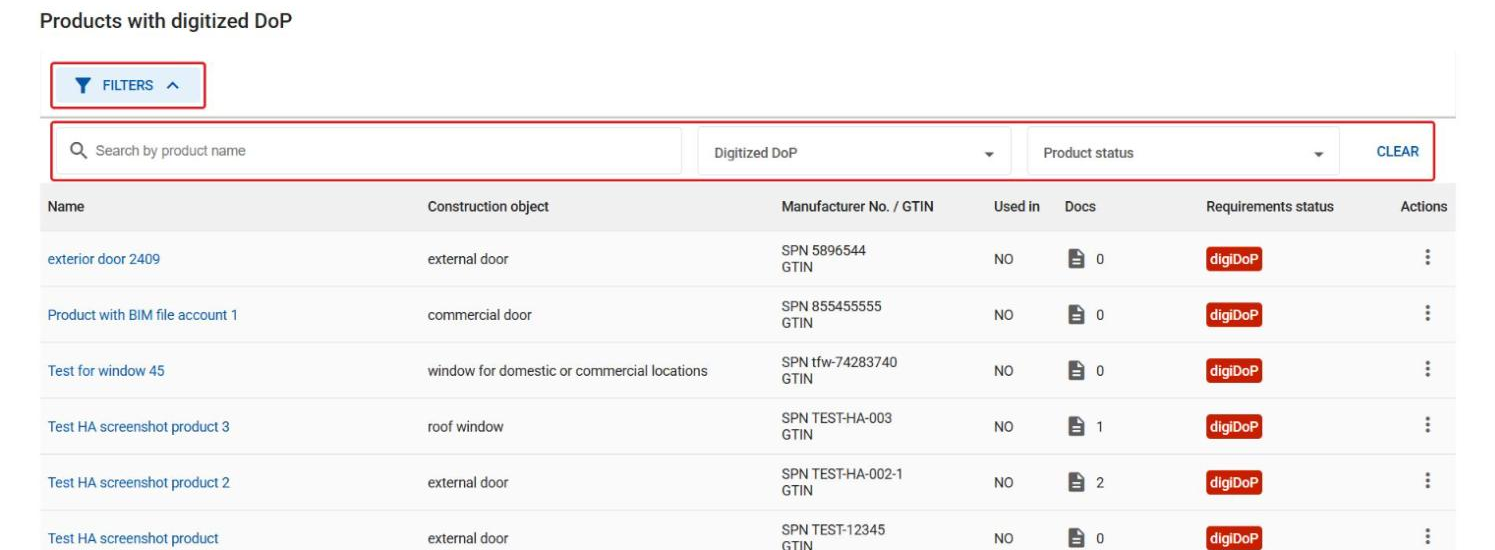
Further down, Products with digitized DoP lists all products with their digitalization status. Click Filters and use Search by product name, Digitized DoP or Product status to find a specific product.
2
Click the actions menu next to a product and select View Digitized DoP or Edit Digitized DoP.