Welcome to Cobuilder Training Portal
To help manufacturers covered by the Construction Products Regulation (CPR) prepare for the upcoming Digital Product Passport (DPP) requirements, you can check how ready each product is, enter property values to digitize the DoP (Declaration of Performance), and publish the information.
How to do it
1
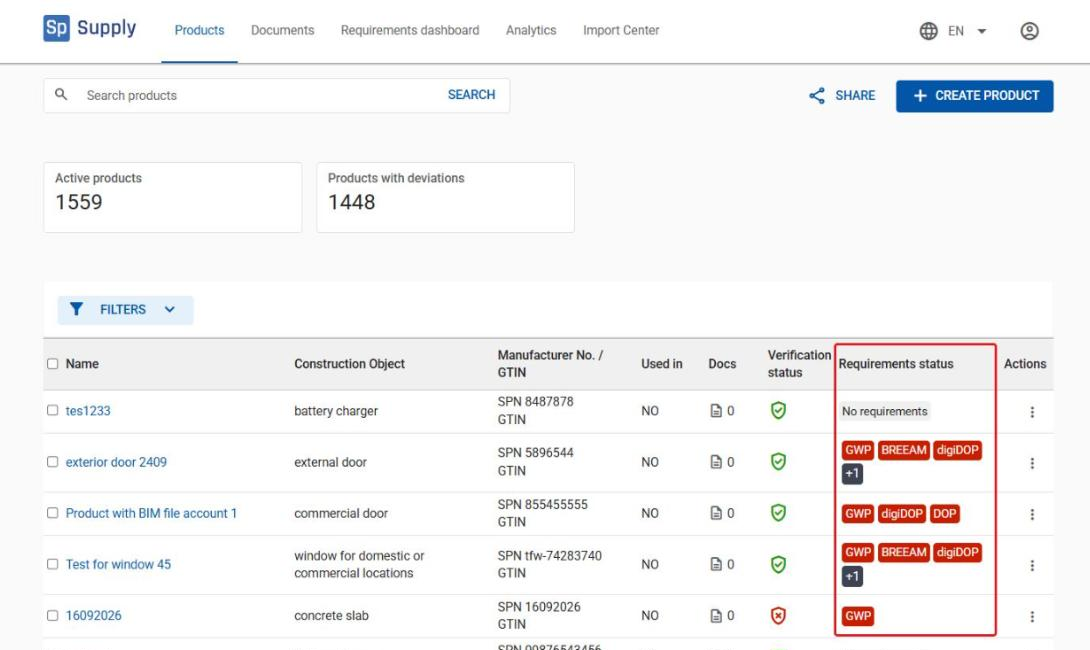
Go to Products to see an overview of all your products in Cobuilder Supply. The Requirements status column shows the status of each product.
2
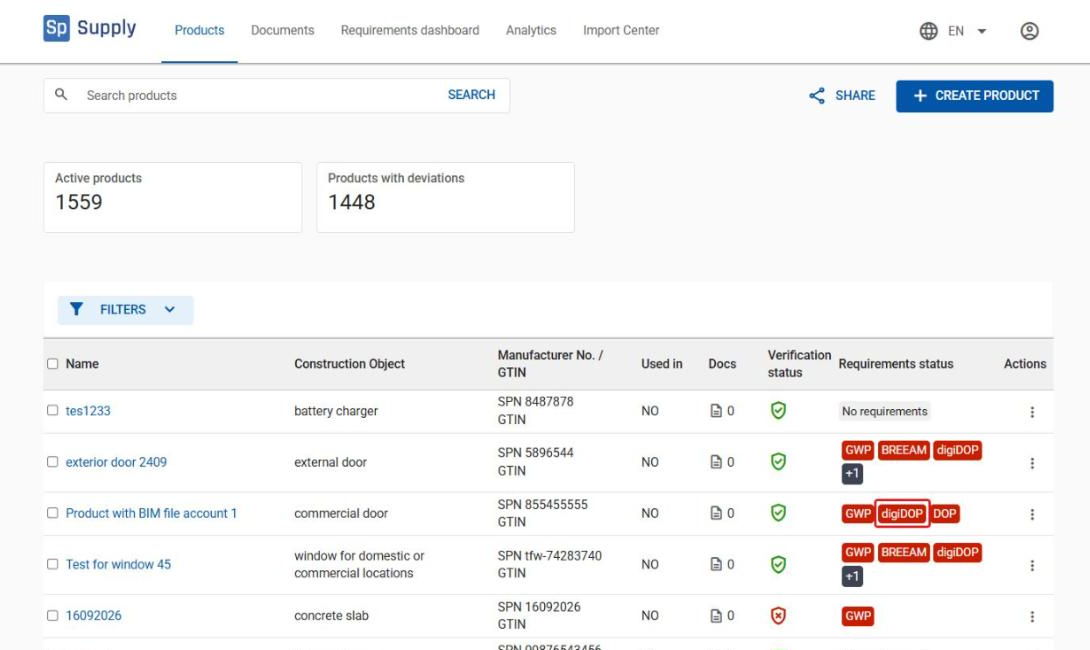
Click digiDOP to see the product’s DPP status and which data is available and which is missing.
3
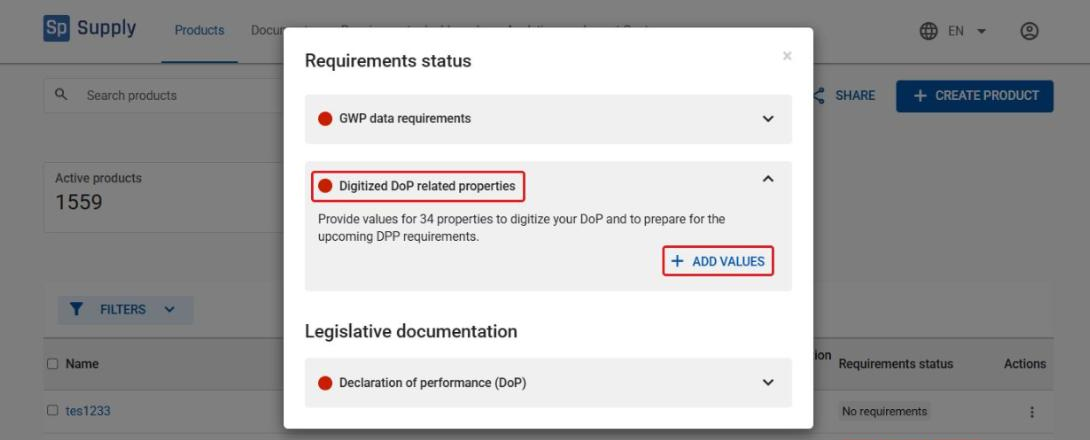
The Requirements status window opens. Click the arrow next to Digitized DoP related properties to see the relevant values, then click Add values to go to the product’s properties.
4
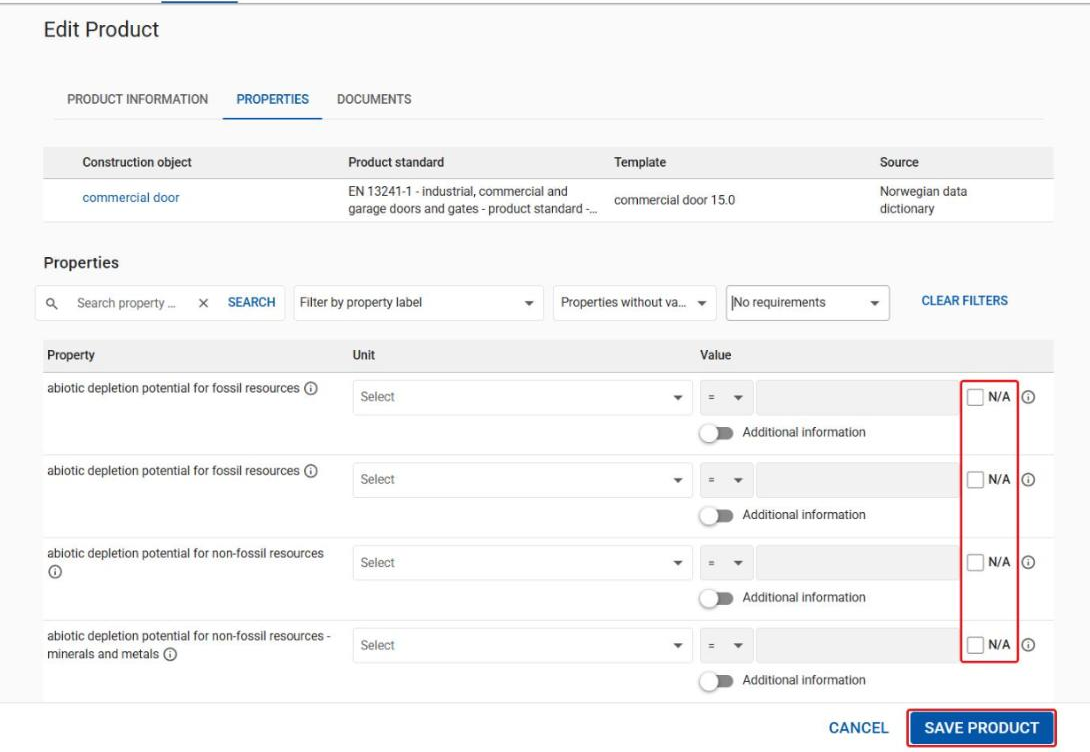
Enter the values directly on the product. If some values aren’t relevant for the product, tick N/A. Click Save product when you’re done.
5
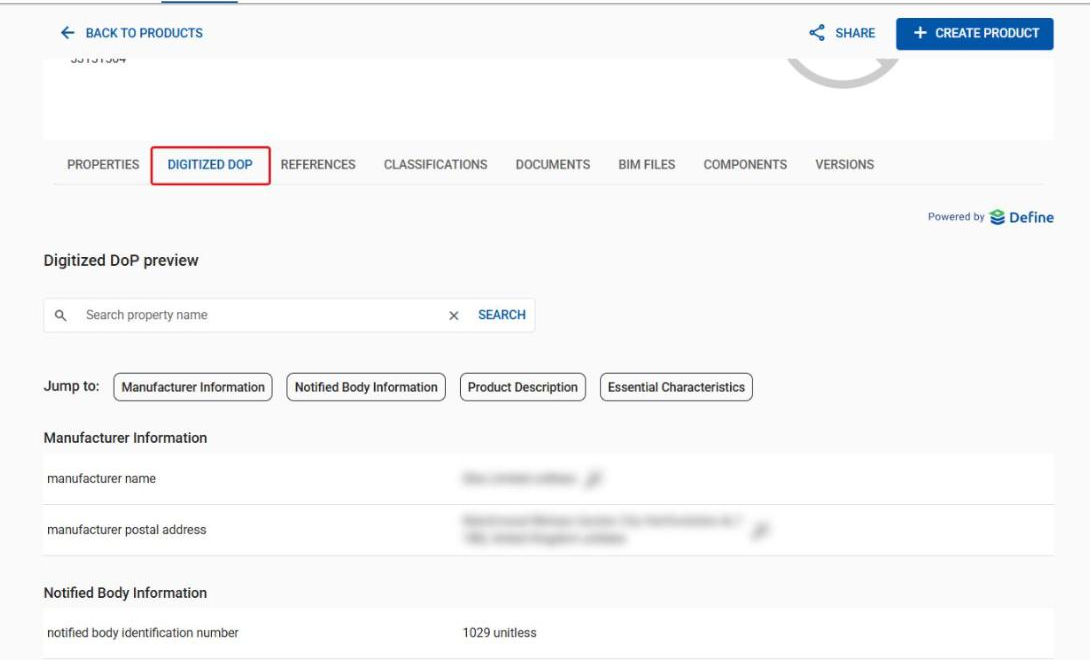
On the product page, the Digitized DoP tab shows which values from the DoP have been digitized for the product.