Welcome to Cobuilder Training Portal
In the Cobuilder app, you can quickly check whether a product is already registered on a project, either by scanning its barcode or by searching for the product name. If the app can’t find the product, you can add it yourself or send a request to the supplier.
Check whether the product is on the project
1
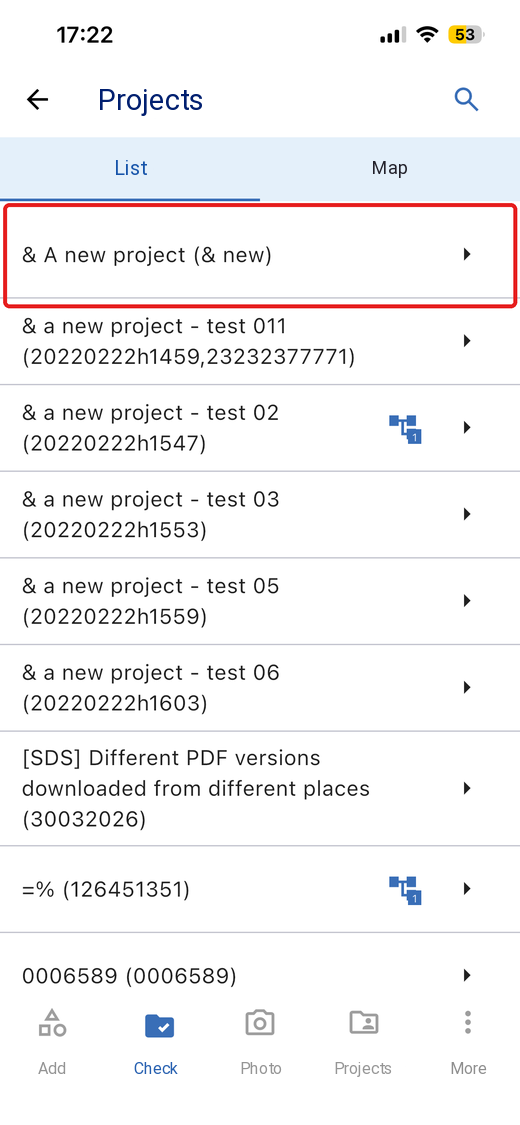
Tap Check in the bottom menu, then select the project you want to check the product on.
2
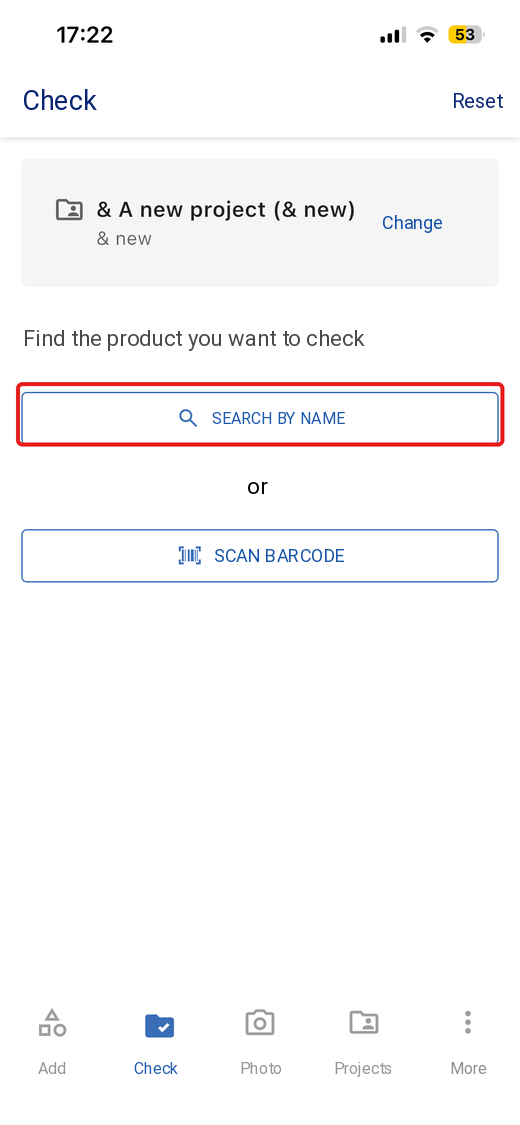
Tap Scan barcode to scan the product’s barcode, or tap Search by name and search for the product.
3
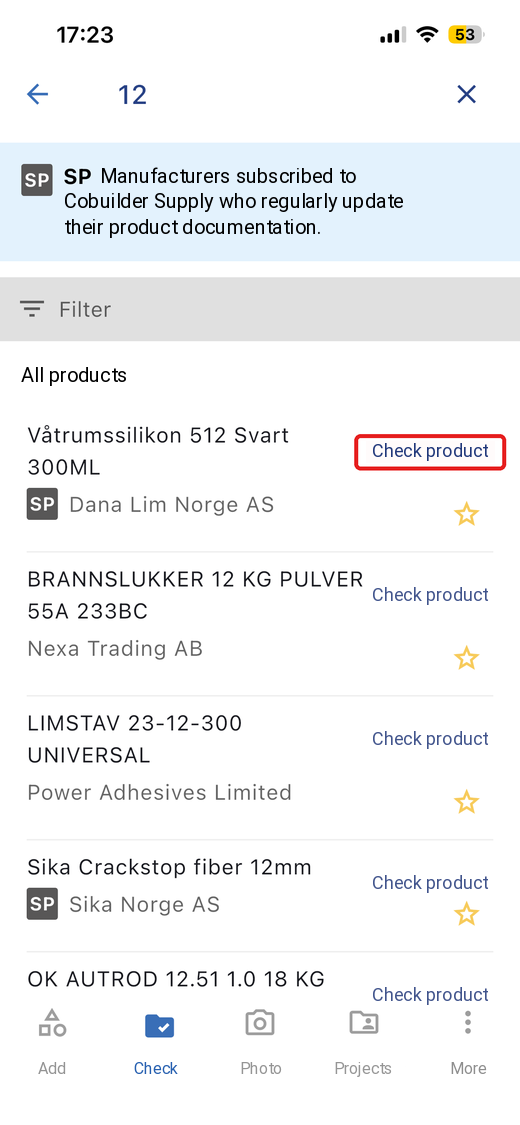
Find the product in the search results, then tap Check product.
4
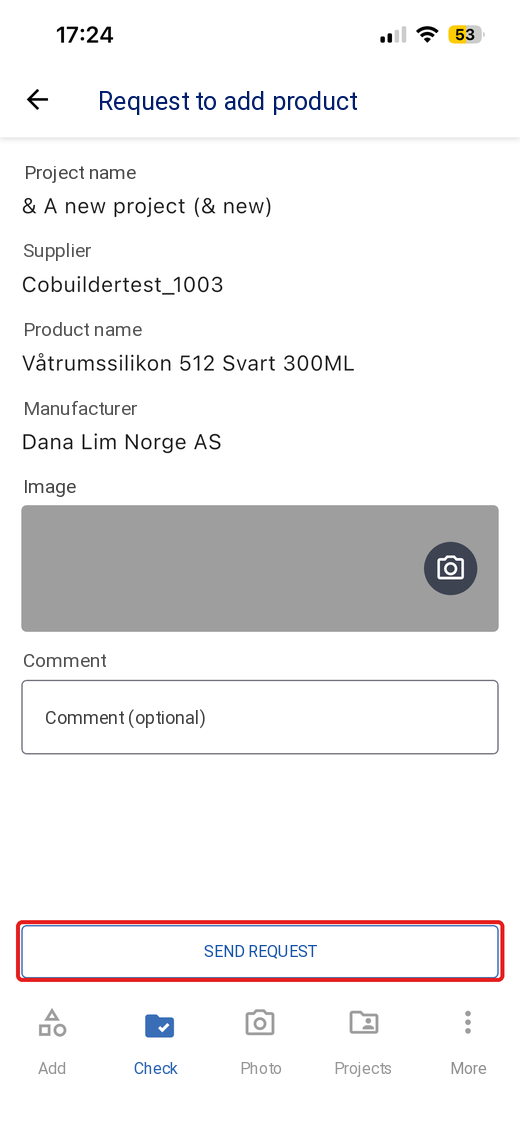
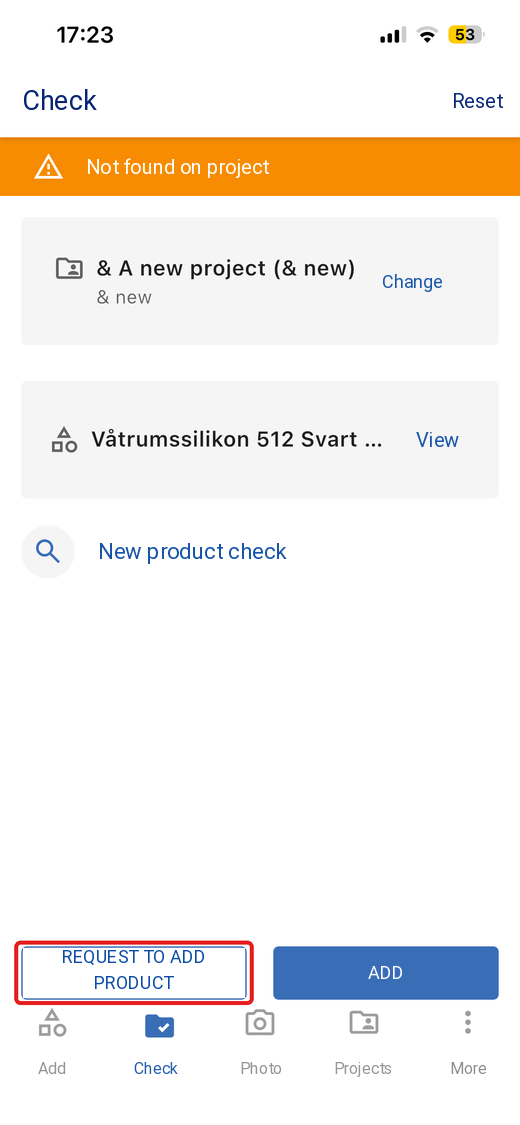
If the product isn’t on the project, the app shows Not found on project. Tap Add to add it yourself, or tap Request to add product to ask the supplier to add it.
5
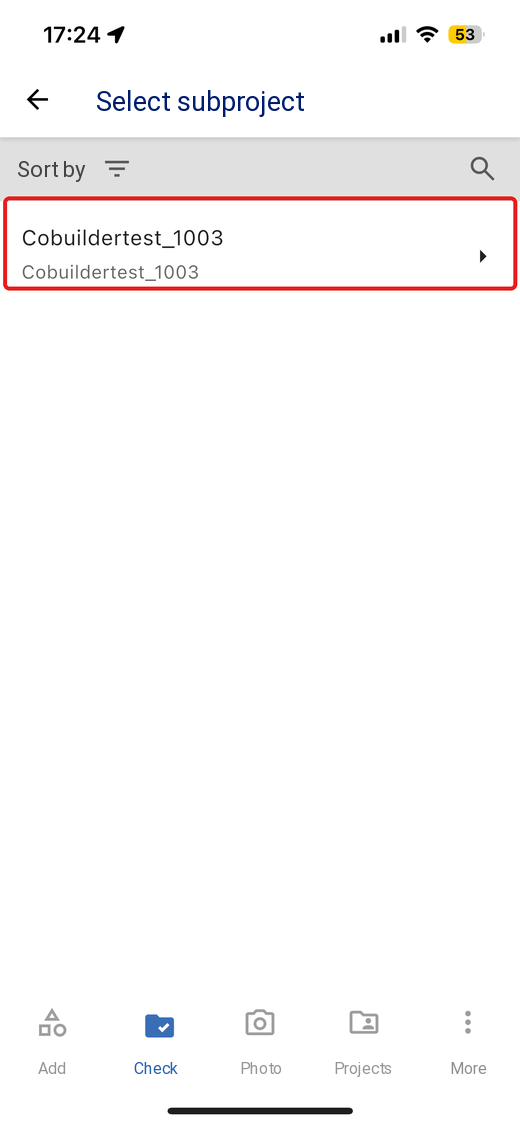
Select the supplier’s subproject. This decides who the request is sent to.
6
Add a comment or an image if you want, then tap Send request.