Welcome to Cobuilder Training Portal
In Cobuilder Supply, you can create new products and fill in the relevant information and documentation, so the product is ready to be used in projects and shared with partners.
Create a new product
1
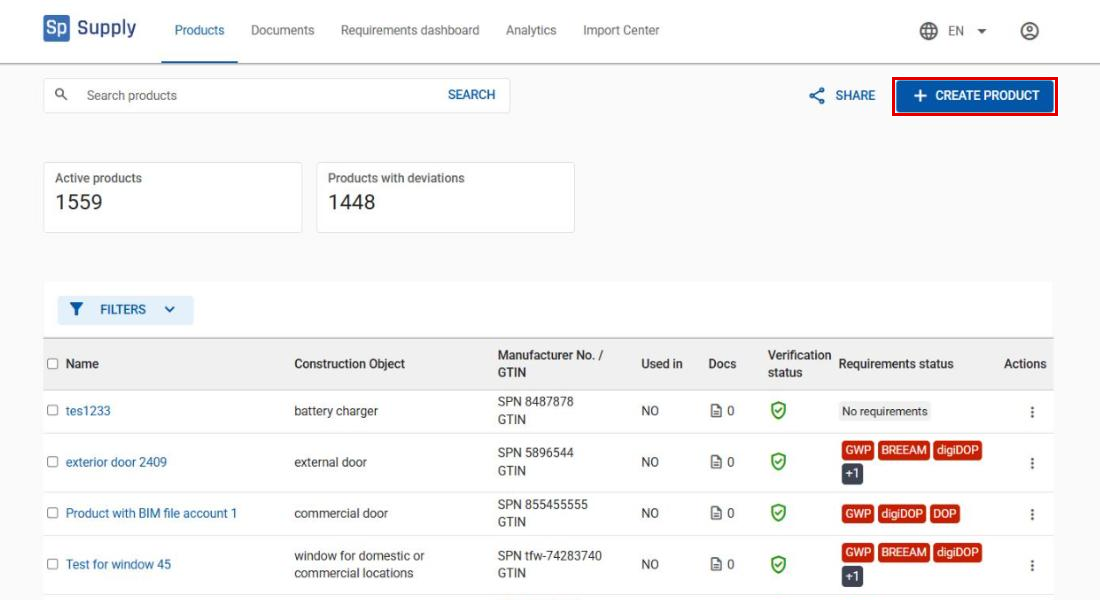
Go to Products in the main menu and click Create product.
Fill in basic product information
2
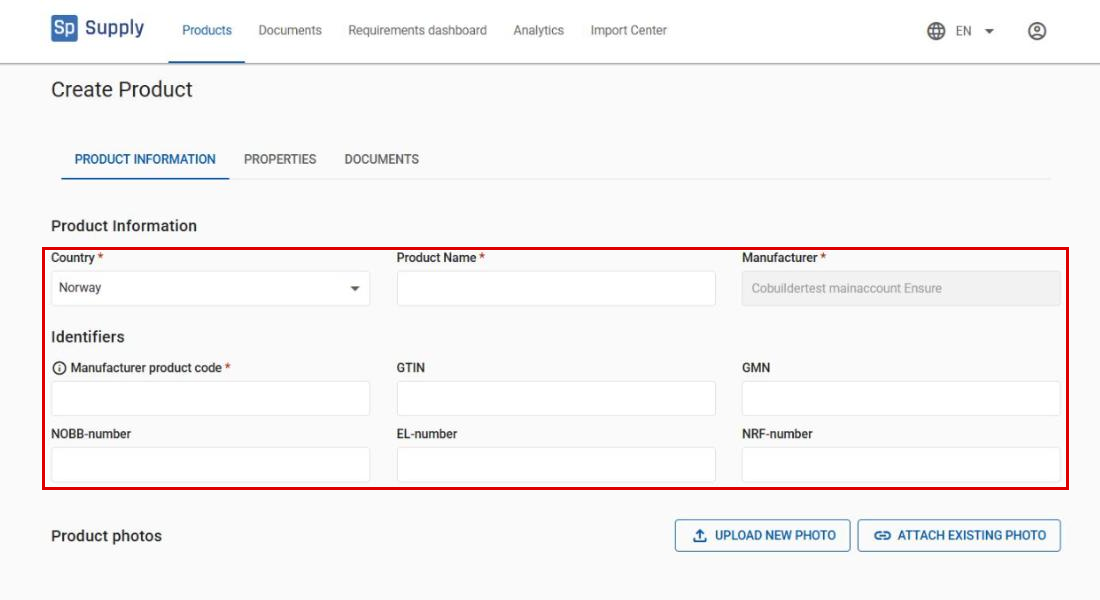
Start by choosing the Country and filling in the Product Name and Manufacturer product code. Manufacturer is usually filled in automatically with your company’s name. You can also add other identifiers, such as GTIN, GMN, NOBB-number, EL-number or NRF-number, if they are available for the product.
3
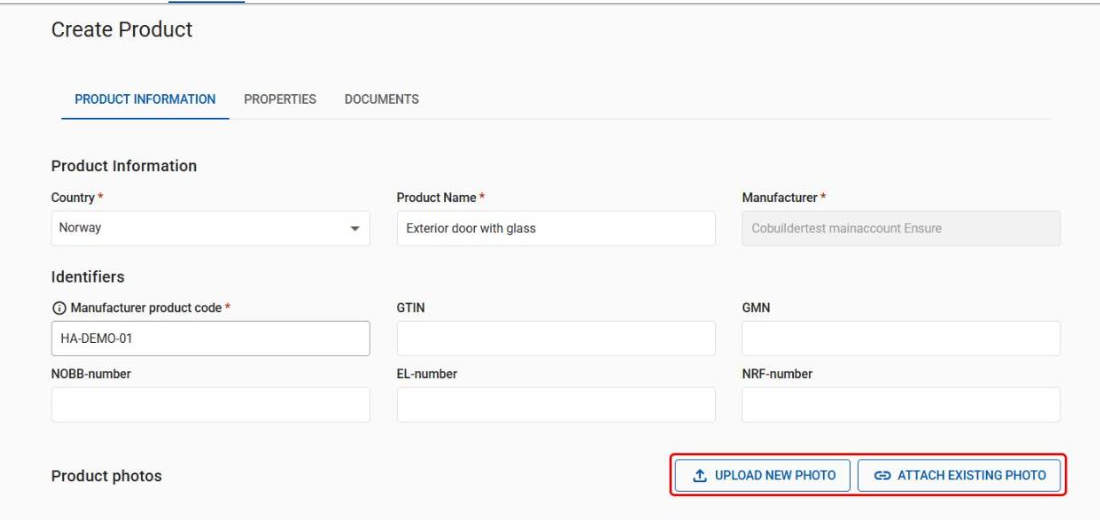
Add a product photo in one of two ways: click Upload new photo to upload a new file, or Attach existing photo to link a file you have uploaded before.
Assign a construction object and fill in properties
4
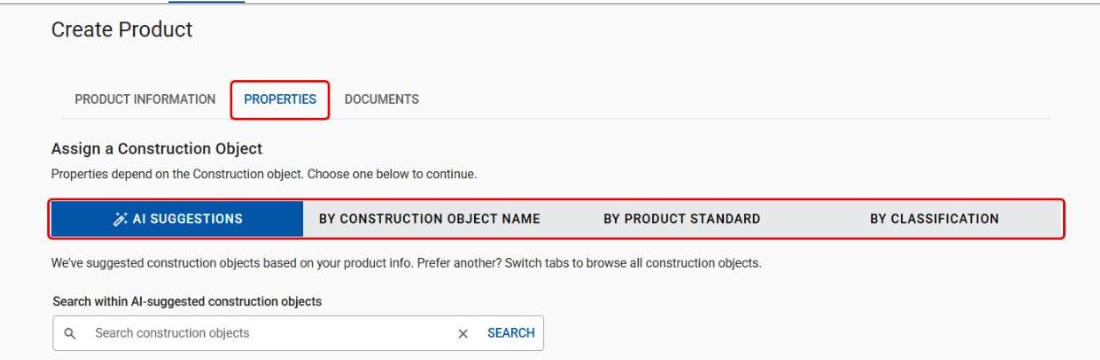
Go to the Properties tab to assign a construction object. The construction object decides which product properties are shown, and is essential for well-structured product data. The AI suggestions tab suggests construction objects based on the product information you entered – choose one of them. If you prefer another, switch tabs to browse all construction objects: By construction object name, By product standard or By classification. (See the separate article: How to assign a construction object to a product.)
5
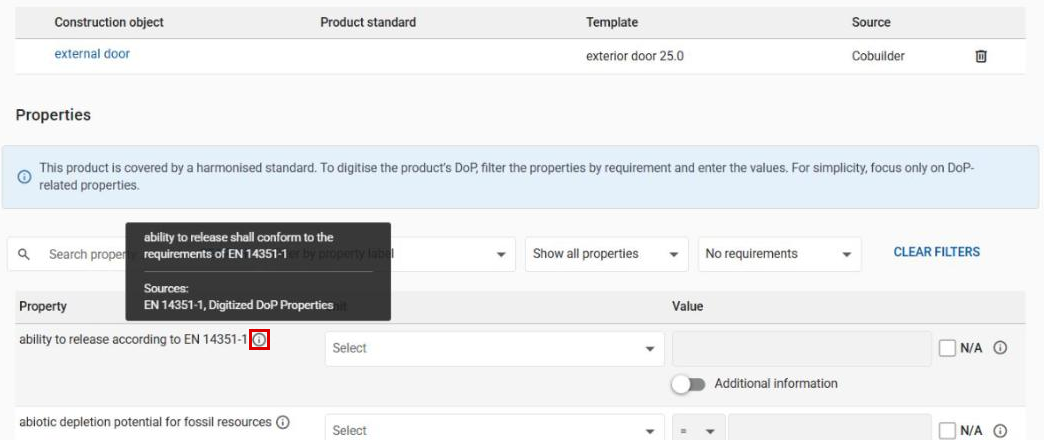
When the construction object is assigned, fill in values in the product view using Cobuilder’s predefined data templates. Click the i icon next to a property for guidance and its definition.
Add documents
6
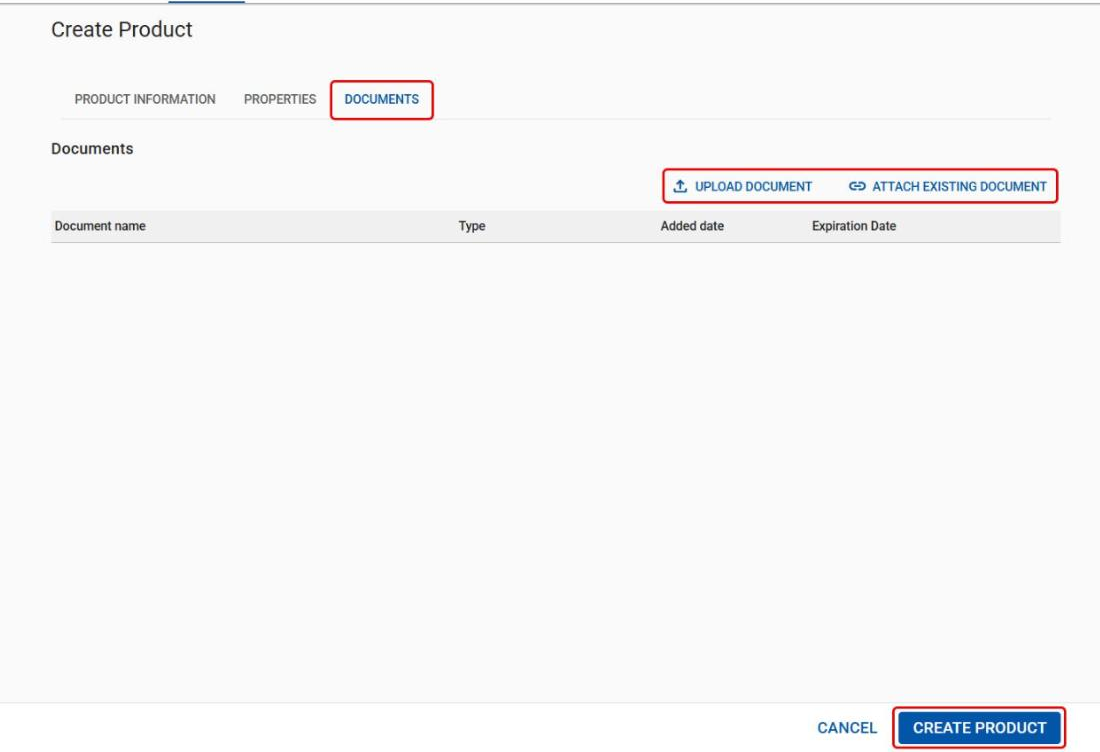
On the Documents tab, you can upload new documents with Upload document, or link documents already in the system with Attach existing document. When all information is filled in, click Create product to save.