
Welcome to Cobuilder Training Portal
The sustainability report collects environmental and chemical data for the products in your project in a single Excel file, including the total carbon footprint (GWP). The data is mapped to the ESRS standards E1–E5, so you can use it directly in your CSRD sustainability reporting.
How to do it
1
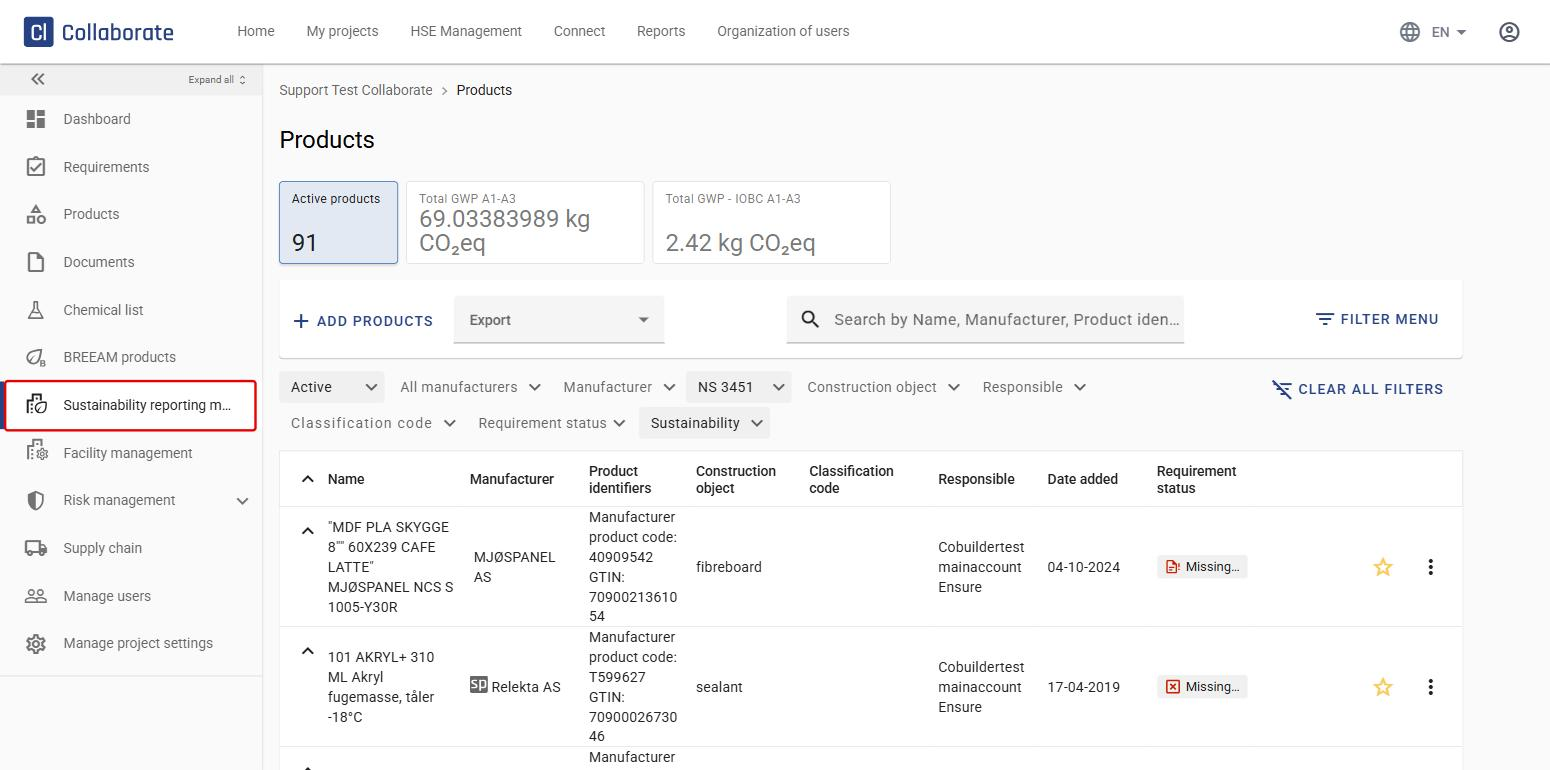
Go to the project and click Sustainability reporting module in the left-hand menu.
2
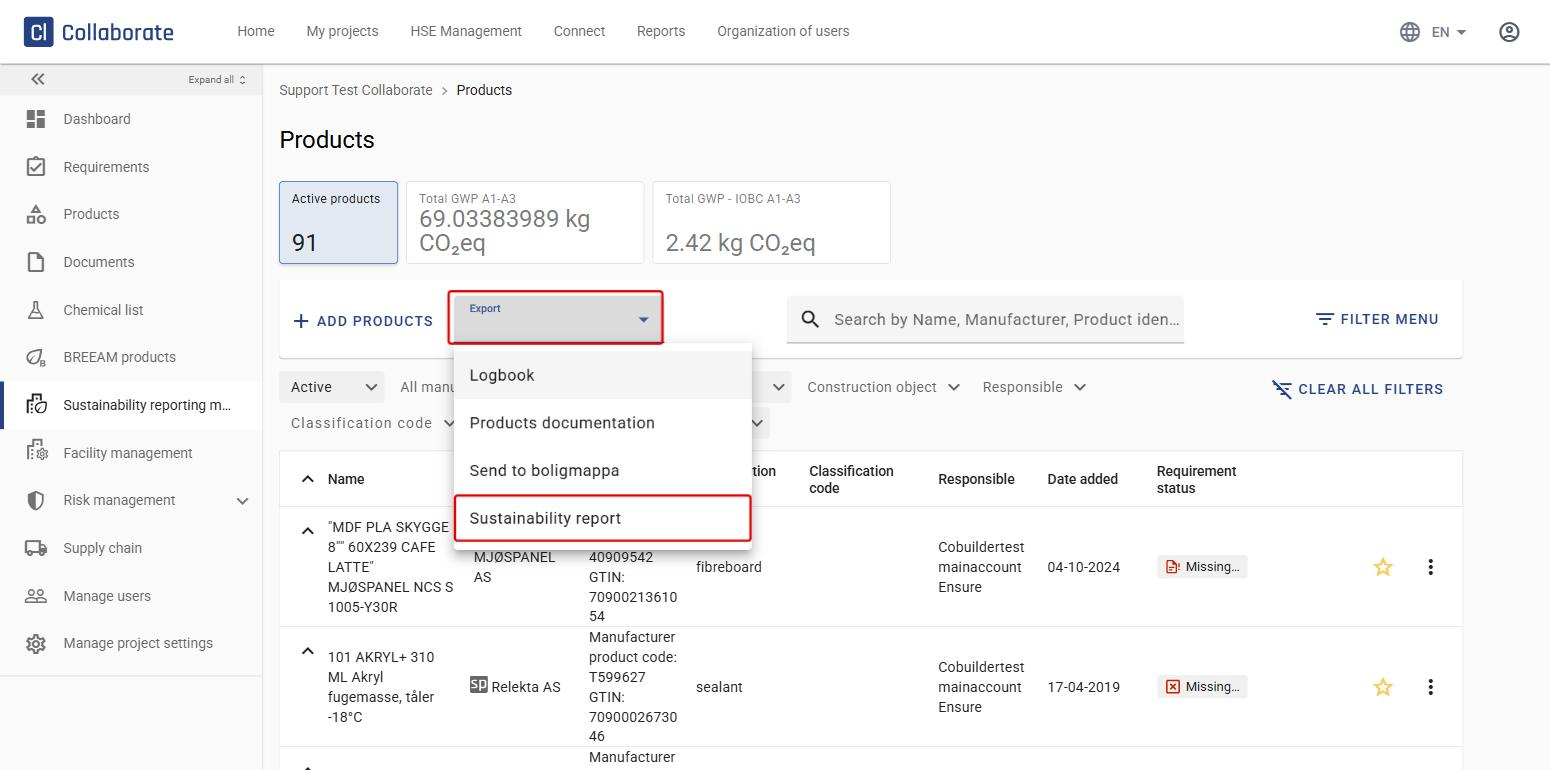
Click Export and select Sustainability report.
3
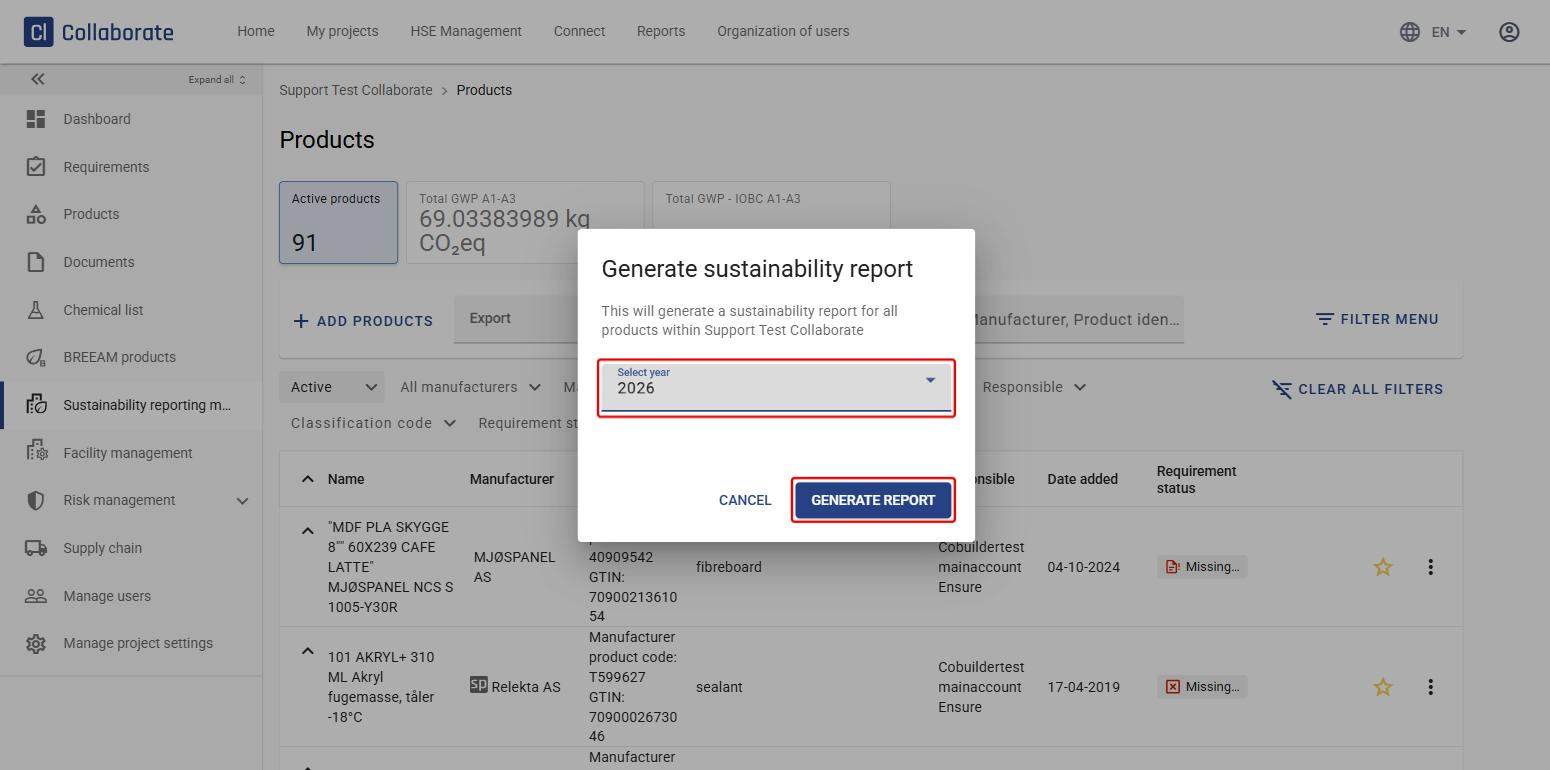
Select the year and click Generate report.
4
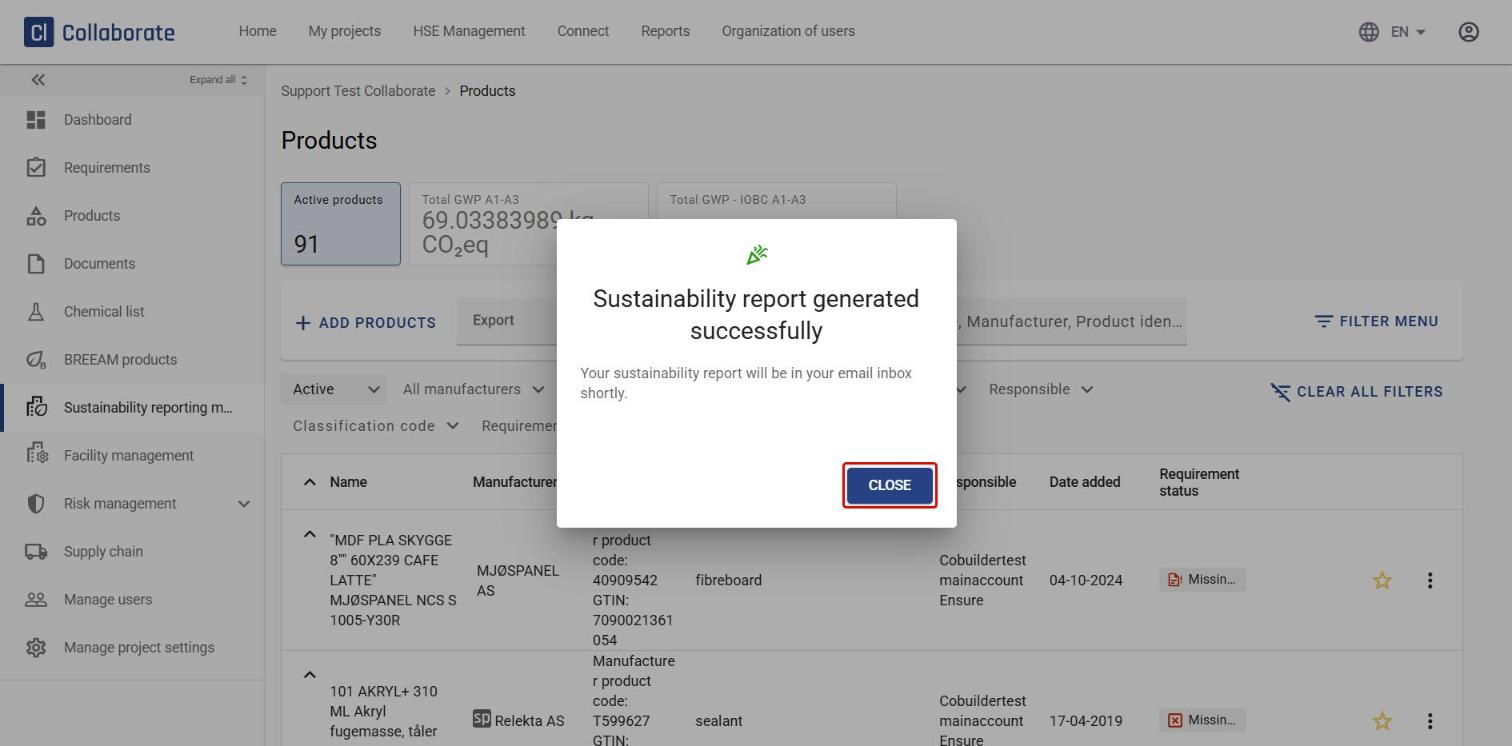
Click Close. The report is sent to your email address as an Excel file.
What the report contains
The Excel file has three tabs:
- Dashboard – the total carbon footprint in kg CO₂e, the number of products with and without a delivered quantity, and how many products have specific data, generic data or no data. The breakdown is shown for all products and per product group (wood, steel, other metals, insulation, chemical products, concrete, doors/windows/glass, and gypsum/cement/mortar).
- Environmental product data – product name, manufacturer, article number, GTIN, delivered quantity, total carbon footprint, construction object, product weight (F-pack), reference quantity, reference service life, EPD registration number and EPD type. It also shows the environmental indicators from the EPD, such as GWP (total, biogenic, fossil and land use), ozone depletion, water use and waste, for stages A1–A3, A4 and A5 – each with its ESRS section and tag.
- Chemical product data – substances of concern and substances of very high concern (SVHC) for each product, mapped to ESRS E2-5.
Previous Which document types close BREEAM deviations
Which document types close BREEAM deviations