
Welcome to Cobuilder Training Portal
Once you have activated sustainability reporting requirements on a project, you get an overview of the relevant products under Sustainability reporting module in the left-hand menu.
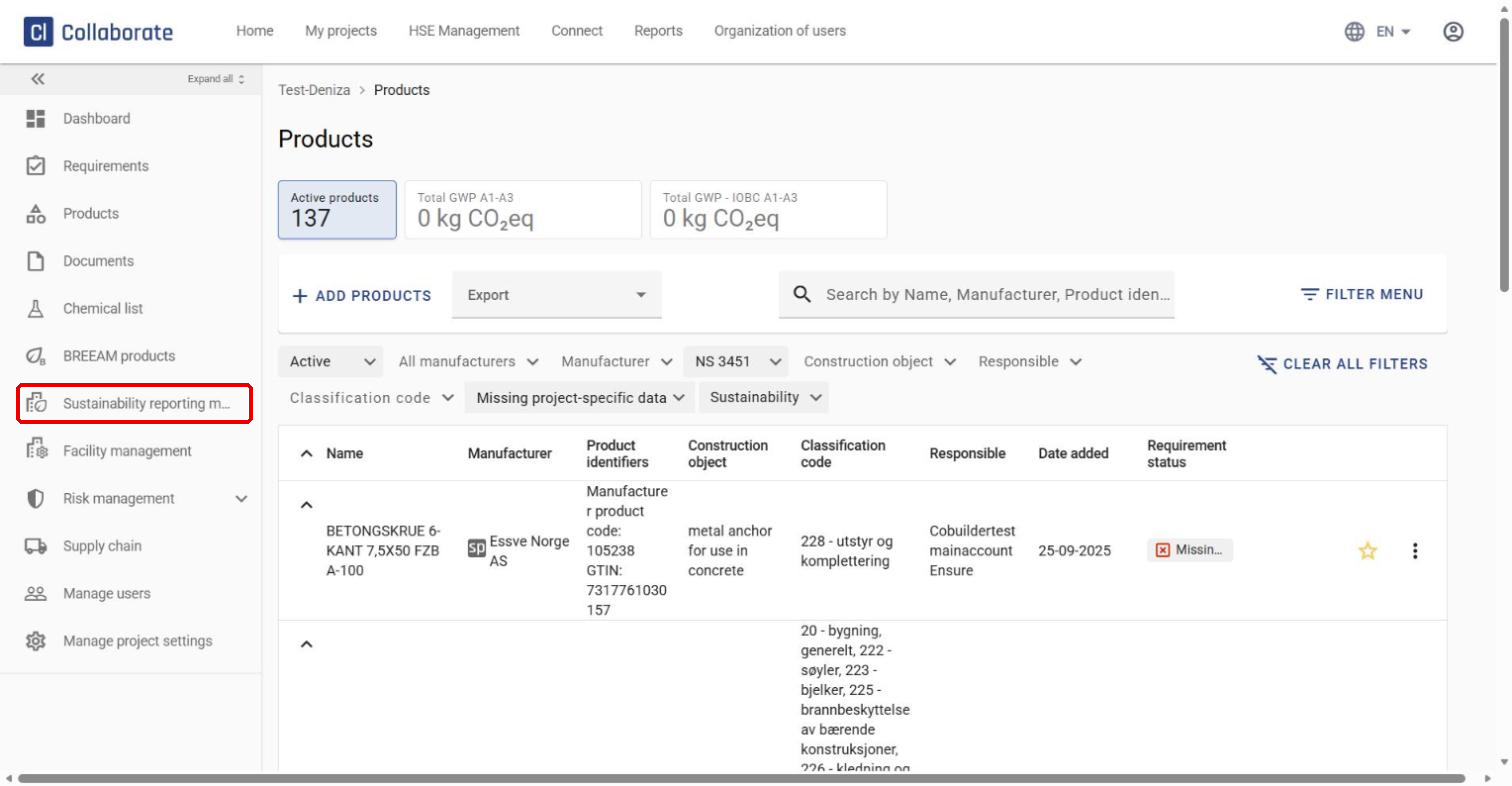
View product status
The Requirement status column in the product list shows the status of each product.
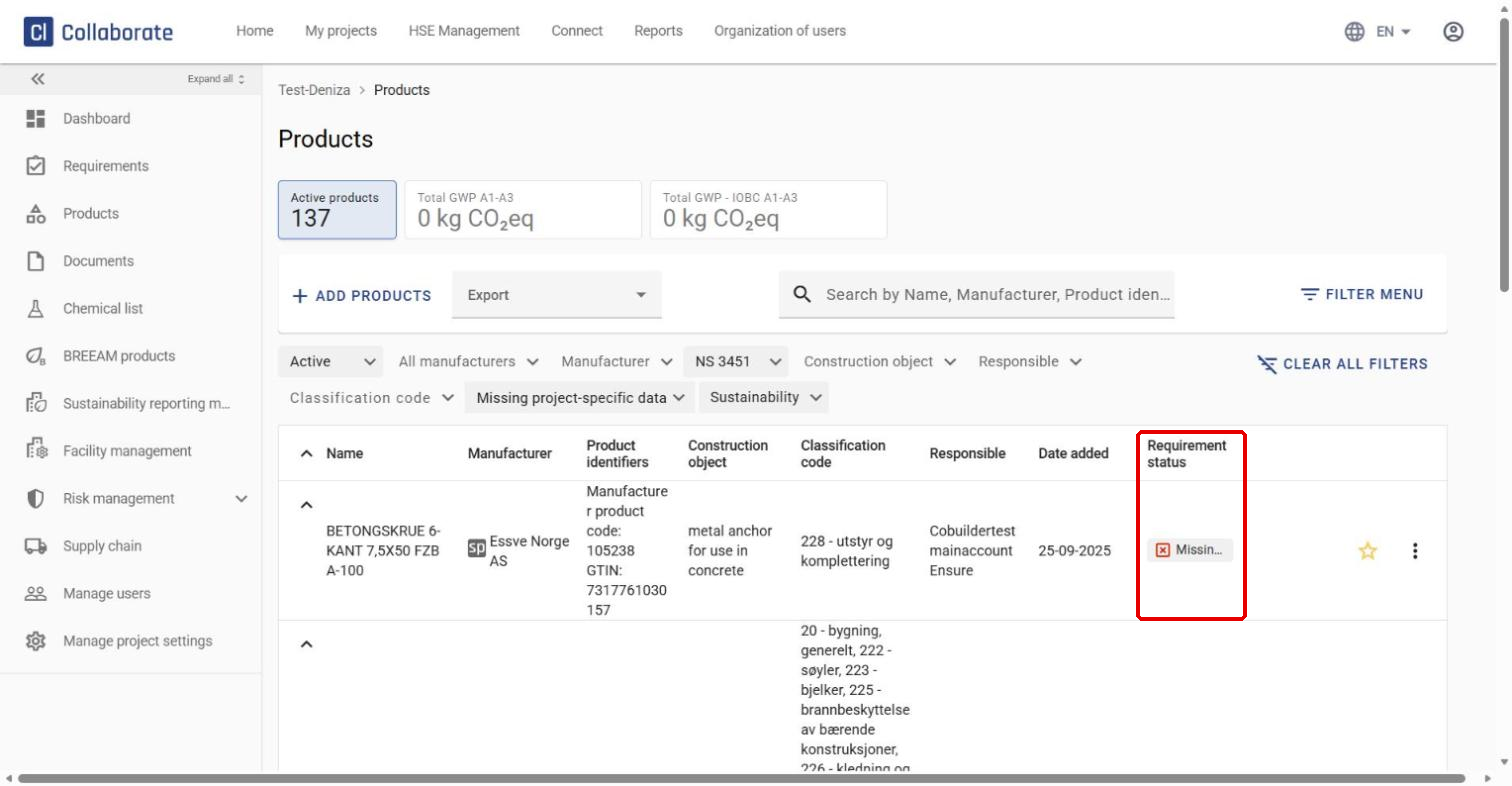
A common status is Missing project-specific product data. This means the product has no quantity entered.
Enter a missing quantity
1
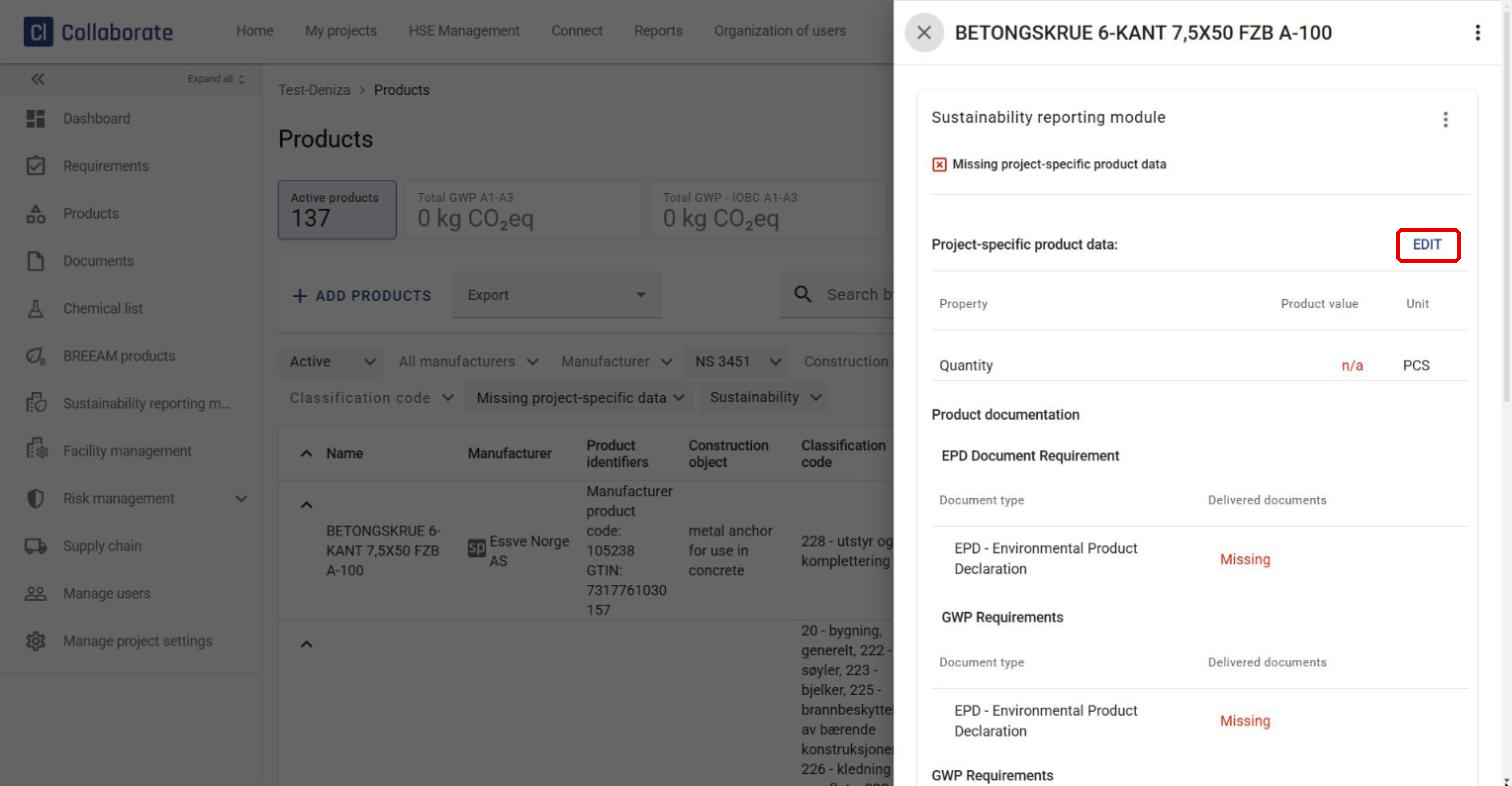
Click the product’s status in the Requirement status column to open the product details.
2
Under Project-specific product data, click Edit.
3
Enter the quantity in the Quantity (F-pak) field.
4
Click Save.
Check product documentation
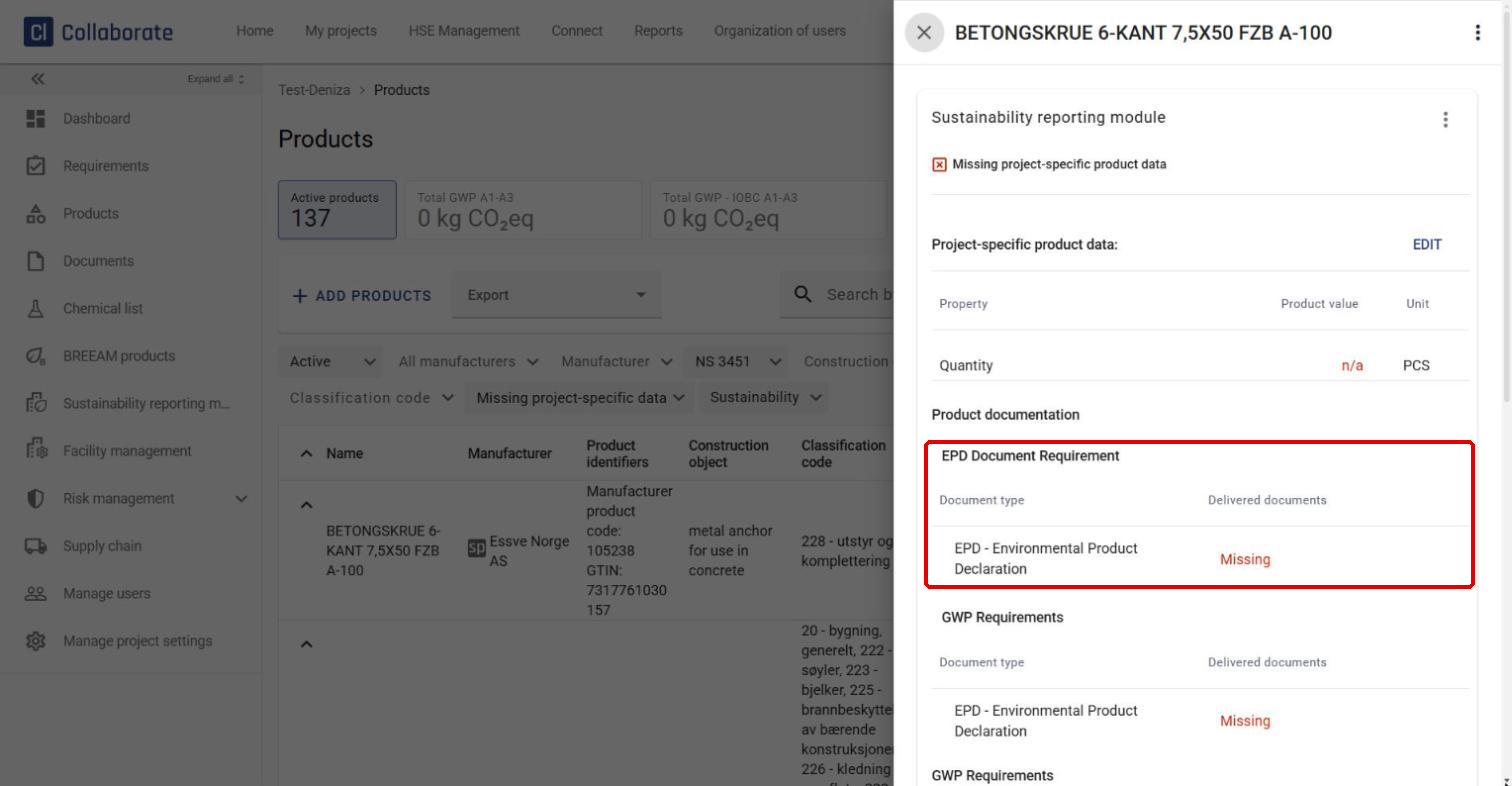
Under Product documentation, you can see whether any required documentation is missing, such as an EPD (Environmental Product Declaration).
Request missing product data
If information about product properties is missing, you can send a request to the manufacturer:
1
Click the three dots next to the product.
2
Select Request product information.
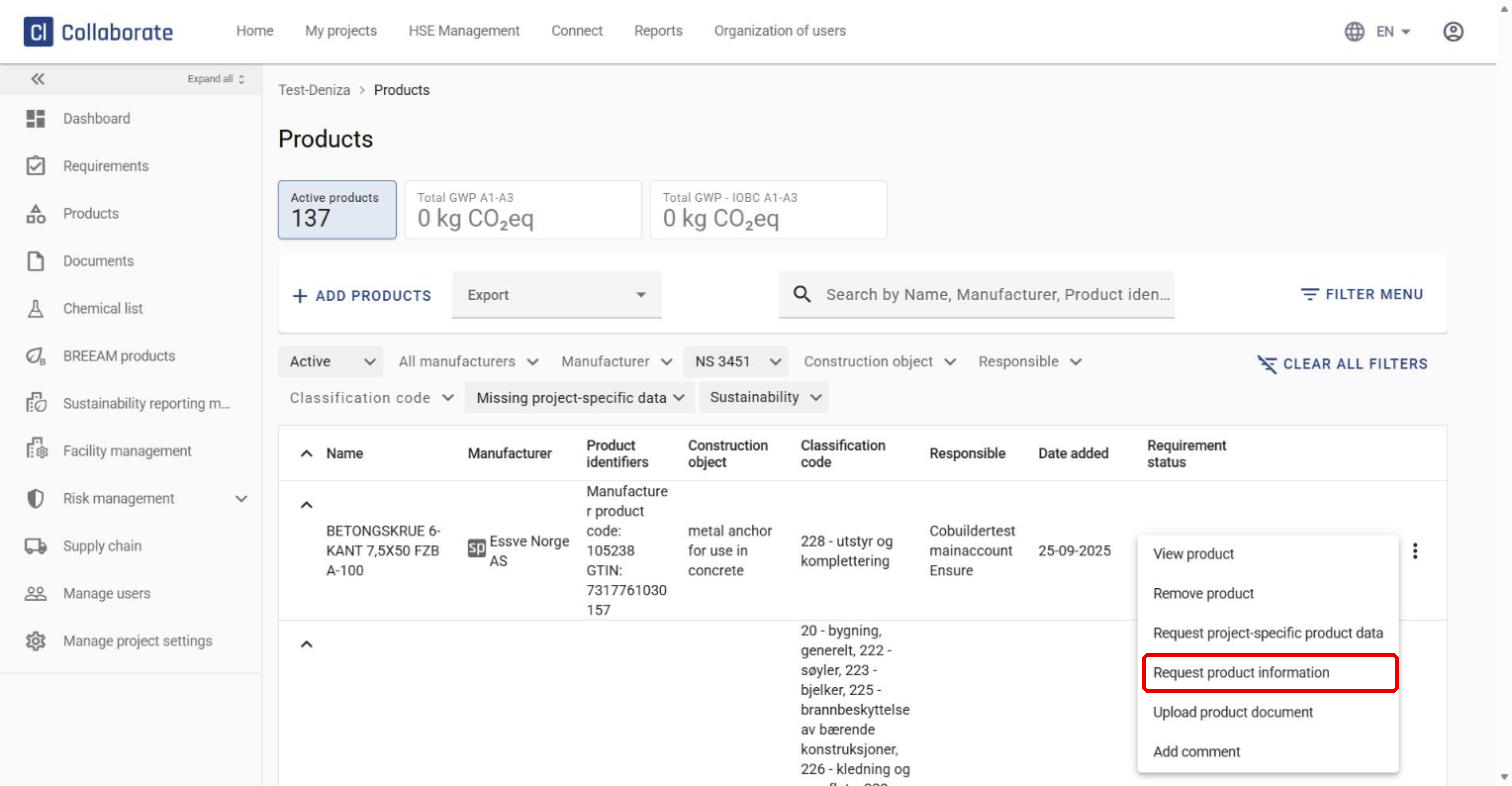
The manufacturer then needs to add the missing information in Cobuilder Supply to complete the product data.


