Welcome to Cobuilder Training Portal
You can set sustainability requirements for all projects in your organization. The requirements you set here apply to your organization’s projects by default.
Set up the requirements
1
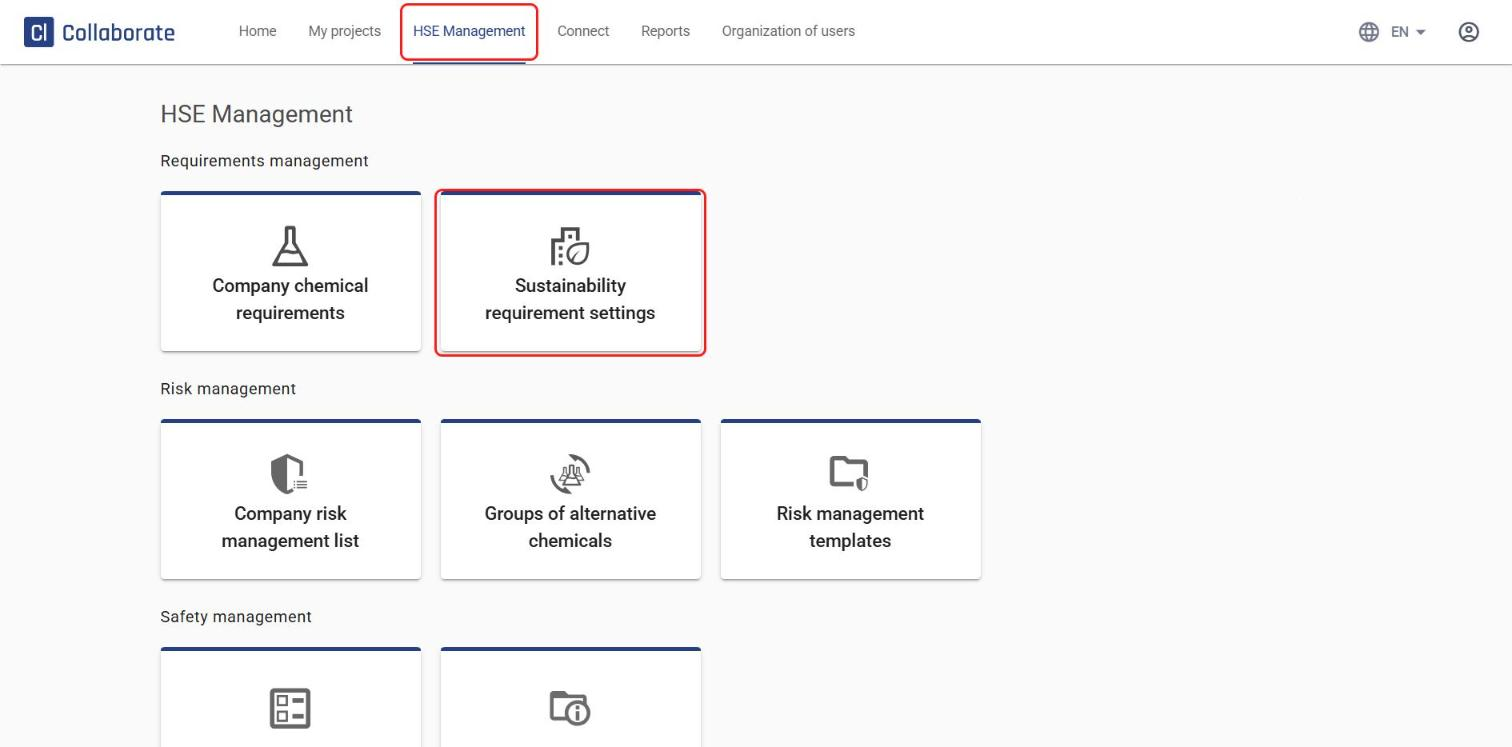
In the top menu, go to HSE Management and select Sustainability requirement settings.
2
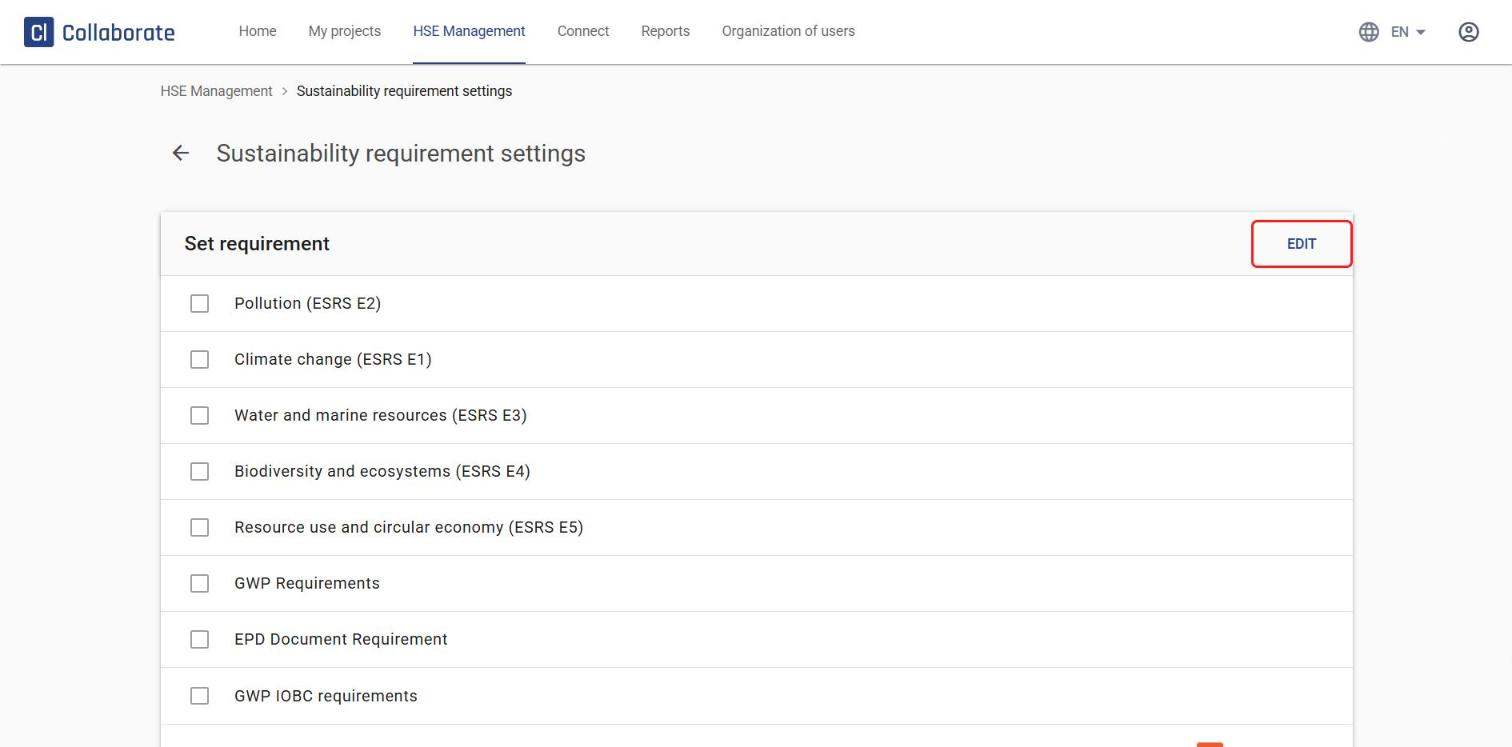
Click Edit.
3
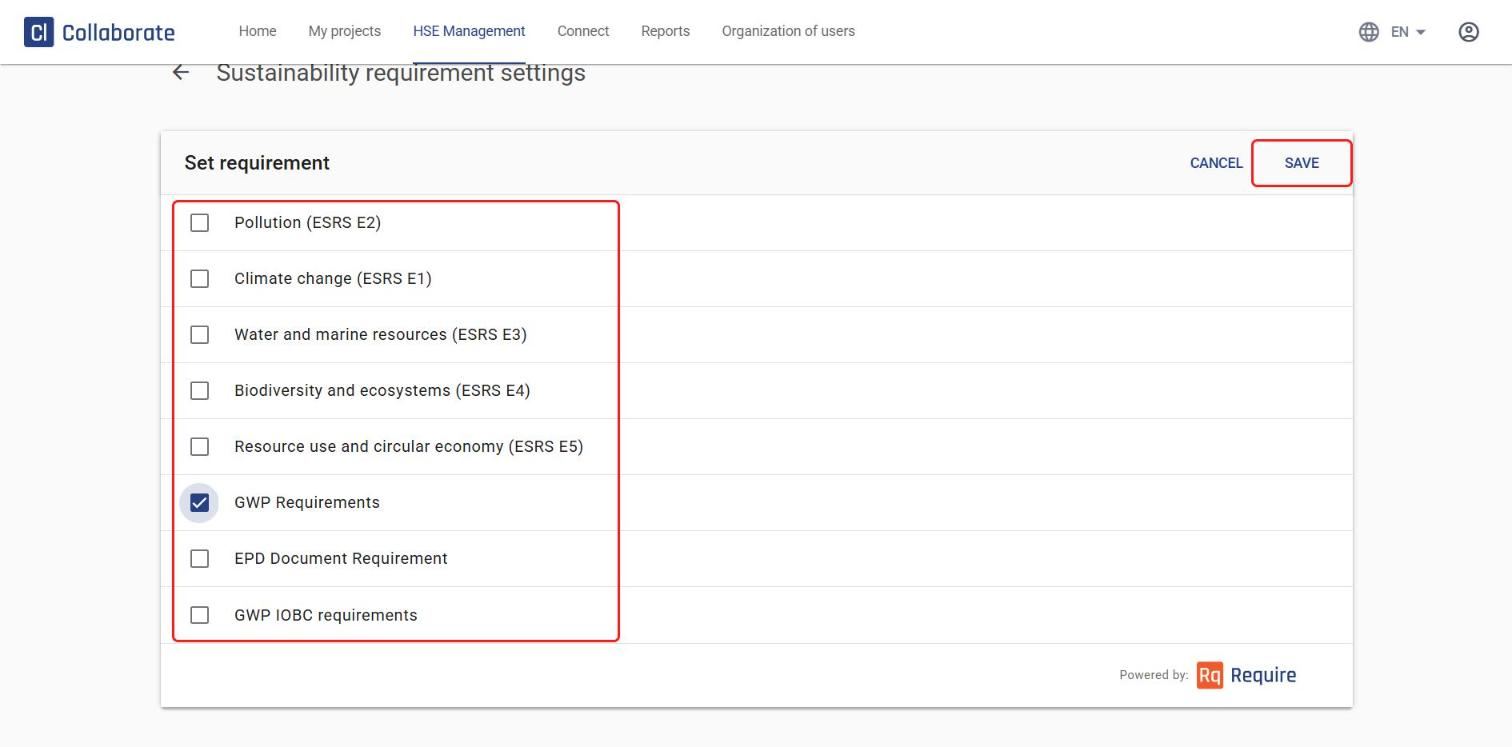
Select the parts of the ESRS standards (E1–E5) that are relevant to tailor the requirements to your organization’s needs. You can also choose one of three simplified setups:
- GWP Requirements – checks only CO2-related data (GWP) and that an EPD document has been provided.
- EPD Document Requirement – checks only that an EPD document has been provided.
- GWP IOBC requirements – same as GWP Requirements, but also includes biogenic carbon data.
4
Click Save.