Welcome to Cobuilder Training Portal
To start using Cobuilder Collaborate, your company must first be registered. There are two ways to register: through a direct link to the registration page from Cobuilder, or through an invitation from a general contractor to a project in Collaborate.
When you click the invitation or registration link, you’re taken to the Cobuilder Collaborate registration page, where you create your account and register your company.
Register your company
1
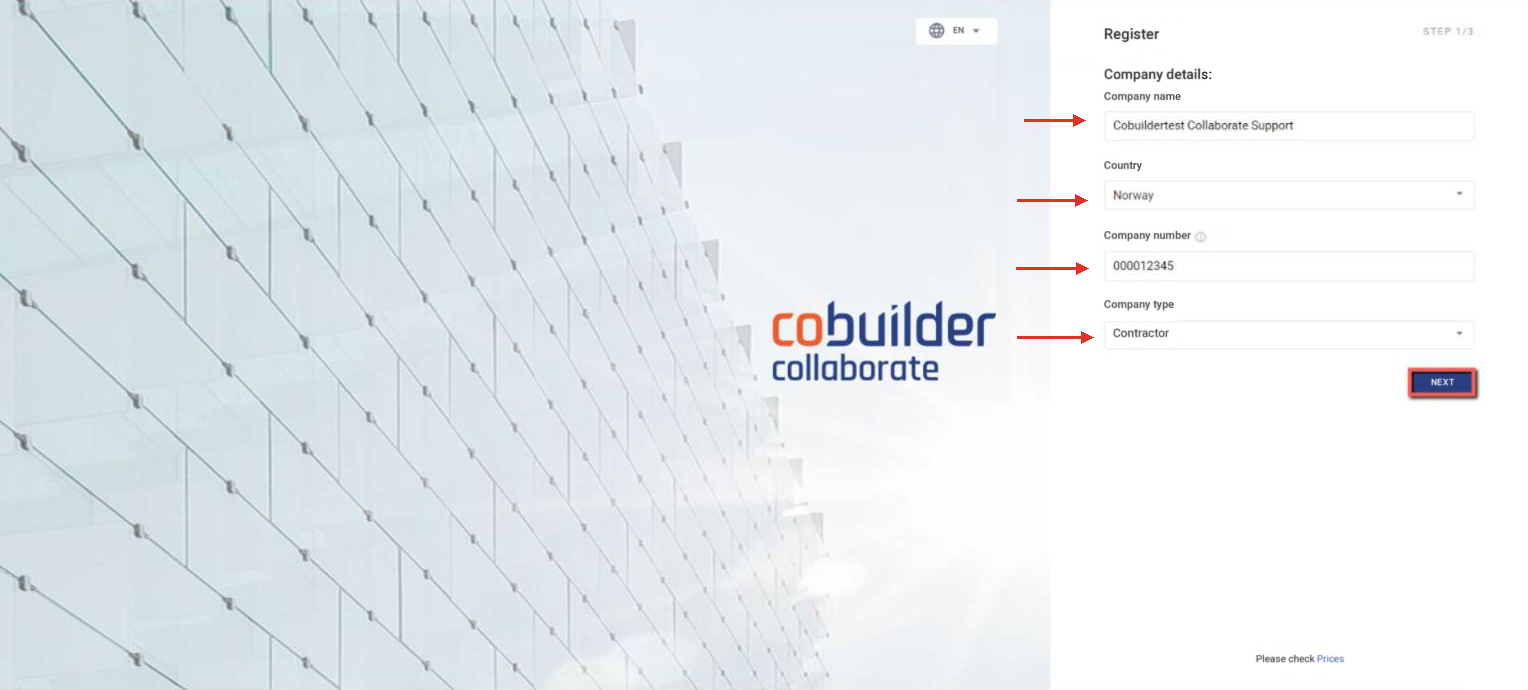
Fill in the Company details and click Next.
2
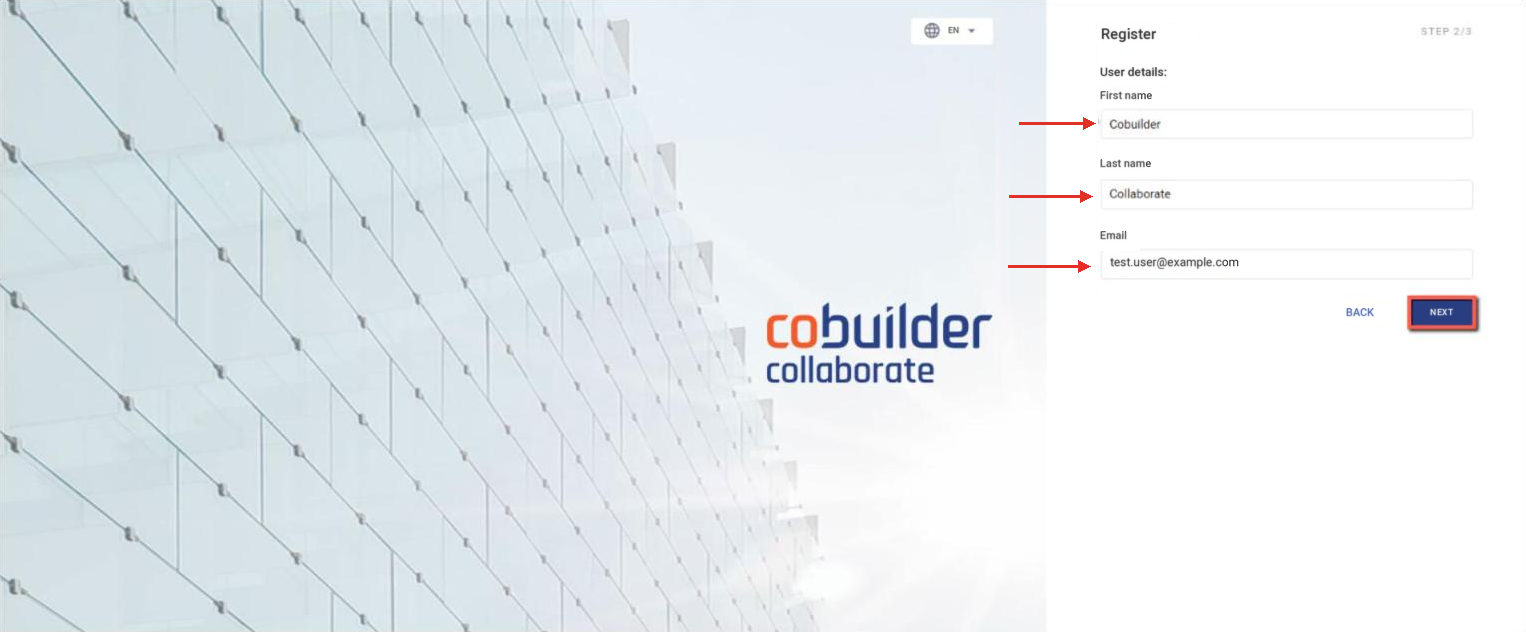
Fill in your User details and click Next.
3
Check that the information is correct and click Continue.

4
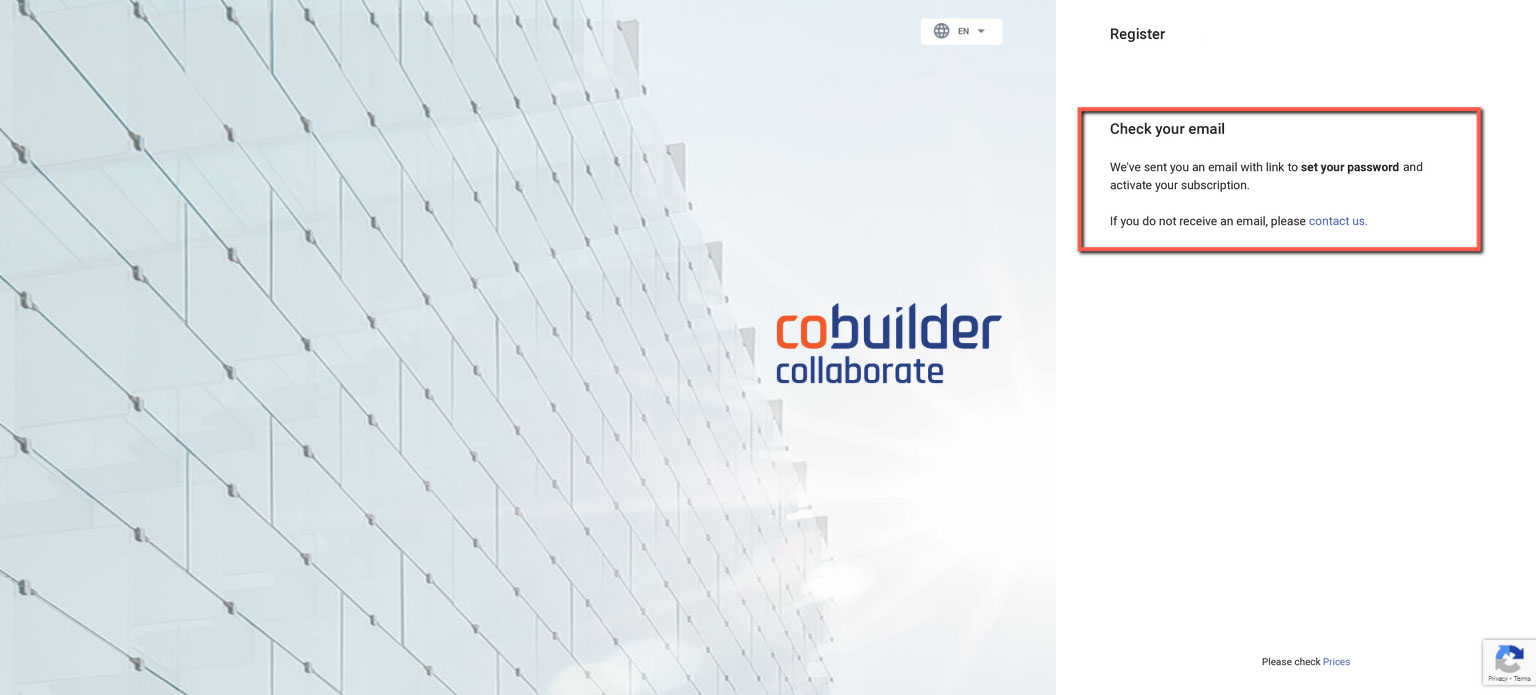
You’ll see a Check your email message confirming that an email has been sent to you.
5
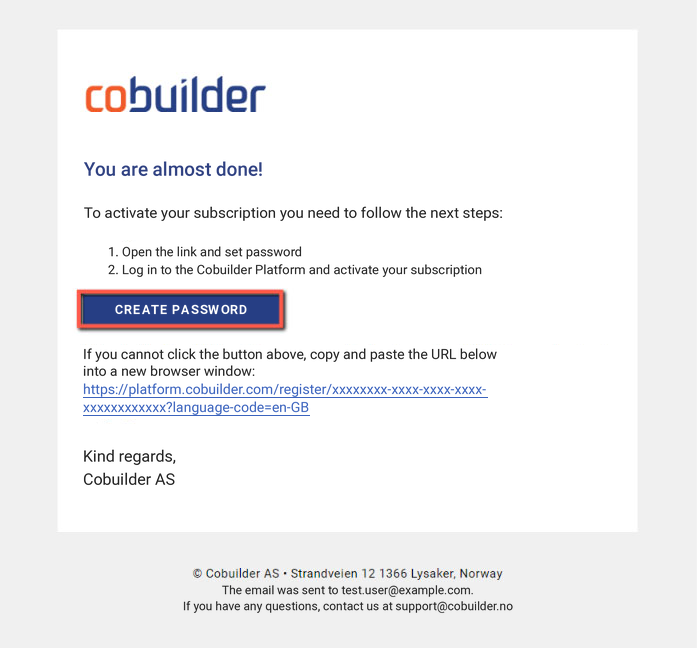
Open the email and click Create password.
6
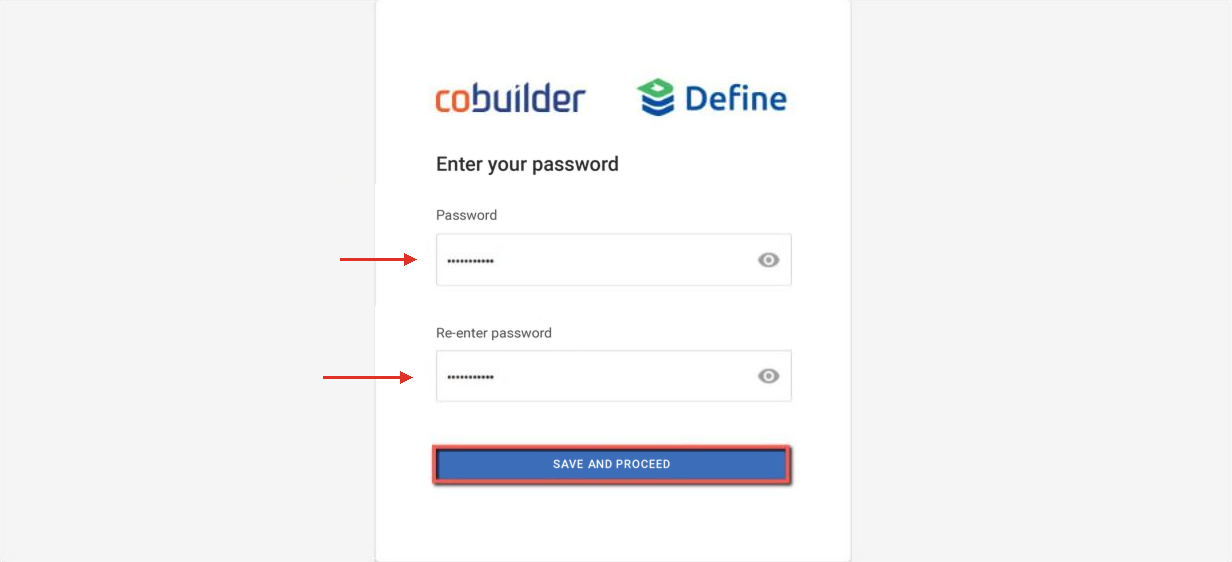
Create your password and click Save and proceed.
7
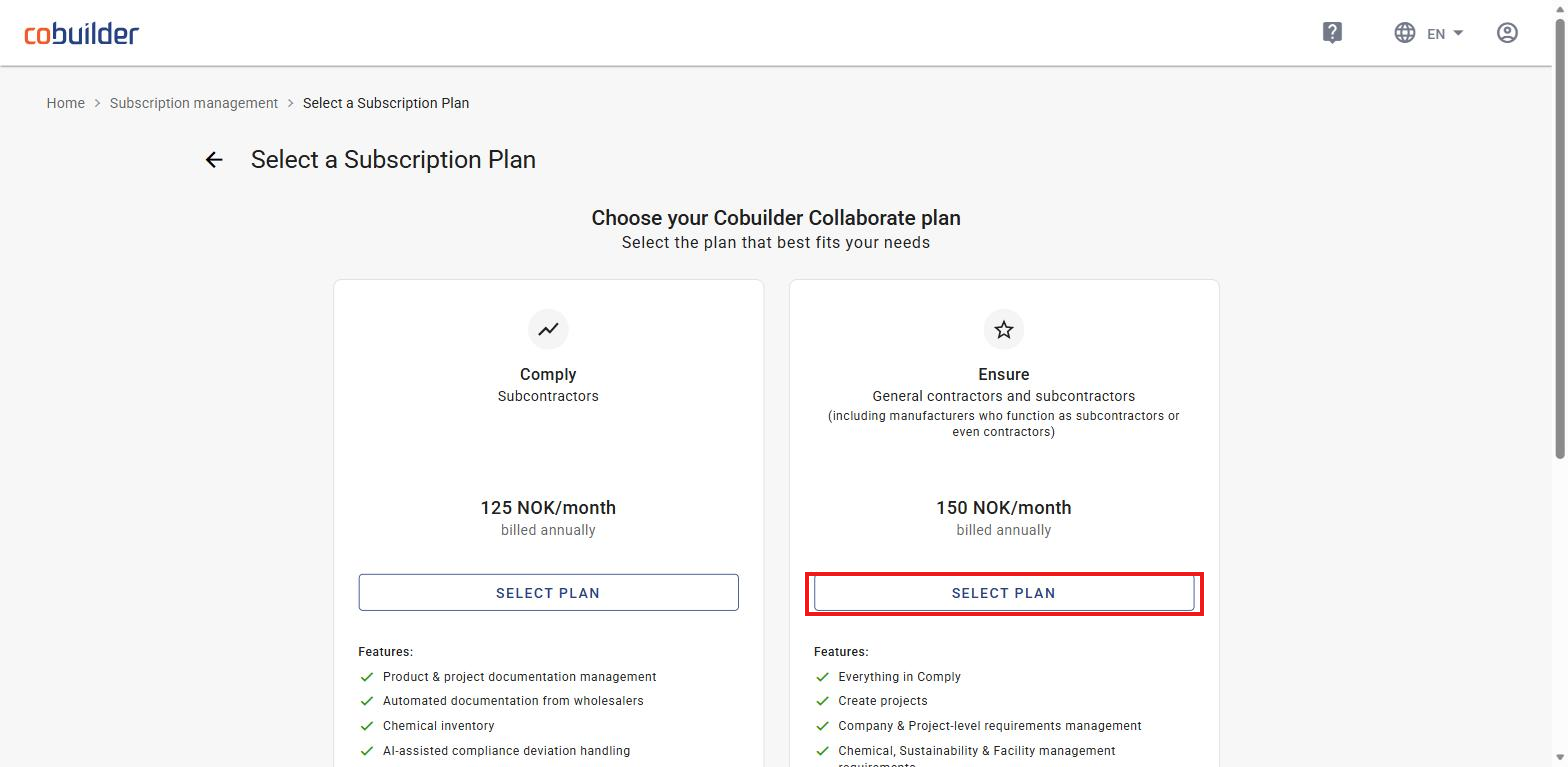
Choose a plan and click Select plan.
8
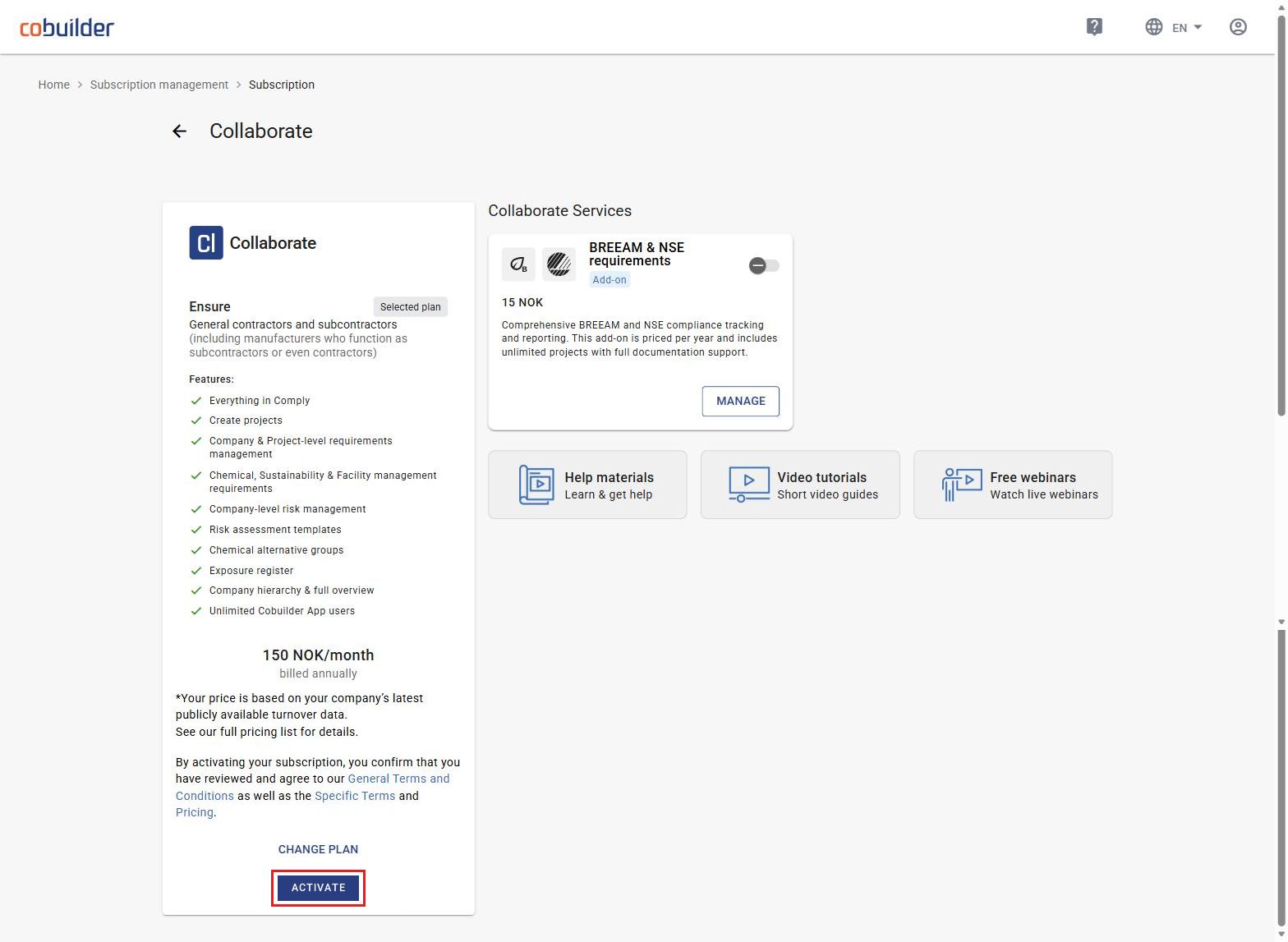
Review the overview of your selected plan and click Activate.
By activating your subscription, you confirm that you have reviewed and agree to our General Terms and Conditions as well as the Specific Terms and Pricing.
9
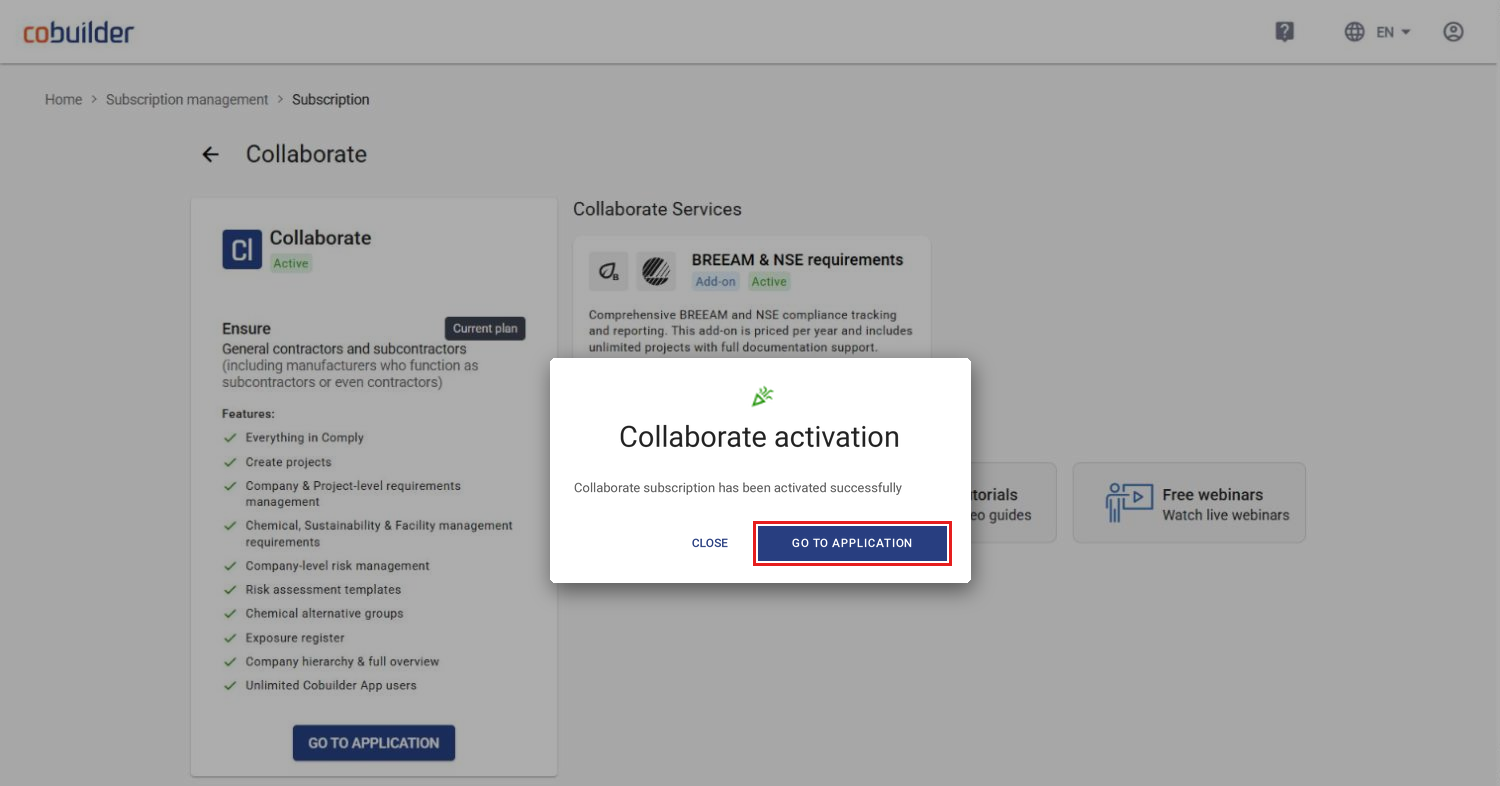
You’ll get a confirmation that your subscription has been activated. Click Go to application to open Collaborate.