Welcome to Cobuilder Training Portal

How to check which chemicals require exposure registration

Last Updated: October 26, 2026

See which chemicals in a project require exposed employees to be registered in the exposure register, according to Arbeidsgruppen.

Note: This feature is only available in Ensure. To use the exposure register, upgrade to Ensure – see Manage subscriptions.

How to do it

1

In My projects, search for the project and click it.
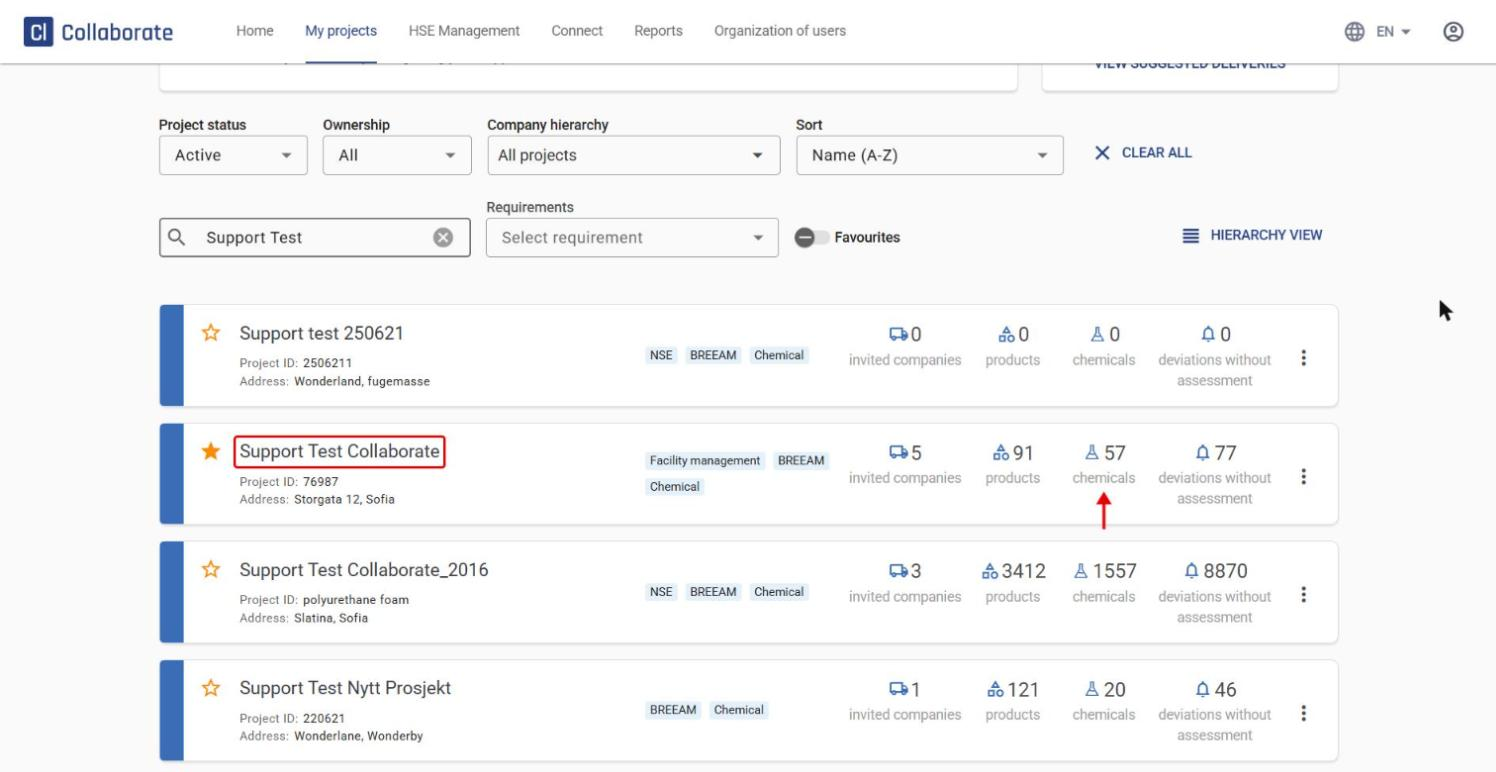
Tip: You can also go straight to the Chemical list without opening the project, by clicking the number for chemicals on the project card (see the arrow in the screenshot).

2

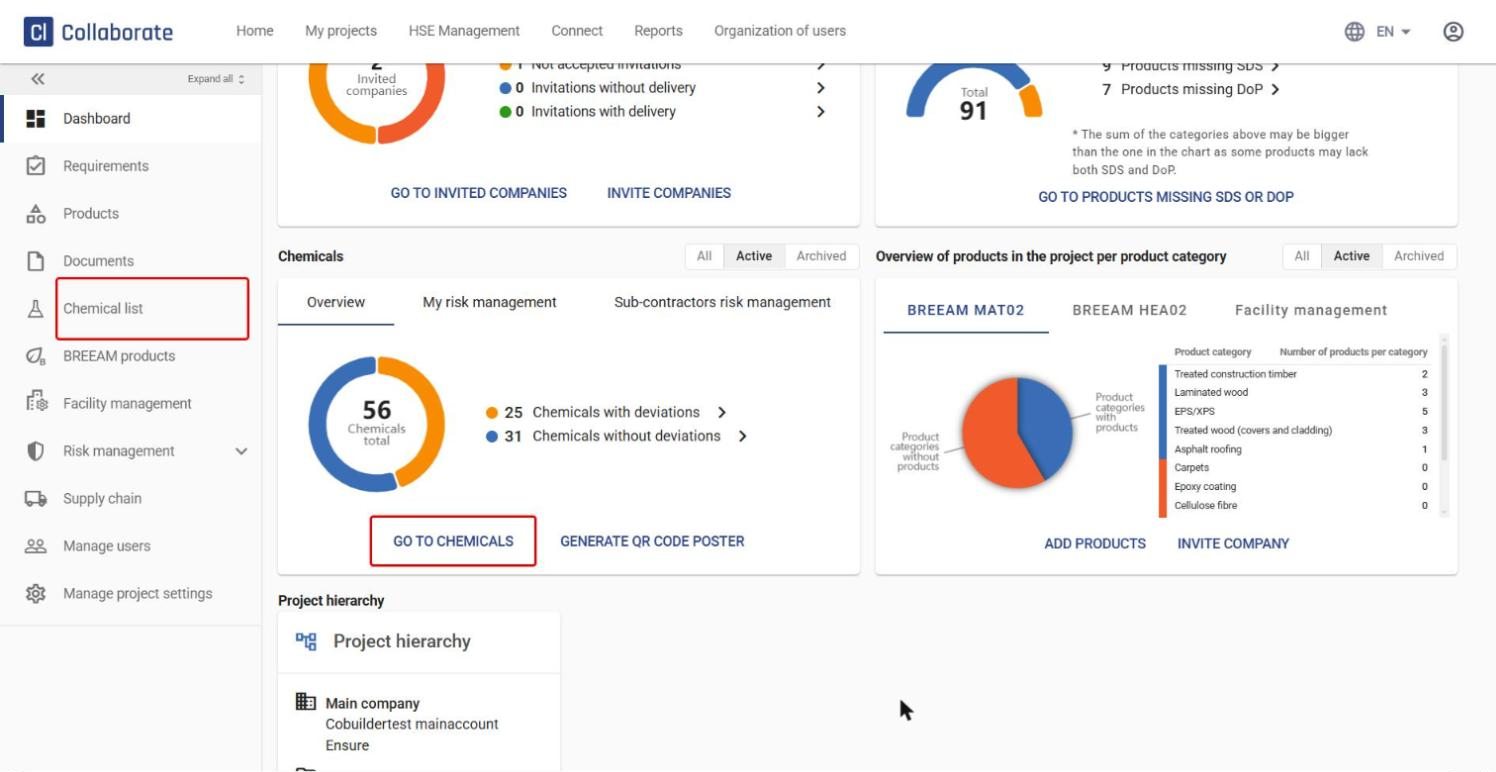
On the project dashboard, click Go to chemicals, or click Chemical list in the left menu. Both take you to the same place: a list of all chemicals in the project.
3

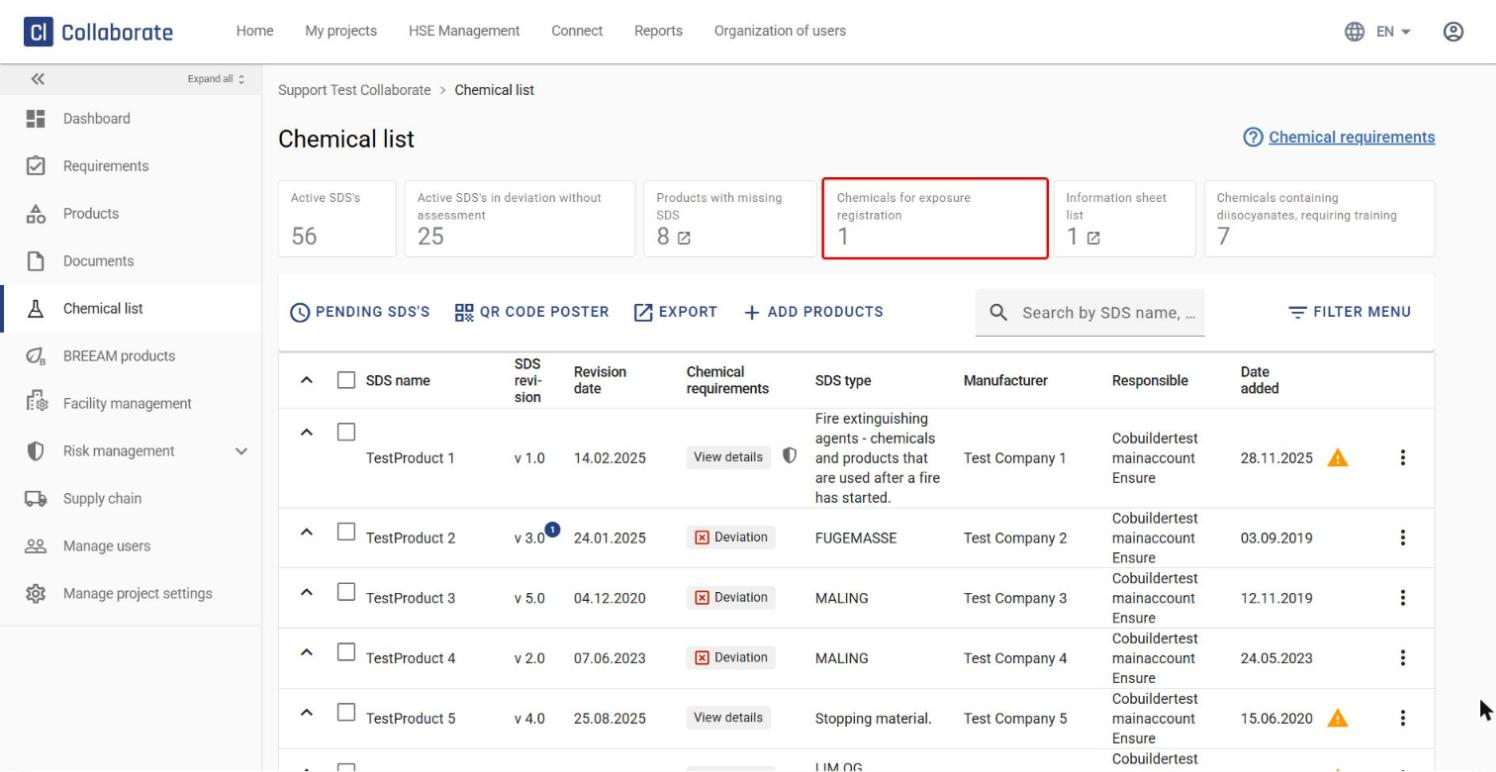
Click the Chemicals for exposure registration box at the top of the page.
4

You now see a list of all chemicals that, according to Arbeidsgruppen, require exposed employees to be registered in the exposure register.
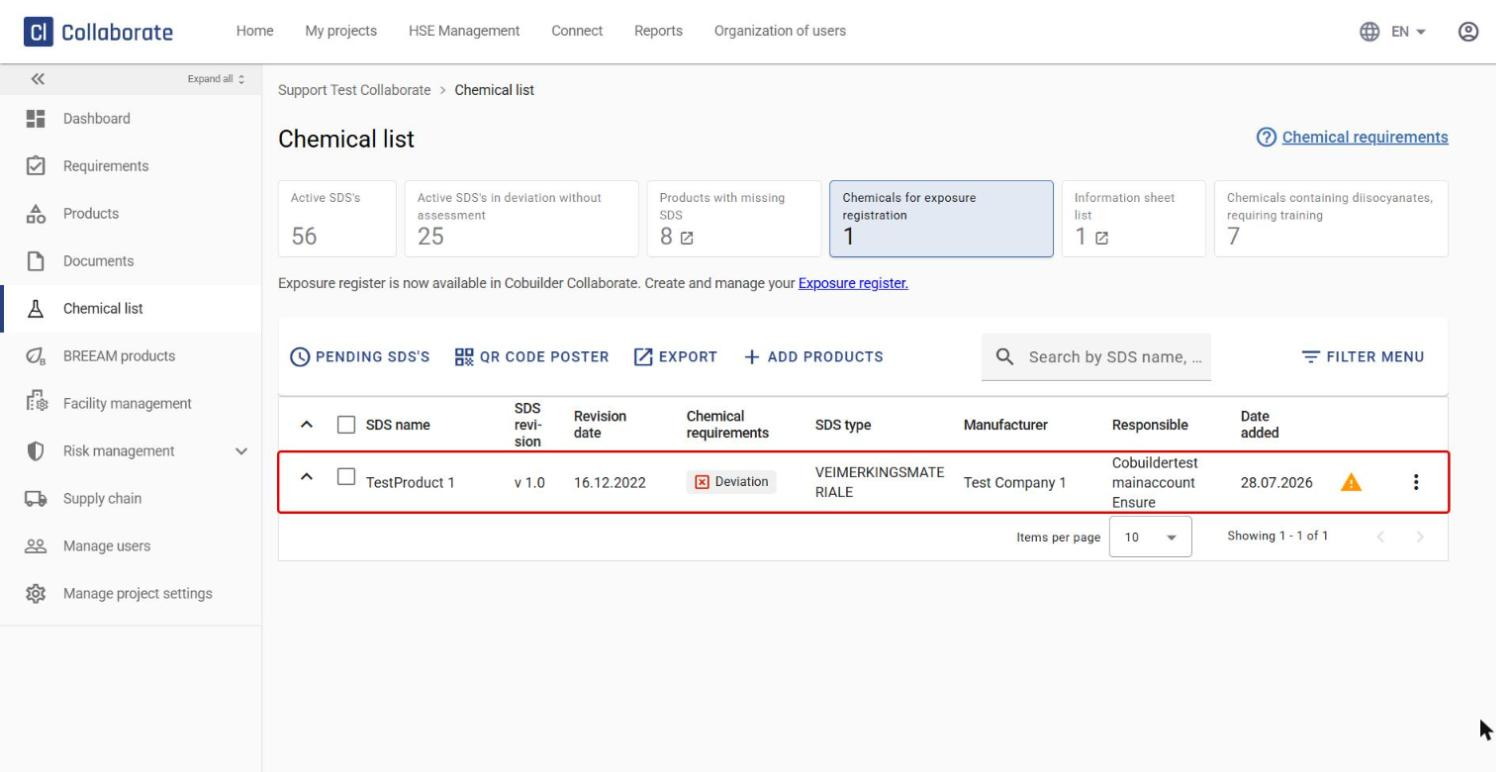
Note: You’ll find the exposure register under HSE Management > Exposure register. This is where you create and edit exposures for employees who are exposed to these chemicals.

✓ You now know which chemicals in the project require exposure registration, and where to find the exposure register to register the exposure.

How to print a chemical label
Responsibility for content in Cobuilder Supply