Welcome to Cobuilder Training Portal
You can log your employees’ exposures in the exposure register in Collaborate. All information from the exposure register in the old ProductXchange module has been transferred to Cobuilder Collaborate.
Open the exposure register
1
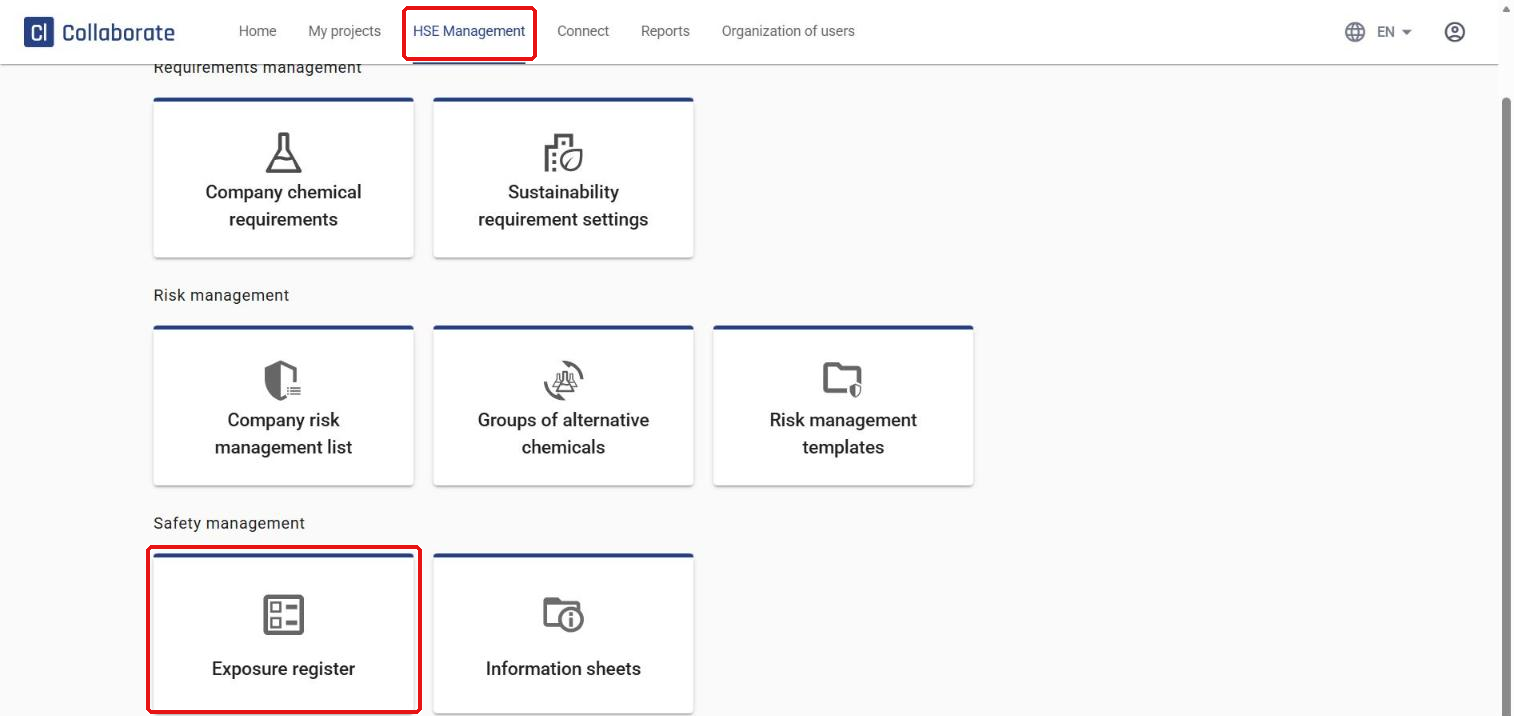
Go to HSE Management in the top menu, and select Exposure register under Safety management.
2
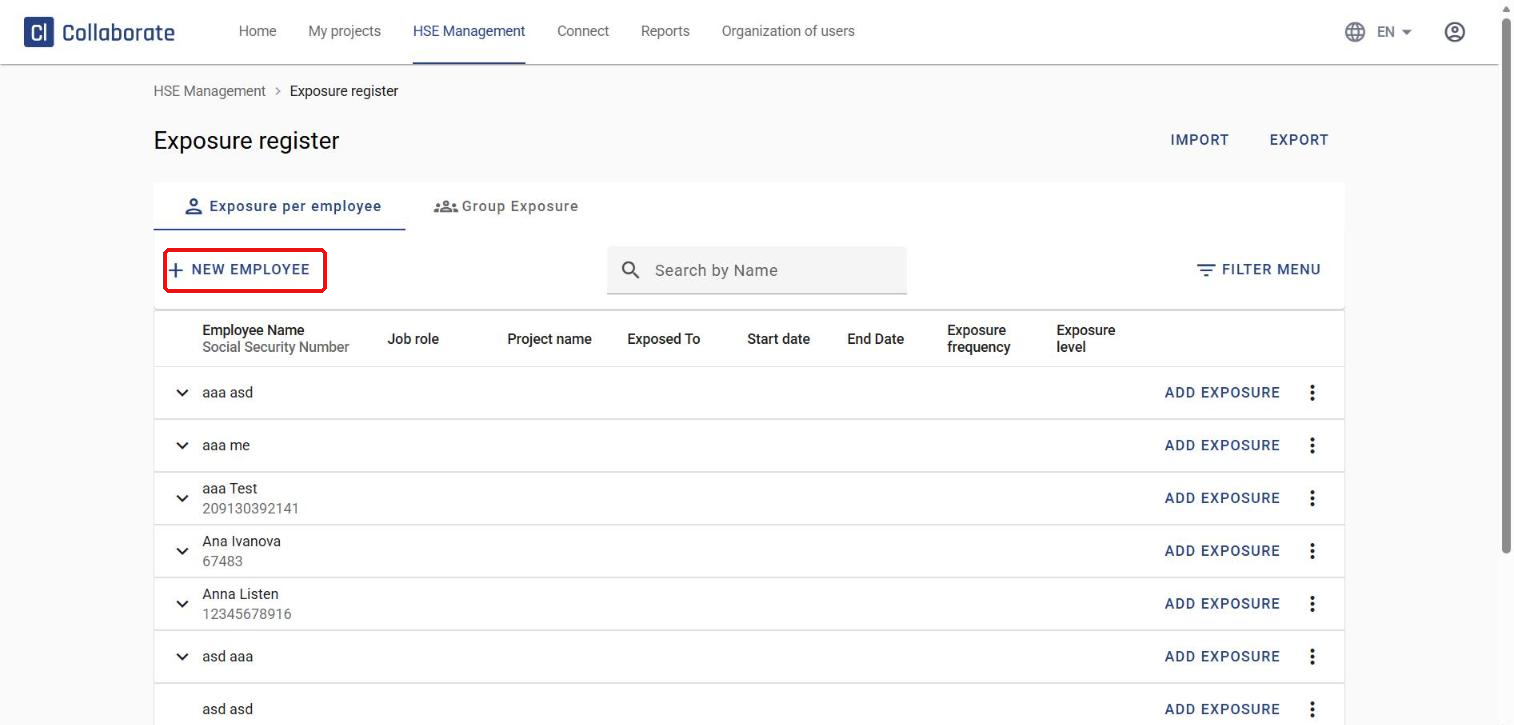
Click New employee. A form opens on the right where you enter the employee’s details.
Fill in the employee’s details
1
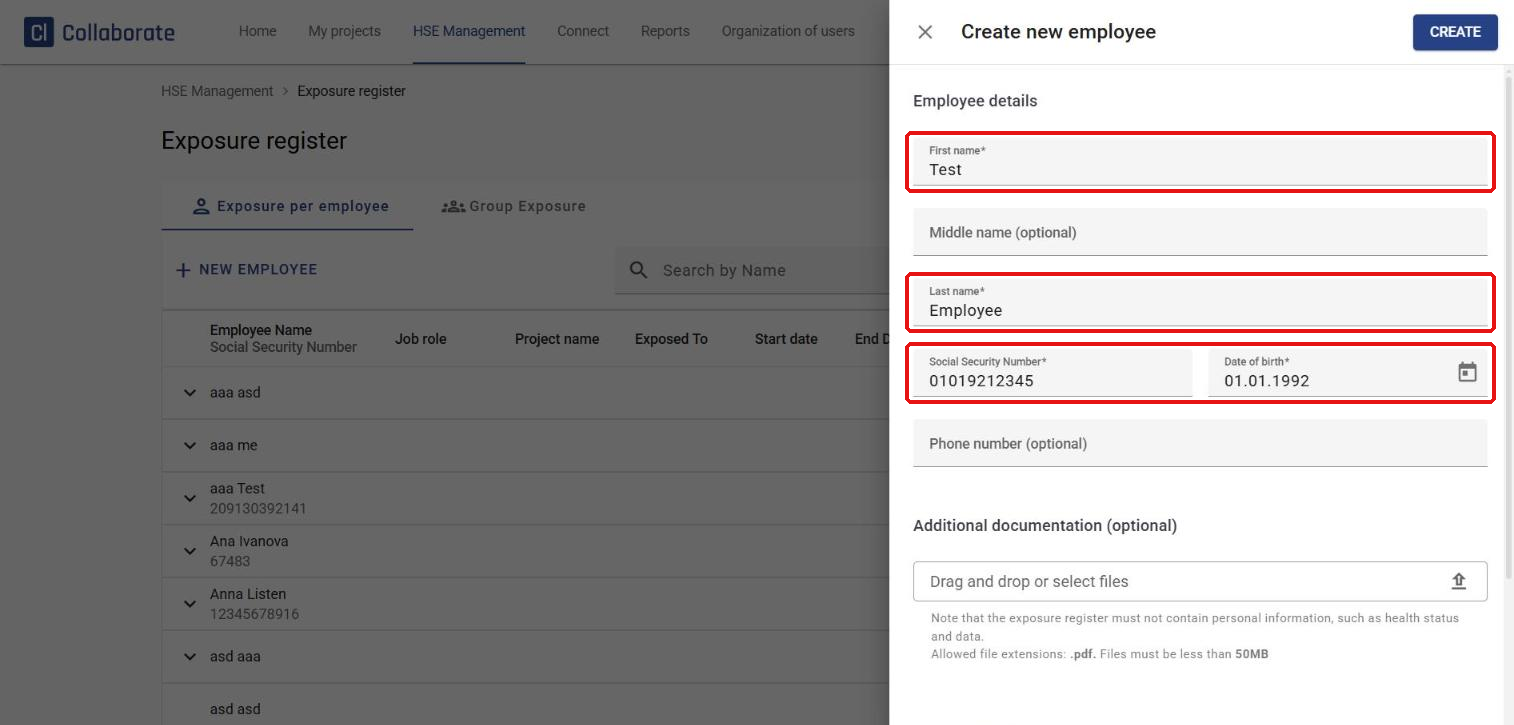
Under Employee details, fill in First name, Last name, Social Security Number and Date of birth – these are required. Middle name and phone number are optional. You can also upload additional documentation as a PDF (max 50 MB).
2
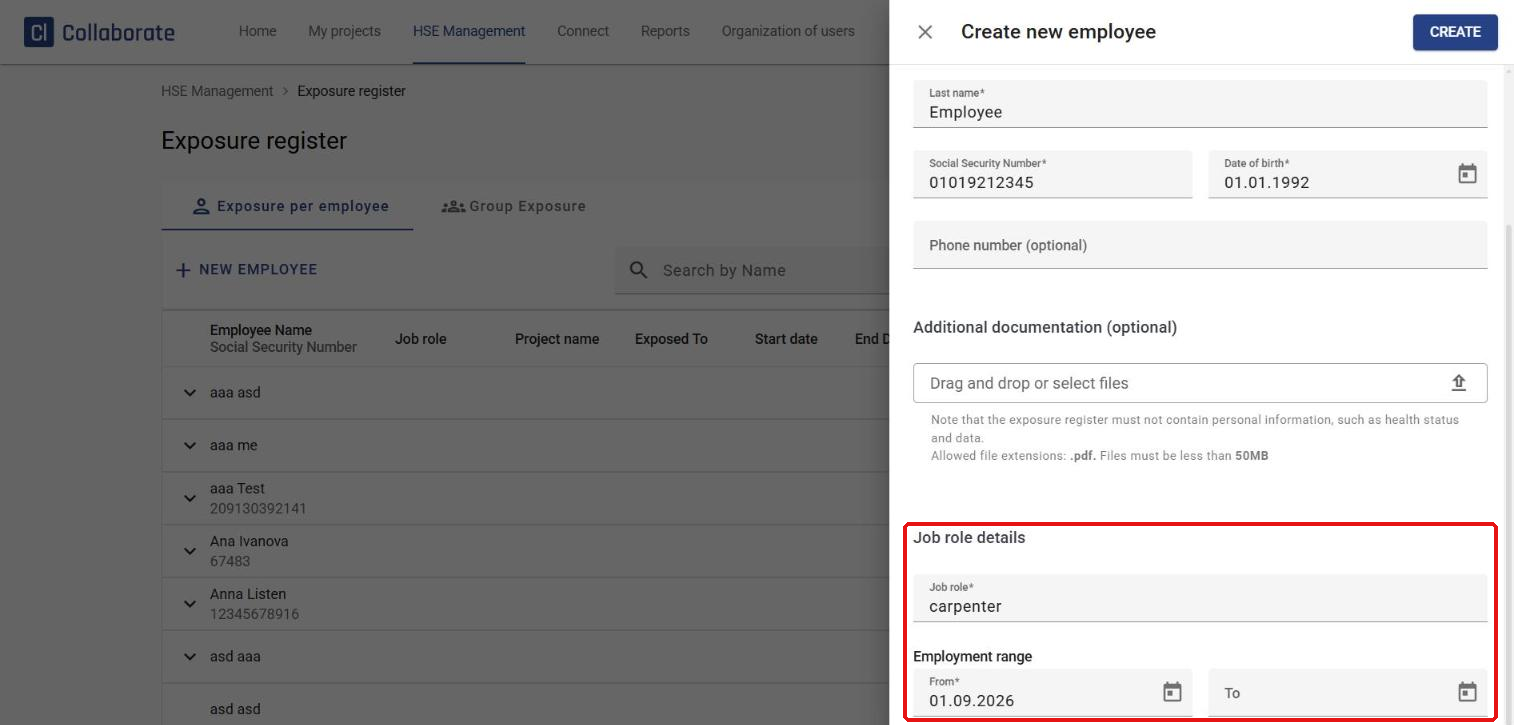
Under Job role details, enter the employee’s Job role. Under Employment range, enter the start date in From (required). The end date is optional and can be added later.
3
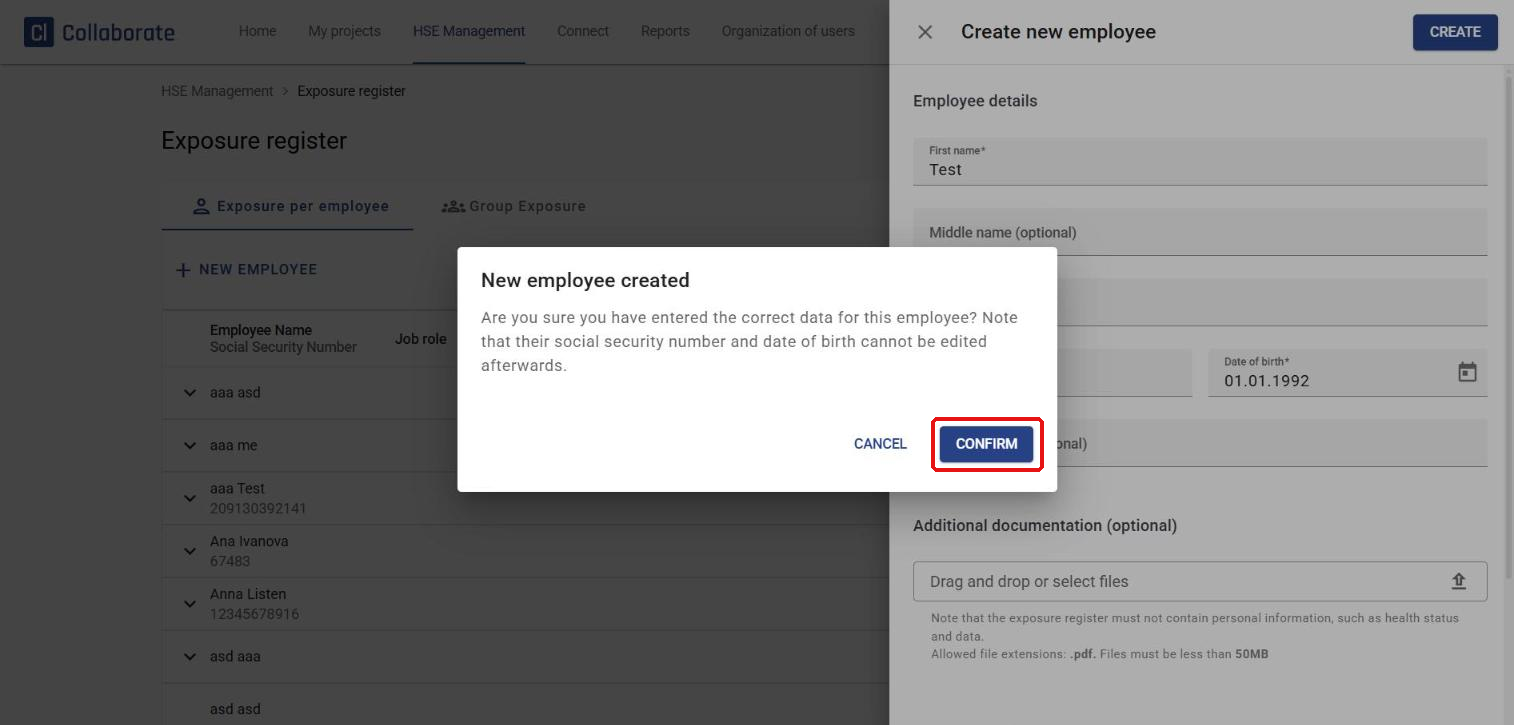
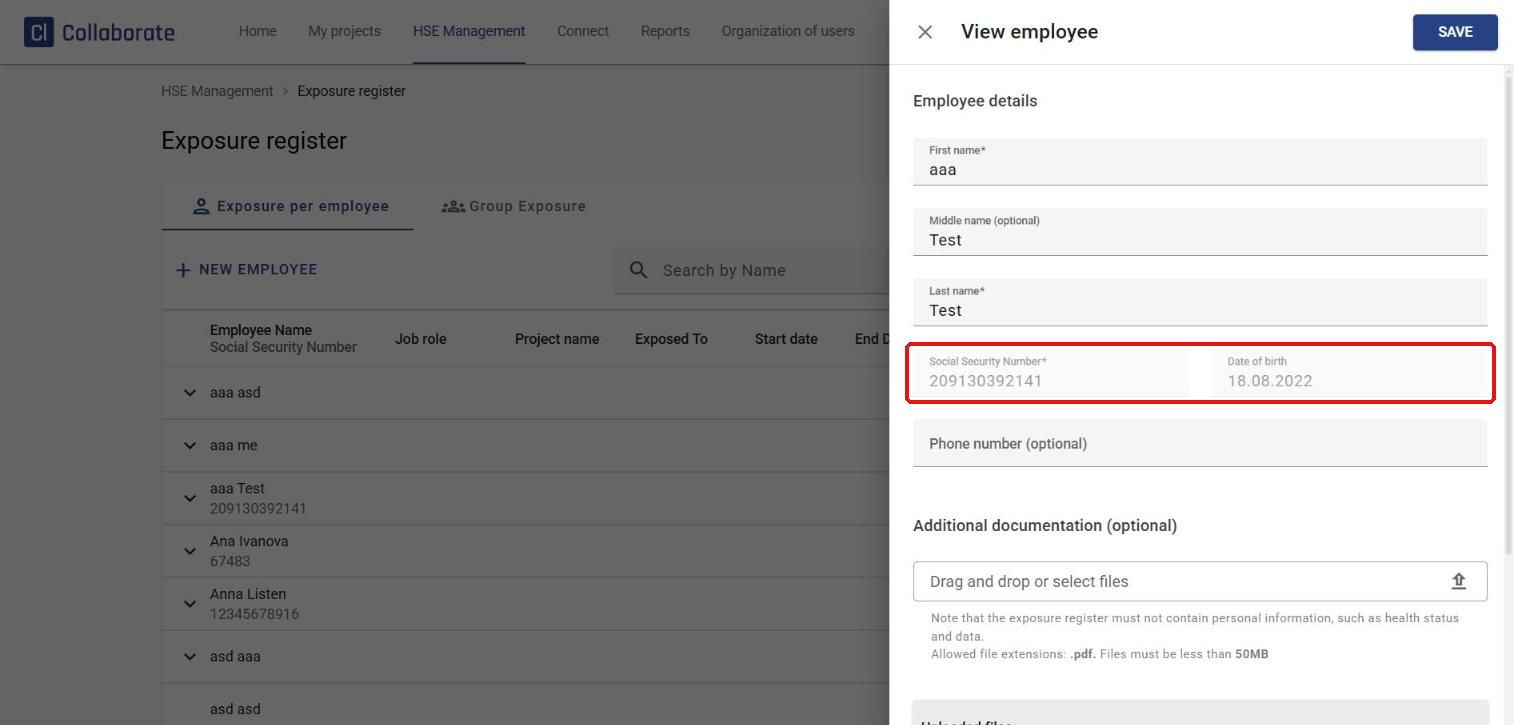
Click Create, and then Confirm in the dialog that opens to confirm that the information is correct. The social security number and date of birth can’t be changed once the employee is created. You can edit the other fields (name, job role, employment range, phone number and additional documentation) later via View employee.