Welcome to Cobuilder Training Portal
You can log your employees’ exposures in the exposure register in Collaborate. All information from the exposure register in the old ProductXchange module has been transferred to Cobuilder Collaborate.
Open the exposure register
1
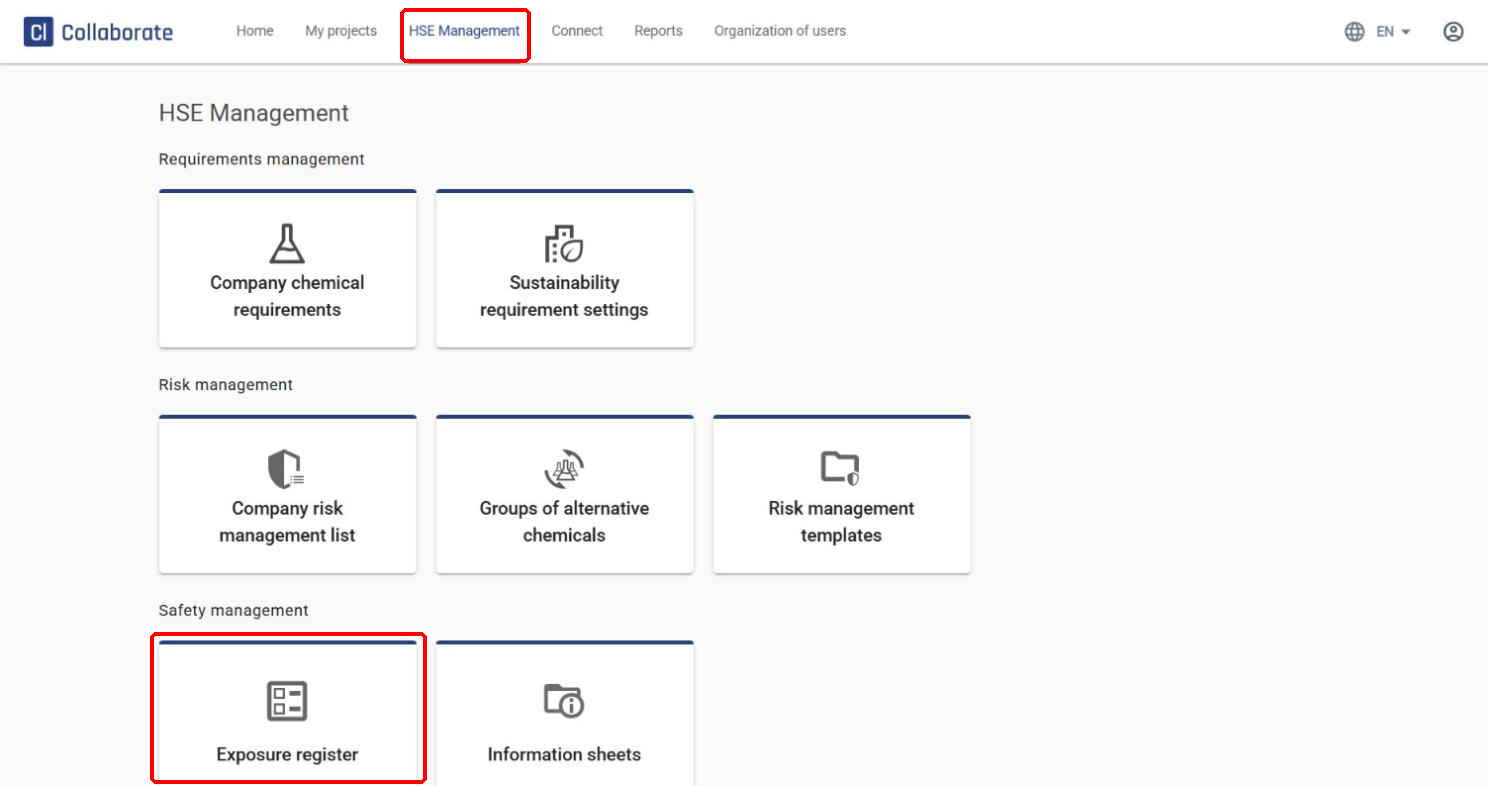
Go to HSE Management in the top menu, and select Exposure register under Safety management.
Archive the existing information
1
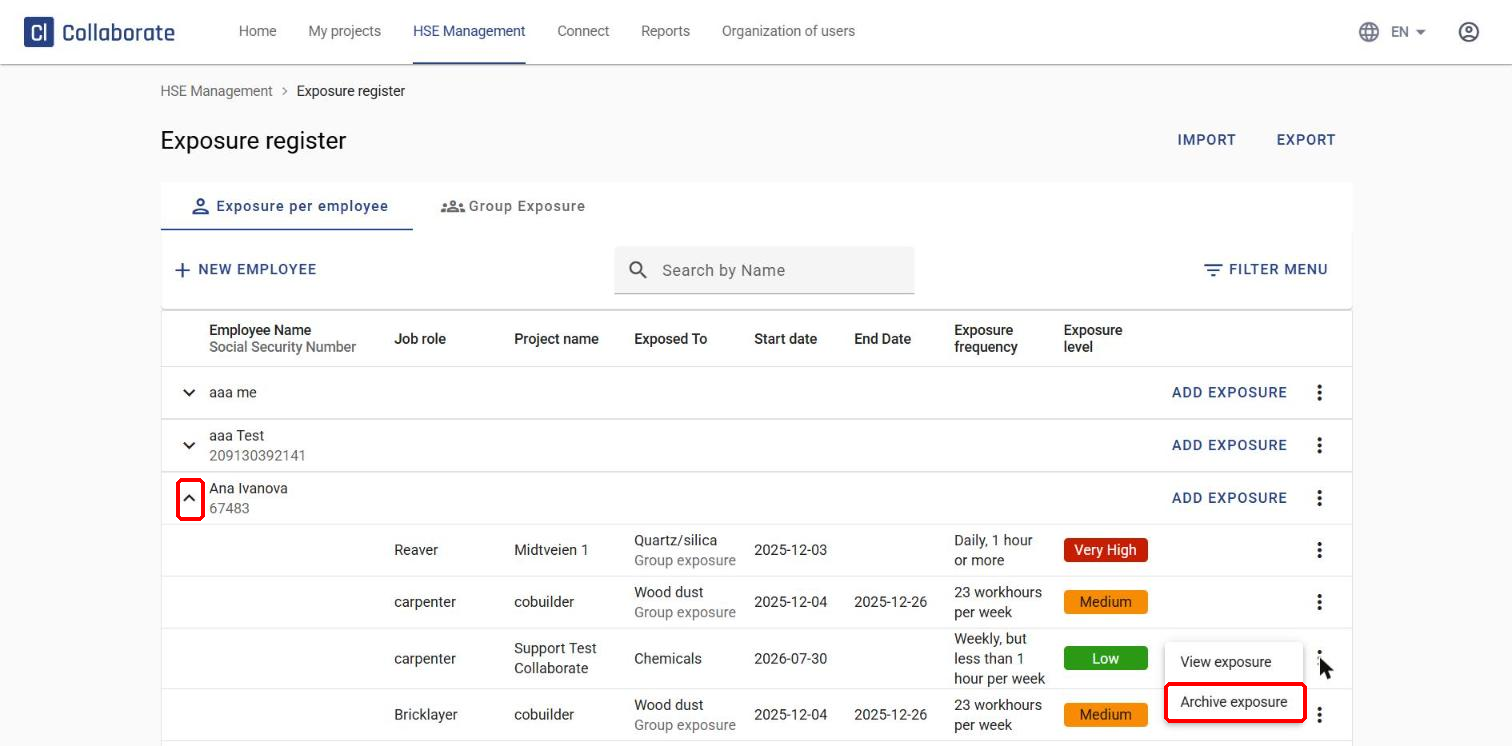
Archive the exposure(s). Click the arrow in front of the employee’s name to show their exposures, then select Archive exposure from the three dots on the right. Repeat this for every existing exposure for the employee.
2
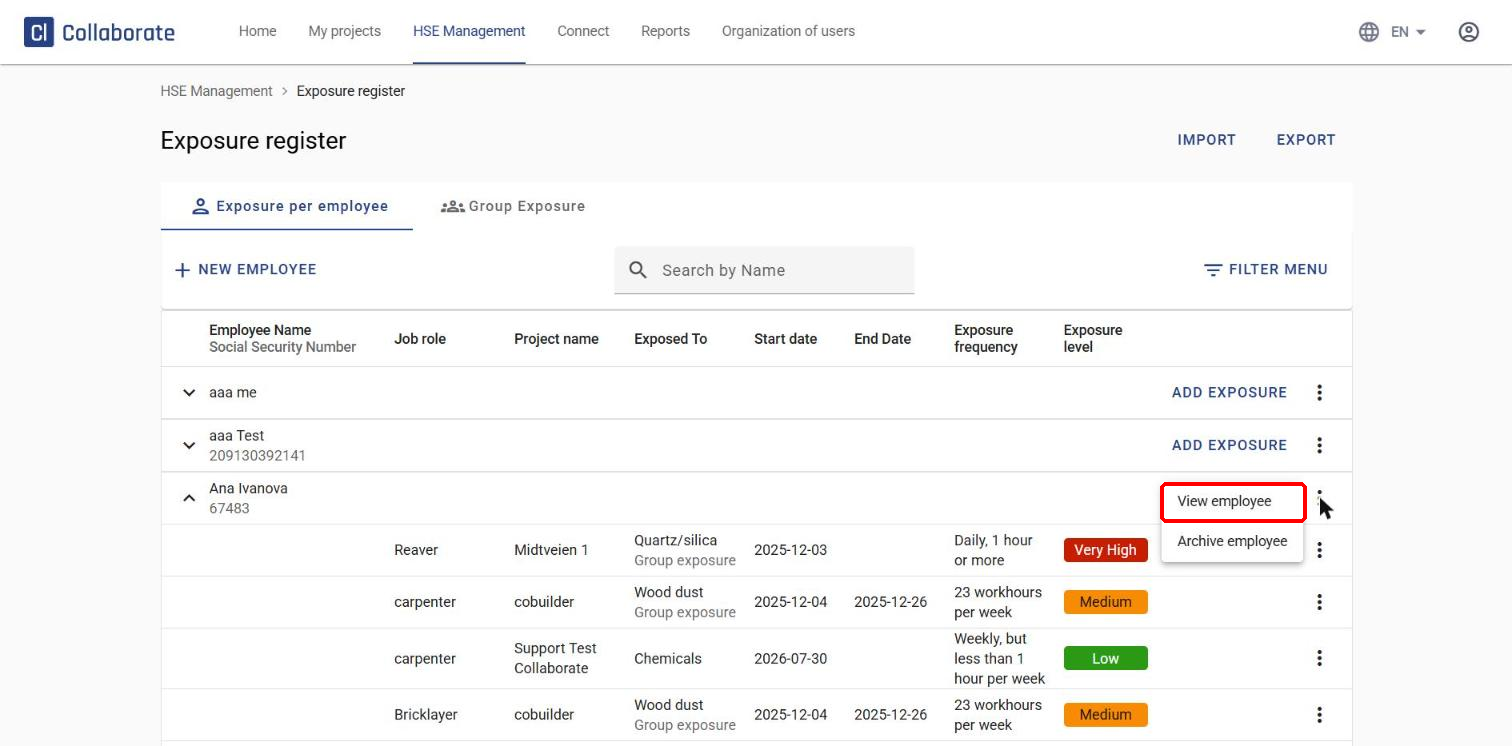
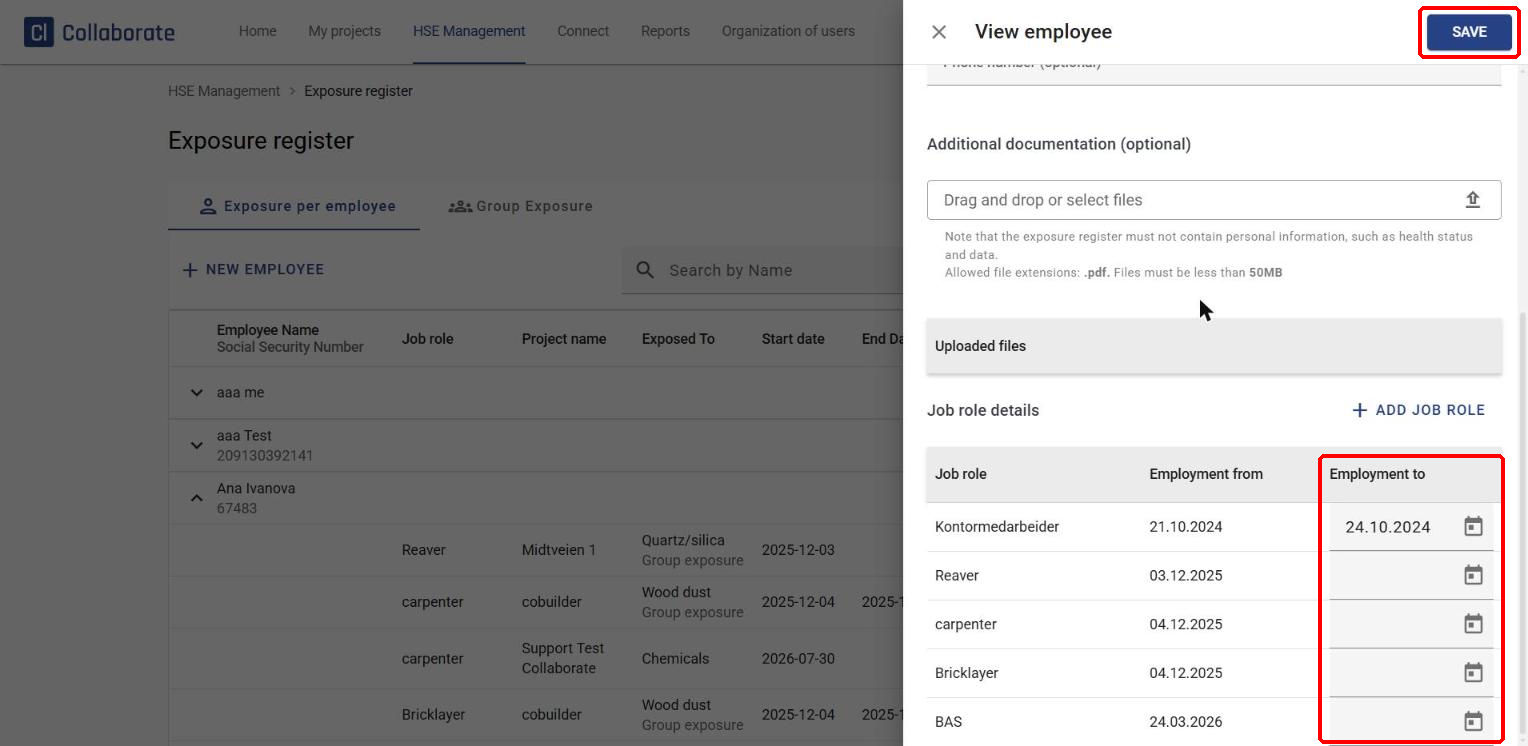
End the employee’s job role(s). Select View employee from the three dots to the right of the employee.
Under Job role details at the bottom of the panel, you’ll find the employee’s job roles. Enter a date in the Employment to field for each job role you want to end, and do the same for every job role if there’s more than one. Click Save when you’re done.
3
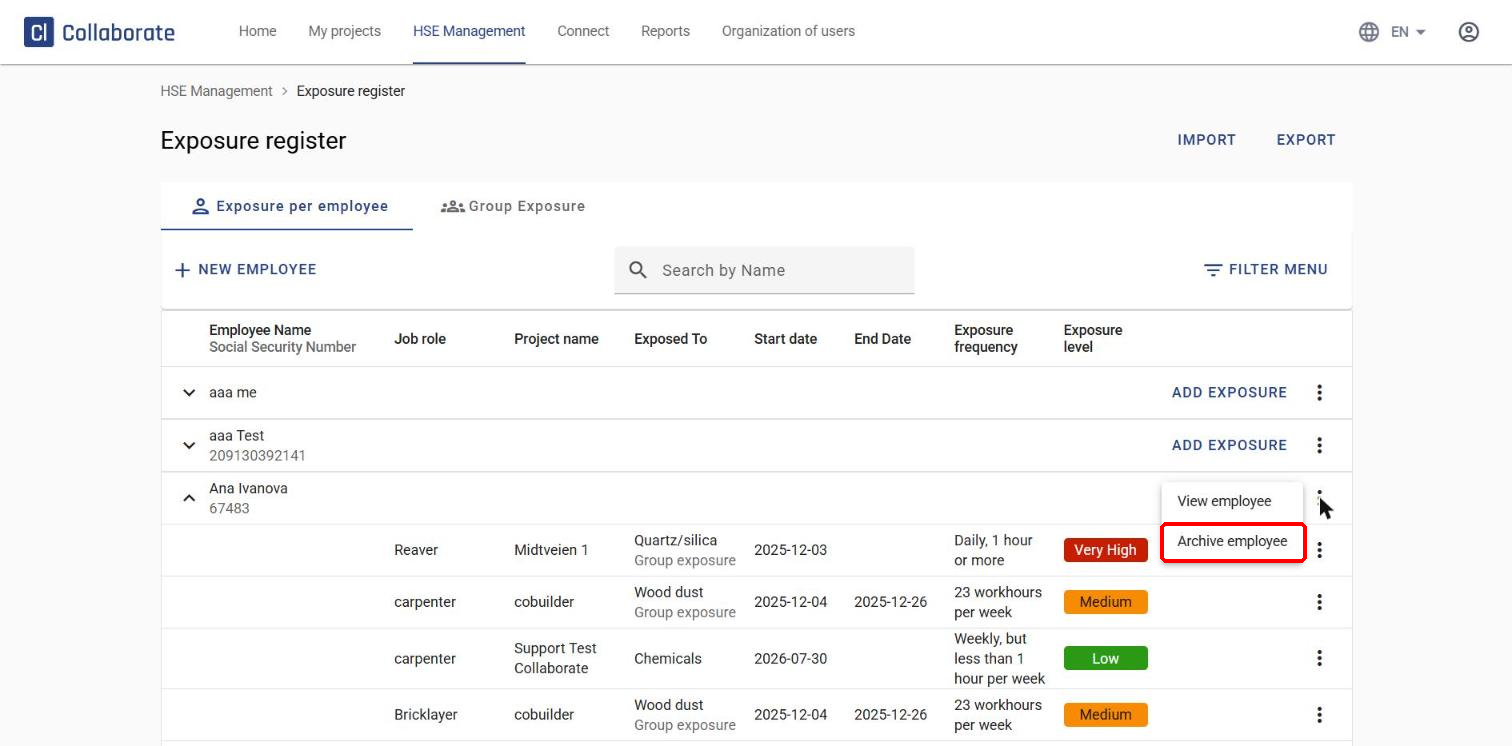
Archive the employee. Finally, click the three dots to the right of the employee and select Archive employee.