Welcome to Cobuilder Training Portal
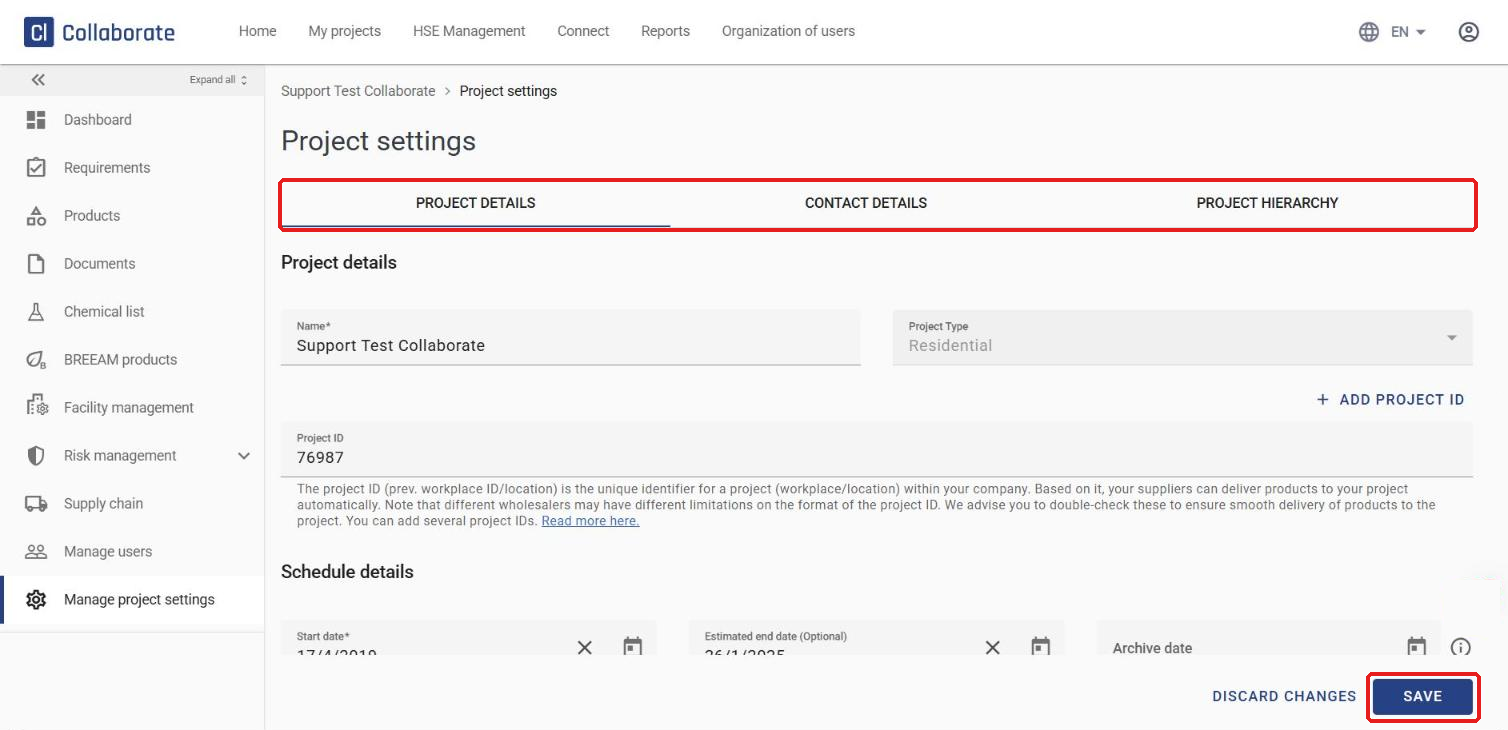
Change a project’s details, contact persons and place in the project hierarchy from the project settings.
Edit the project details
1
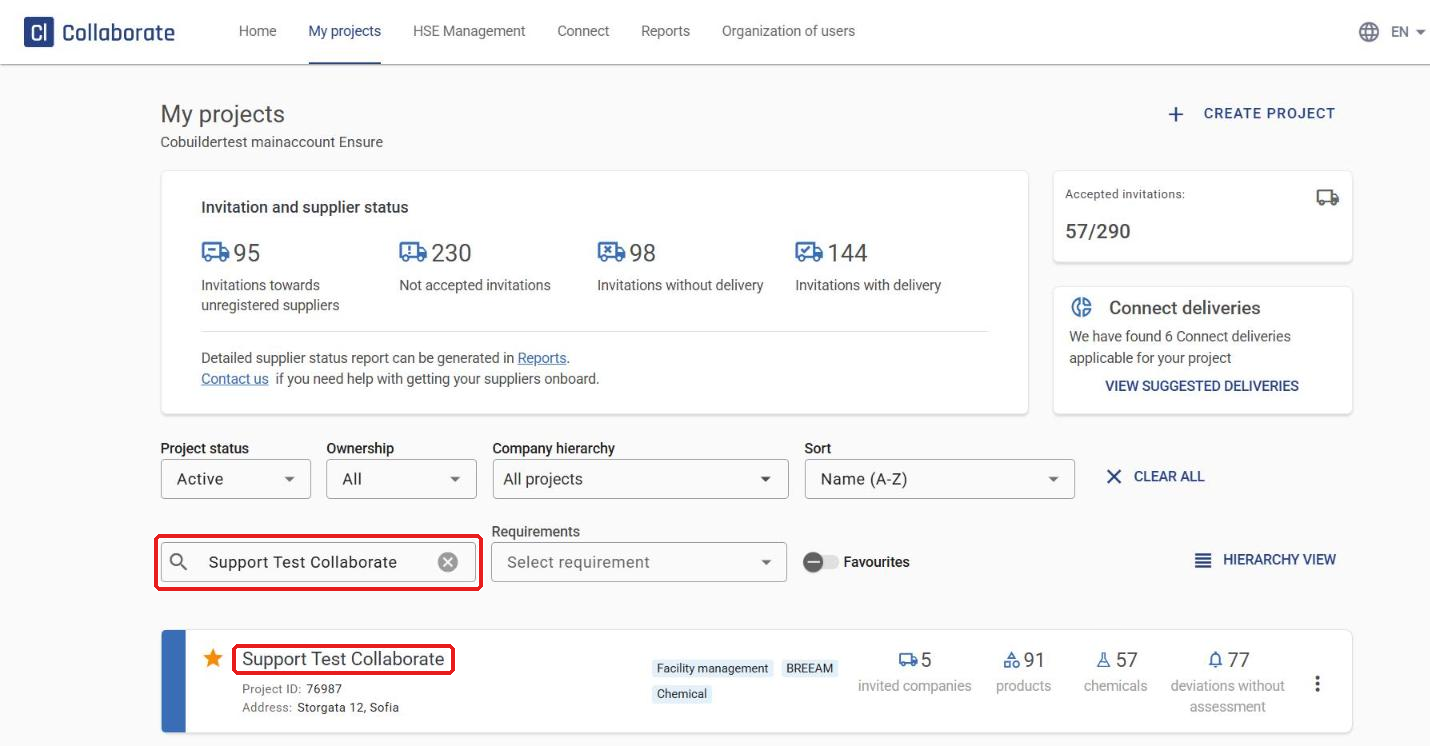
Go to My projects and search for the project.
2
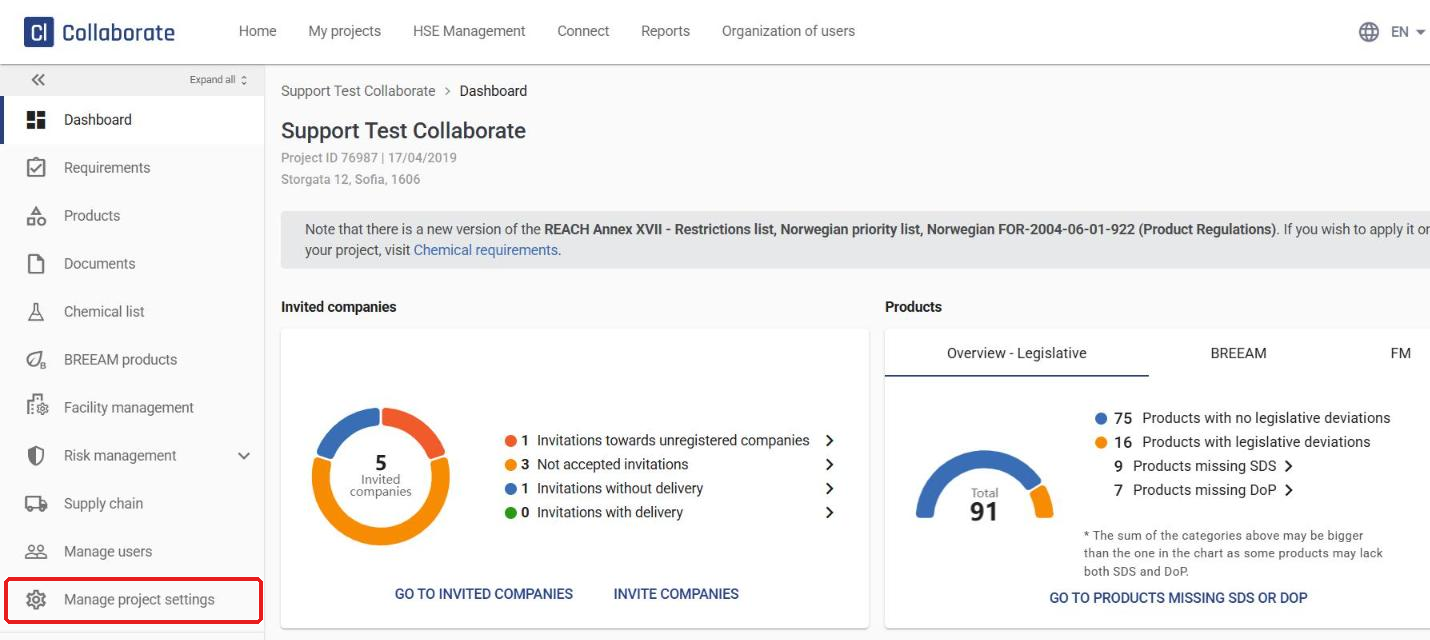
Click Manage project settings in the left-hand menu.
3
Use the Project details, Contact details and Project hierarchy tabs to change the project details, contact details and hierarchy. Click Save when you’re done.