Welcome to Cobuilder Training Portal
Use subprojects to split a main project into smaller parts – for example by building, construction phase, contract or delivery. This makes it easier to organise documentation, follow up requirements and manage the work on larger or more complex projects.
Create a subproject
1
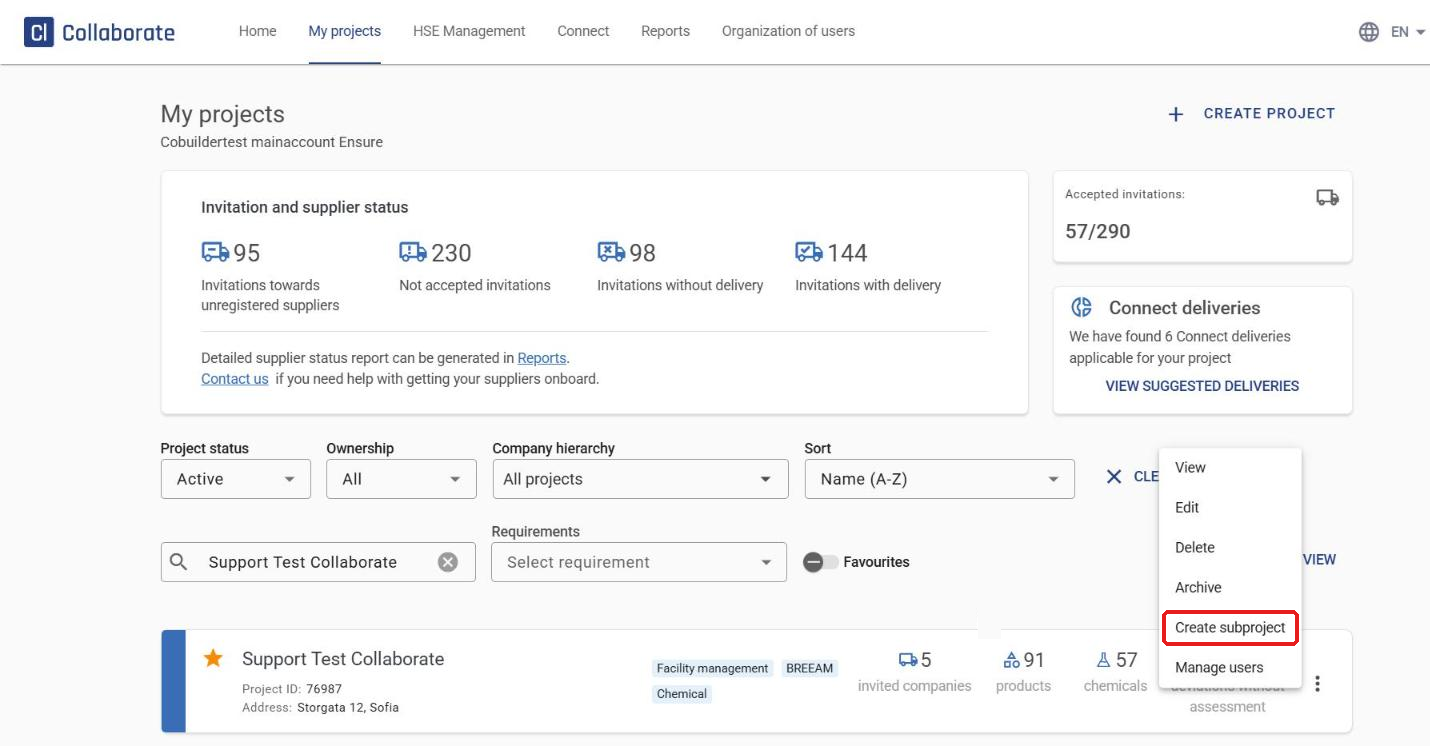
Go to My projects and search for the main project.
2
Click the three dots to the right of the project and select Create subproject.
3
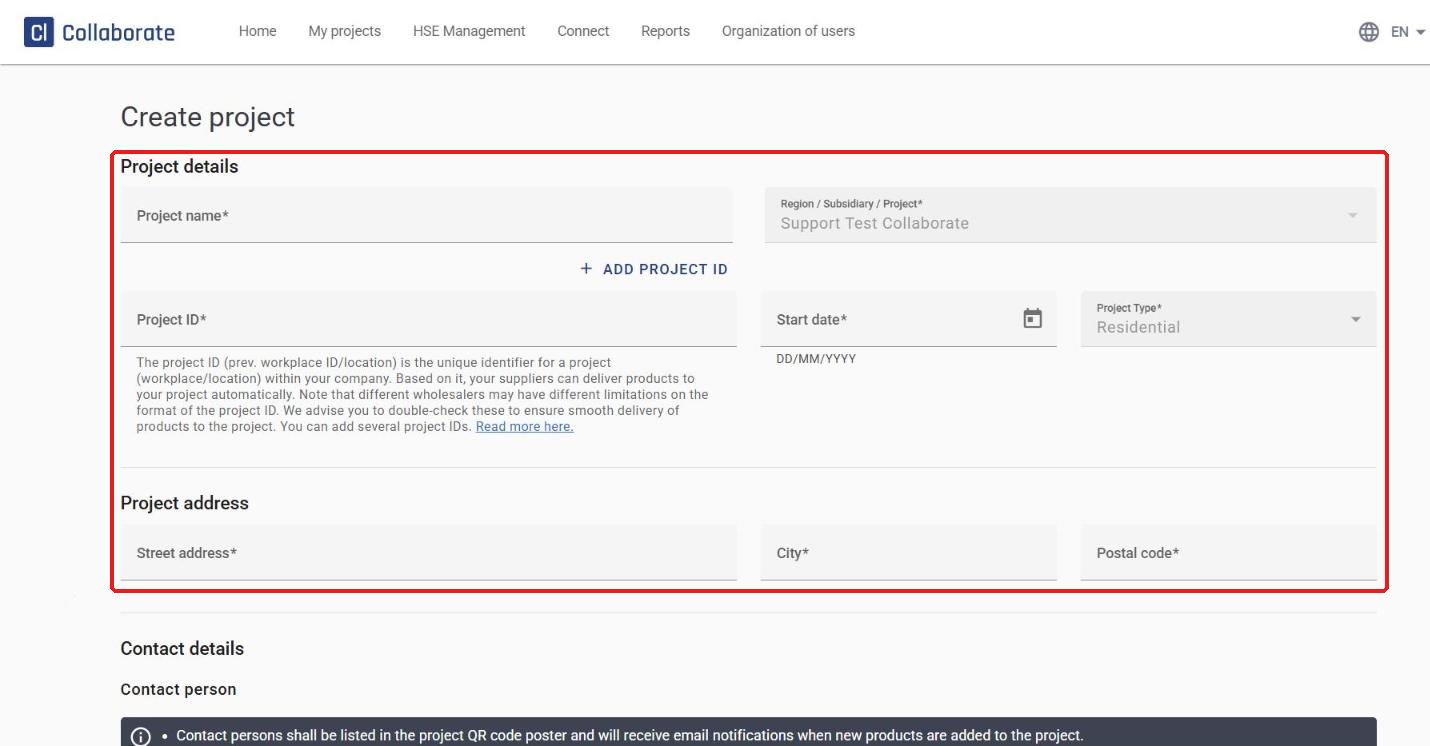
Under Project details, fill in Project name, Project ID and Start date. Under Project address, fill in Street address, City and Postal code. All of these fields are required.
4
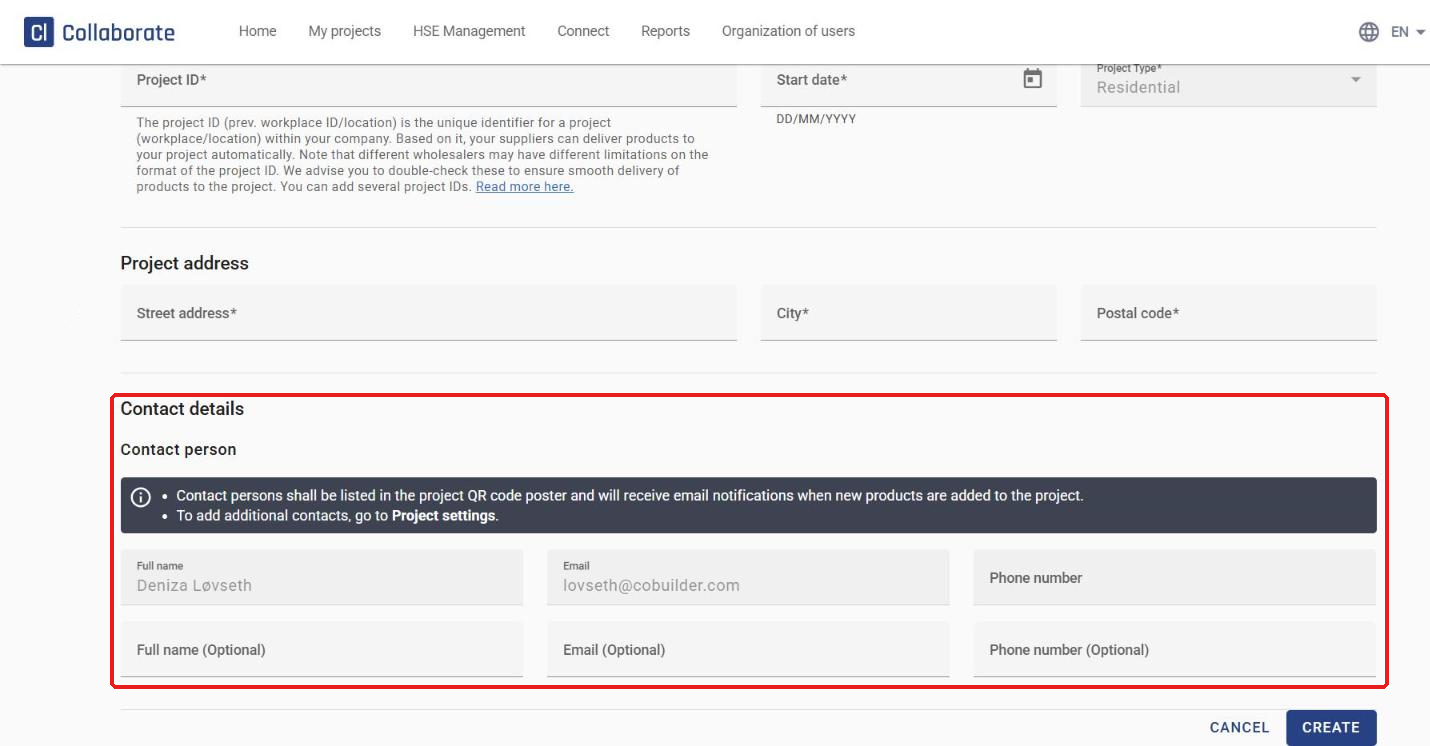
Under Contact details, you’re added as the contact person automatically. You can add one more contact person here if you like. Contact persons are listed on the project’s QR code poster and receive an email when new products are added to the project.
5
Click Create.
After the subproject is created
1
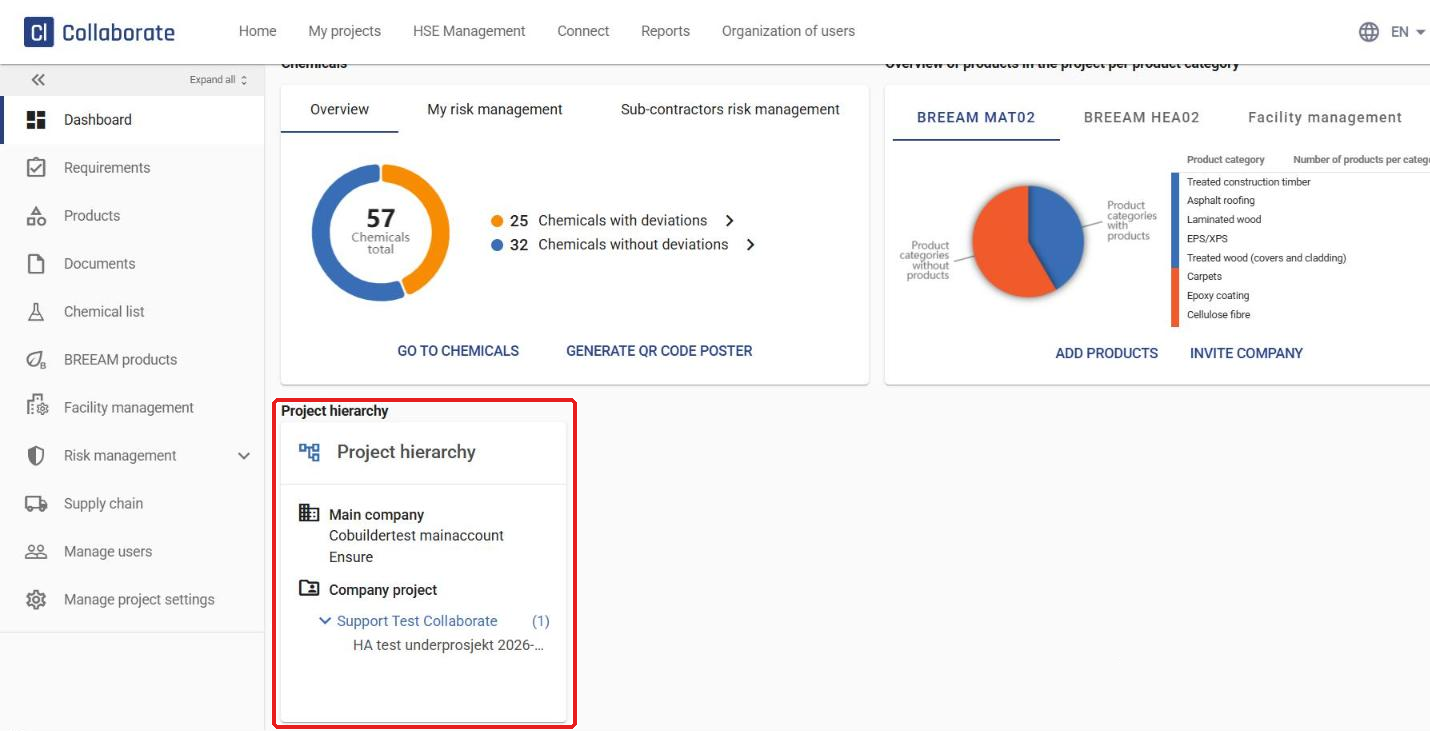
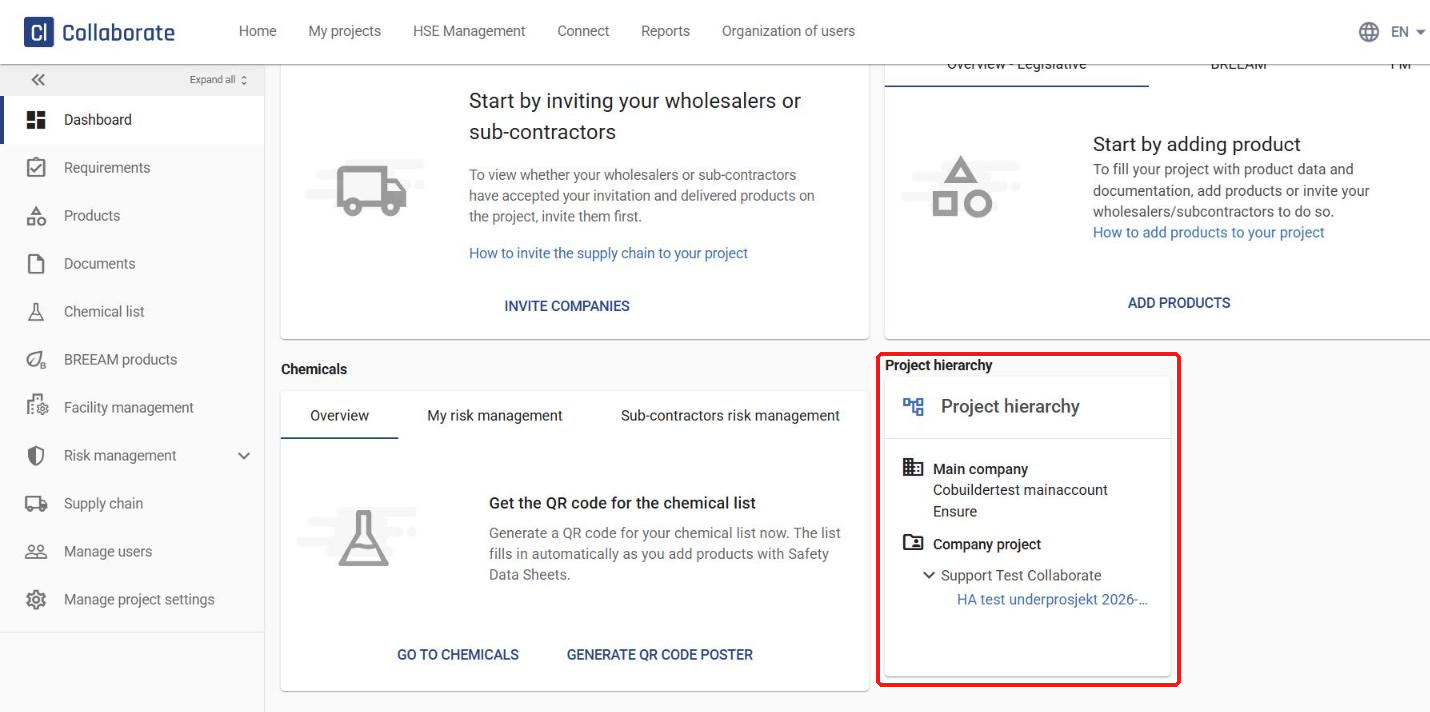
The Project hierarchy panel on the subproject’s dashboard shows where the subproject sits in the structure.
2
The Project hierarchy panel on the main project’s dashboard lists all its subprojects, with the number of subprojects in brackets.