Welcome to Cobuilder Training Portal
Adding BREEAM requirements to a project lets you restrict the use of products that could put the project’s certification at risk.
Set up BREEAM requirements
1
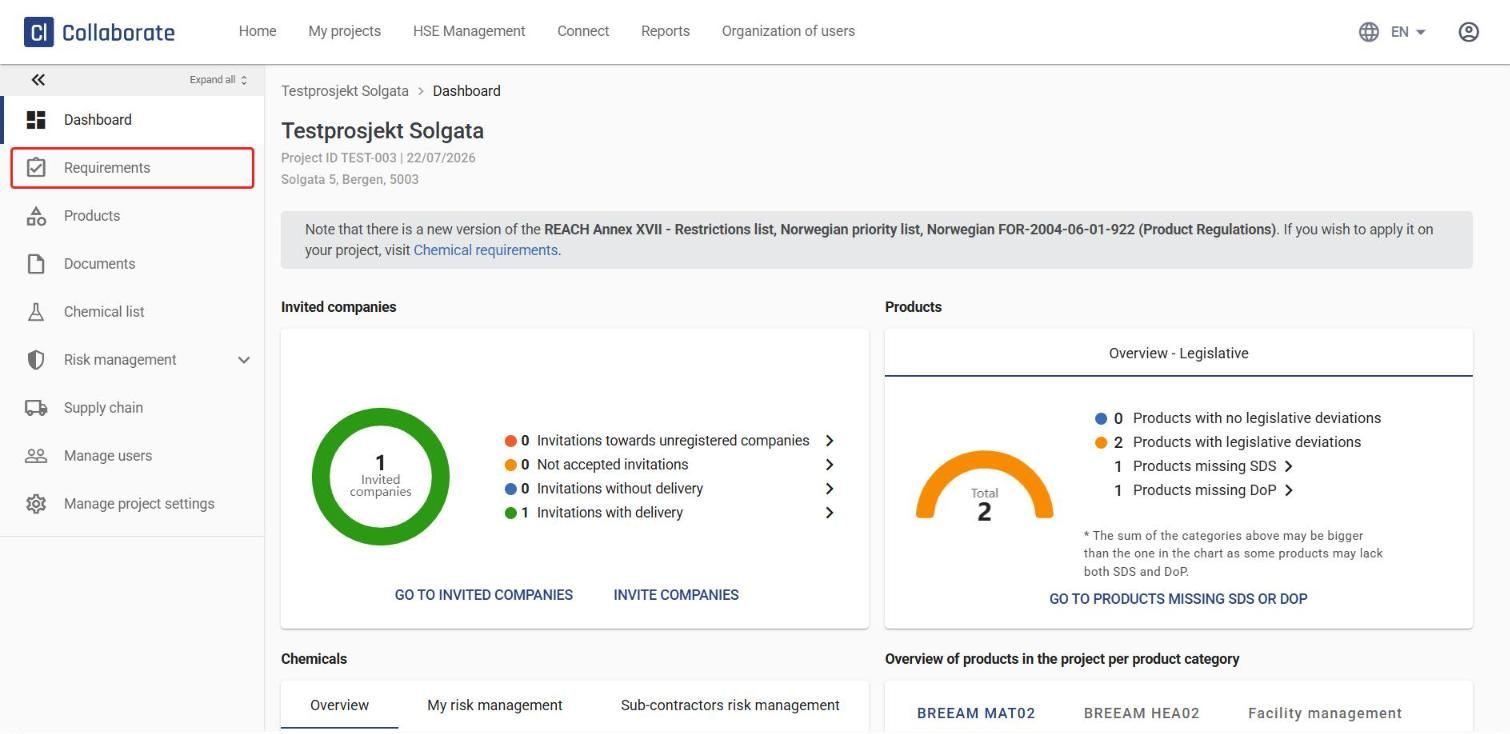
Go to your project and click Requirements in the left-hand menu.
2
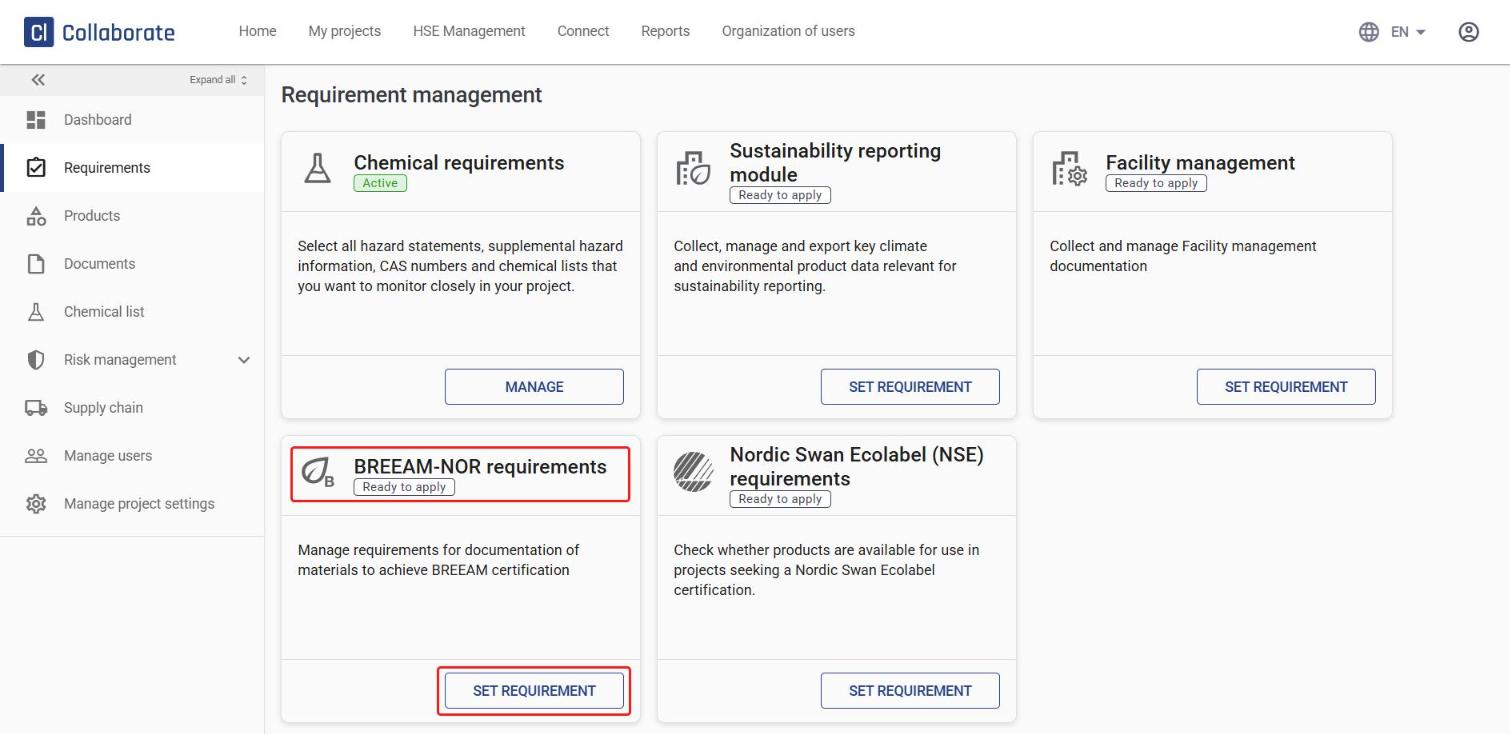
Find BREEAM-NOR requirements and click Set requirement (or Manage, if the requirement is already set up for the project).
3
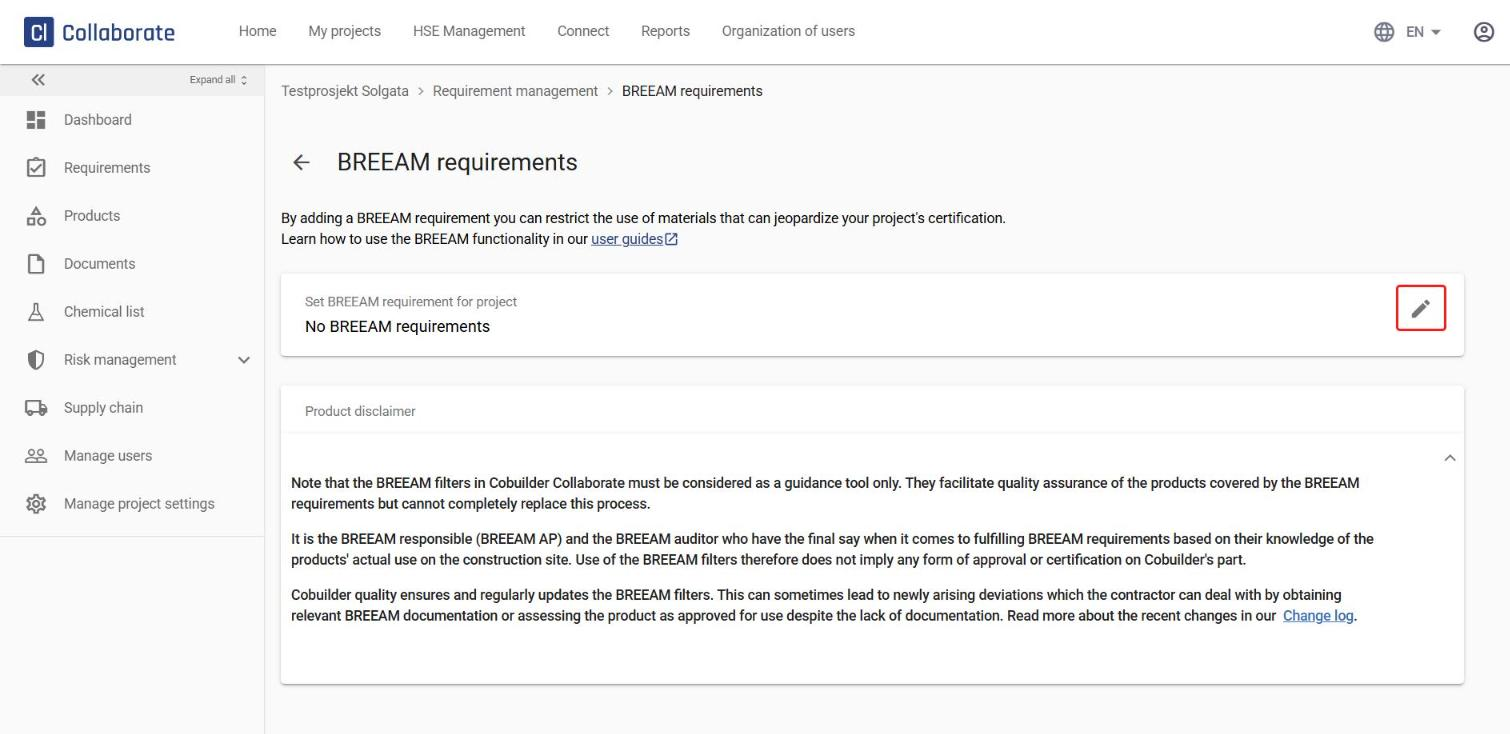
Click the edit icon (pencil) next to the selected BREEAM manual.
4
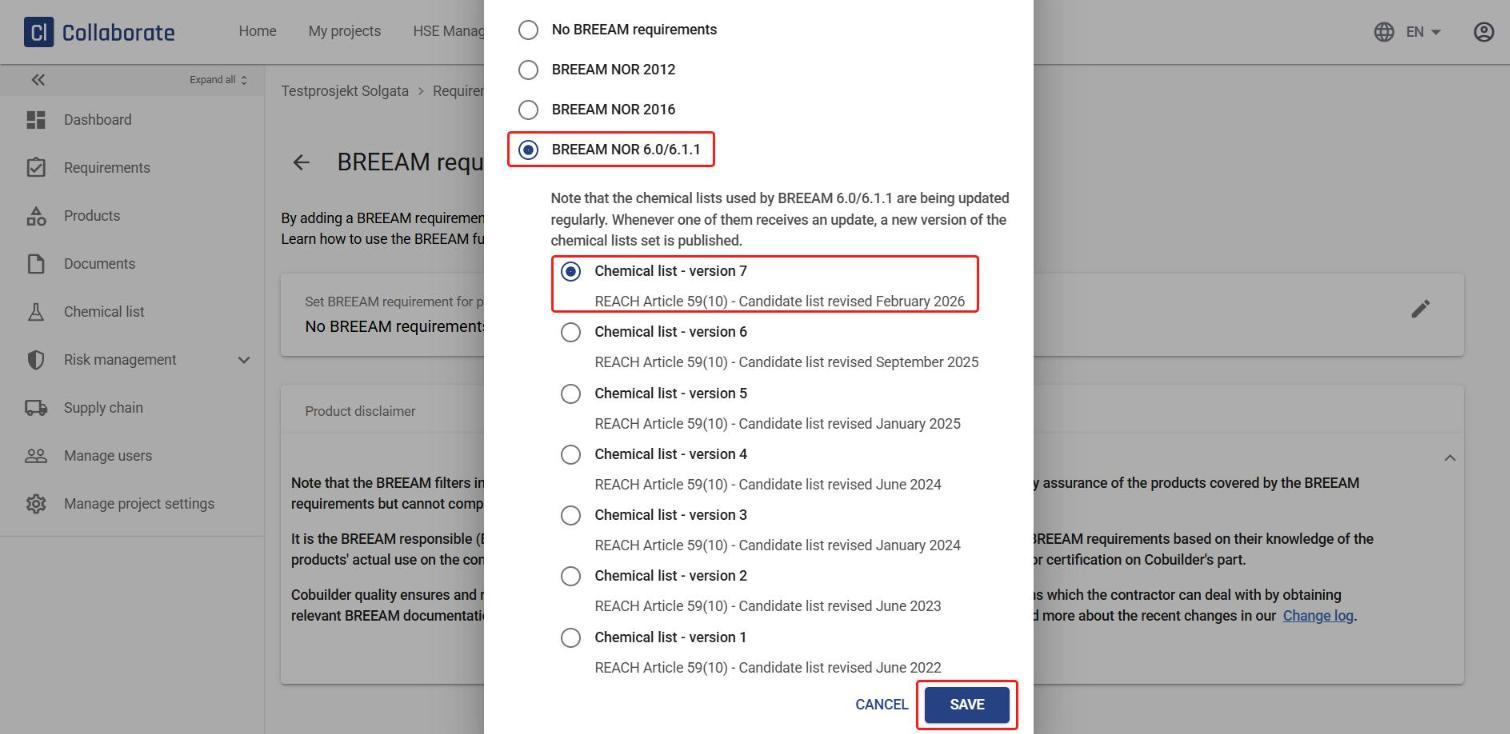
Select the BREEAM manual to base the requirement on. If you select BREEAM NOR 6.0/6.1.1, also select which version of the chemical lists should apply. Then click Save.
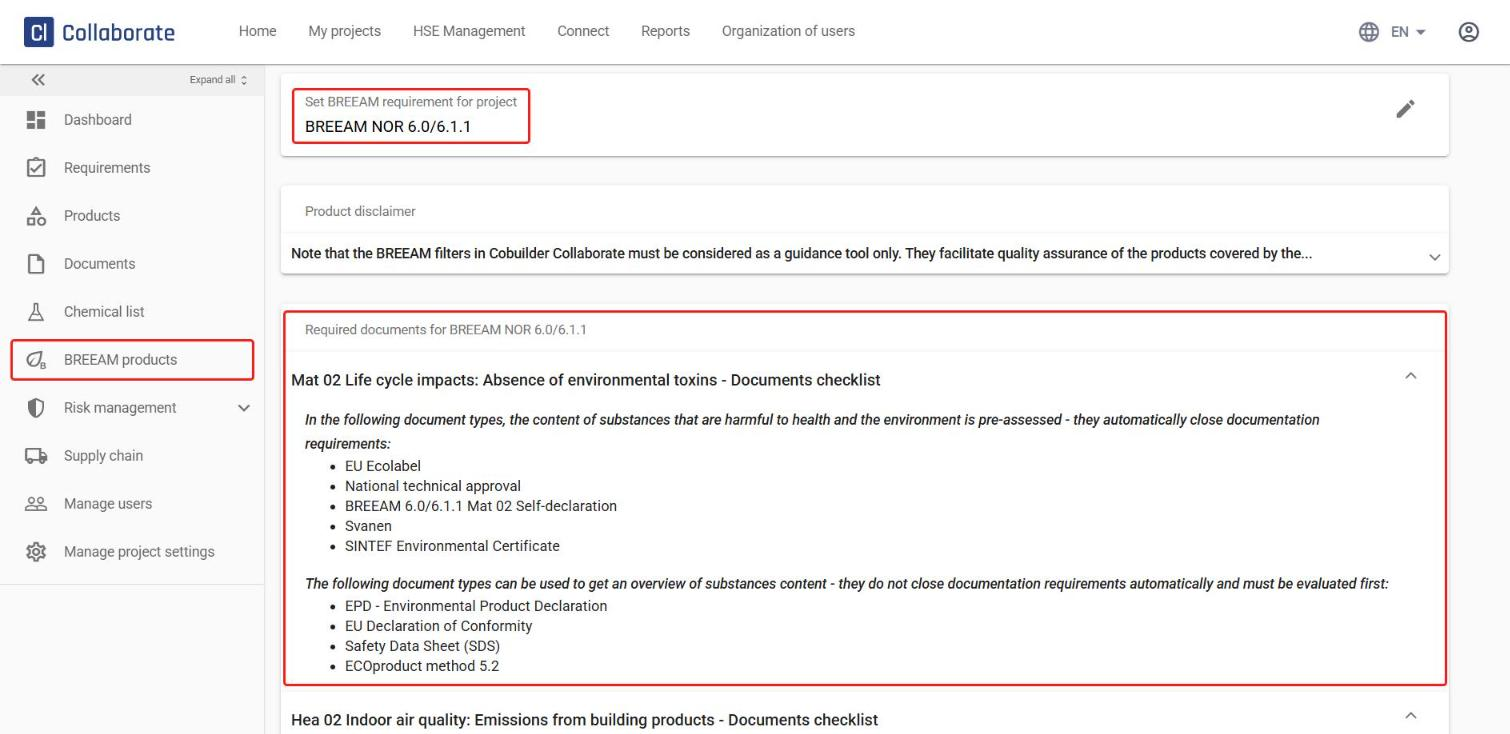
The BREEAM filter is now set up on the project. The page shows which document types close your BREEAM deviations, and BREEAM products appears in the left-hand menu.