Welcome to Cobuilder Training Portal
Cobuilder Collaborate helps you keep track of the BREEAM products on your project, based on each product’s documentation.
When you assess a product, any BREEAM deviation on it is closed automatically, and the product no longer counts towards the deviation figures on the dashboard or in the deviation menu.
Start an assessment
1
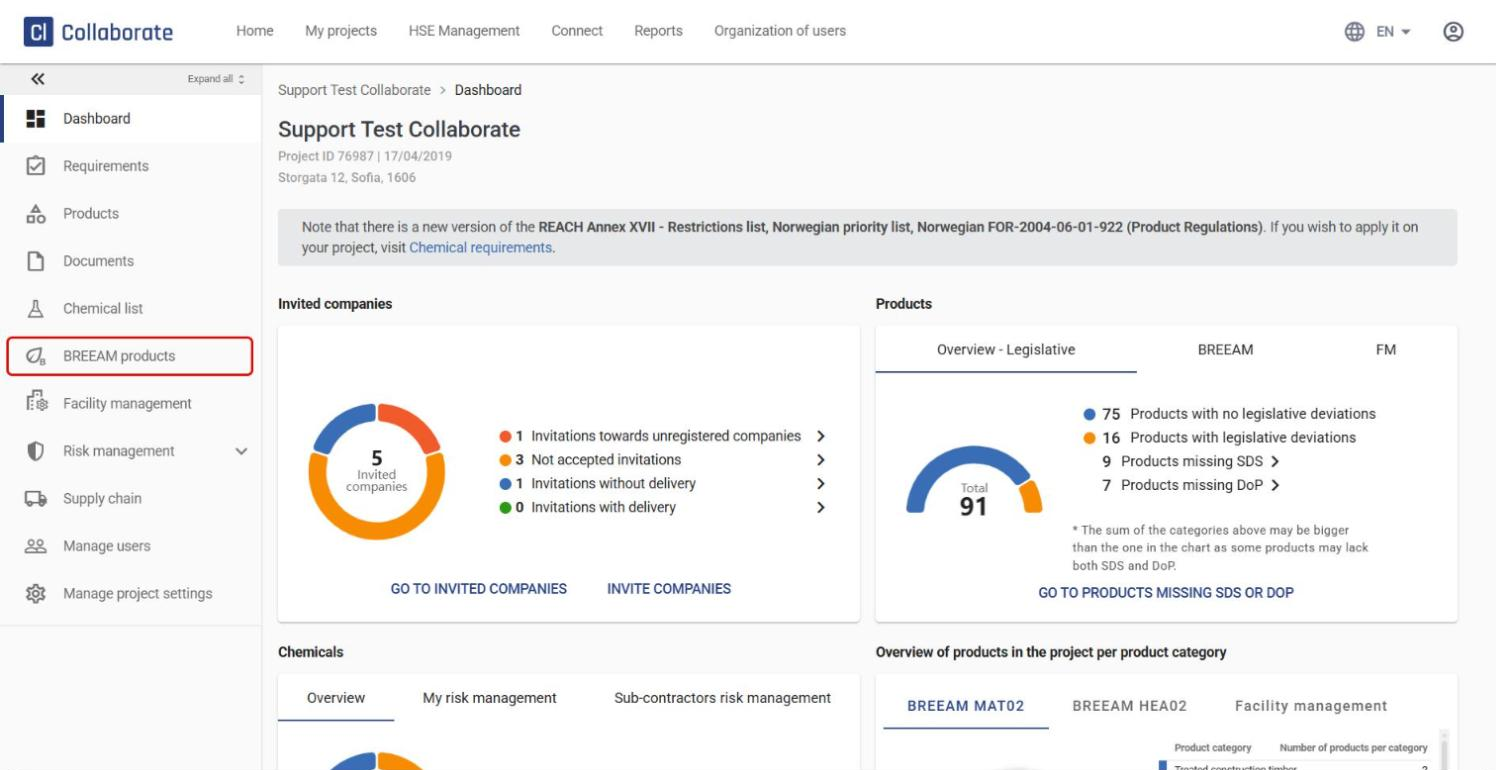
Open the project and click BREEAM products in the left-hand menu.
2
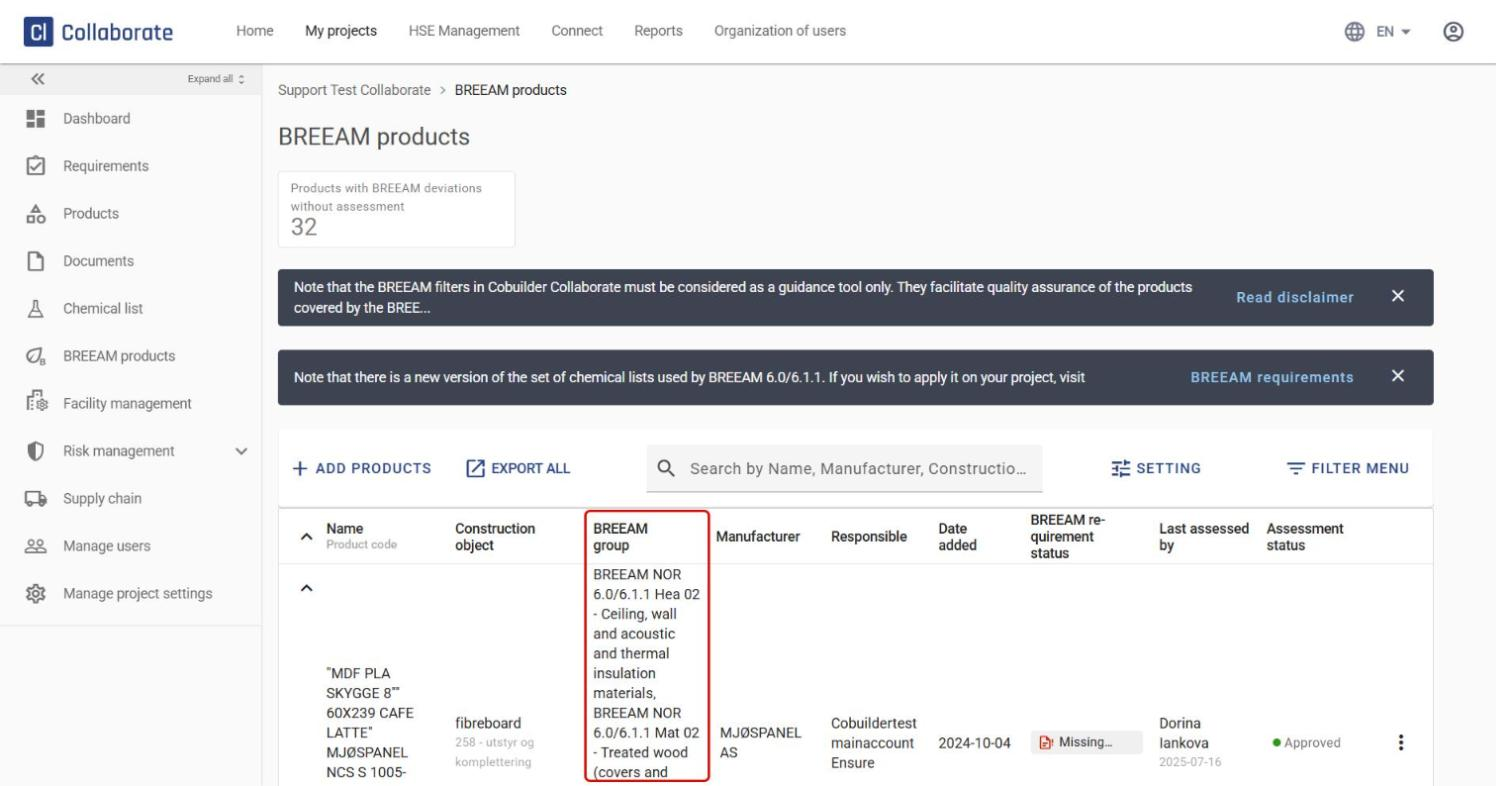
You see an overview of all products whose product type belongs to a BREEAM group.
3
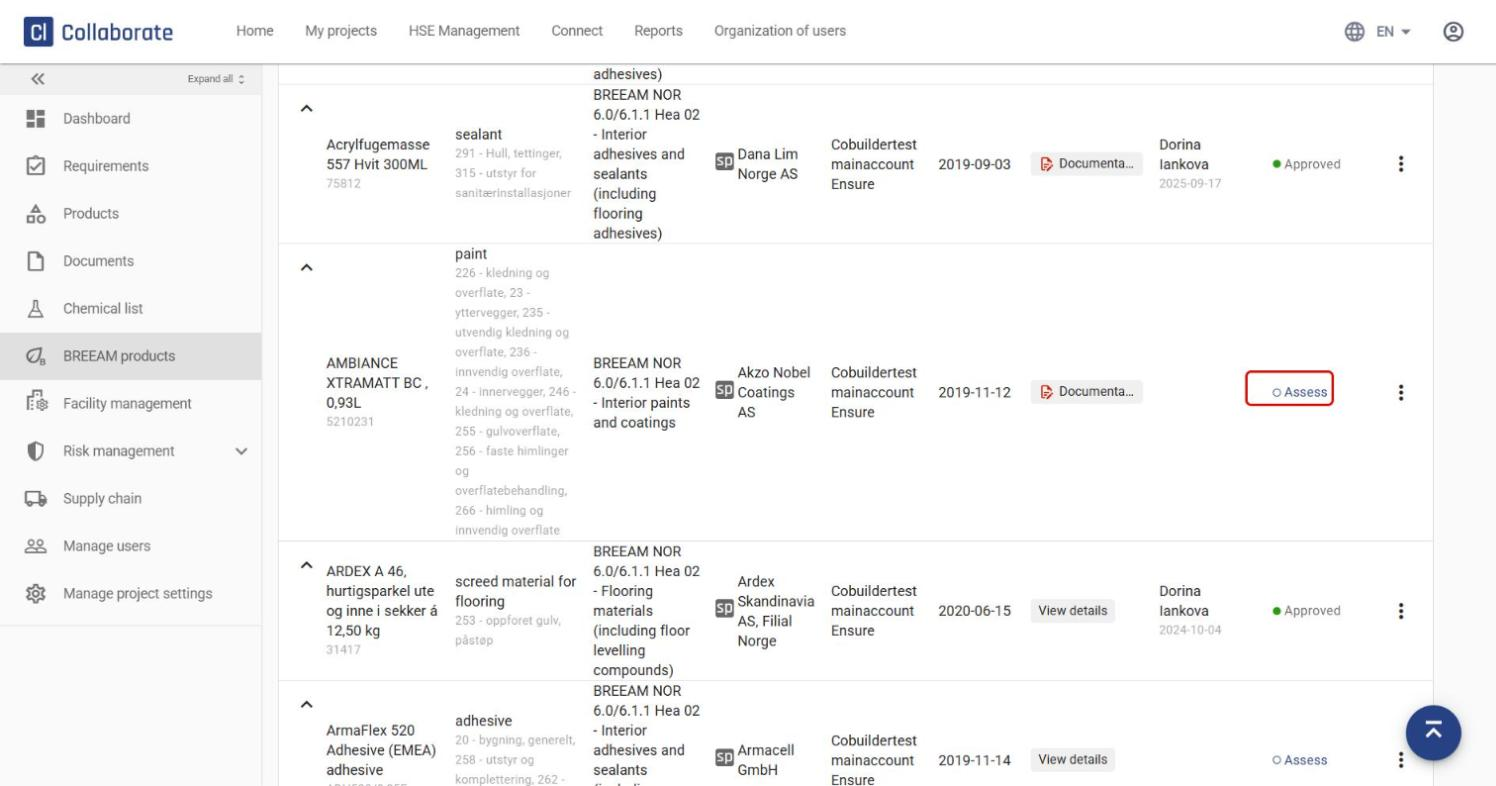
Click Assess next to the product you want to assess. This opens the assessment window directly.
Review the available documentation
1
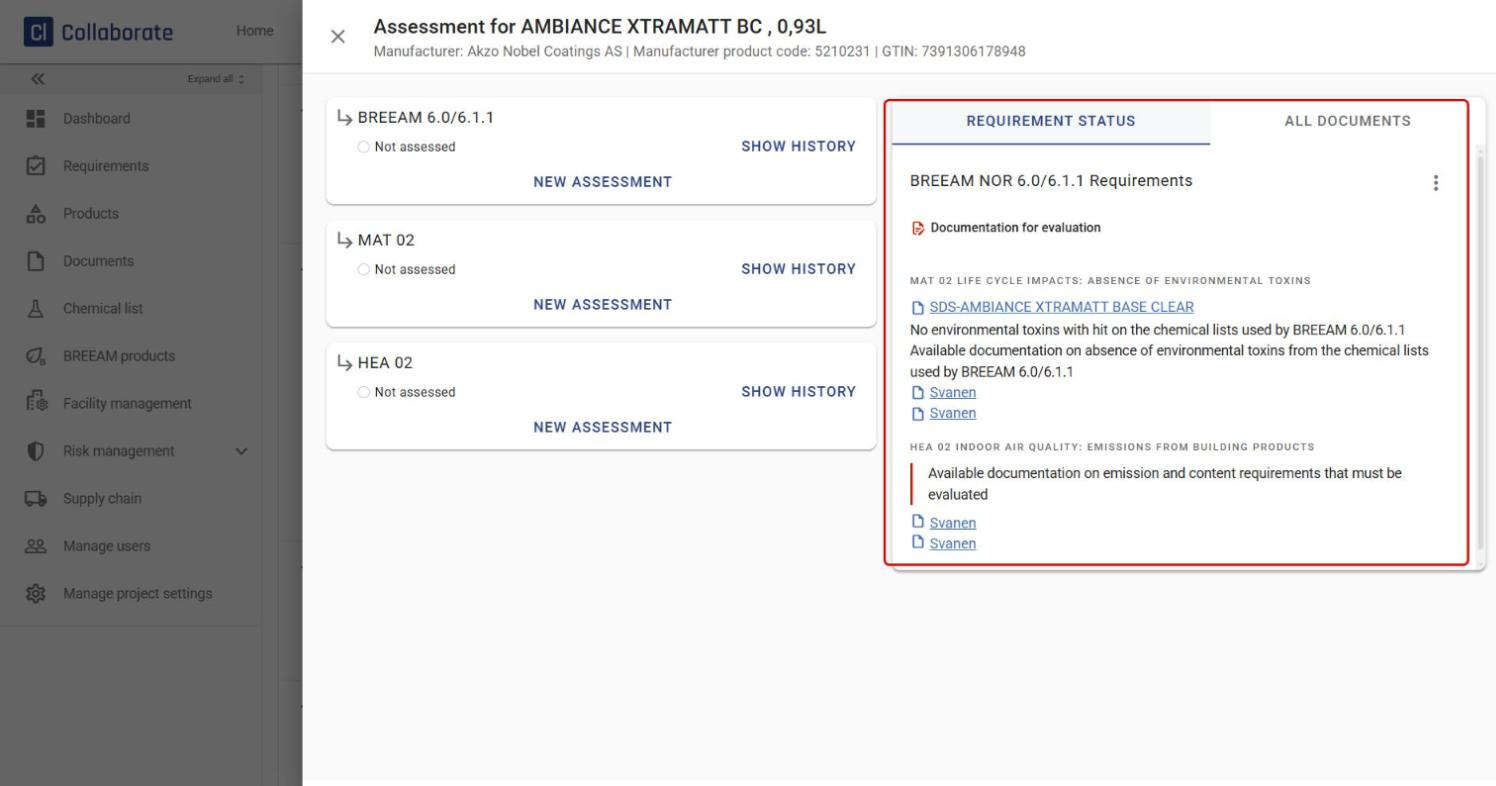
On the Requirement status tab of the assessment window, you can see which documents are available for the product and which requirements they cover.
2
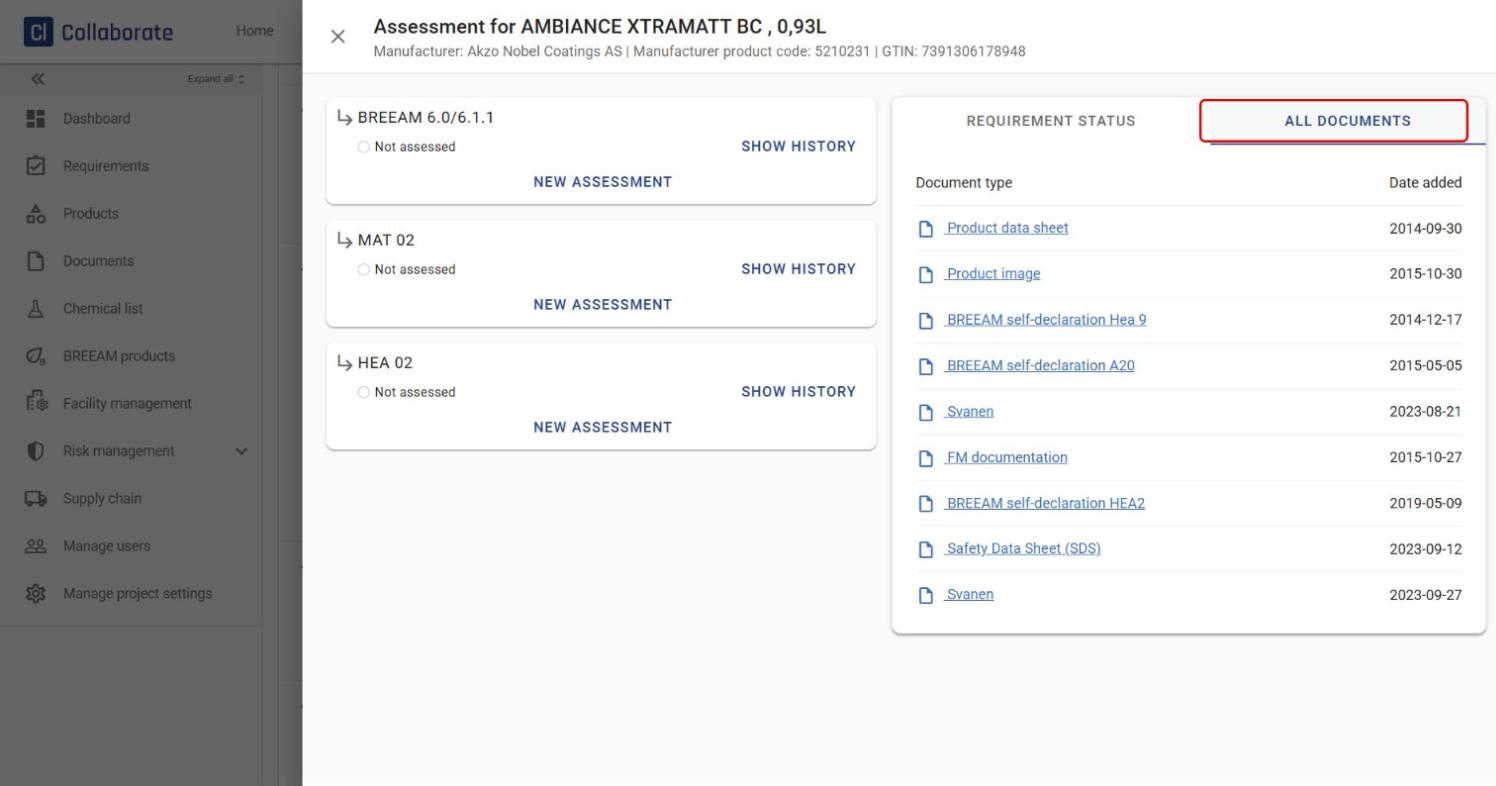
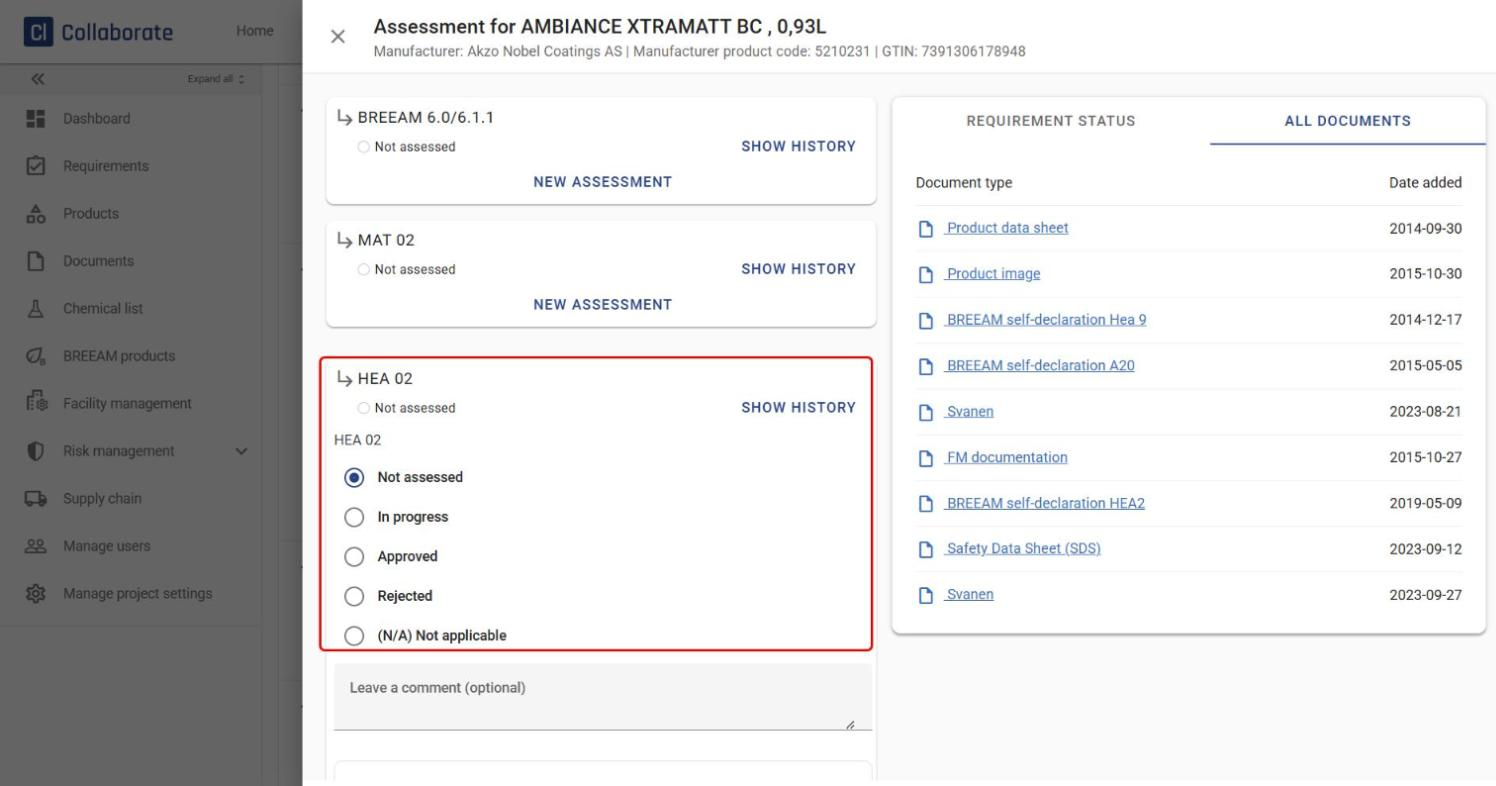
The All documents tab lists all product documentation linked to the product that may be relevant to the assessment.
Carry out the assessment
1
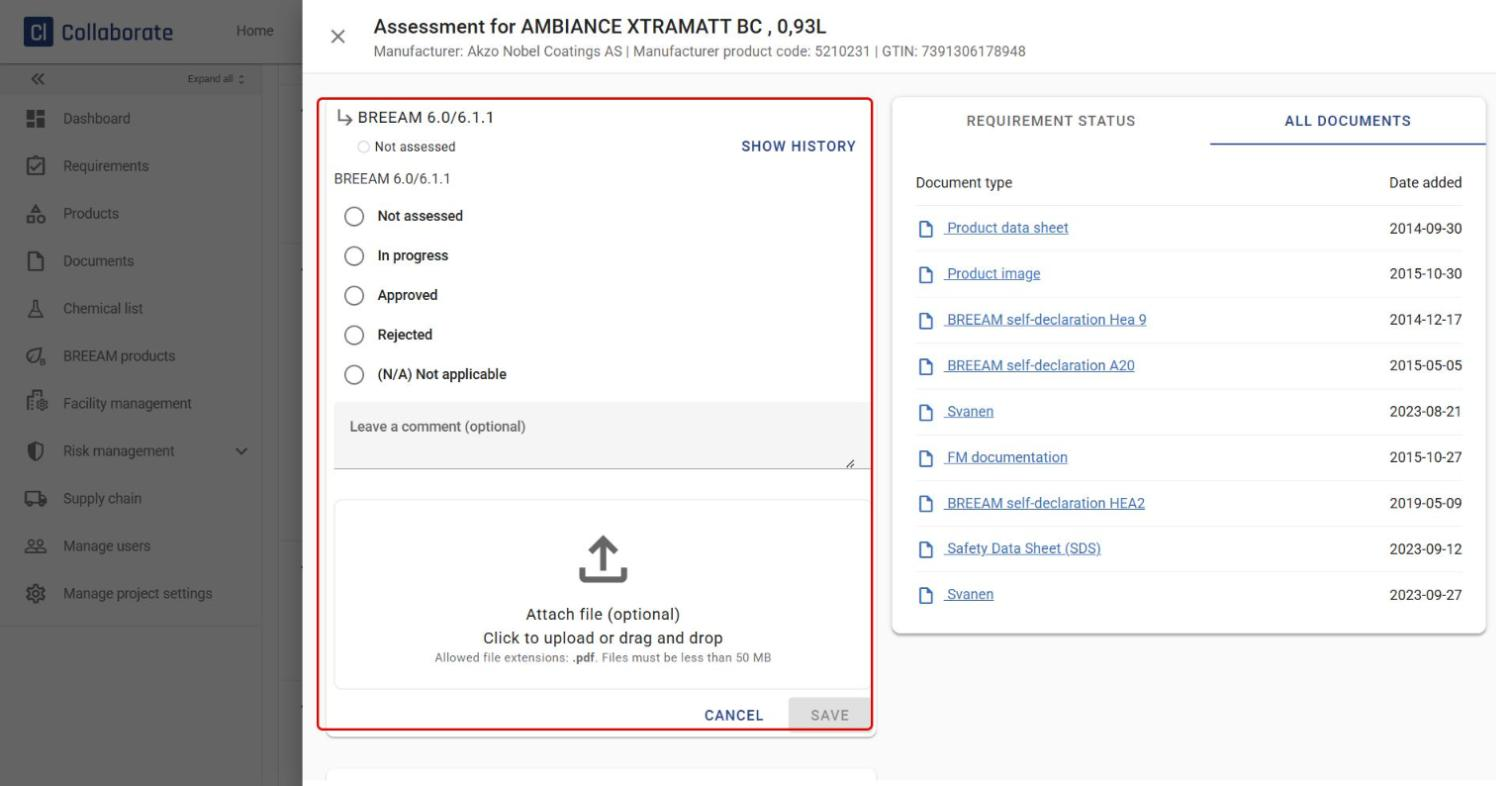
Click New assessment under BREEAM 6.0/6.1.1 at the top to give the product an overall assessment. Choose a status, add a comment or file if needed, and click Save.
2
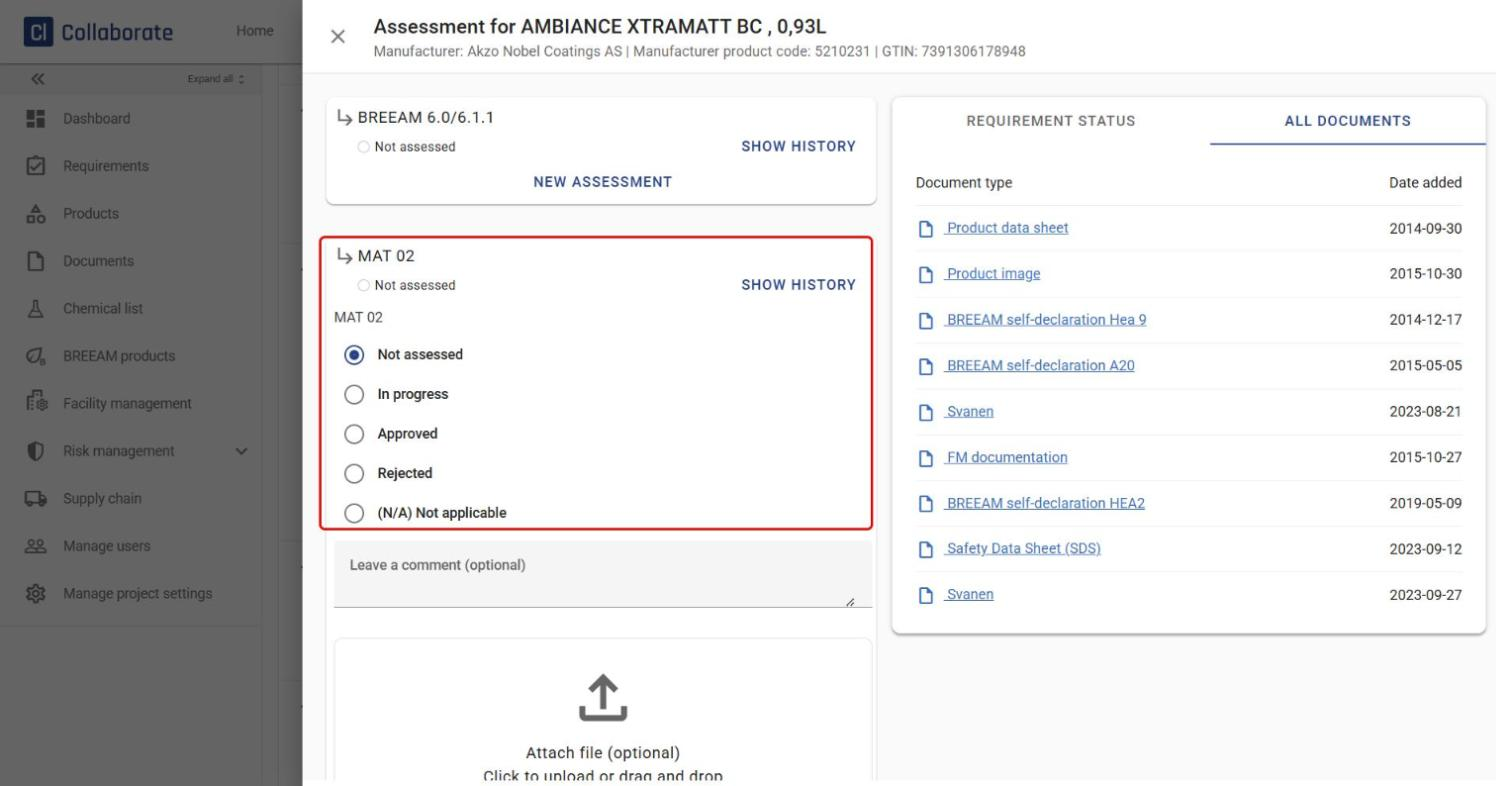
Repeat for MAT 02.
3
Finally, repeat for HEA 02.
Track the history
1
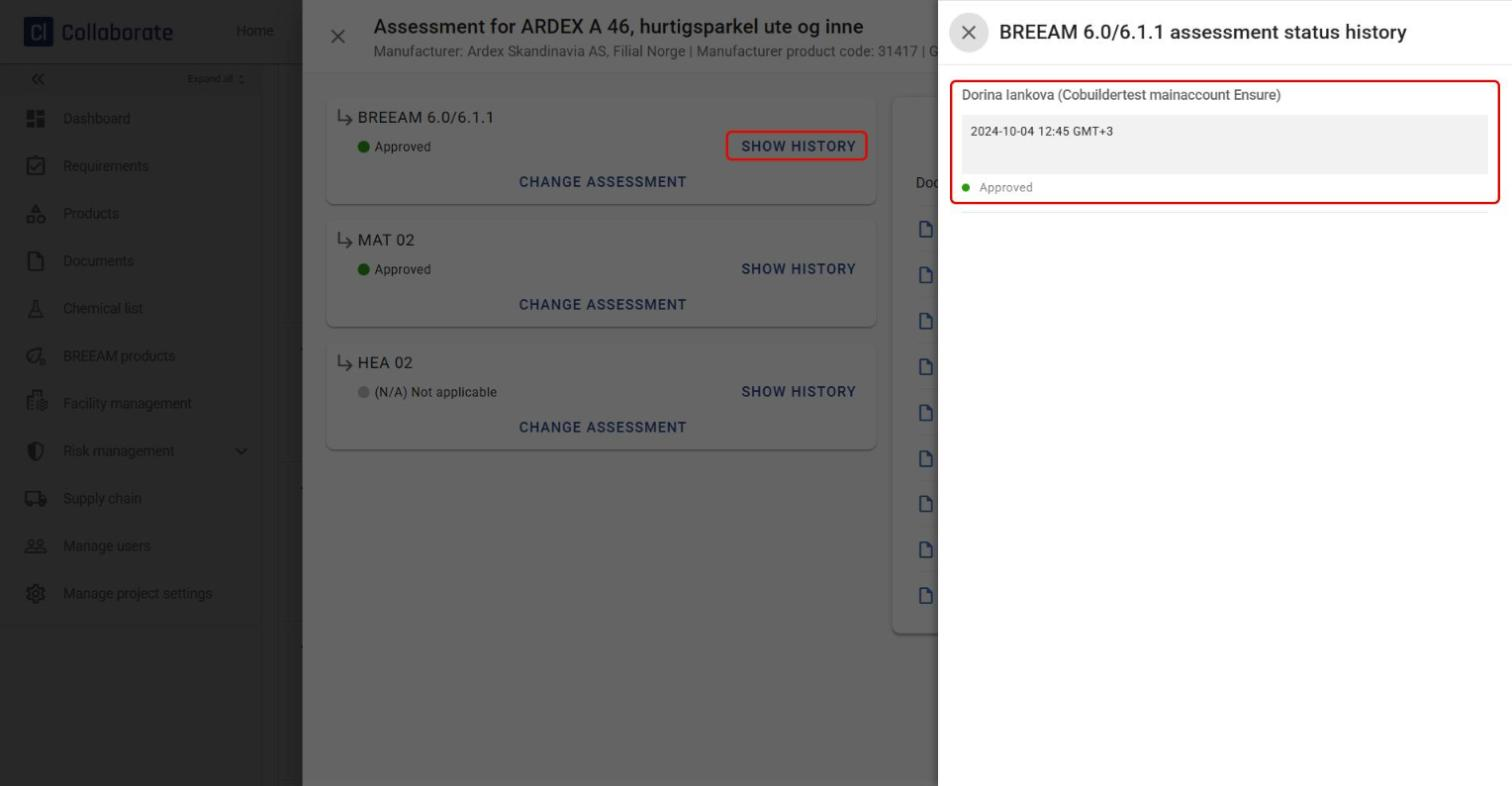
Click Show history next to an assessment to see who set each status, and when.
2
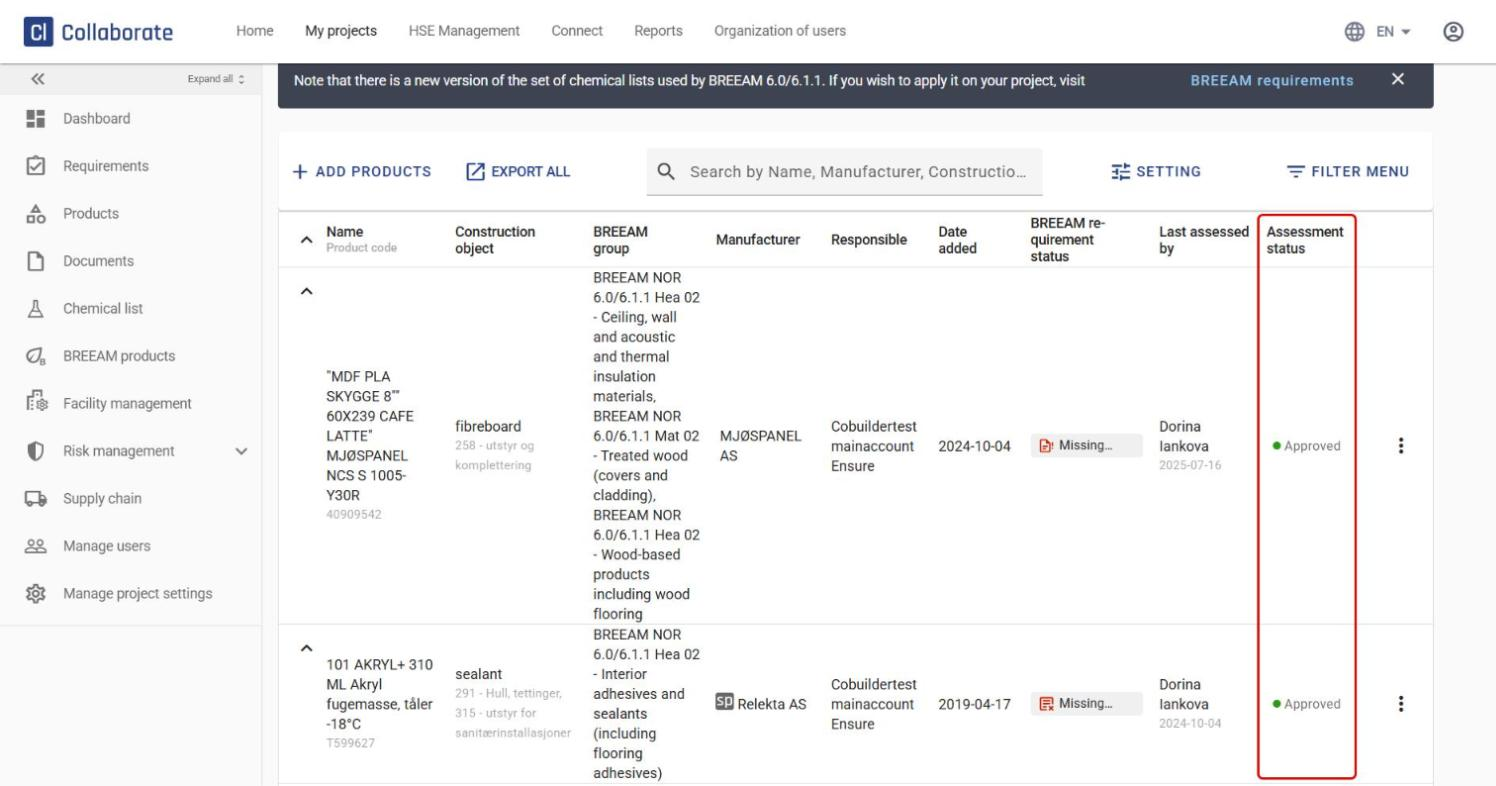
In the main BREEAM products overview, you can check the status of every assessment at any time in the Assessment status column.