Welcome to Cobuilder Training Portal
Invite subcontractors and suppliers to deliver products and related documentation to your project. To get started, send the company an invitation.
How to do it
1
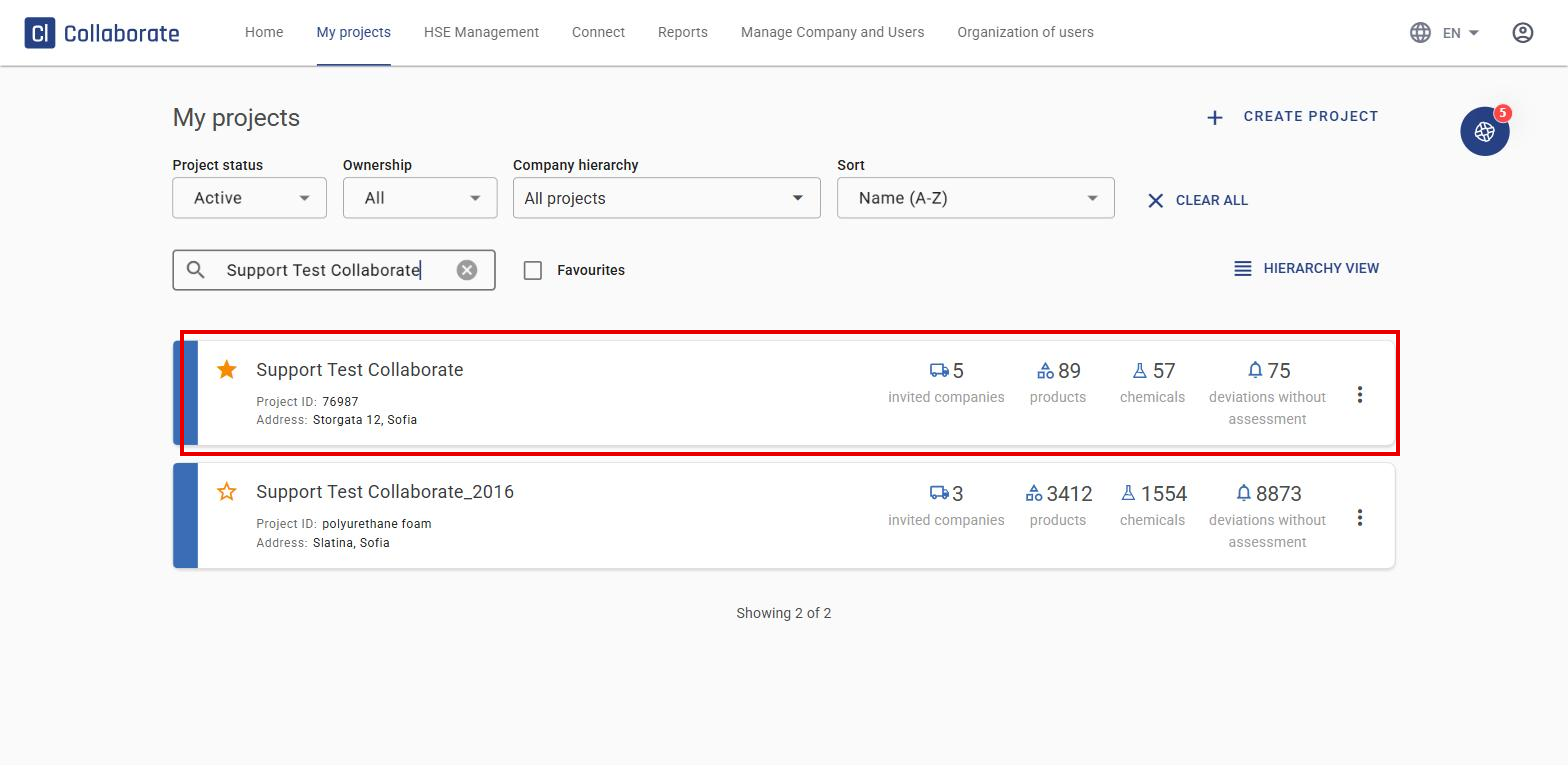
Search for your project and click on it.
2
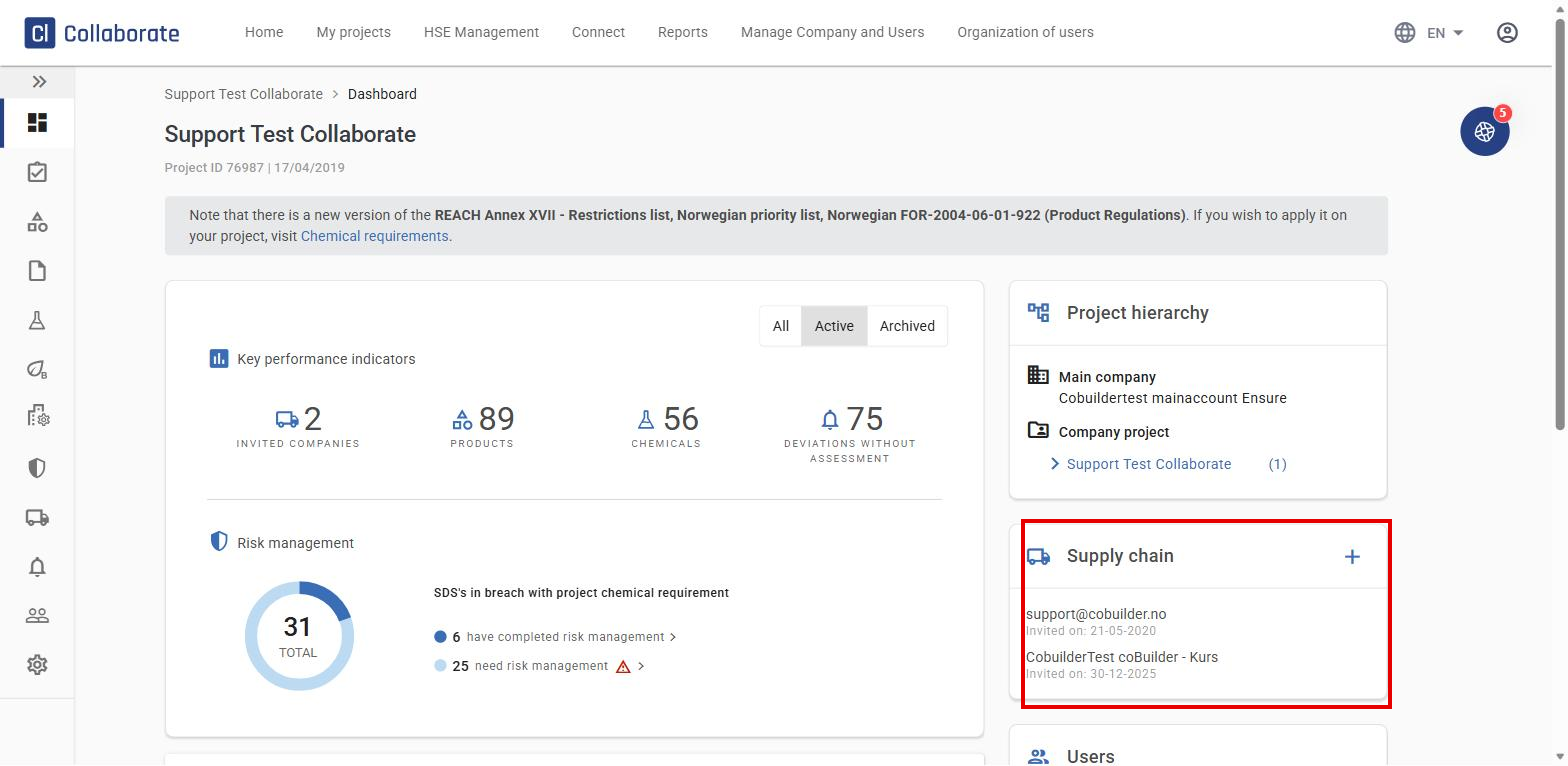
Click the + icon next to Supply chain.
3
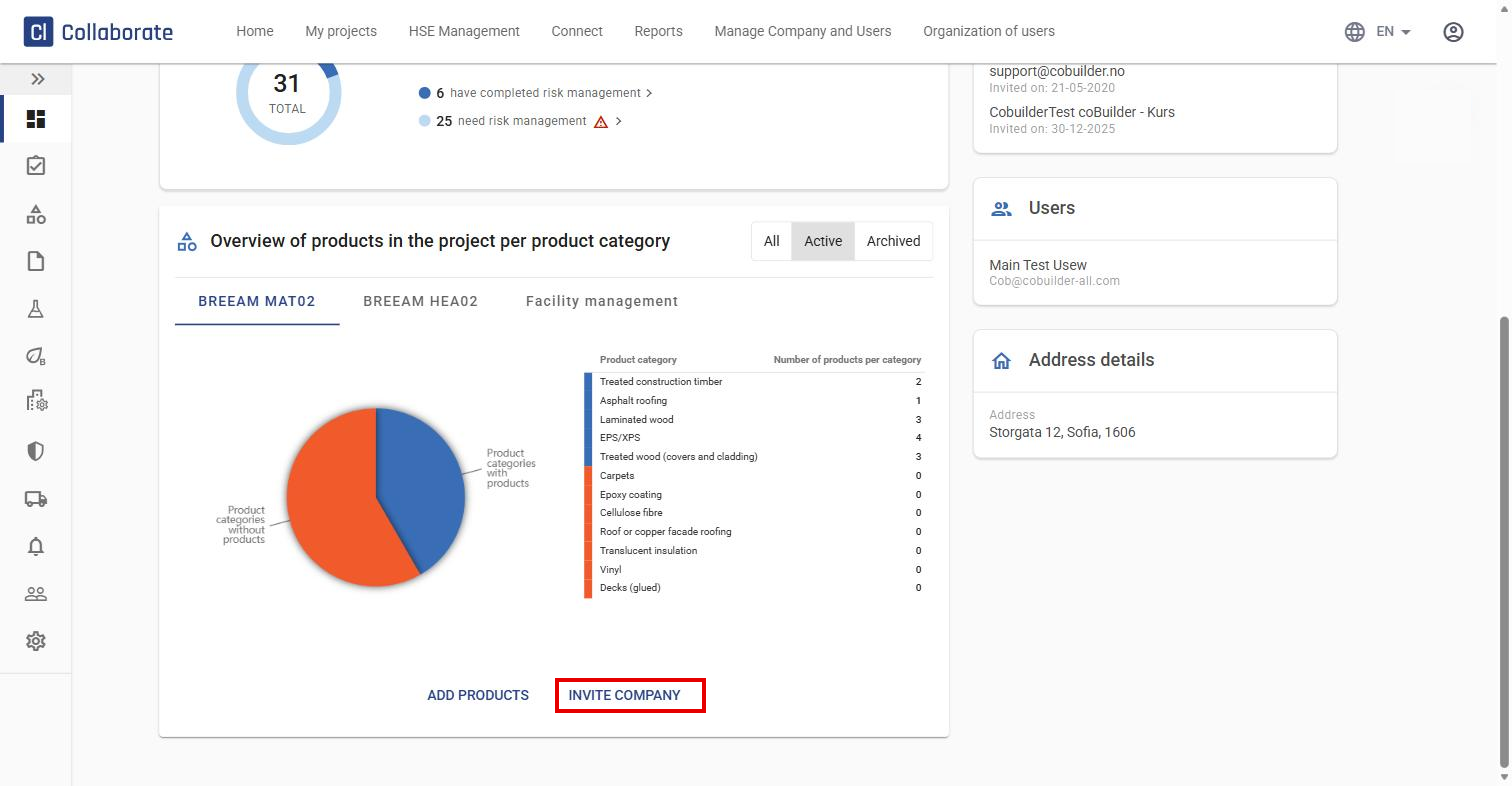
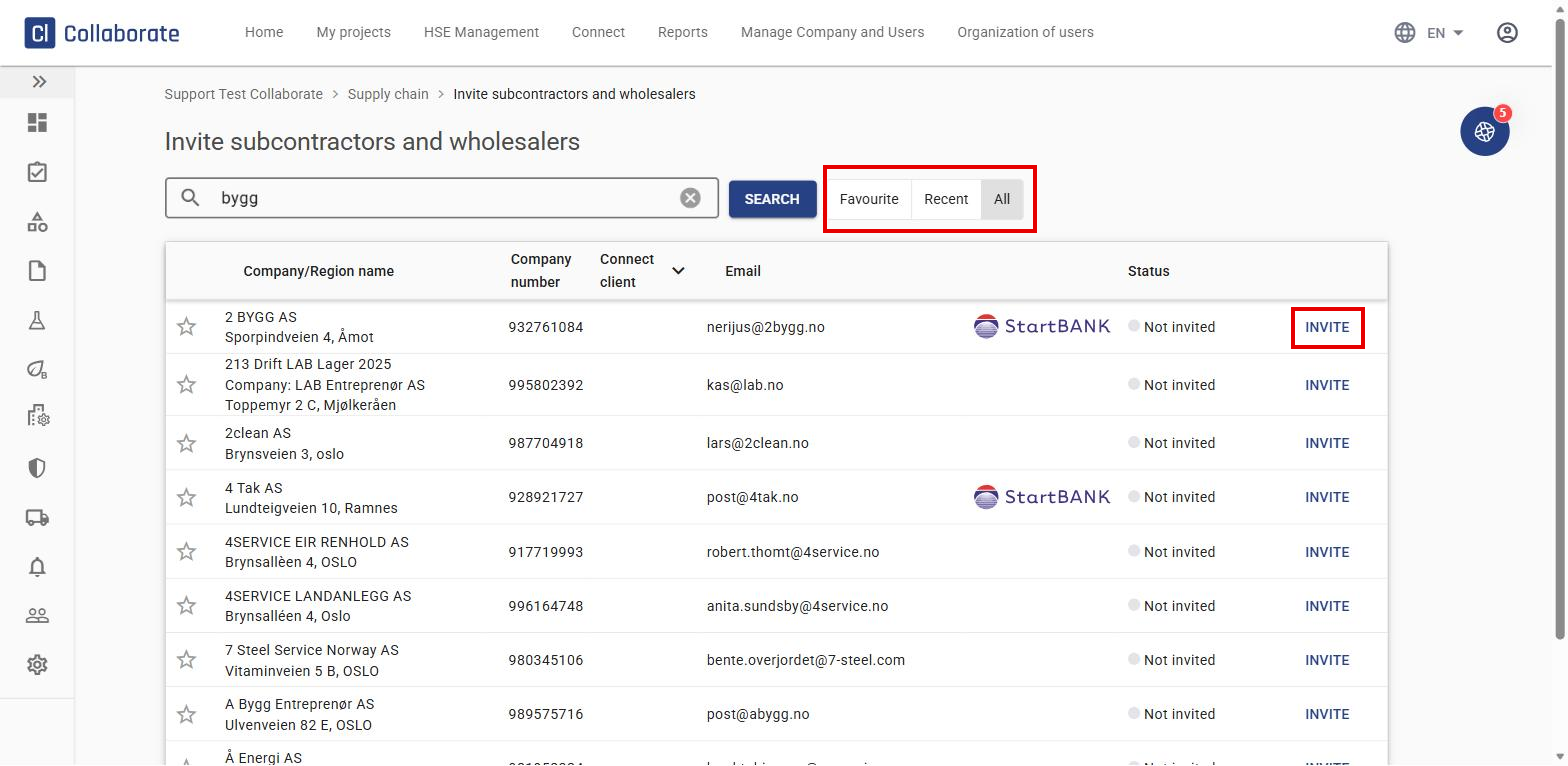
Search for the company by name, organisation number, or email, and click Invite next to the match. You can filter by Favourite, Recent, or All.
4
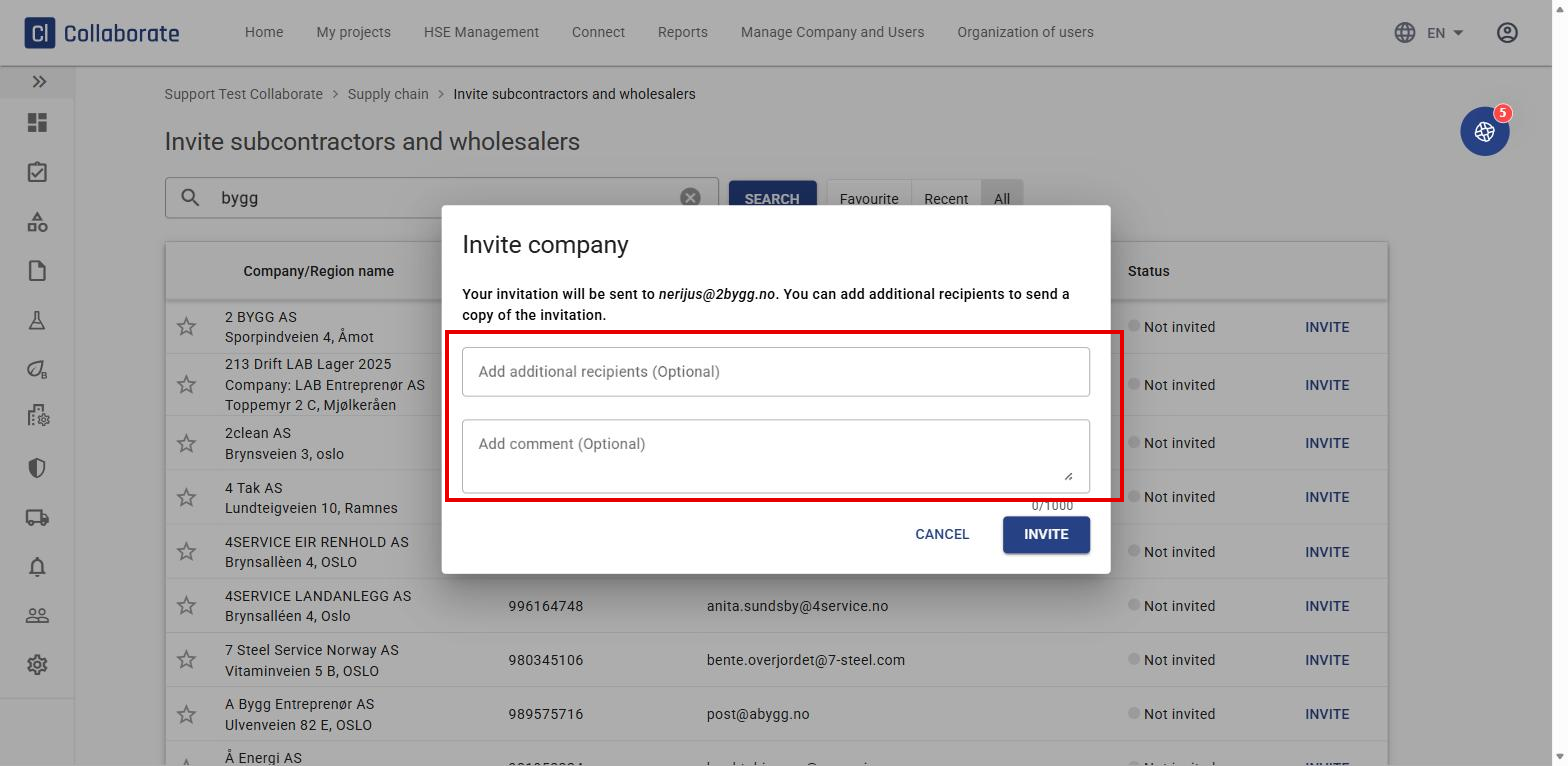
Want to add more recipients, or a comment?
5
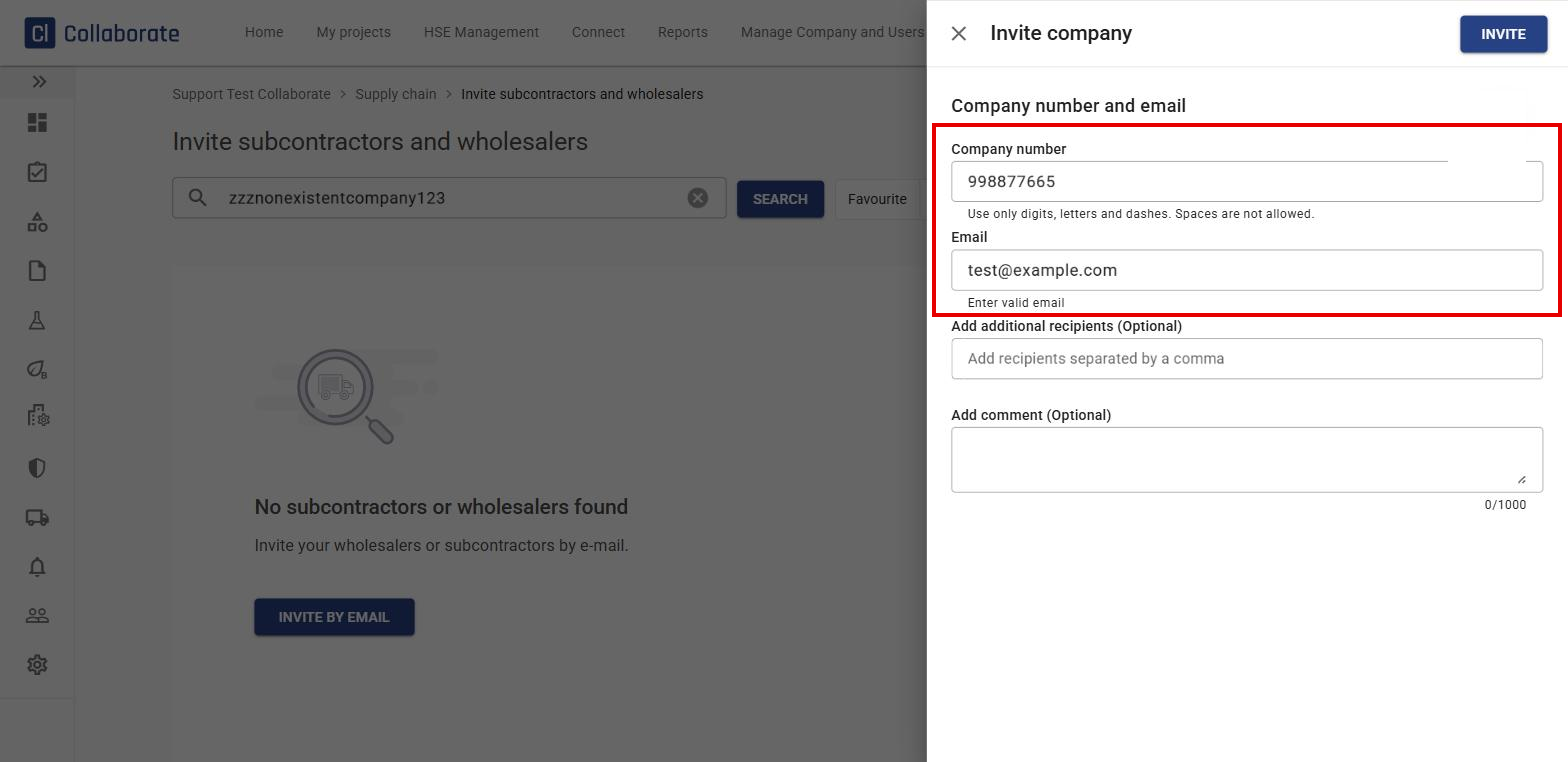
If you can’t find the company, click Invite by email. Enter the company’s number and email, then click Invite.
Follow up on the invitation
6
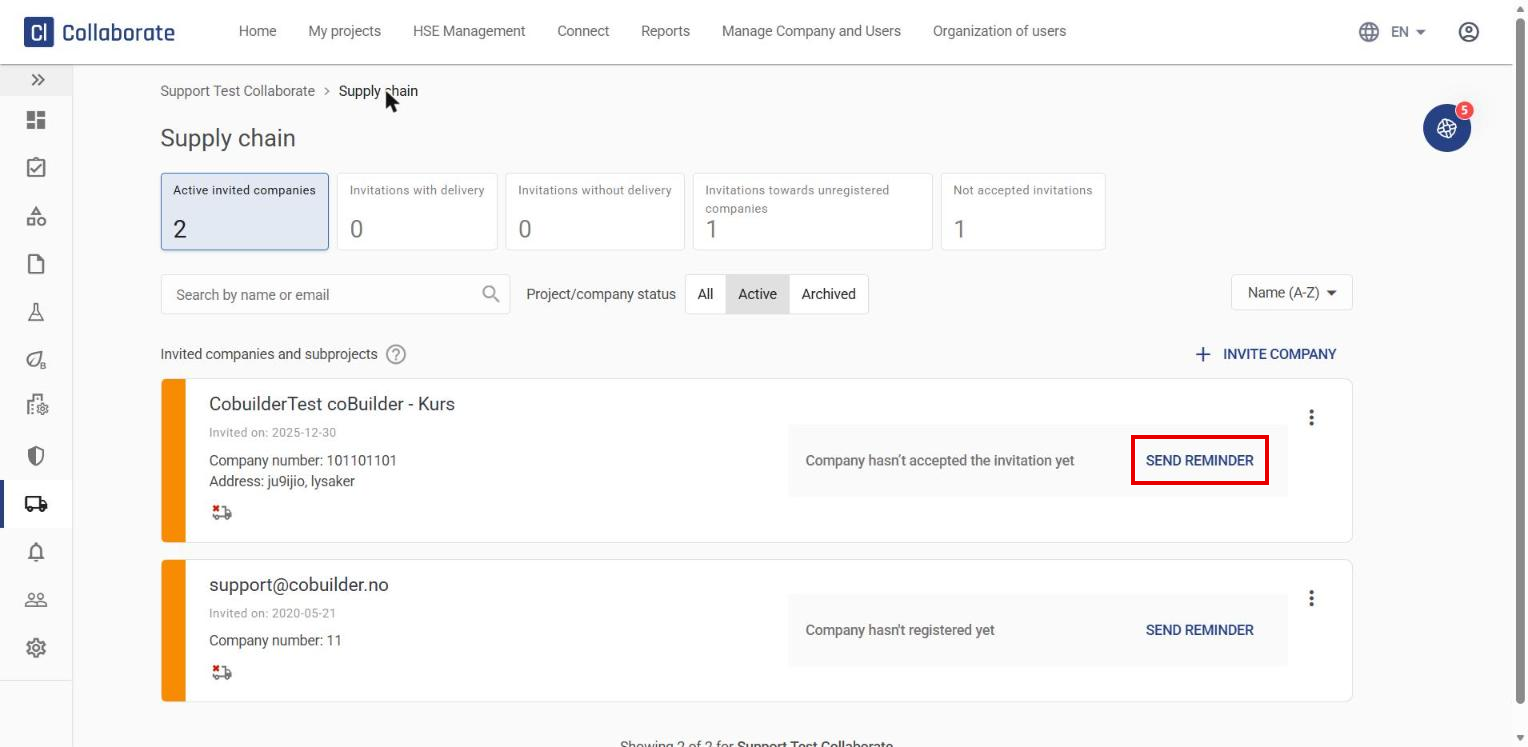
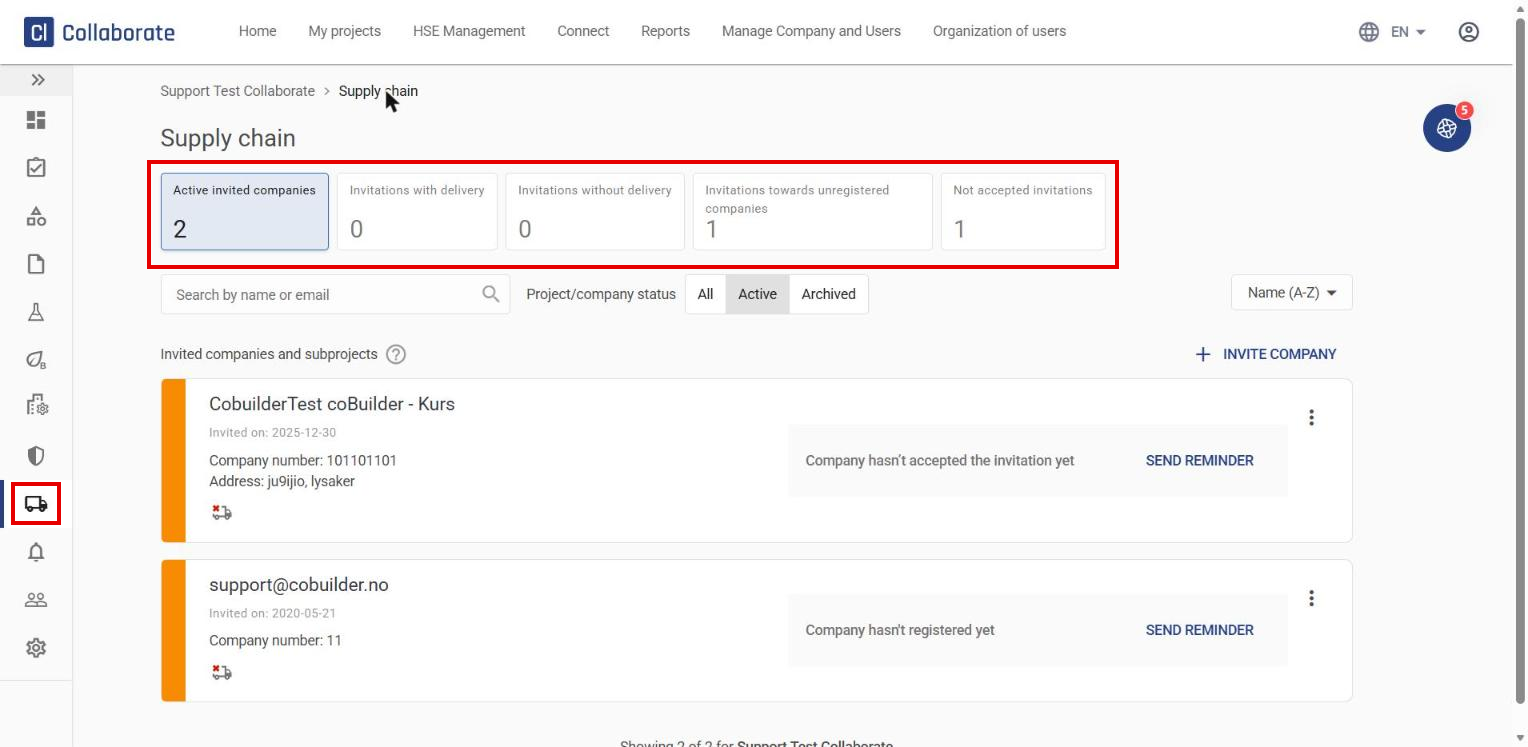
Click the truck icon (Supply chain) in the left-hand menu of the project. Here you’ll see an overview of active invited companies, invitations with and without delivery, and invitations that haven’t been accepted.
7
If a company hasn’t responded yet, click Send reminder on their card.