Welcome to Cobuilder Training Portal
A national filter that identifies unwanted chemicals is automatically activated when creating projects in Cobuilder Collaborate. The national filter has been developed by authorities, industry associations and contractors with branches in various disciplines to meet the needs of all parties in the construction industry.
Apart from the national filter, you can add additional requirements related to chemical substances in your project.
How to do it
1
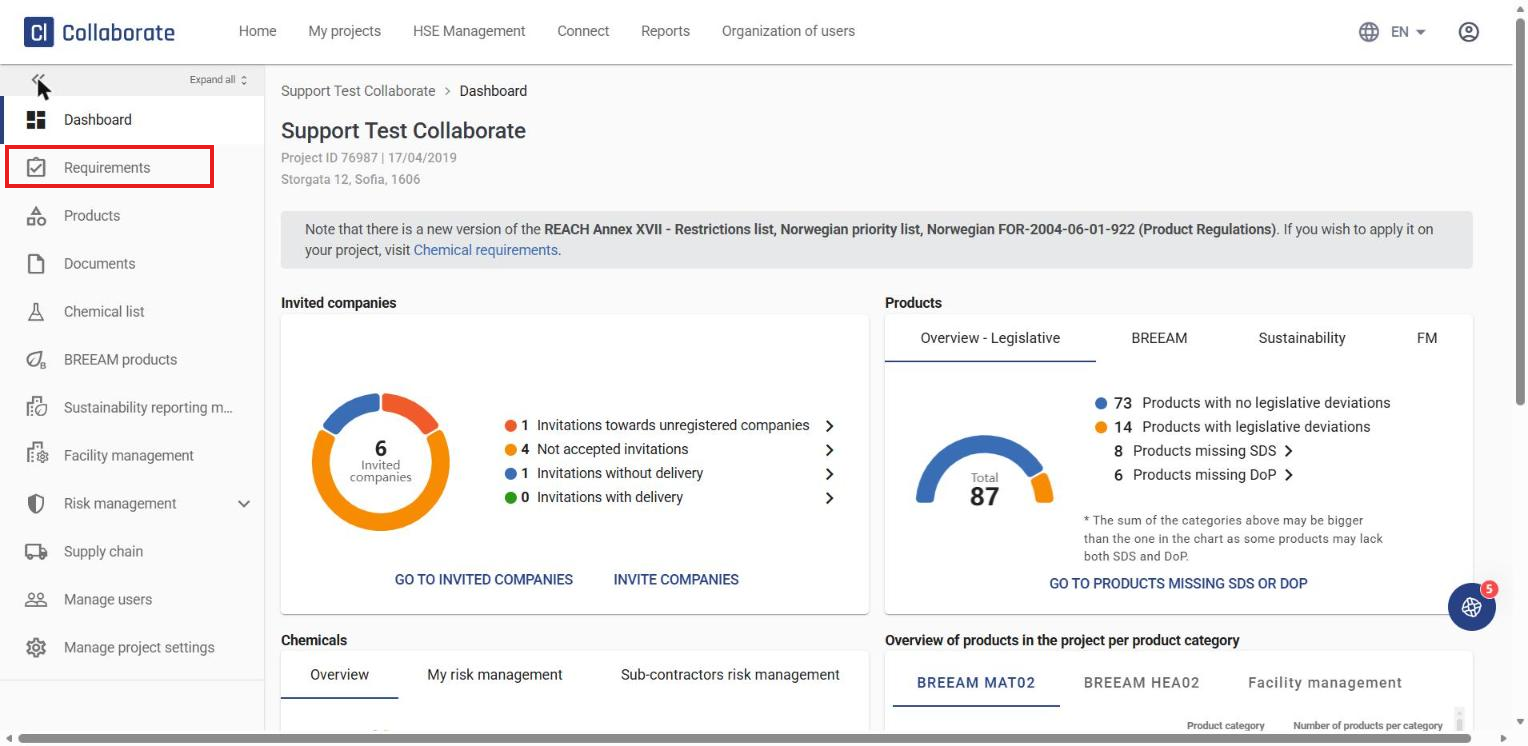
Go to your project and click Requirements in the menu on the left.
2
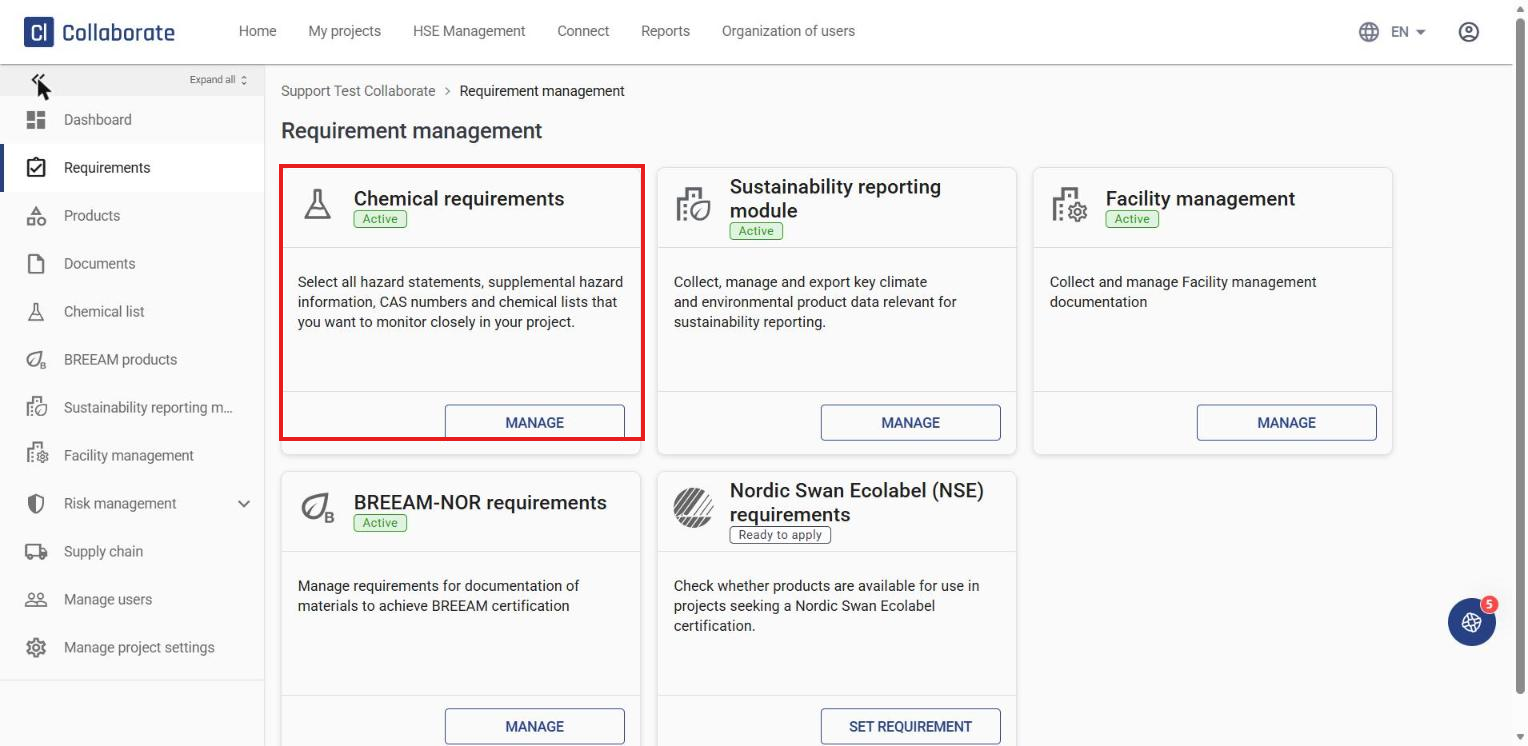
Select Chemical requirements and click Manage.
3
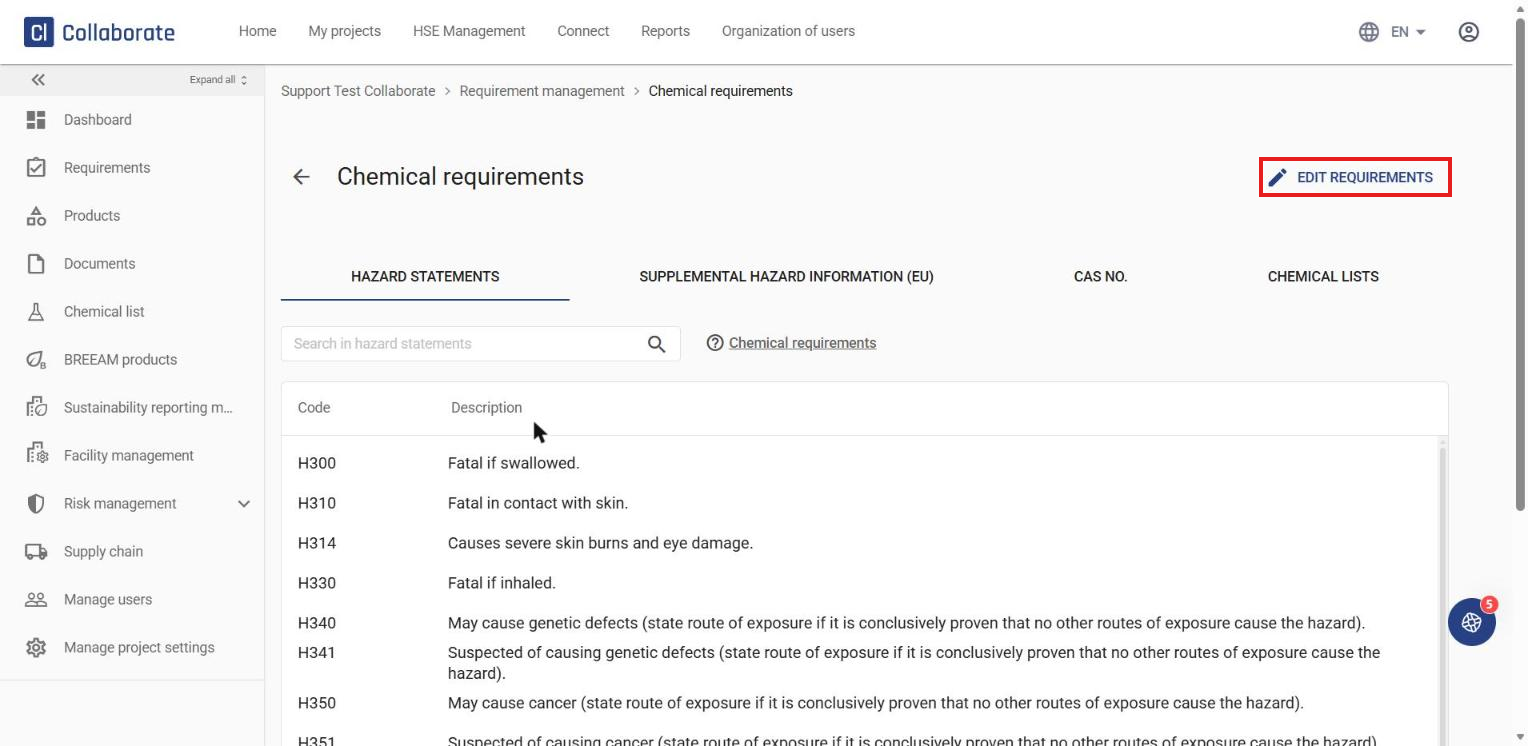
Click Edit requirements to modify the settings.
4
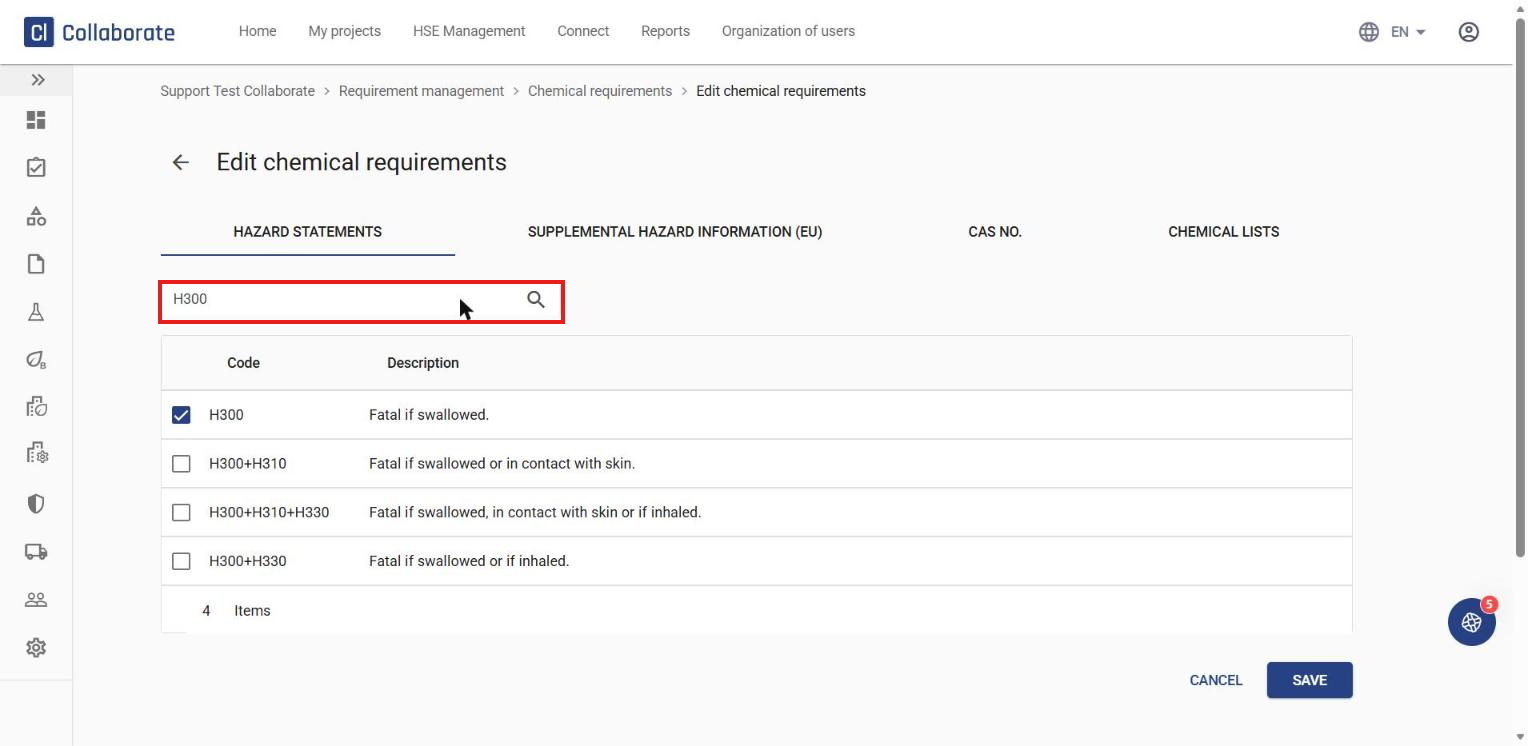
1. Hazard statements – they represent the dangers that a hazardous substance or mixture may cause when used. Those marked in grey are part of the national filter and cannot be removed.
To add more hazard statements, search for the code or description in the field and select the relevant match.
Note: Make sure you don’t add a space after the code/description.
The hazard statement is then added to the project. You can continue in the same way with the other sections:
5
2. Supplemental hazard information (EU) – the EU has introduced its own EUH statements for additional information.
6
3. CAS NO. – unique numerical identification codes for chemical compounds, mixtures, etc.
7
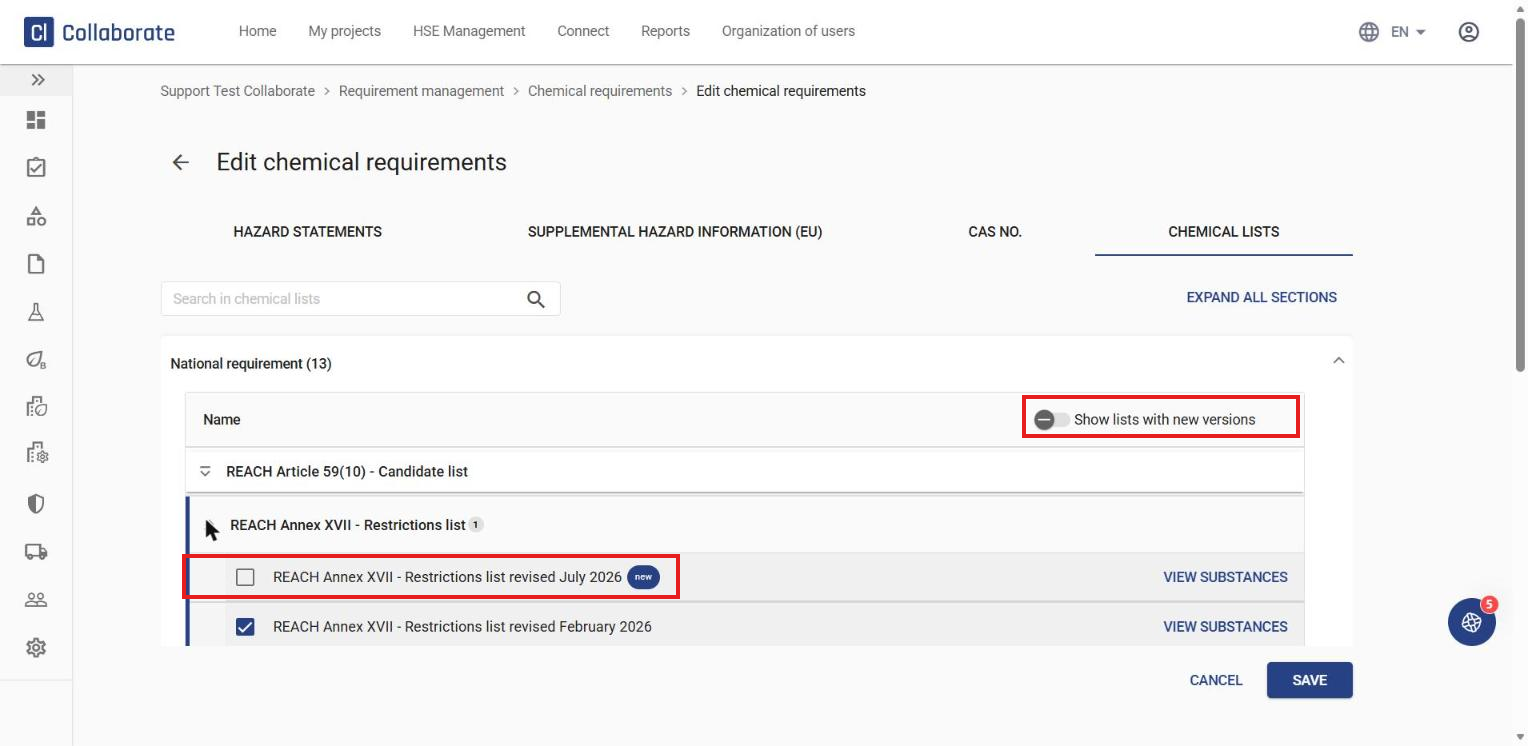
4. Chemical lists – click View substances to see what substances a list contains. A “new” badge shows when a newer version is available – use the Show lists with new versions toggle to display only those.
8
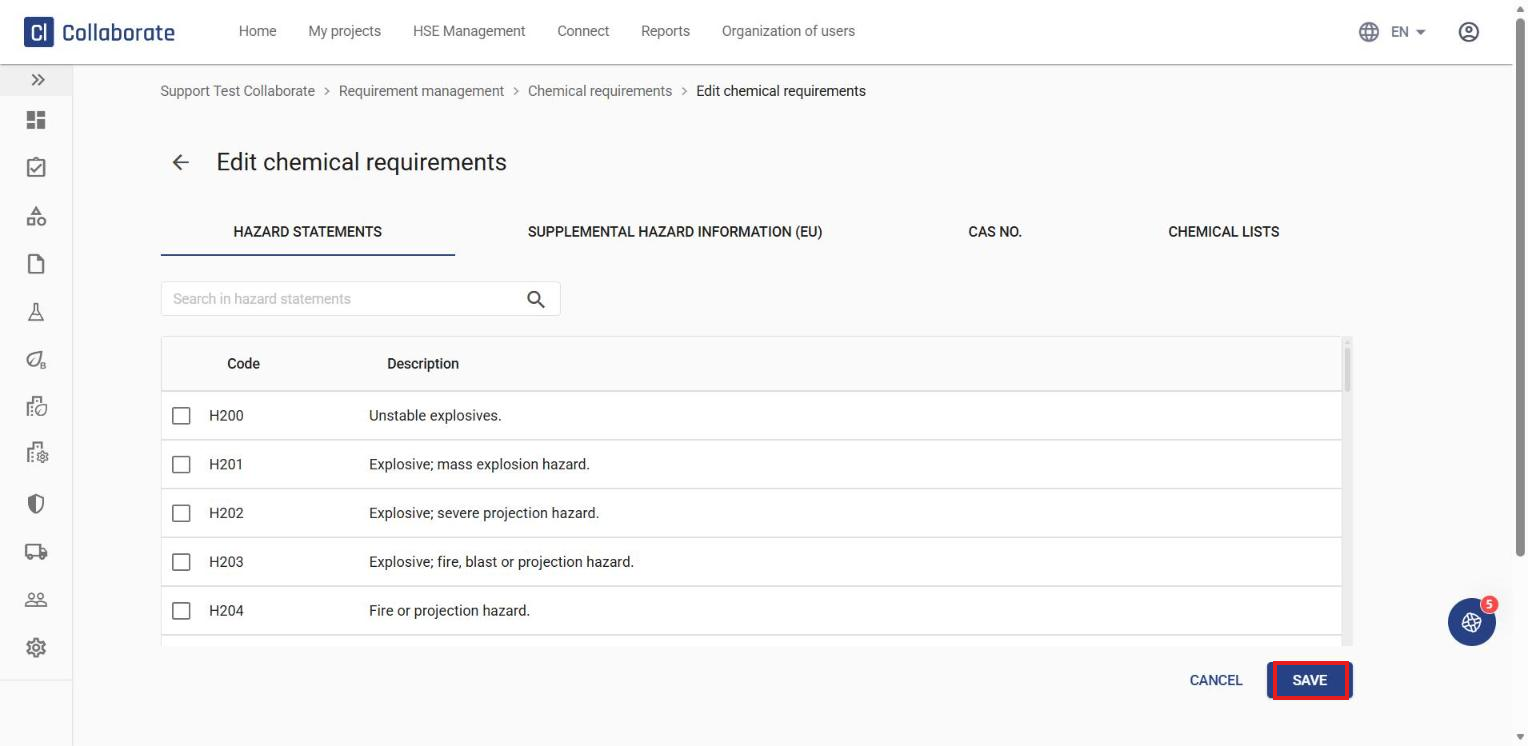
Click Save at the bottom of the page.
You can read more about the classification and labelling of chemicals here. To learn more about hazard statements specifically, scroll down to Classification.
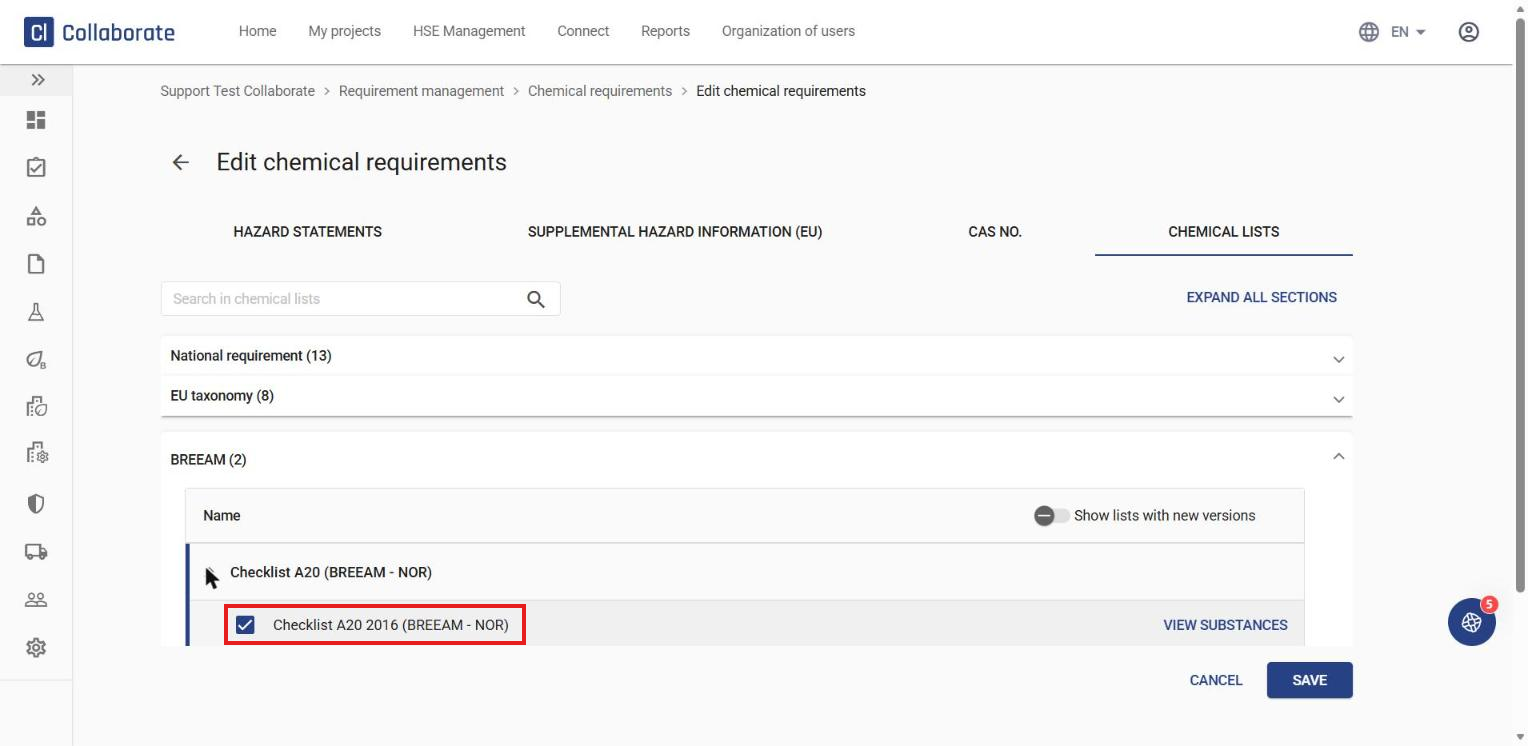
It is also possible to add Checklist A20 2012 or 2016 (BREEAM-NOR) to the chemical requirements without activating the BREEAM filter on the project. You will then get deviations on chemicals that contain substances from Checklist A20, without having to meet additional BREEAM requirements.