Welcome to Cobuilder Training Portal
If you want to register environmental data for your product in Cobuilder Supply, you can digitise the information from an EPD (Environmental Product Declaration) and make it visible to others in the value chain – especially contractors who ask for sustainability information in their projects.
How to add environmental data
1
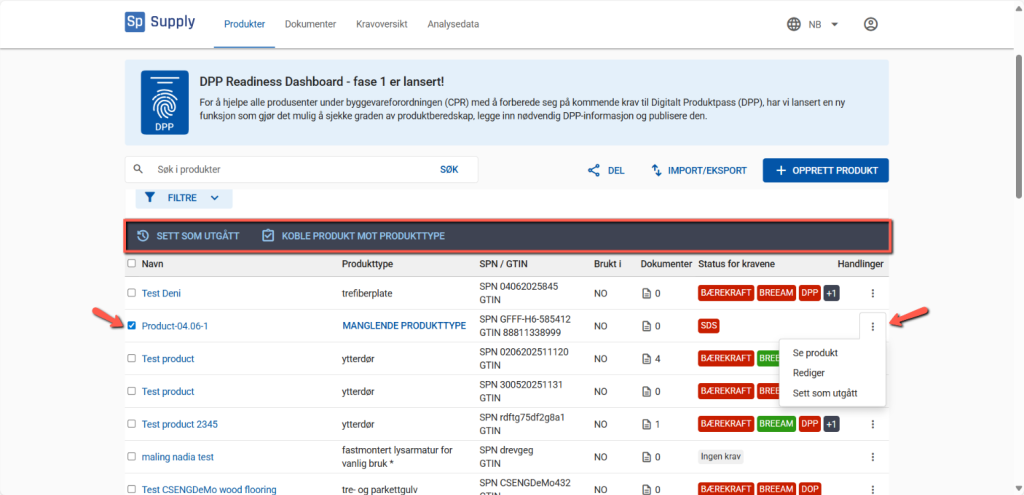
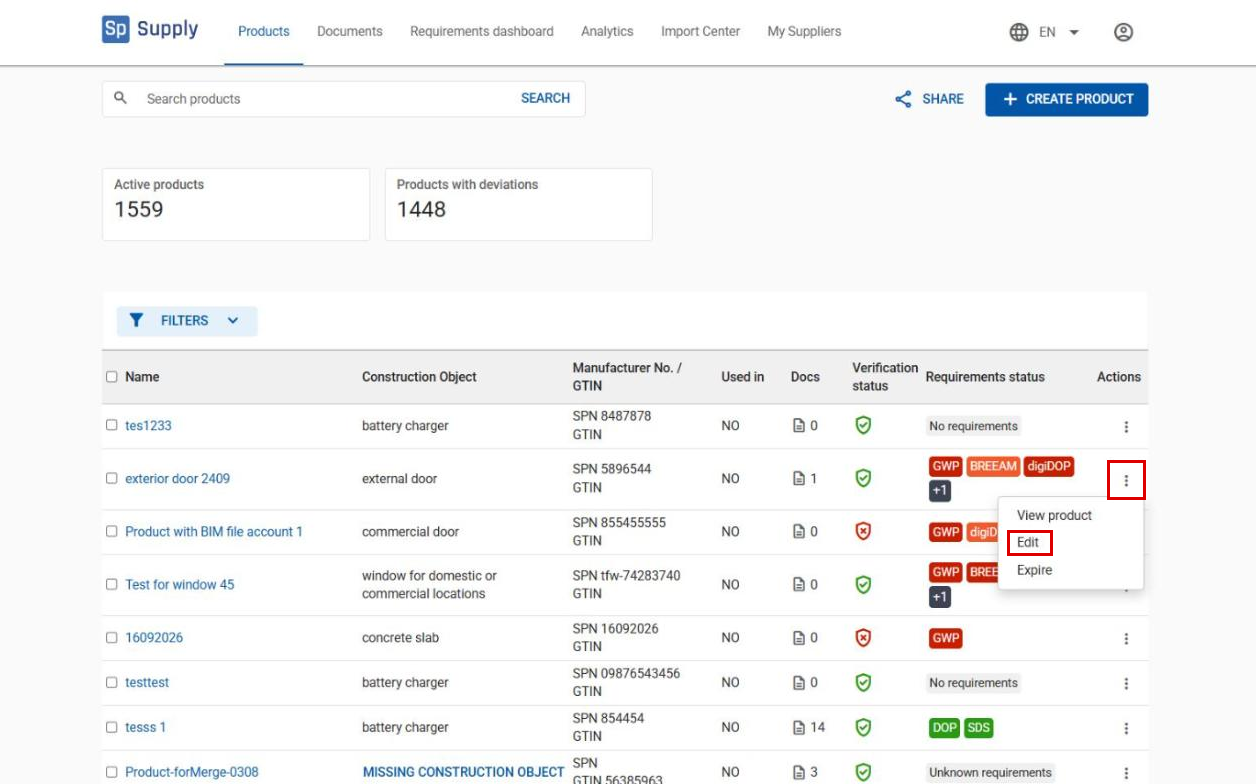
Find the product you want to update on the Products tab. Click the three dots to the right of the product and select Edit.
2
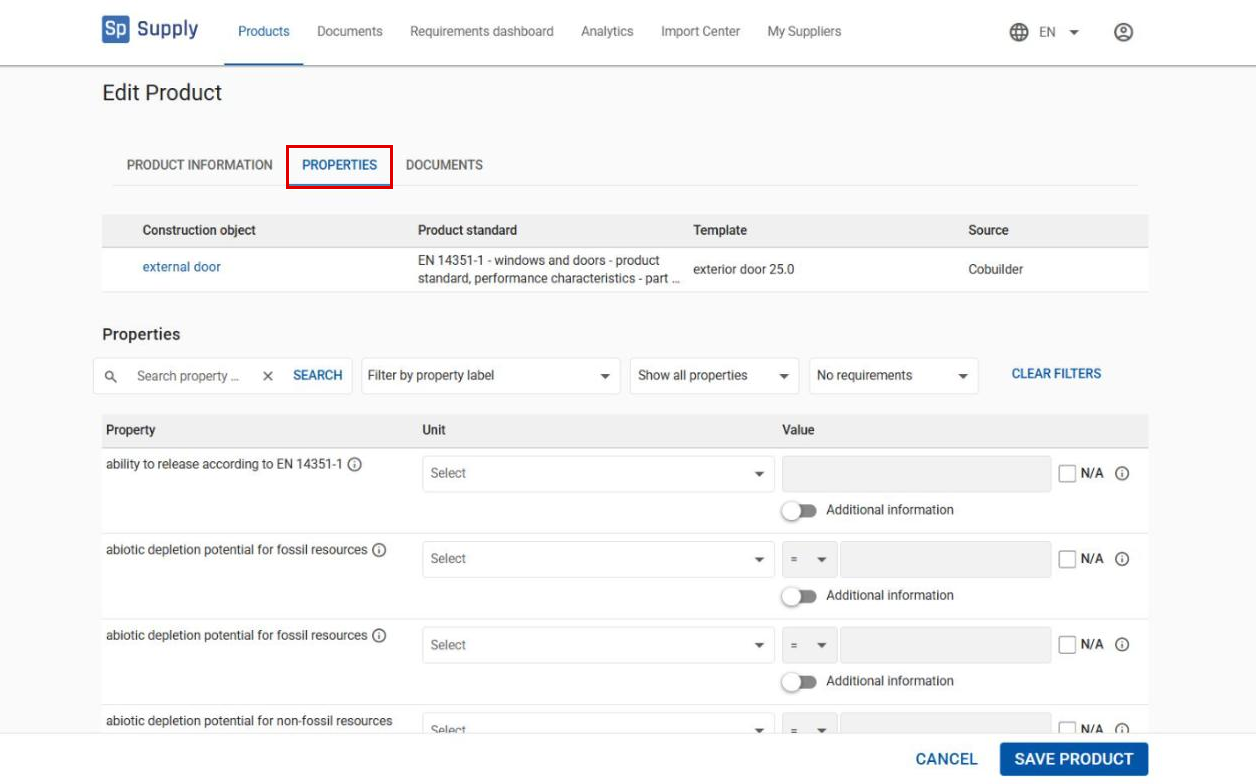
Go to the Properties tab to see the full list of properties relevant for the product, from European and Norwegian standards, as well as market-required data. The environmental indicators from the EPD – for example global warming potential (GWP) – are part of this data set.
Find the EPD-related properties quickly
3
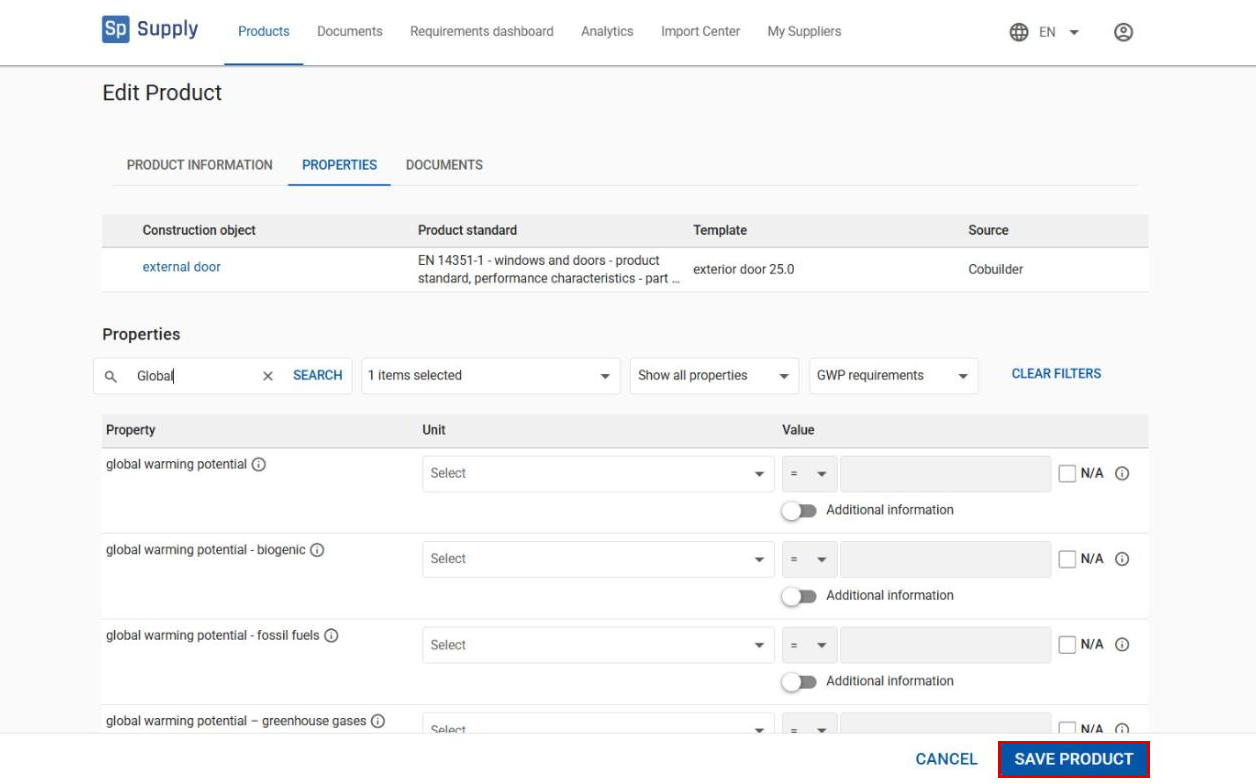
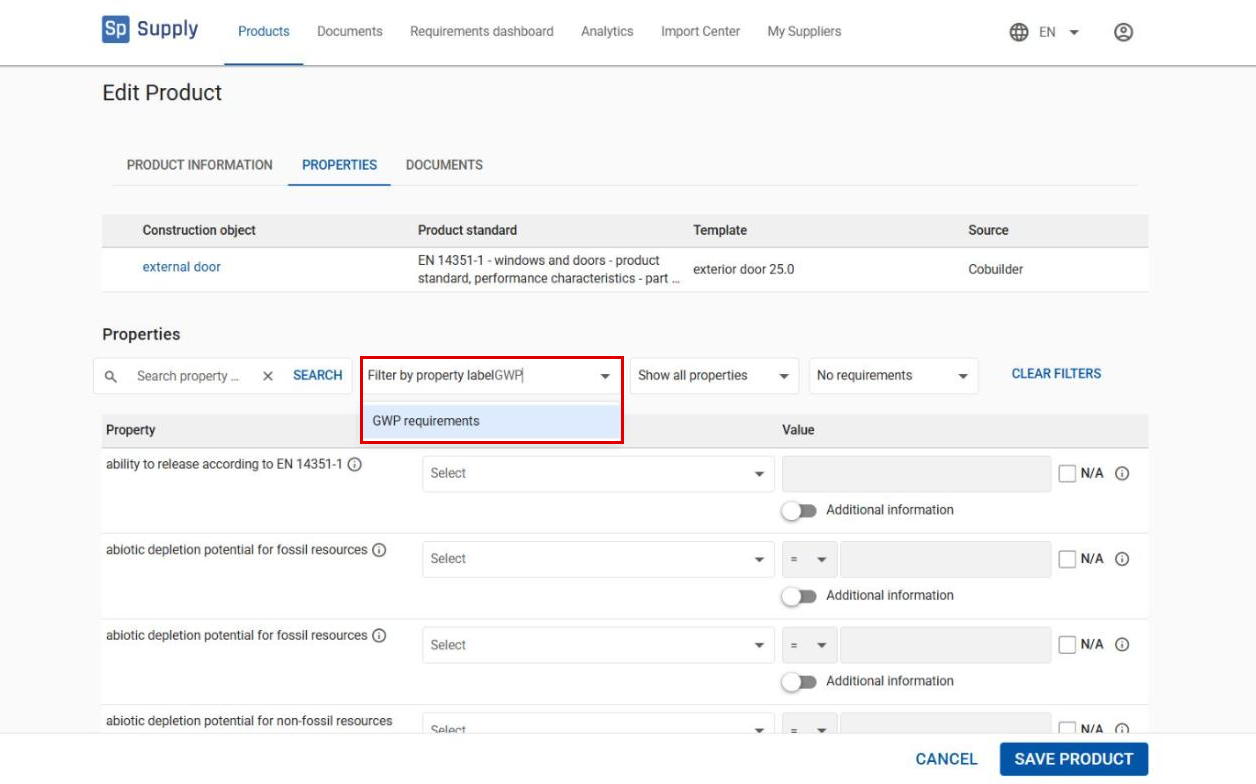
Click Filter by property label and select GWP requirements to show the environmental properties. This makes it easier to find the indicators described in the EPD.
4
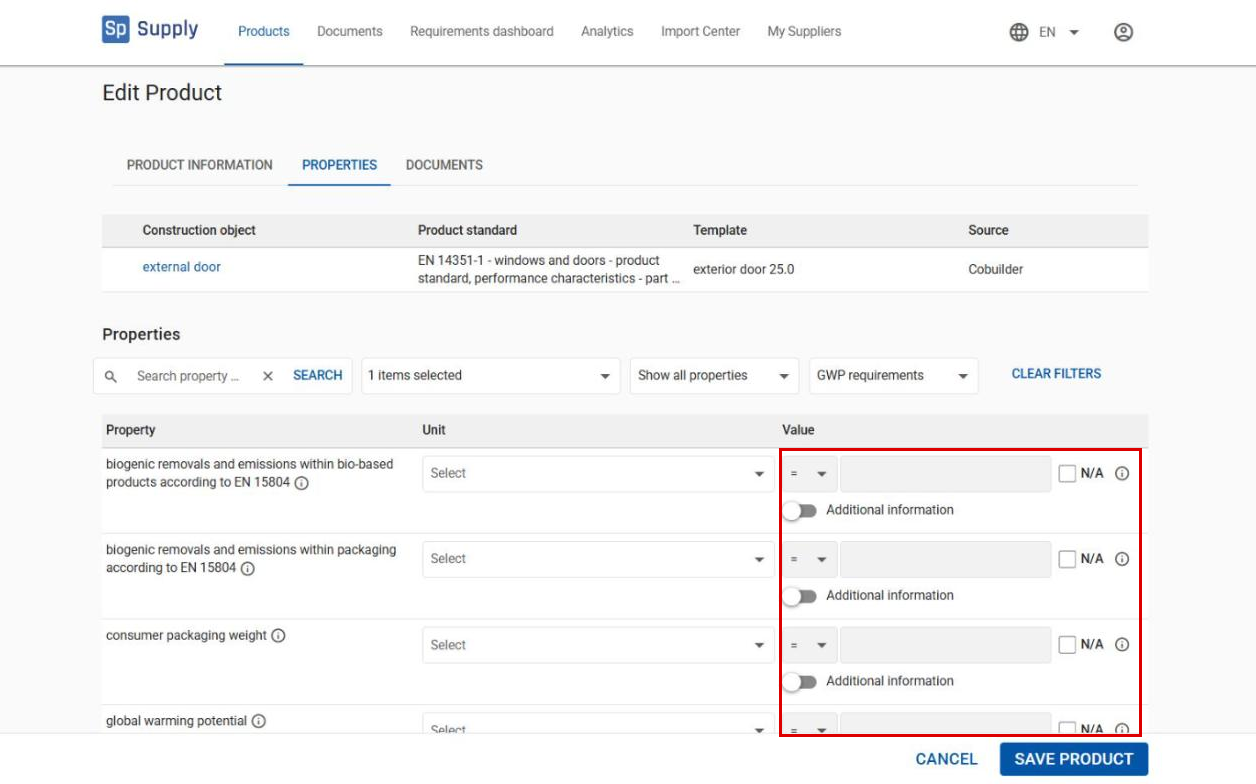
Cobuilder Supply works at article number level, so the indicator values must match the specific product. If the EPD covers a product group or a system, and you’re unsure how to scale the values to one article, contact us at support@cobuilder.no for guidance.
5
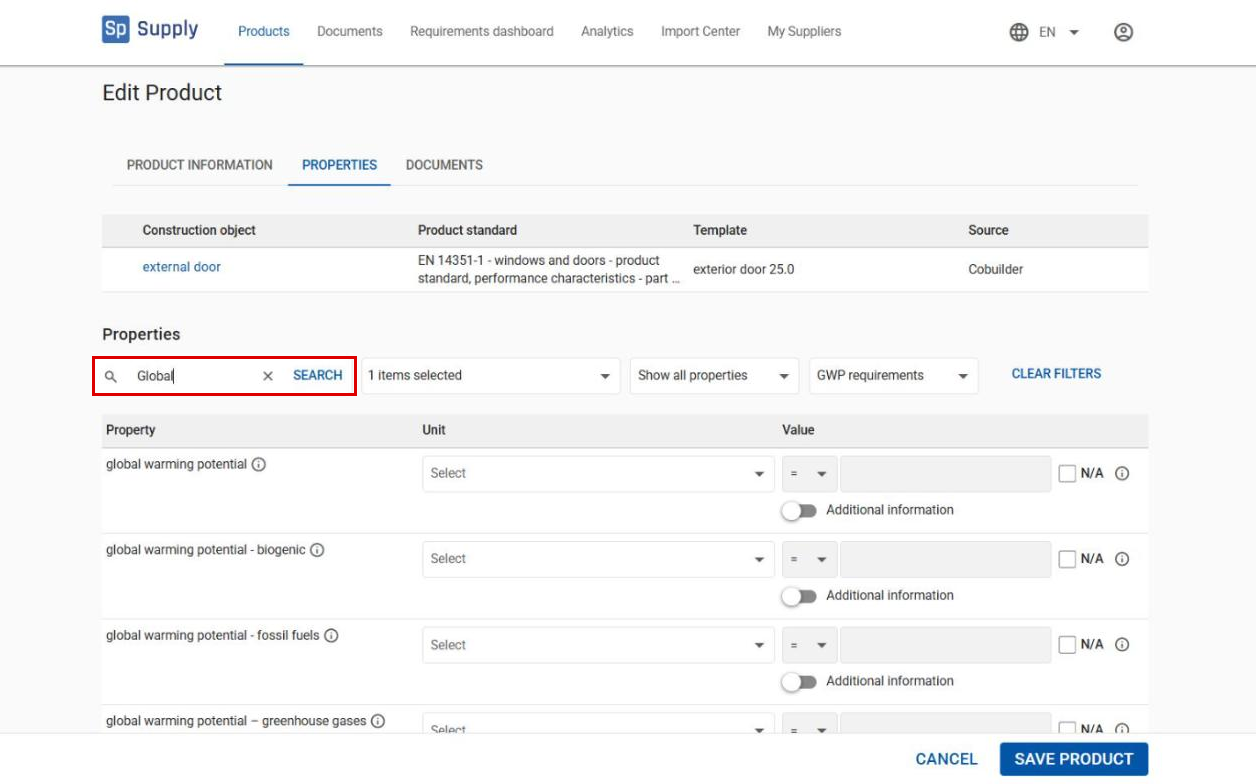
Many contractors look especially for the global warming potential (GWP) value, but we recommend that you fill in all the indicators listed in your EPD. If you only want to add GWP, type Global warming potential or just Global in the search field to find the property quickly.
Save the data
6
When you have filled in the environmental data, click Save product.