Welcome to Cobuilder Training Portal
After you have created a product in Cobuilder Supply, you can change the product information at any time to make sure the data is up to date and meets the current requirements.
How to edit a product
1
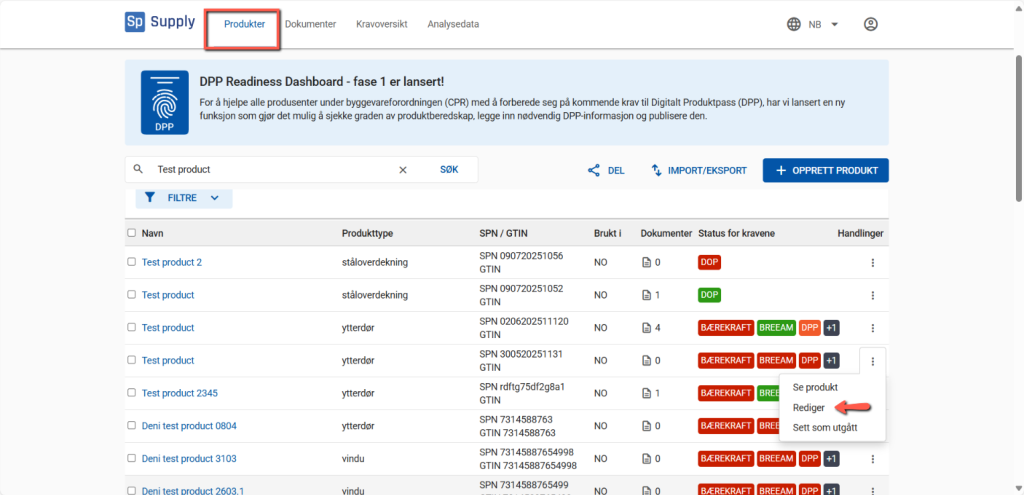
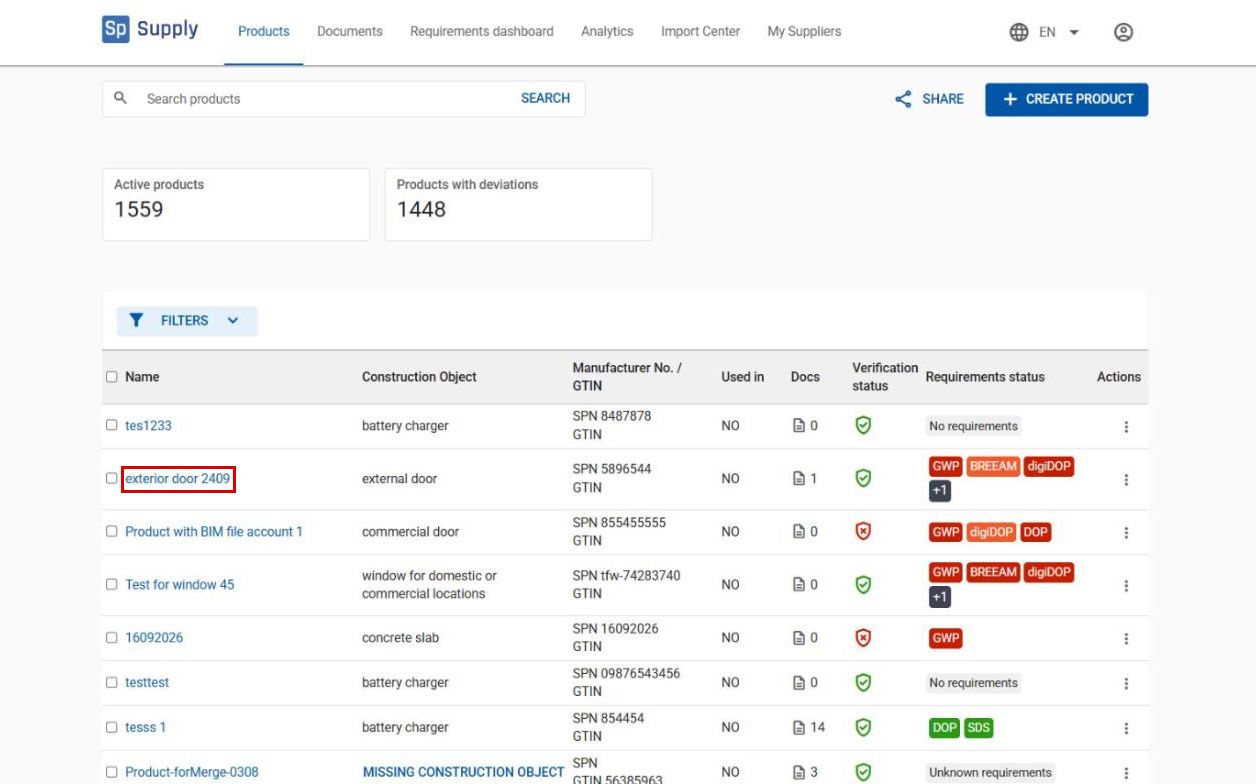
Go to the Products tab, and click the name of the product you want to edit to open the detailed view.
2
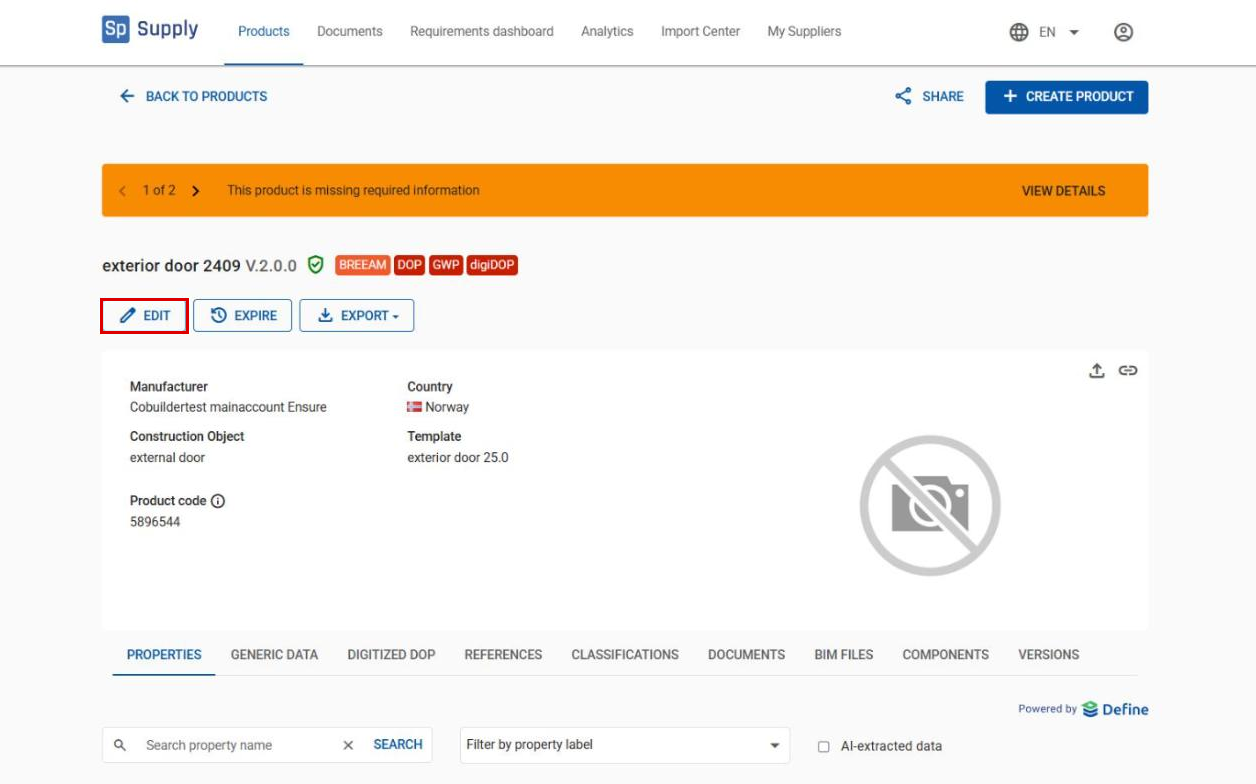
Click Edit to open the Edit Product page.
3
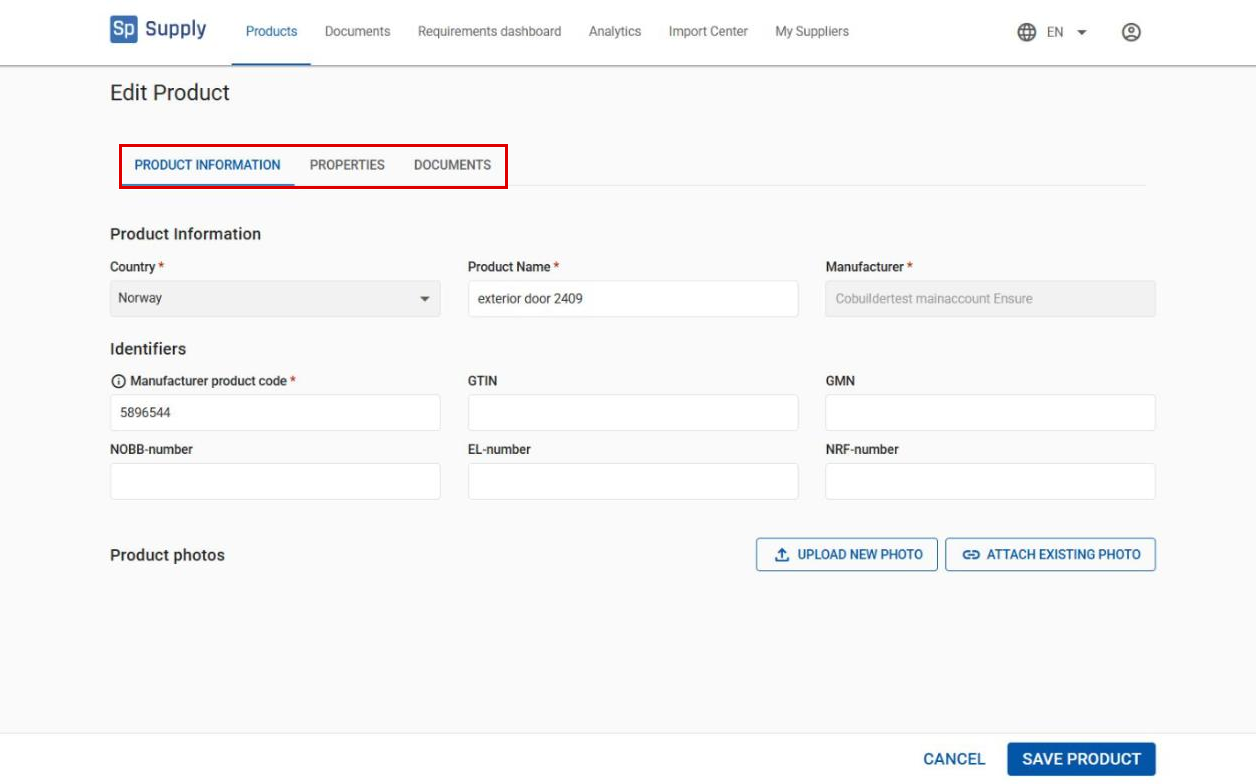
On the Edit Product page, you can make changes in these tabs:
- Product information – update the name and product identifiers.
- Properties – add or edit technical properties linked to the product’s construction object and standard.
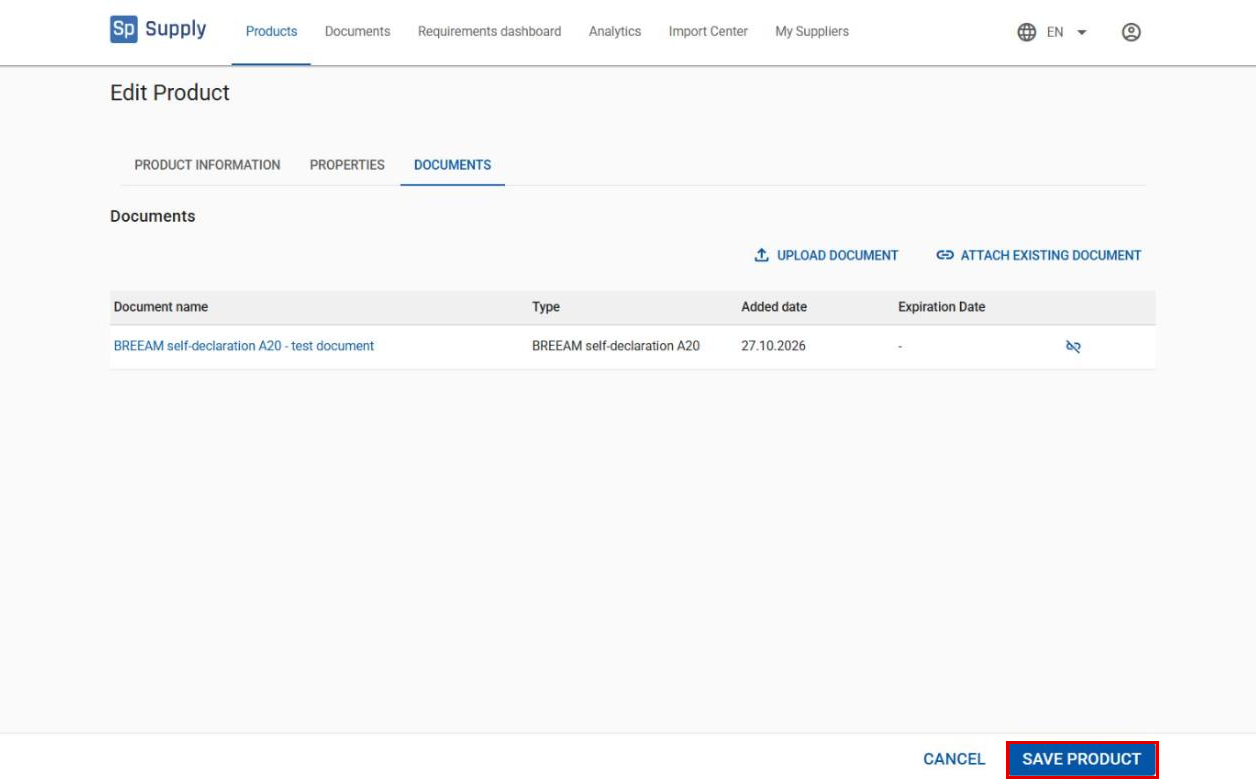
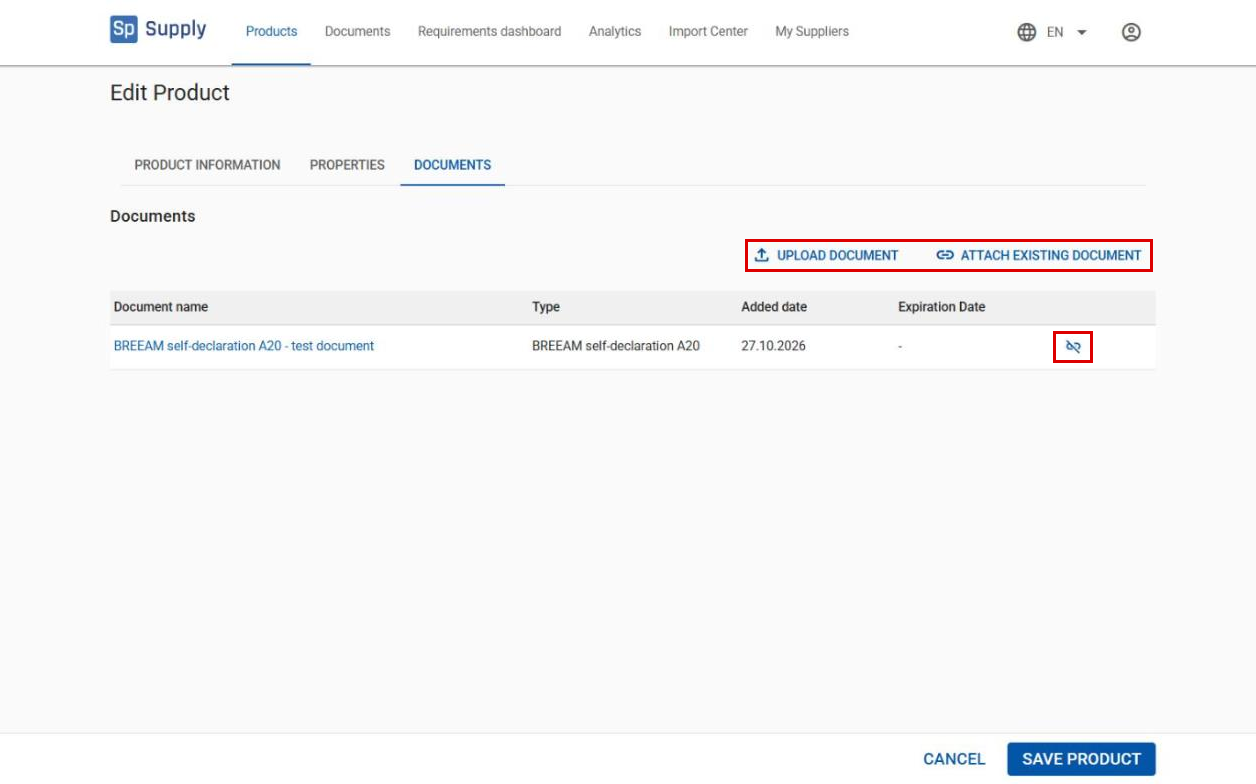
- Documents – upload new documents, link existing ones, or remove a link.
4
The Documents tab shows all documents already linked to the product. Click Upload document to add a new document, or Attach existing document to link a document that is already in the system. To remove a link, click the icon to the right of the document in the list.
5
When you have finished your changes, click Save product.