Welcome to Cobuilder Training Portal
This guide shows how a platform administrator invites and manages users in Cobuilder Supply, which roles are available, and how you as an invited user create your own user.
Invite a new user
1
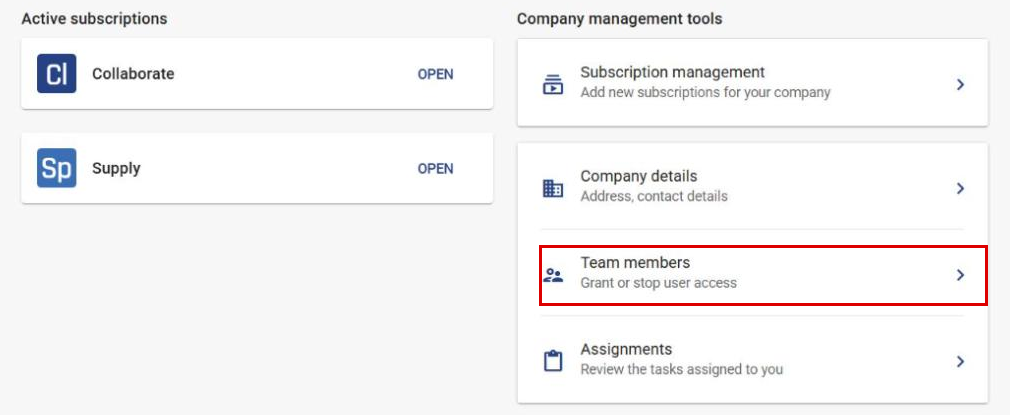
After you have logged in, go to Team members.
2
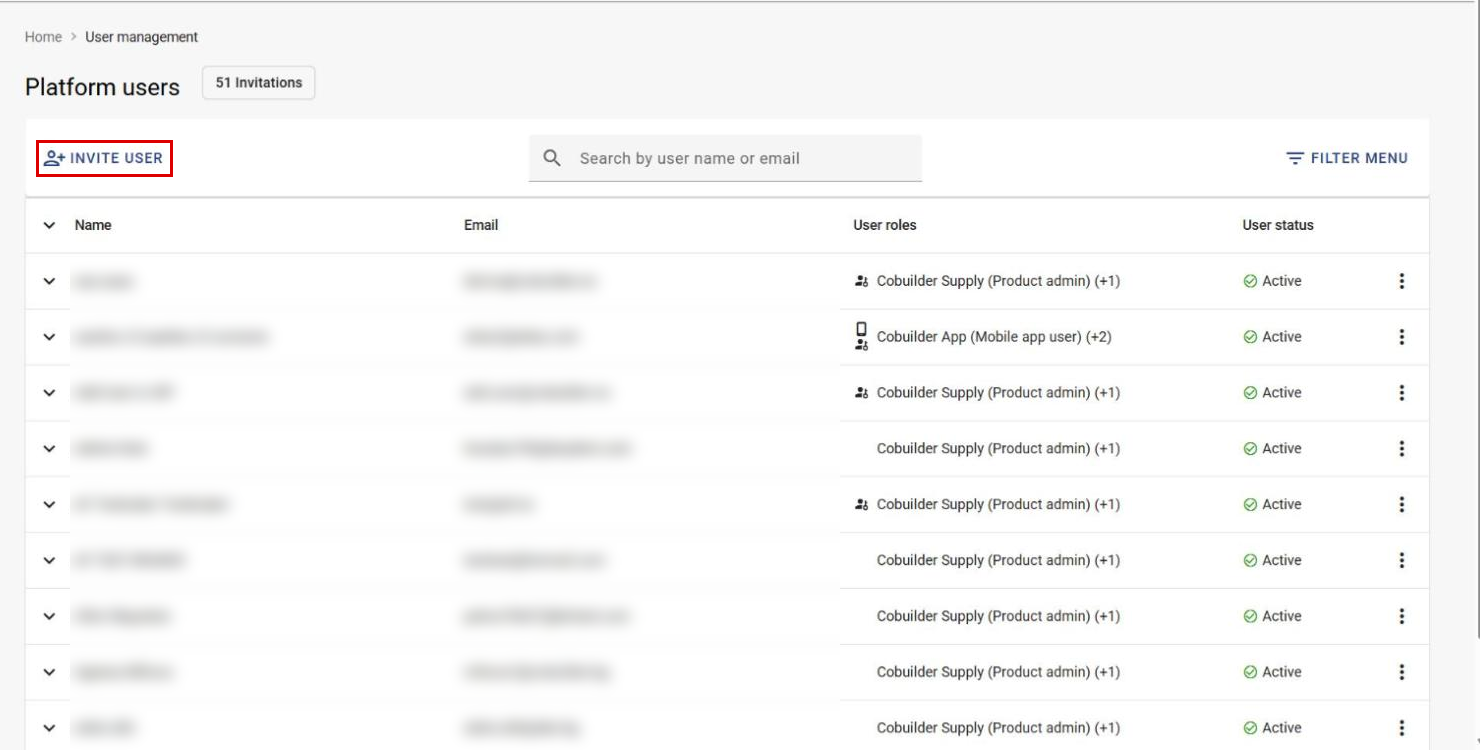
Click Invite user.
3
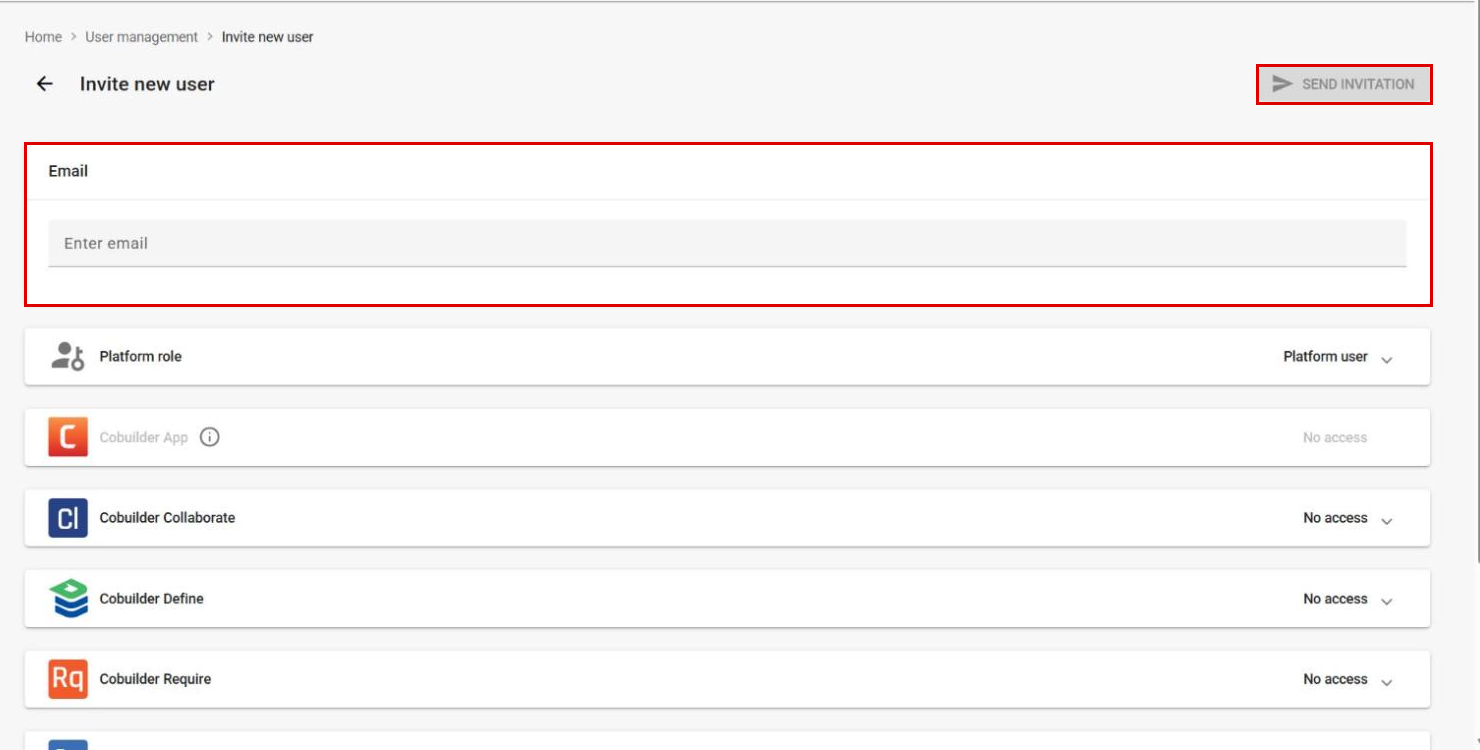
Enter the email address of the user you want to invite.
4
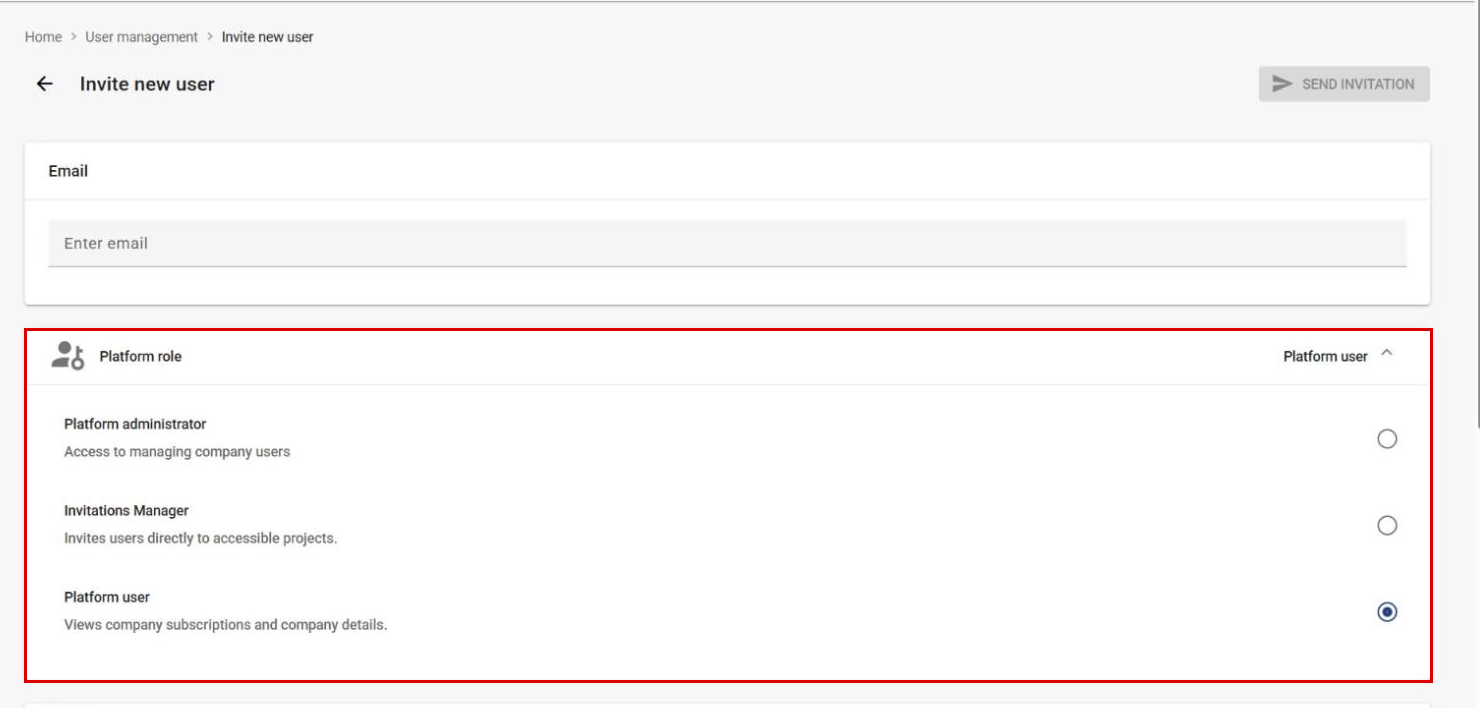
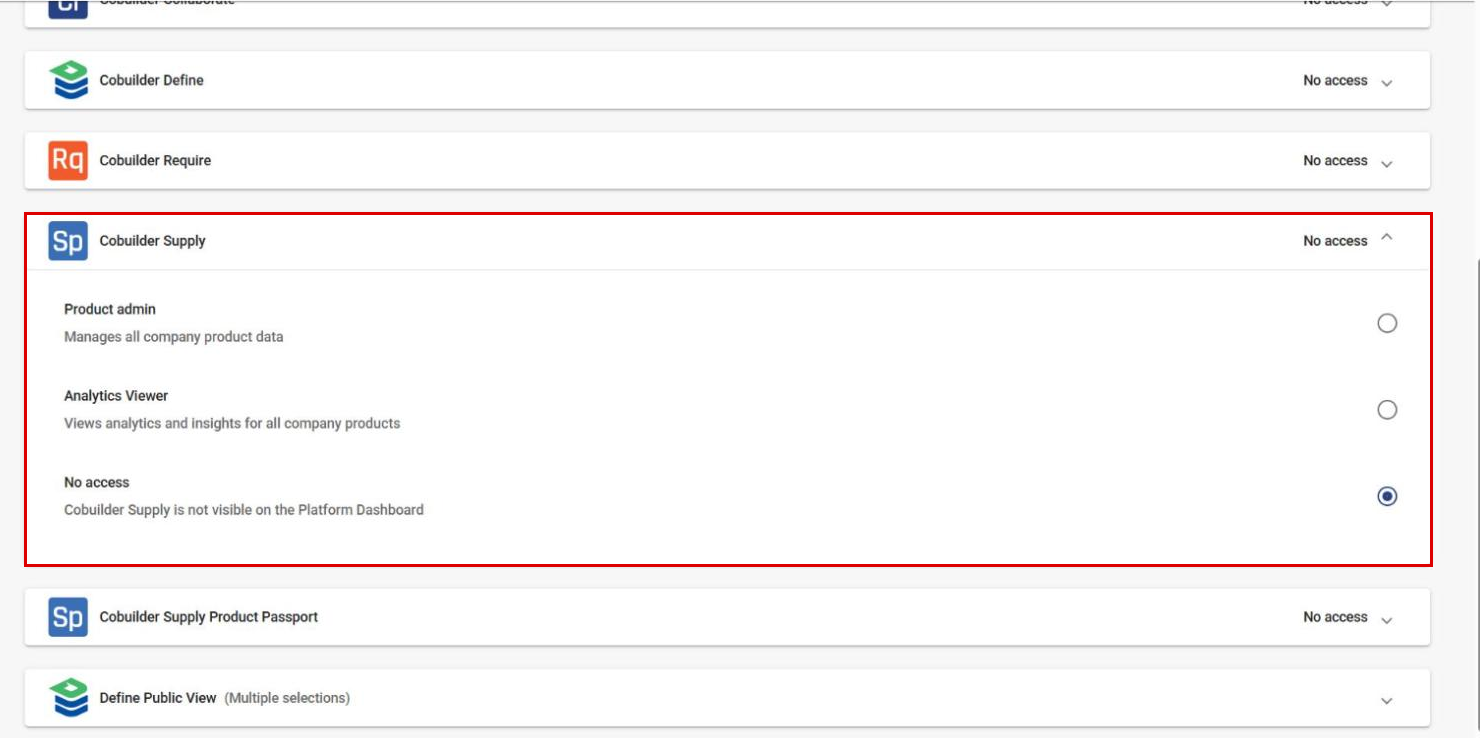
Select the Platform role, and then select the role the user will have in Cobuilder Supply.
5
Click Send invitation. The system automatically sends an invitation to the user’s email address.
6
The invited user opens the invitation in the email, clicks the link and creates their user by following the steps and filling in the required information.
User roles
When you invite a user, you select one platform role and one role for each product the user should have access to.
Platform role:
- Platform administrator – can manage the company’s users.
- Invitations Manager – can invite users directly to accessible projects. This role only applies to Cobuilder Collaborate users.
- Platform user – can view company subscriptions and company details.
Roles in Cobuilder Supply:
- Product admin – can make changes to all of the company’s product data.
- Analytics Viewer – can view analytics and insights for all of the company’s products.
- No access – Cobuilder Supply is not shown on the platform dashboard.
Manage invitations
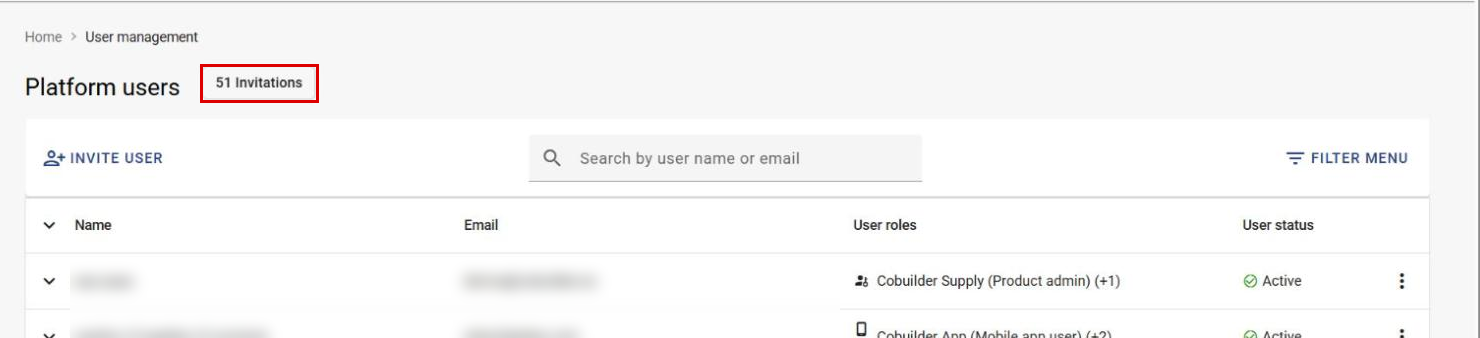
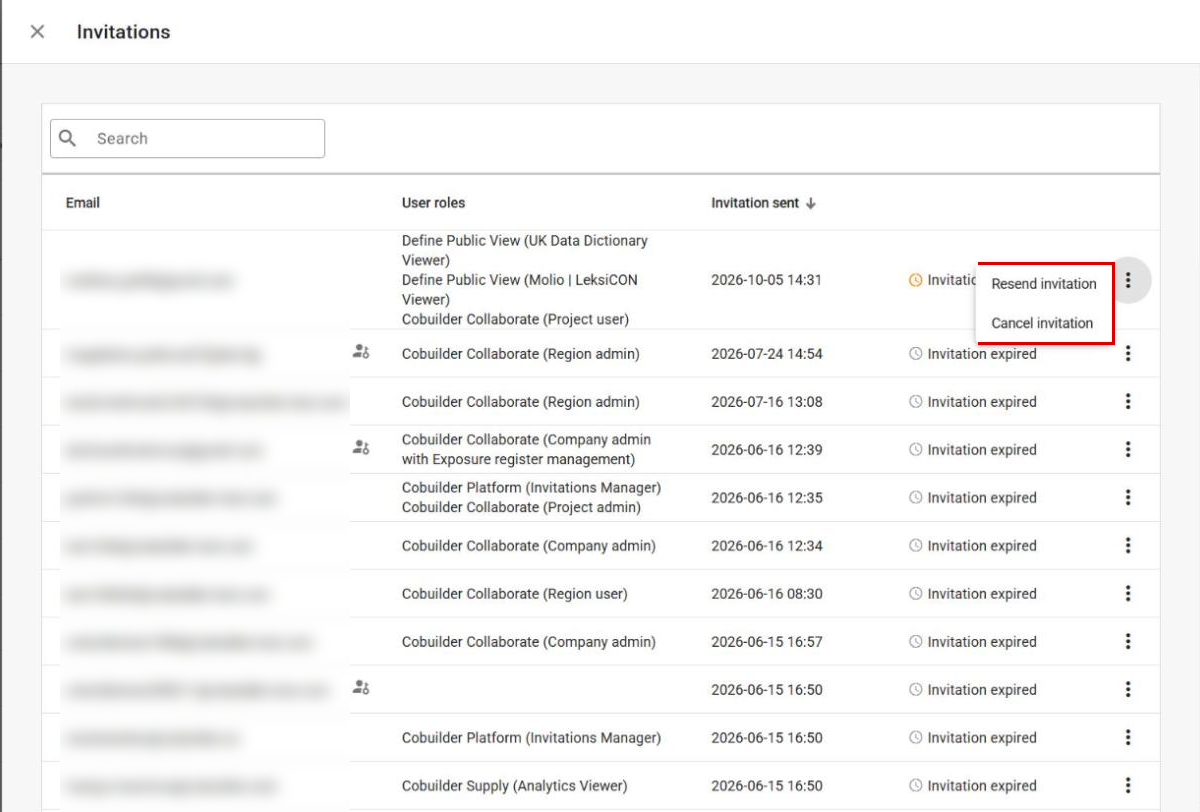
You find sent invitations under Invitations at the top of the user overview. Each invitation is either Invitation pending or Invitation expired. Invitations are valid for 30 days.
Click the three dots to the right of an invitation to Resend invitation or Cancel invitation.
Edit or deactivate a user
7
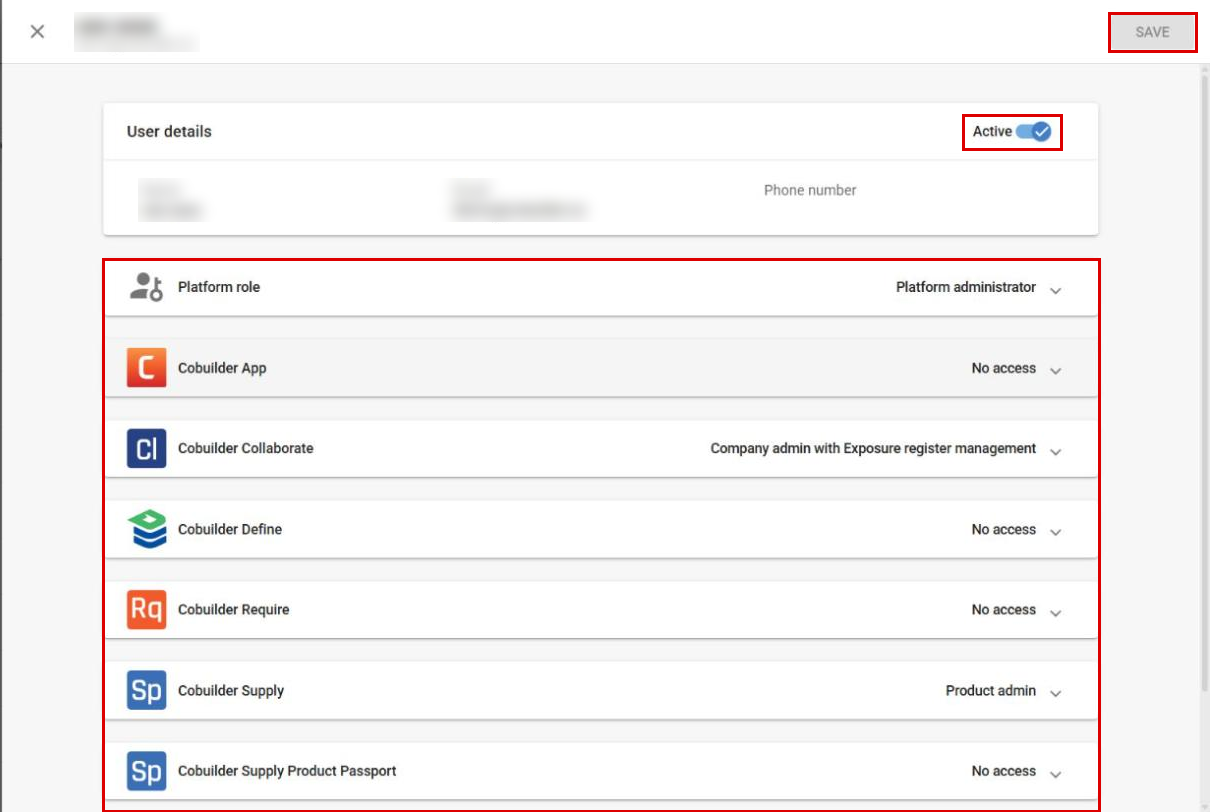
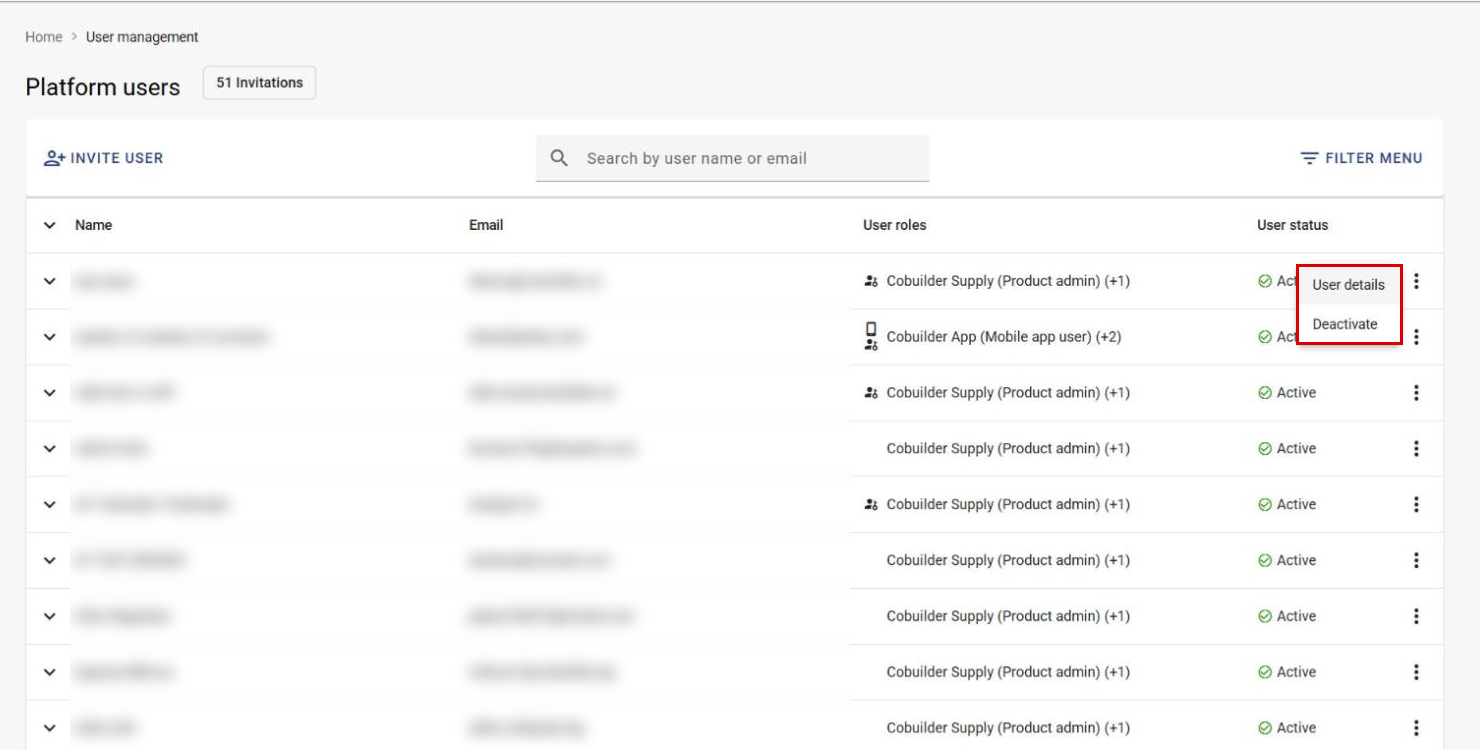
Click the three dots to the right of the user and select User details.
8
Change the roles in the drop-down menus, or switch off Active to deactivate the user, and click Save.