Welcome to Cobuilder Training Portal
To start using Cobuilder Supply, you first register your company and then activate the Supply subscription. This article shows you how.
Register your company
1
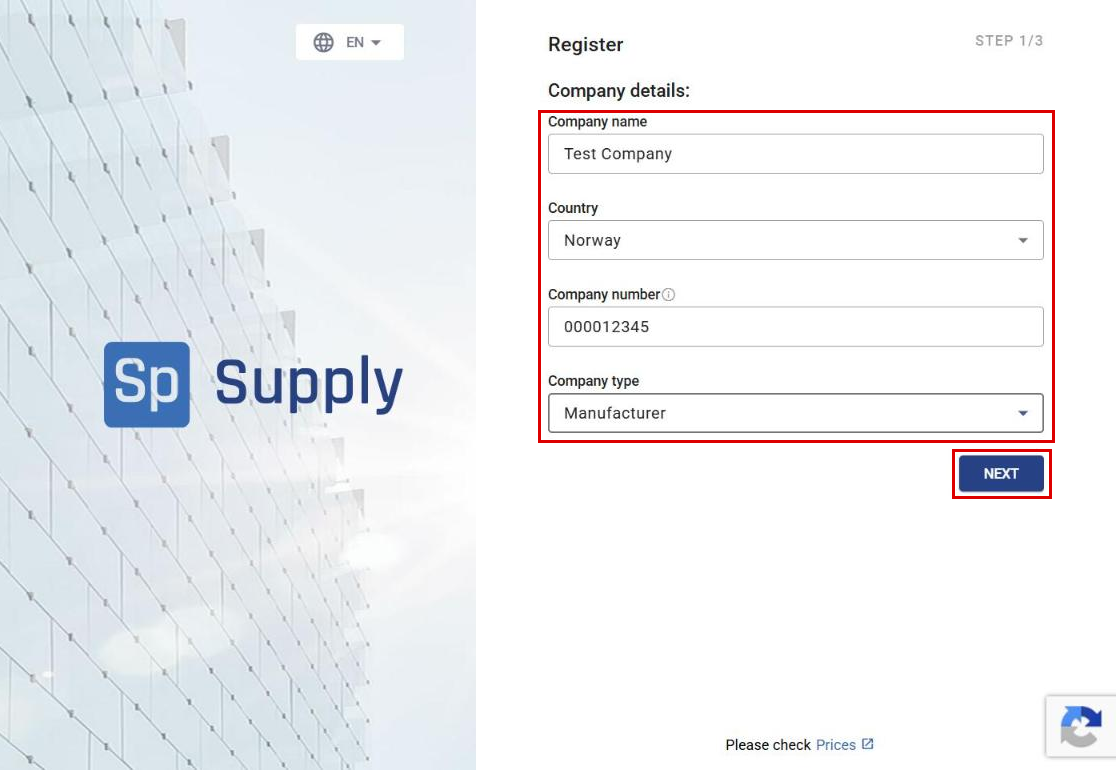
Go to the Cobuilder Supply registration page. Fill in the Company details and click Next.
2
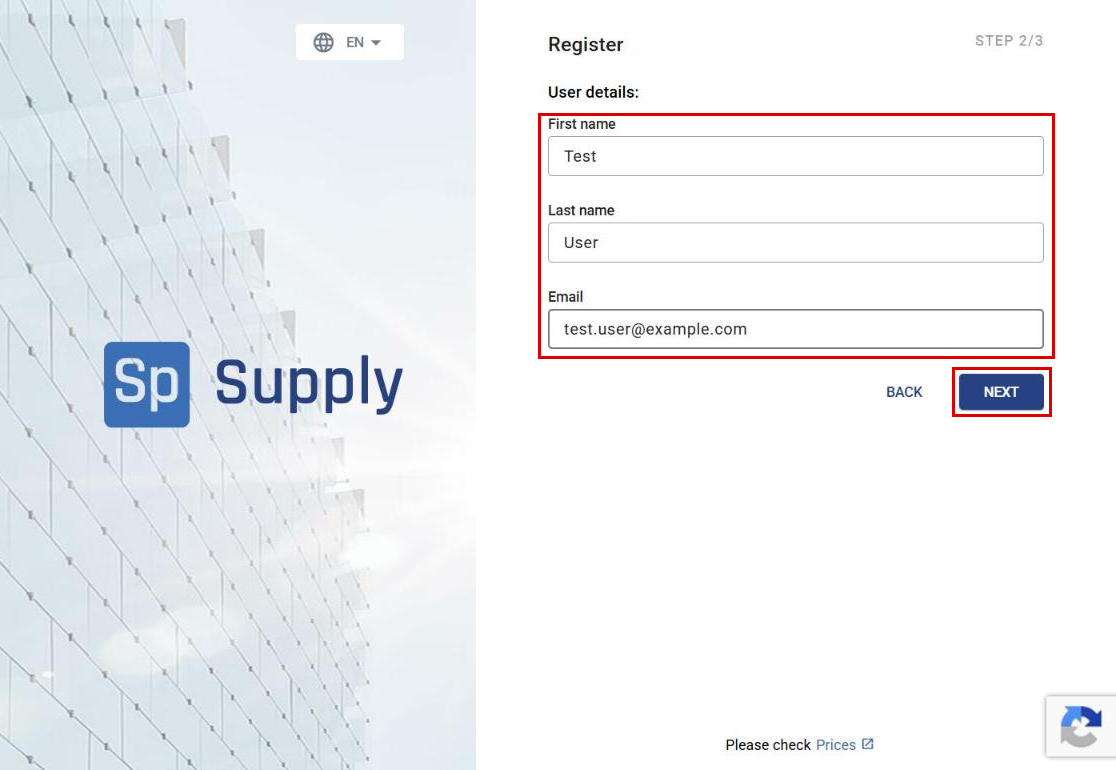
Fill in the User details and click Next.
3
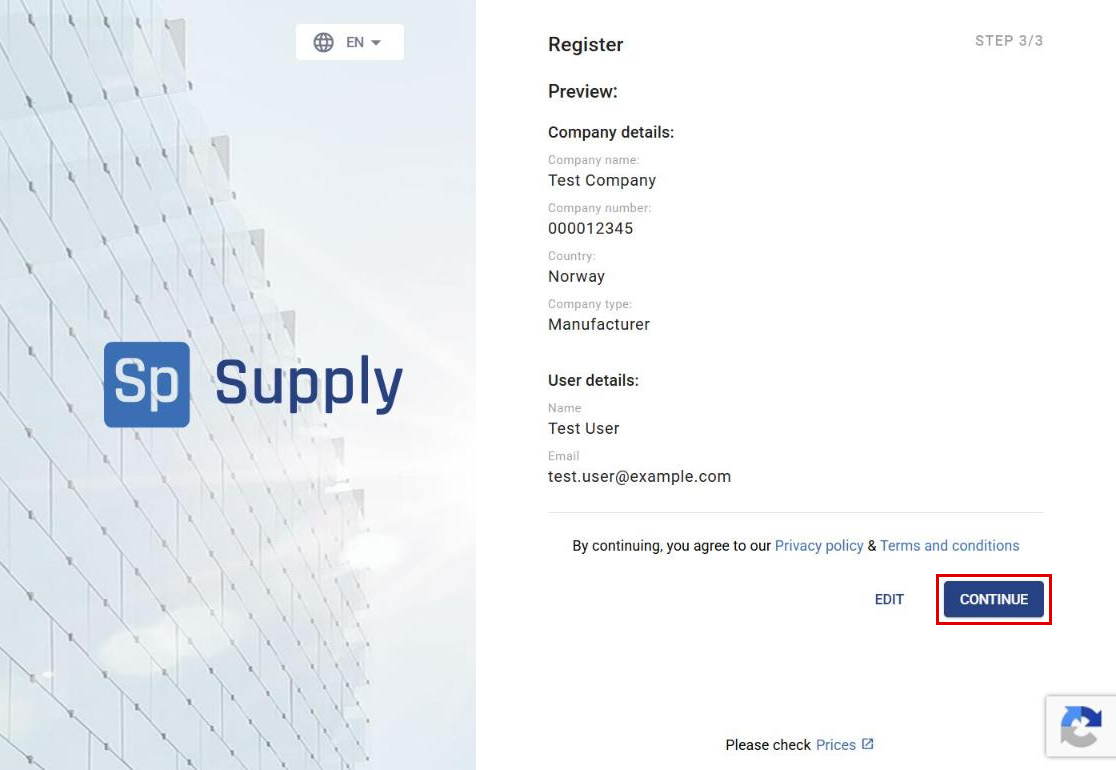
Check that the information is correct and click Continue.
4
A message confirms that we have sent you an email with a link to set your password.

5
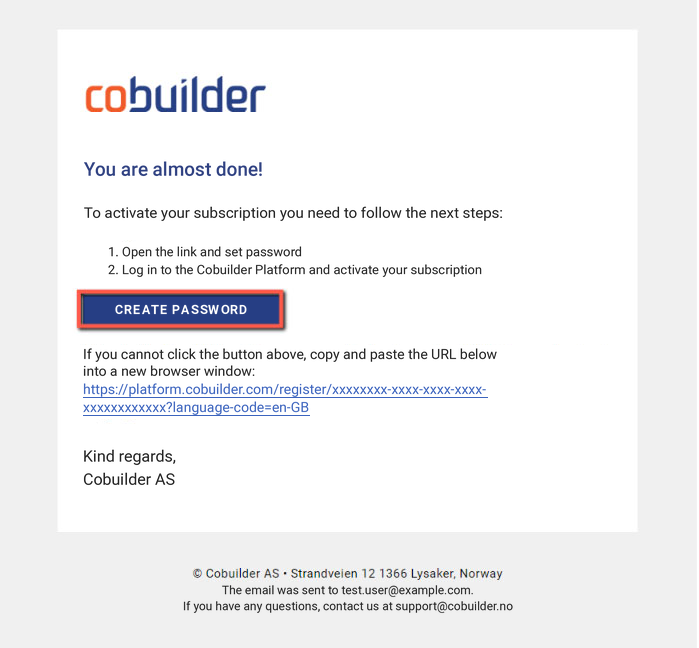
Open the email and click Create password.
6
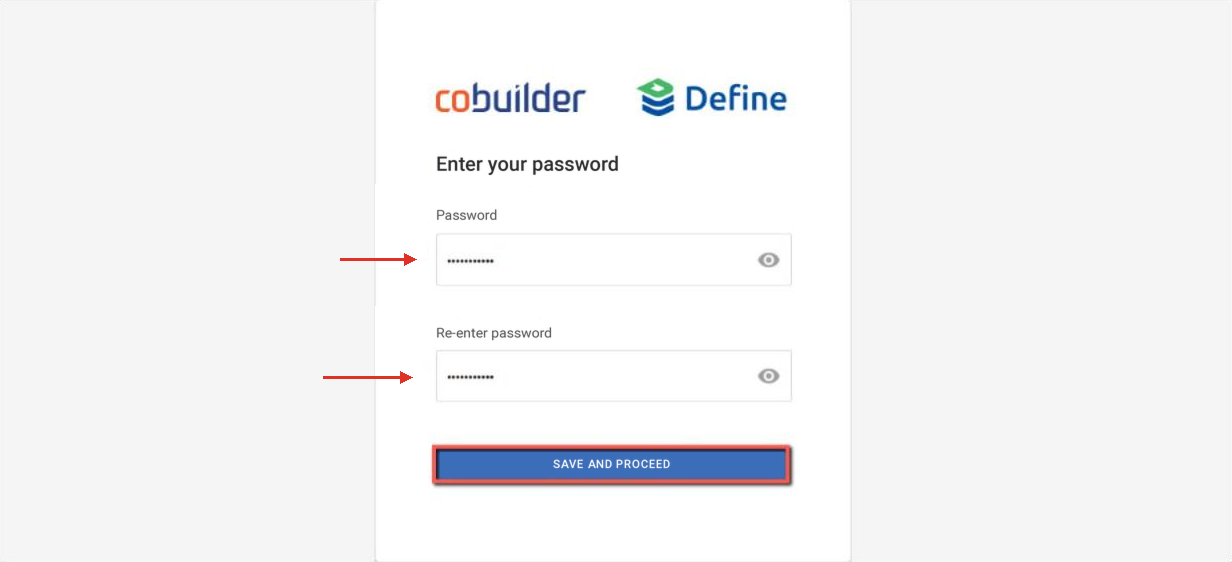
Enter your password twice and click Save and proceed.
Activate the Supply subscription
7
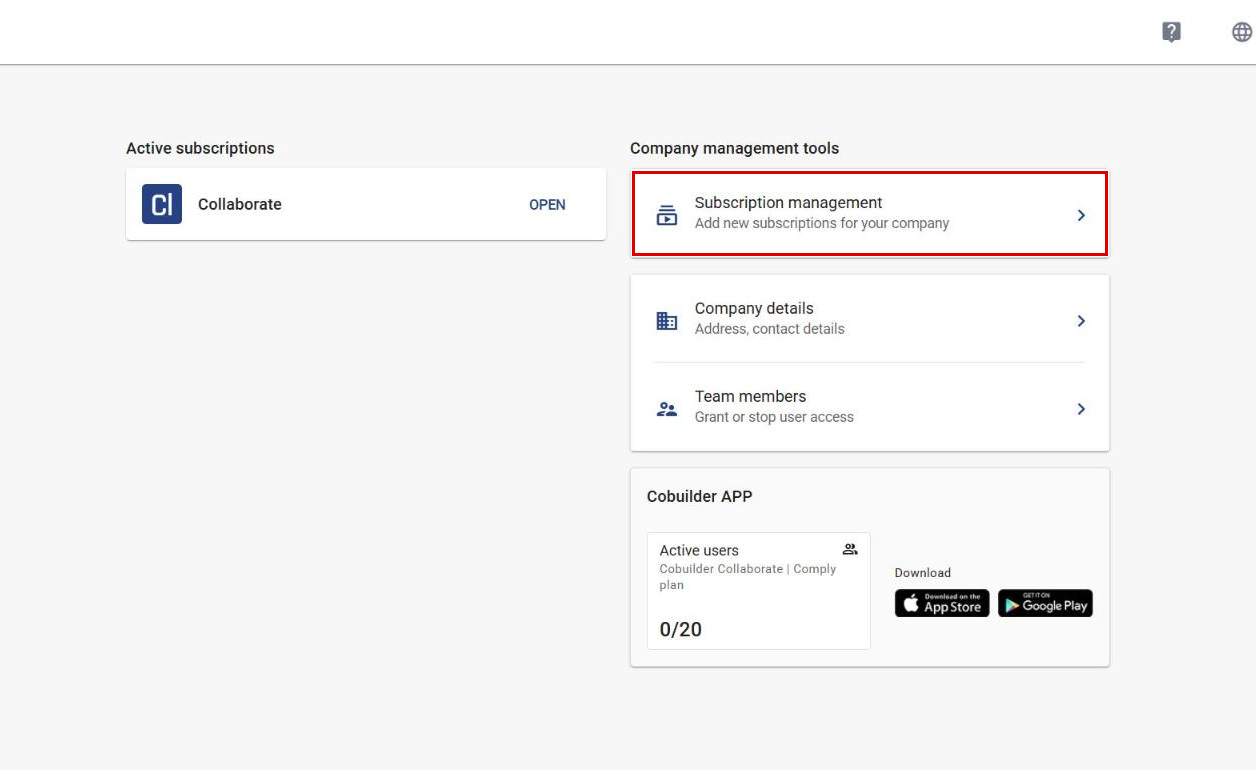
After you log in, click Subscription management.
8
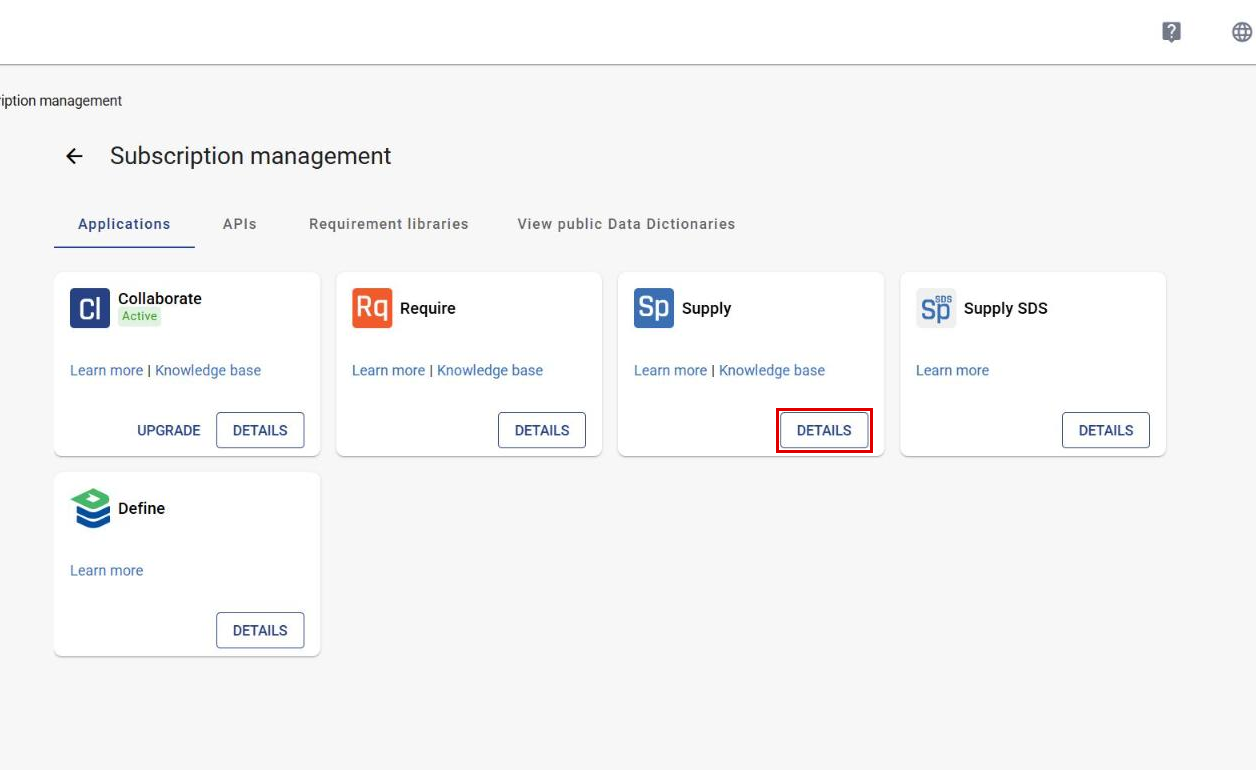
Find Supply and click Details.
9
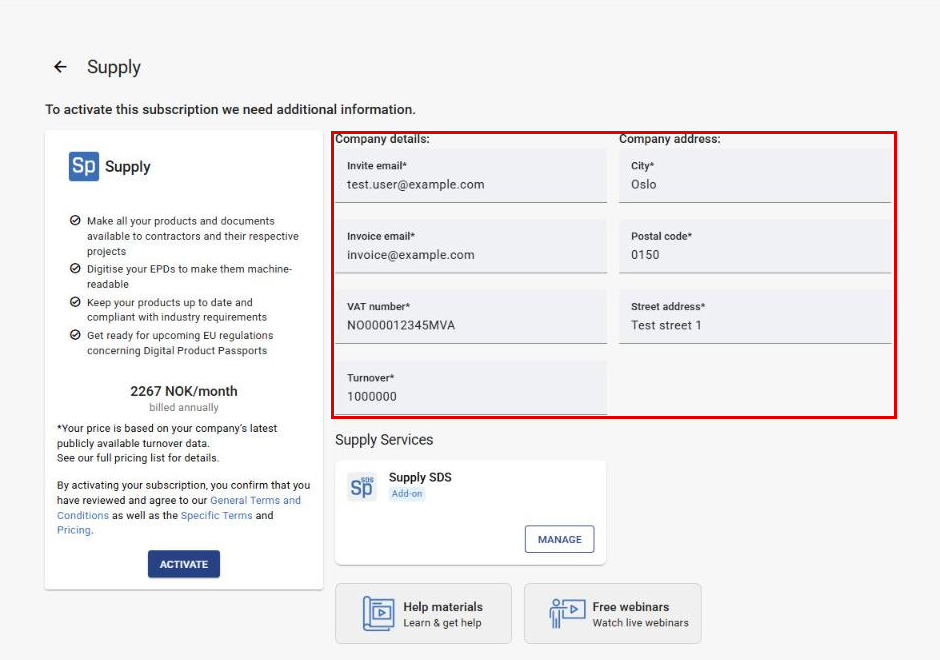
Fill in the Company details and Company address.
10
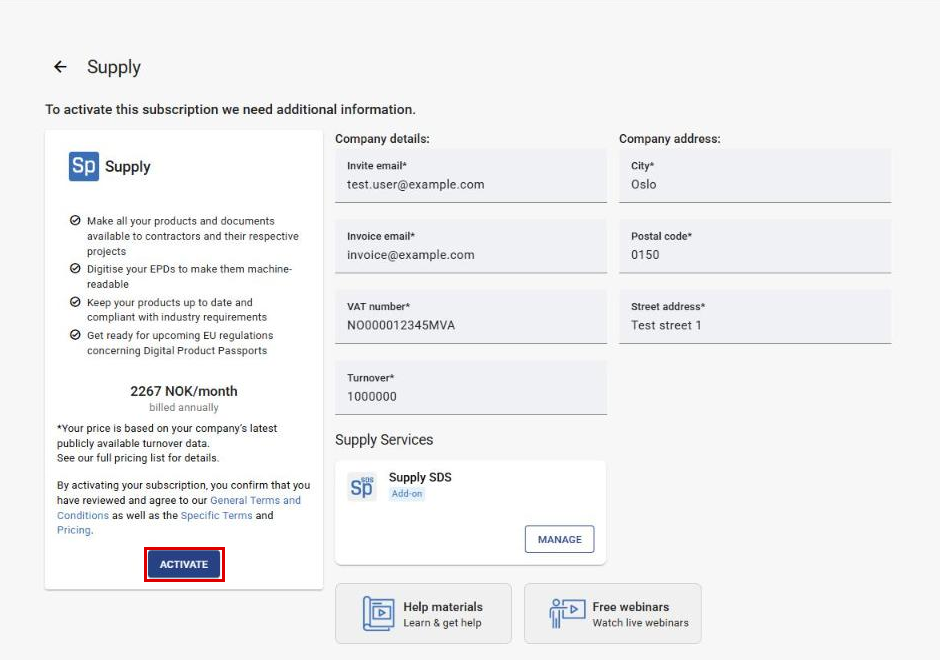
Click Activate. By activating the subscription, you accept the terms and conditions.
11
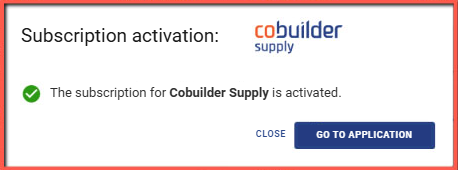
A message confirms that the subscription is active. Click Go to application.