
Welcome to Cobuilder Training Portal
The logbook gives you a consolidated overview of every product added to the project — product information, classification, and documentation requirement status — all in one downloadable Excel file.
Here’s how
1
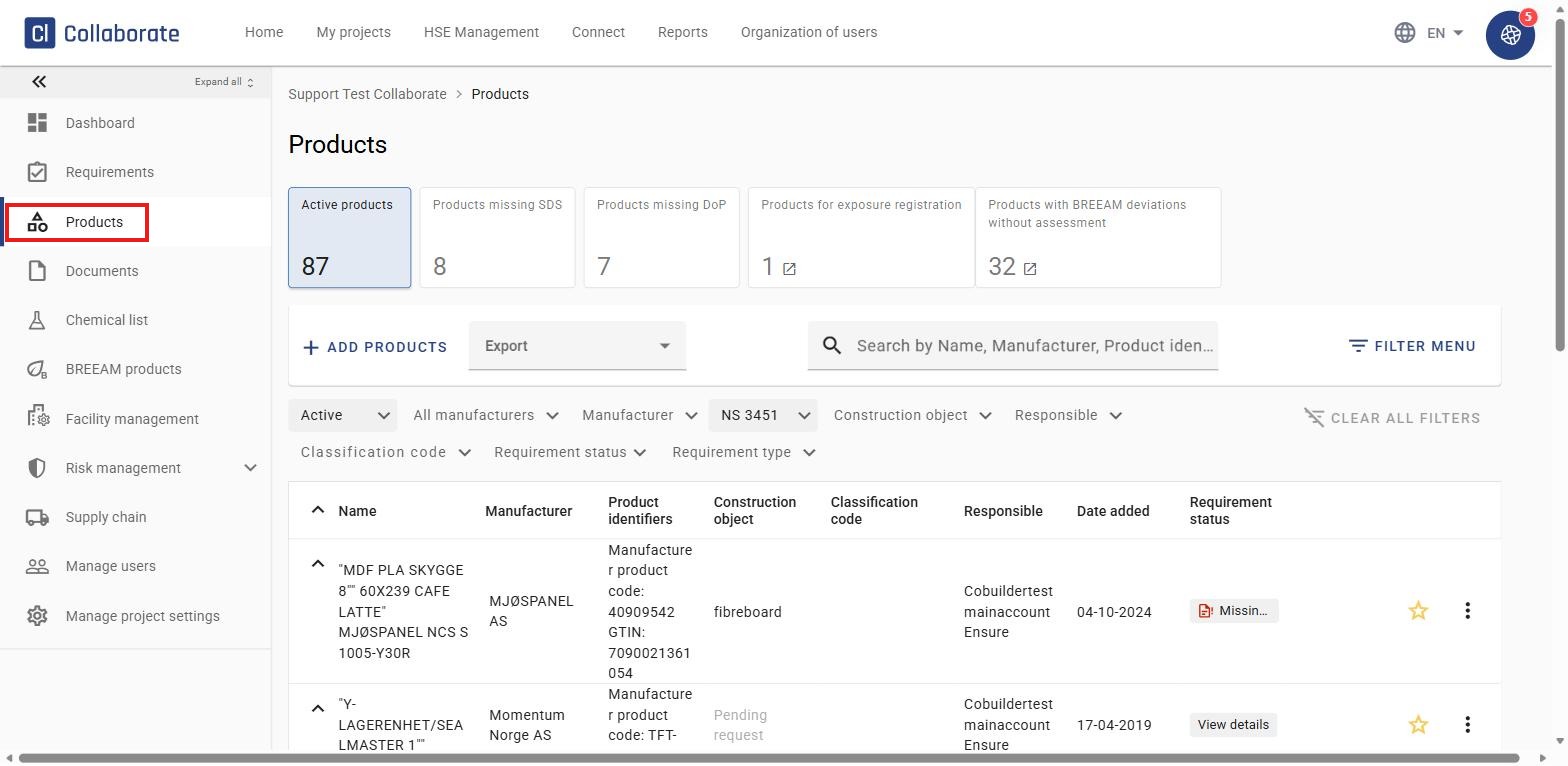
Go to the project and click Products.
2
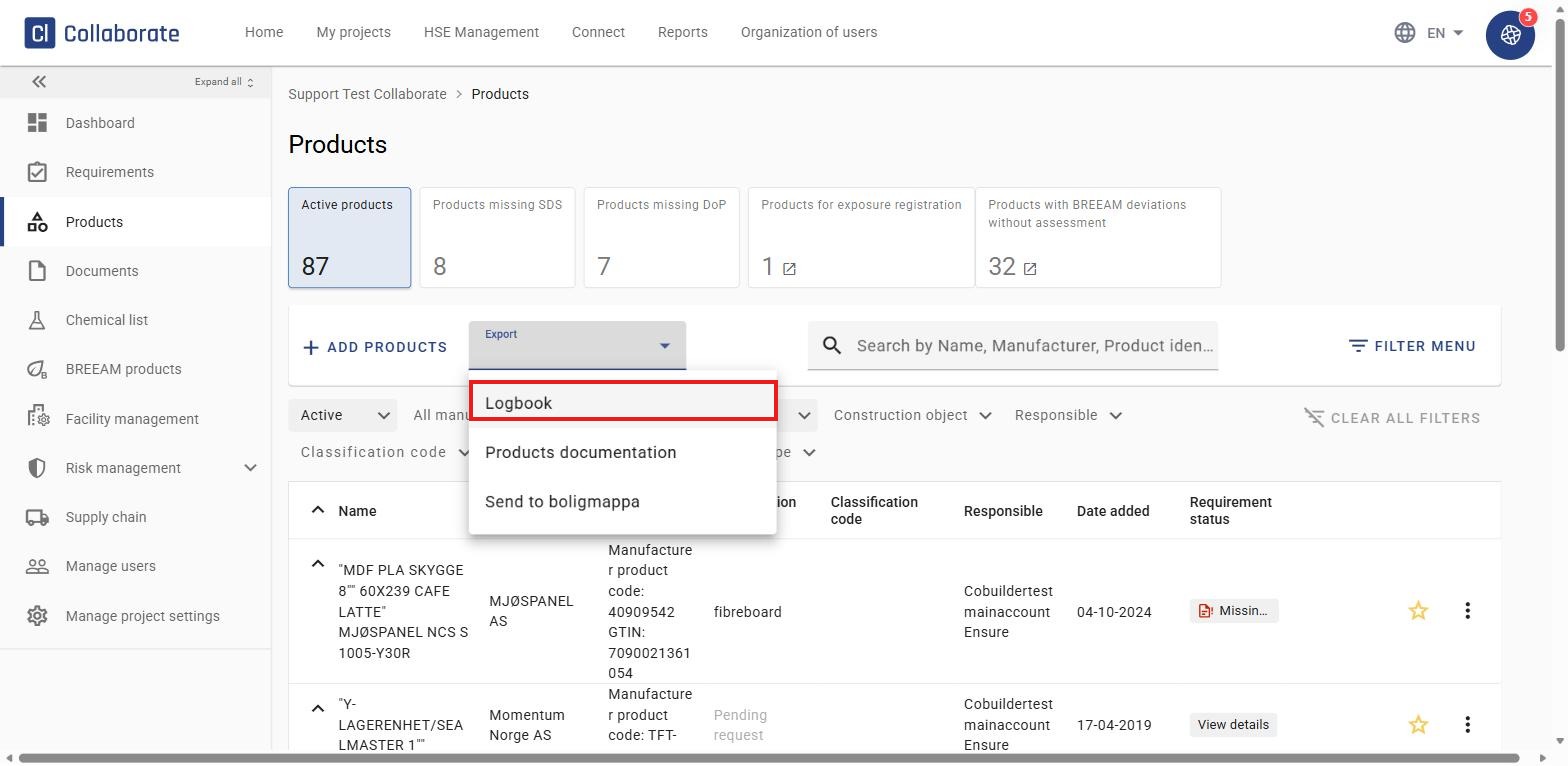
Click Export and select Logbook from the dropdown menu.
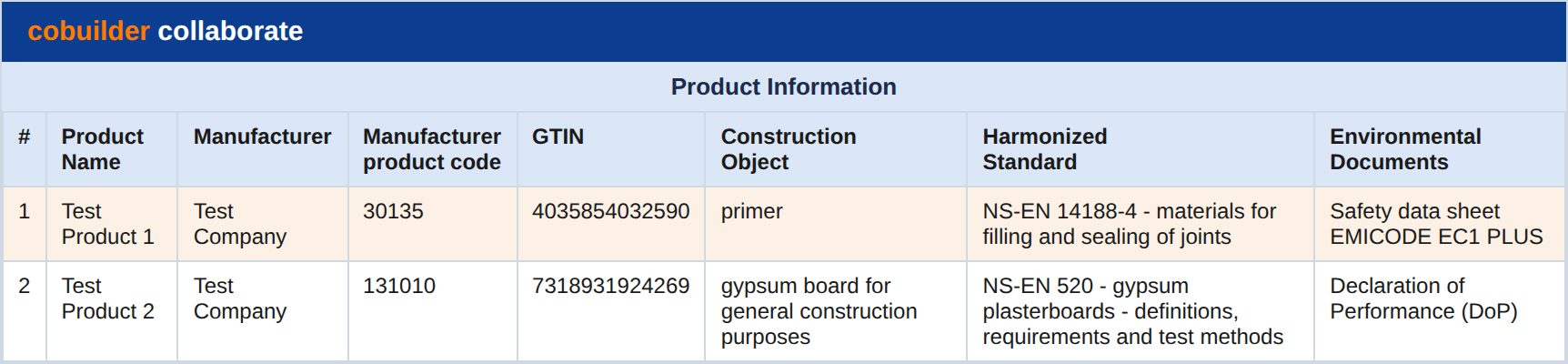
An Excel file downloads directly to your computer. The file shows an overview of all products added to the project, with information on:
- Product name
- Manufacturer
- Product identifiers (manufacturer’s product code and GTIN)
- Construction object
- Harmonized standard
- Environmental documents linked to the product
- Classification code per NS 3451
- Responsible
- Who added the product, and when
- Missing required documentation
If the Nordic Swan Ecolabel requirements filter is set up on the project, columns O–R are added to the logbook: NSE required product Generation 3, Status Husproduktportal, User assessment, and User assessment comment.



