
Welcome to Cobuilder Training Portal
The Chemical list gives you a full overview of every chemical registered on a project, and makes it easy to check whether each one meets the project’s chemical requirements.
Find the chemical overview
1
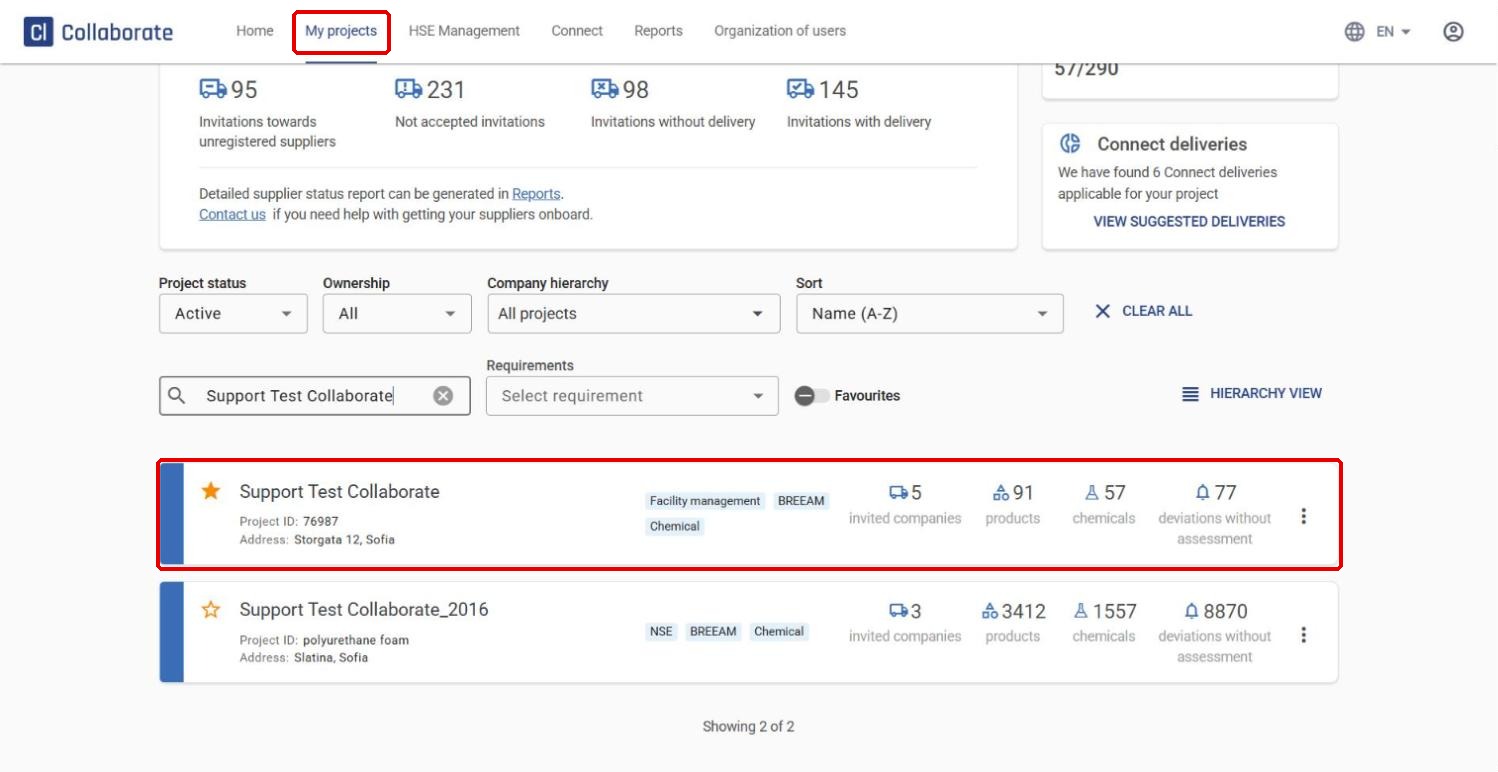
Go to My projects and select the project.
2
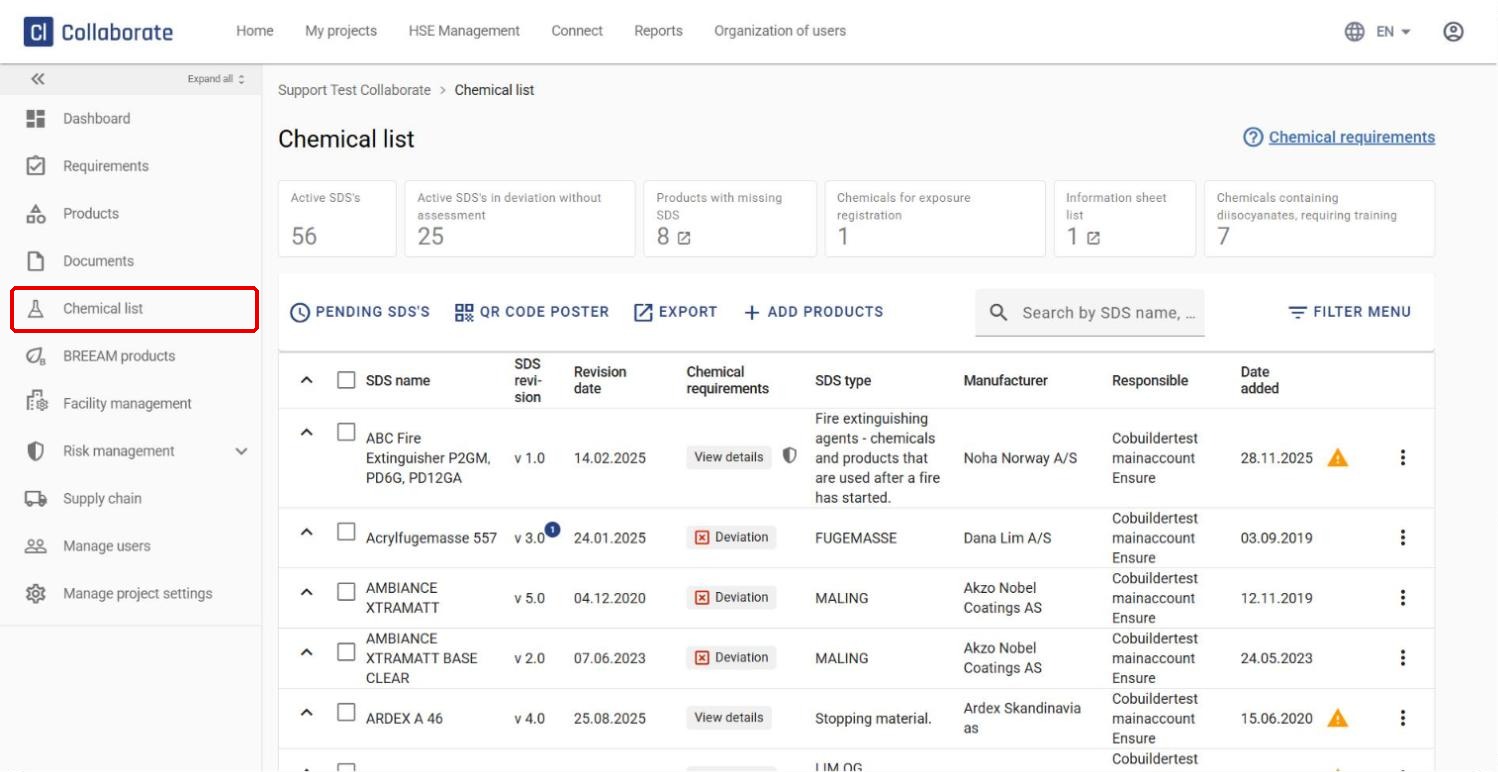
Click Chemical list in the left-hand menu. This opens a combined list of all the safety data sheets (SDS) linked to your products.
Understand the SDS status
Each safety data sheet gets a status based on whether it complies with the chemical filters set for the project.
1
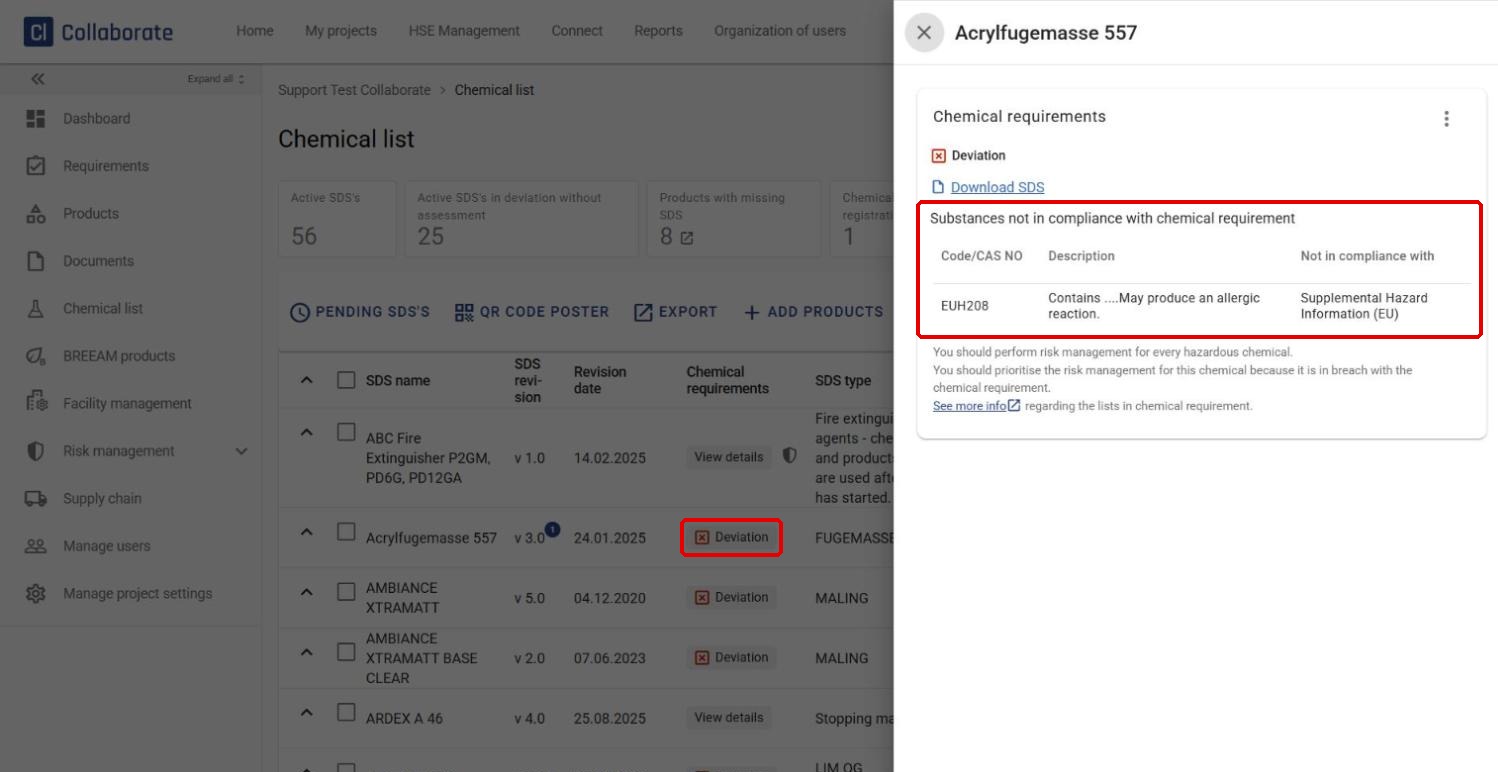
If a safety data sheet contains substances that don’t meet the requirements, a red Deviation button appears in the Chemical requirements column.
2
Click the button to see which substances trigger the deviation.
3
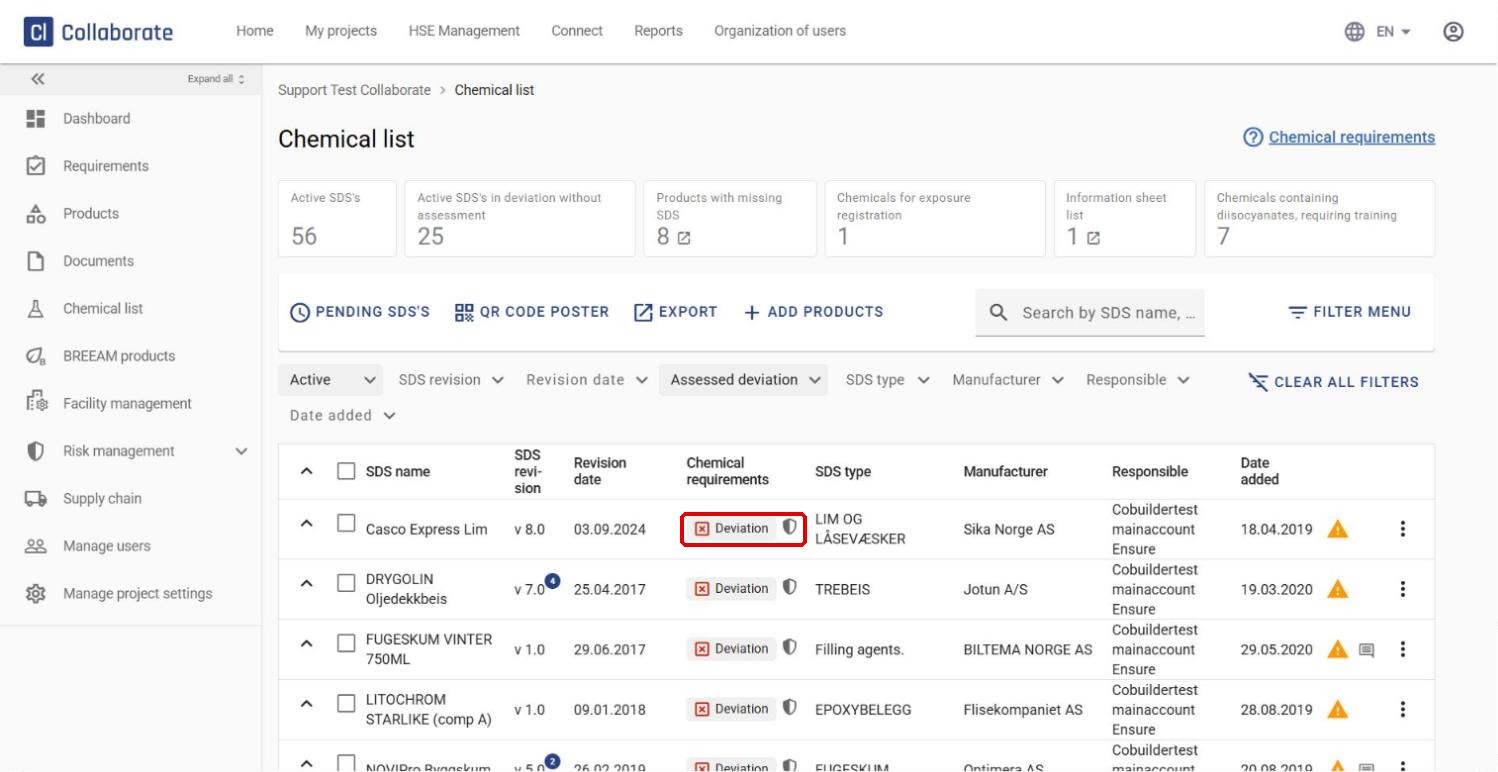
Once a chemical has been risk assessed, a shield icon appears next to the Deviation button.
Filter the overview
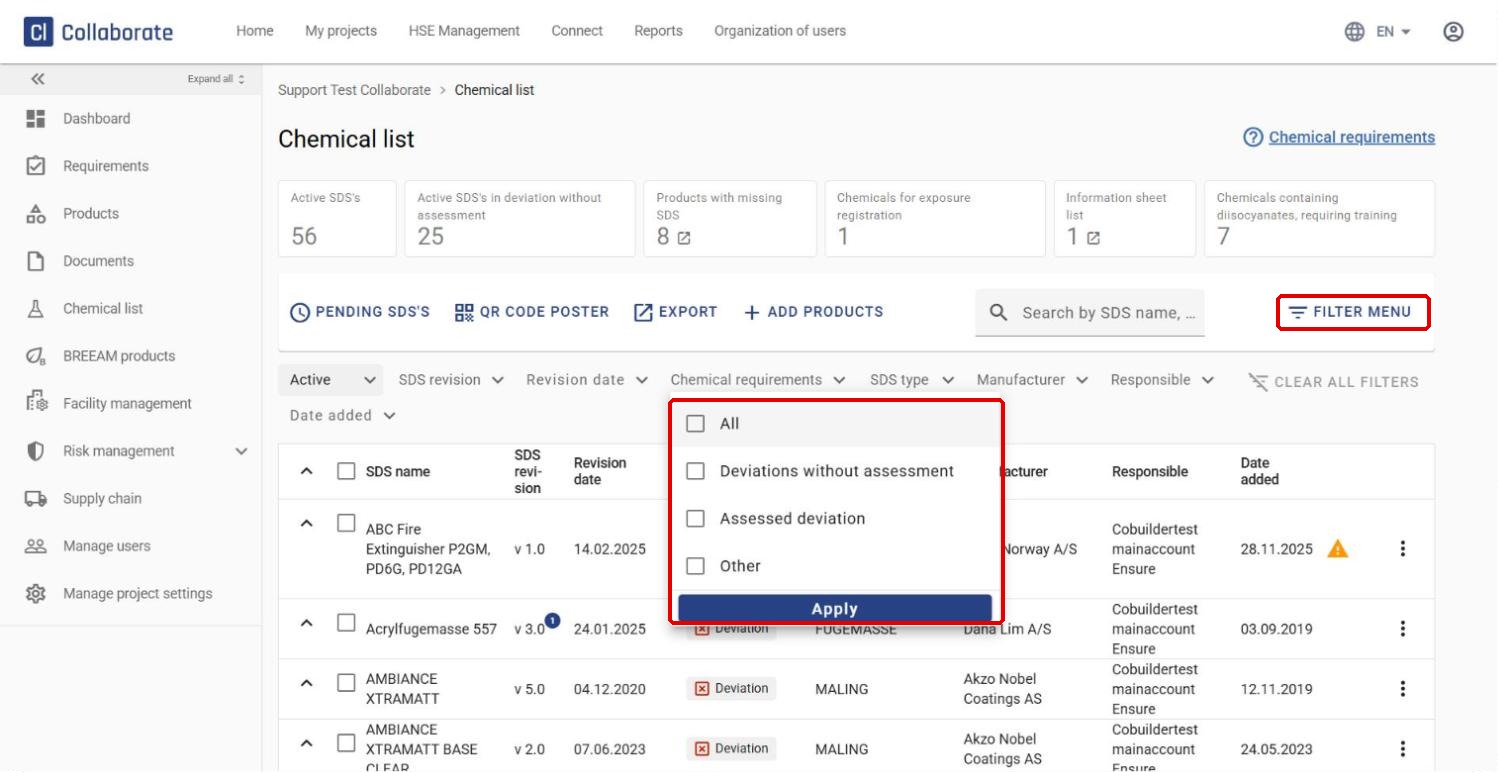
Click Filter menu and open the Chemical requirements filter to narrow down the list. Tick the option you want and click Apply:
- Deviations without assessment – shows only SDSs with deviations that haven’t been risk assessed yet.
- Assessed deviation – shows SDSs where the deviation has been risk assessed.
- Other – shows only SDSs without deviations.
This makes it easy to follow up chemicals and make sure the project meets the current requirements.


