Welcome to Cobuilder Training Portal

How to set up Nordic Swan Ecolabel (NSE) requirements on a project

Last Updated: October 9, 2026

Check whether products are available for use in projects seeking Nordic Swan Ecolabel certification.

Note: Nordic Swan Ecolabel requirements are available for projects with an Ensure subscription. Upgrade to Ensure.

Set up Nordic Swan Ecolabel requirements

1

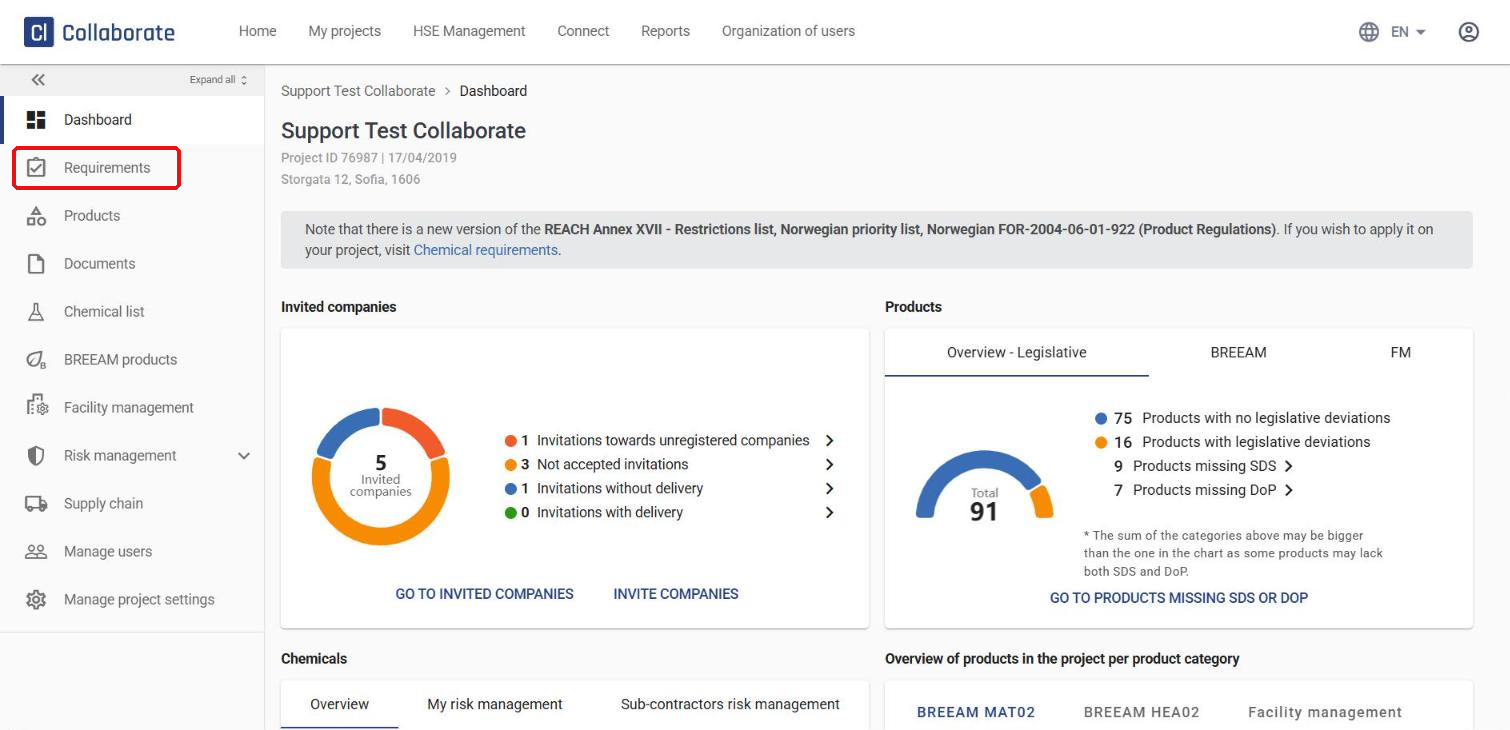
Go to your project and click Requirements in the left-hand menu.
2

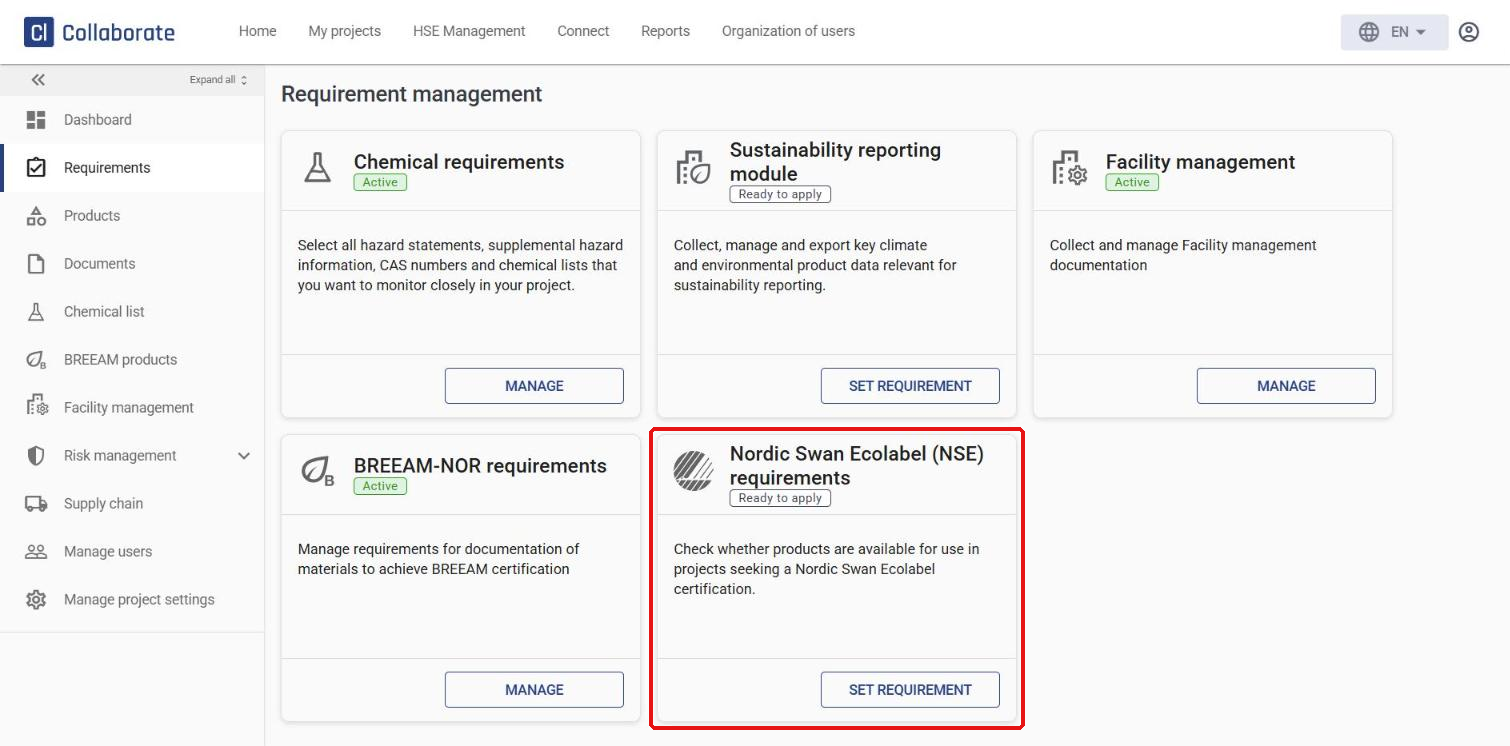
Find the Nordic Swan Ecolabel (NSE) requirements category and click Set requirement.
3

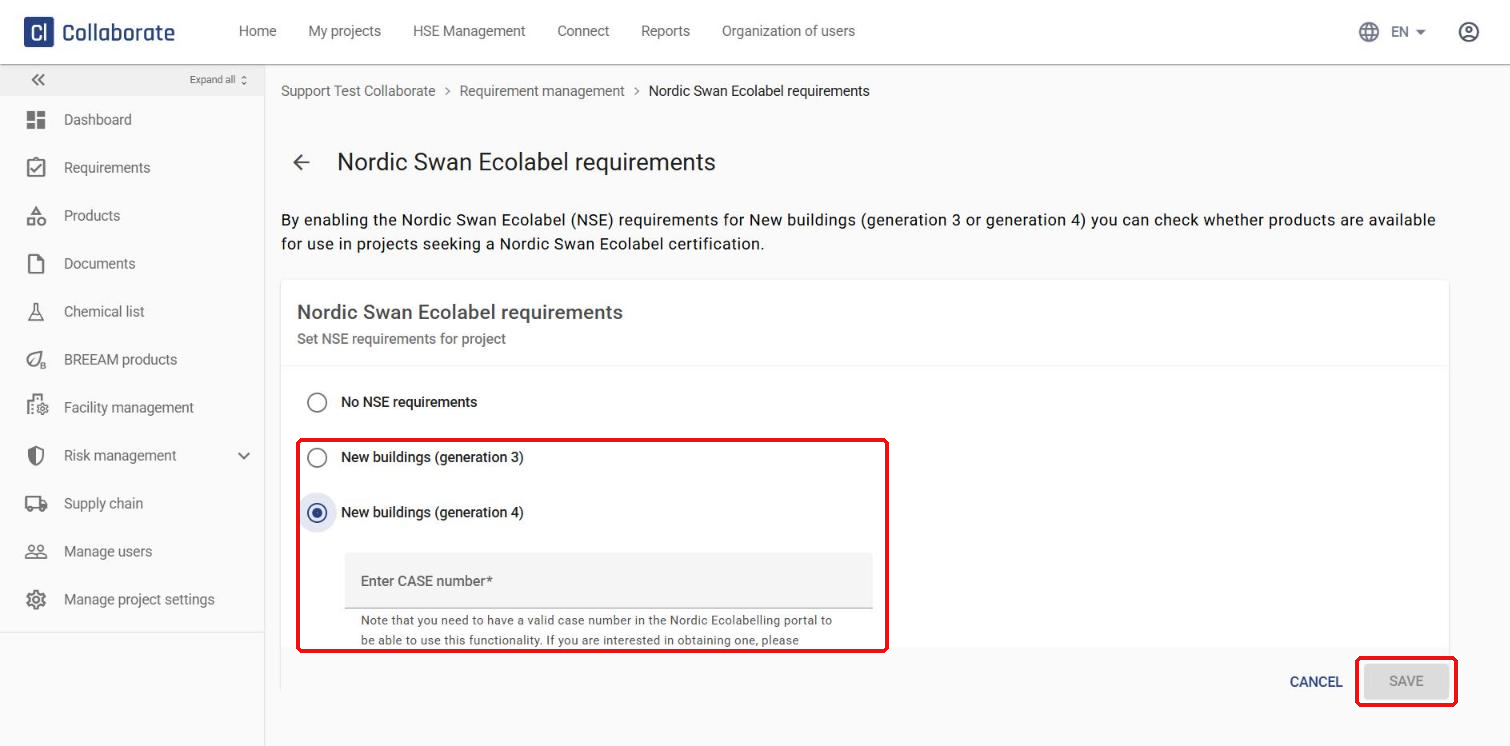
Select New buildings (generation 3) or New buildings (generation 4), enter a valid case number from Nordic Ecolabelling in the Enter CASE number field, and click Save.
Tip:

Don’t have a case number yet? Contact Nordic Ecolabelling to get one.

✓ A new Nordic Swan Ecolabel requirements item now appears in the left-hand menu. There you’ll find an overview of all products on the project that are relevant for the Nordic Swan Ecolabel.

How to import products in Supply
How to assess Nordic Swan Ecolabel products